A mystical Dark theme for VS Code with purple, cyan, and neon green accents that creates an enchanting coding environment. Perfect for developers who love beautiful, eye-friendly themes with excellent syntax highlighting.





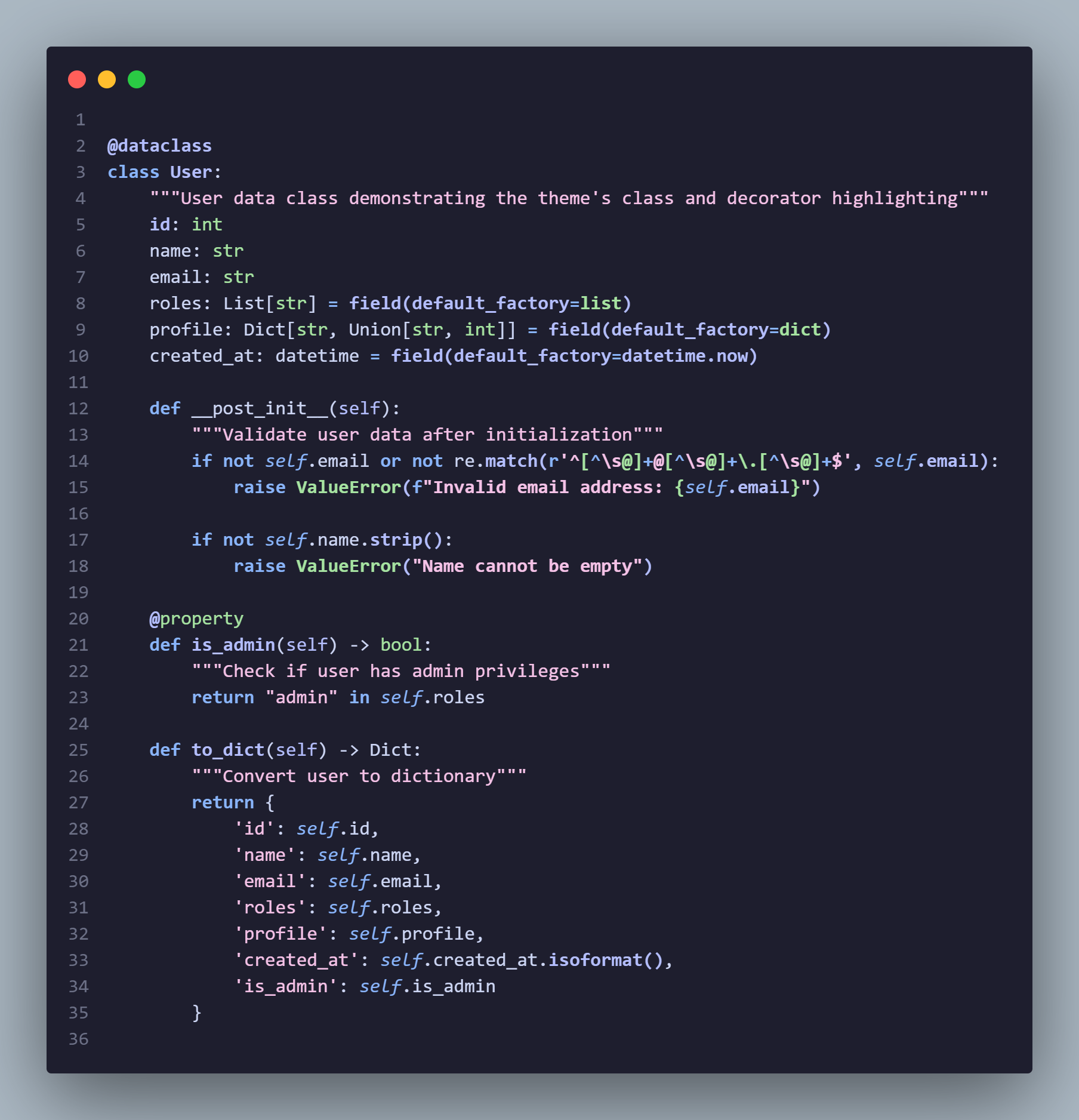
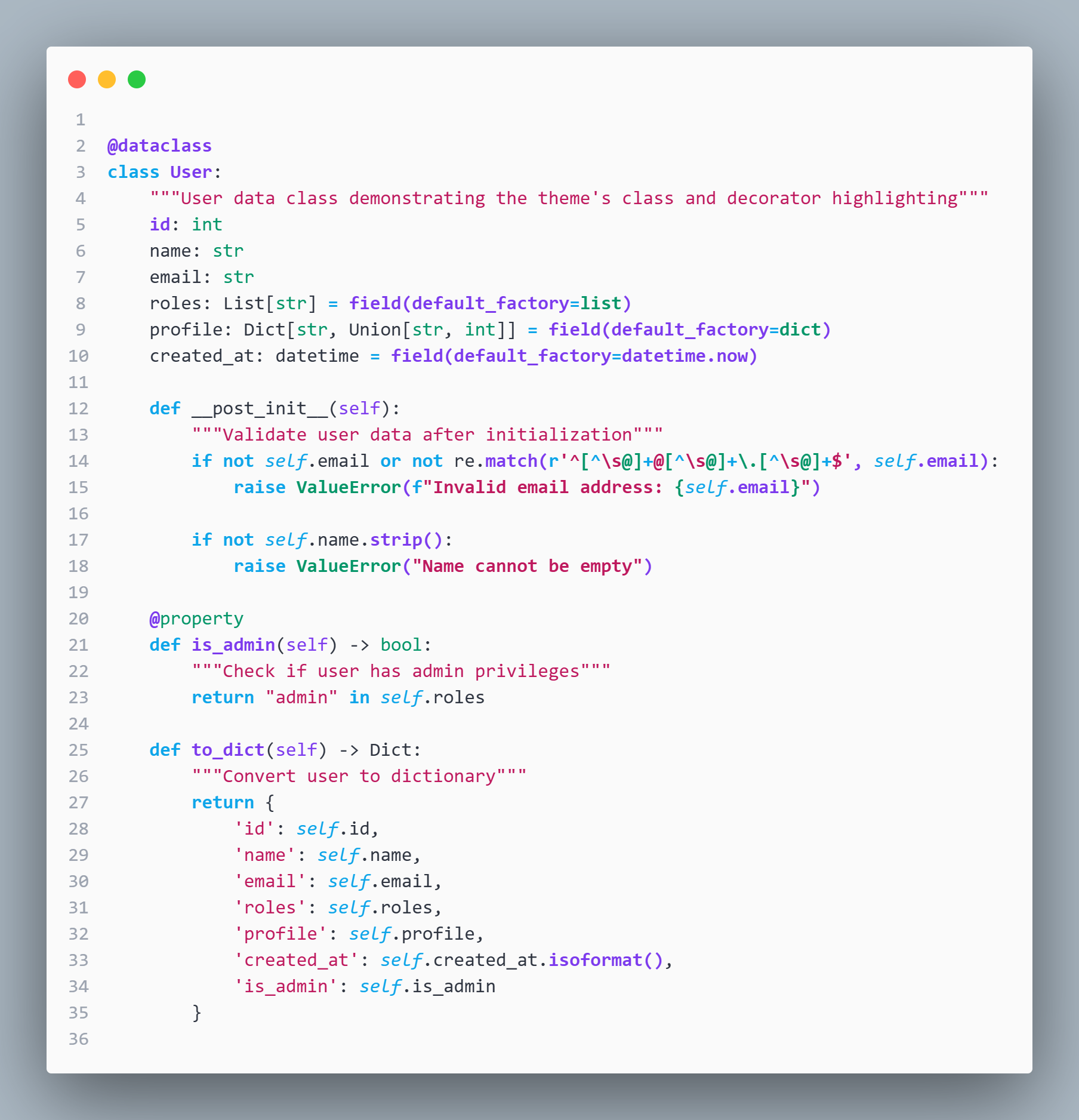
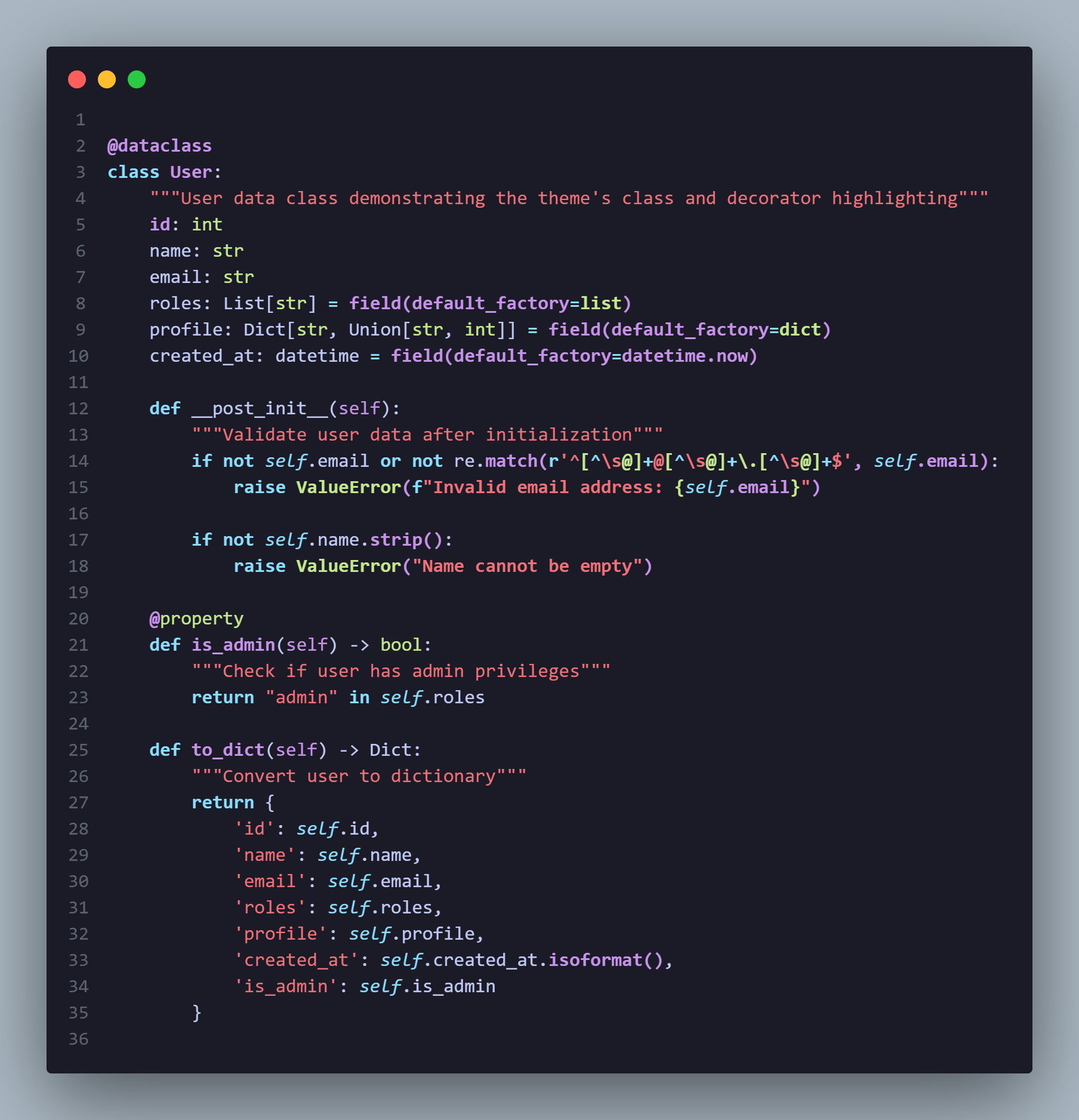
- Midnight Dark
- Midnight High Contrast Dark
- Midnight High Contrast Light
- Midnight Soft
- Midnight Light
- Midnight Ocean
- Midnight Forest
- Midnight Monochrome
- Deep Midnight Background - Easy on the eyes for long coding sessions
- Purple Accents - Beautiful highlighting for functions and variables
- Cyan Keywords - Clear distinction for language keywords and operators
- Neon Green Constants - Vibrant colors for constants and data types
- Soft Pink Strings - Gentle coloring for string literals
- Subtle Gray Comments - Non-intrusive comment styling
- Complete UI Theming - Consistent design across all VS Code elements
- Multi-Language Support - Optimized for 15+ programming languages
- Accessibility Focused - WCAG compliant color contrast ratios
- Terminal Integration - Matching ANSI color scheme
- Git Integration - Color-coded file status indicators
- Bracket Pair Colorization - 6 unique bracket colors with proper hierarchy
- Semantic Token Support - Enhanced TypeScript/JavaScript and Python highlighting
- Professional Language Support - Comprehensive syntax highlighting for PHP, Java, C#, Go, Rust, Docker, YAML, Shell, SQL, XML
| Element | Color | Hex Code | Usage |
|---|---|---|---|
| Background | Deep Blue | #1a1b26 |
Editor background, main interface |
| Functions/Variables | Light Purple | #c792ea |
Function names, variable declarations |
| Keywords/Operators | Cyan | #89ddff |
Language keywords, operators |
| Strings | Soft Pink | #f07178 |
String literals, text content |
| Constants/Types | Neon Green | #c3e88d |
Constants, numbers, data types |
| Comments | Gray | #5c6370 |
Comments, documentation |
| Foreground | Light Blue | #c0caf5 |
Default text color |
- Open VS Code
- Go to Extensions (
Ctrl+Shift+X/Cmd+Shift+X) - Search for "Midnight Dark"
- Click Install
- Go to Settings → Color Theme → Select "Midnight Dark"
- Download the latest
.vsixfile from Releases or Marketplace - In VS Code, press
Ctrl+Shift+P/Cmd+Shift+P - Type "Extensions: Install from VSIX"
- Select the downloaded file
- Reload VS Code
git clone https://github.com/extrise/midnight-dark-theme.git
cd midnight-dark-theme
npm install
npm run build
Tip
Use Ctrl+K Ctrl+T (Windows/Linux) or Cmd+K Cmd+T (macOS) to quickly switch between themes!
The theme includes optimized syntax highlighting for:
- JavaScript/TypeScript - Complete ES6+ support
- Python - Classes, decorators, f-strings
- HTML/CSS - Tags, properties, selectors
- JSON - Data structures, keys, values
- Markdown - Headings, links, code blocks
- JSX/TSX - React components, props
- PHP - Variables, functions, classes
- Java - Classes, annotations, types
- C# - Classes, attributes, types
- Go - Functions, types, packages
- Rust - Functions, macros, types
- Docker - Instructions, keywords
- YAML - Keys, values, anchors
- Shell/Bash - Variables, functions, commands
- SQL - Keywords, functions
- XML - Tags, attributes
- More languages planned!
Note
If you'd like support for a specific language, please open an issue with examples!
You can customize the theme by modifying your VS Code settings:
{
  "workbench.colorCustomizations": {
    "[Midnight dark]": {
      "editor.background": "#1a1b26",
      "editor.foreground": "#c0caf5"
    }
  },
  "editor.tokenColorCustomizations": {
    "[Midnight dark]": {
      "comments": "#5c6370",
      "keywords": "#89ddff"
    }
  }
}
Important
Custom color modifications will override the theme's default colors. Make sure to maintain good contrast ratios for accessibility!
We welcome contributions! Here's how you can help:
- Report Bugs - Found an issue? Open a bug report
- Suggest Features - Have an idea? Request a feature
- Improve Colors - Submit color improvements or new variants
- Documentation - Help improve docs, examples, or translations
- Code - Fix bugs, add features, or optimize performance
-
Fork the repository
git clone https://github.com/extrise/midnight-dark-theme.git cd midnight-dark-theme -
Install dependencies
npm install
-
Start development
npm run dev
-
Test your changes
- Press
F5to open Extension Development Host - Select "Midnight dark" theme
- Test with different file types
- Press
-
Submit a pull request
Tip
Check out our DEVELOP.md for detailed development guidelines and roadmap!
- Light Theme Variant - Bright version of Midnight dark ✅ COMPLETED
- High Contrast Variant - Enhanced accessibility ✅ COMPLETED
- Color Customization Panel - Easy theme personalization
- Additional Language Support - More programming languages ✅ COMPLETED
- Theme Variants - Different color combinations
- Semantic Token Support - Enhanced TypeScript/JavaScript highlighting ✅ COMPLETED
- Bracket Pair Colorization - Custom bracket colors ✅ COMPLETED
- Advanced Semantic Highlighting - More language-specific semantic tokens
- Custom Color Schemes - User-configurable color palettes
- Theme Animation Effects - Smooth transitions and micro-interactions
Note
Want to influence our roadmap? Join the discussion and share your ideas!
- Total Colors Defined: 250+ UI colors
- Syntax Rules: 80+ token color rules
- Language Support: 15+ programming languages
- File Size: ~150KB (optimized for performance)
- Accessibility: WCAG AA compliant
- Restart VS Code completely
- Check if theme is selected:
Ctrl+K Ctrl+T - Verify installation in Extensions panel
- Check your monitor's color profile
- Ensure VS Code is updated to latest version
- Disable other color-modifying extensions
- The theme is optimized and shouldn't affect performance
- If you experience issues, please report them
Caution
If you're using custom CSS extensions or theme modifications, they might conflict with Midnight dark. Try disabling them to isolate issues.
This project is licensed under the MIT License - see the LICENSE file for details.
- GitHub: @nayandas69
- Email: nayanchandradas@hotmail.com
- Portfolio: [Coming Soon]
- Thanks to the VS Code team for the excellent theming API
- Inspired by various dark themes in the community
- Special thanks to all contributors and users who provide feedback
- Color palette inspired by modern design trends and accessibility guidelines
If you like this theme, please:
- ⭐ Star the repository
- 📝 Leave a review on the VS Code Marketplace
- 🐦 Share it with your developer friends
Happy coding with Midnight dark! 🌙✨
Made with 🐸 by nayandas69