friendlybureau/emergency-landing-rl
Folders and files
| Name | Name | Last commit date | ||
|---|---|---|---|---|
| Name | Name | Last commit date | ||
|---|---|---|---|---|
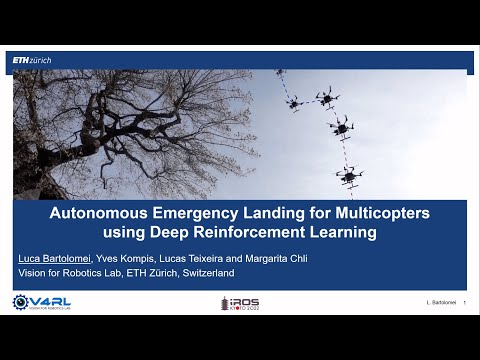
 \n\nIROS 2022 presentation video:\n
 \n\n## Installation\n\nTested on Python 3.6 and Ubuntu 20.04 LTS. Follow these steps:\n\n1. Install dependencies:\n \n
 \n $ sudo apt update && sudo apt install build-essential cmake\n $ sudo add-apt-repository ppa:deadsnakes/ppa \n $ sudo apt update && sudo apt install python3.6-dev python3.6-venv\n $ sudo apt install libeigen3-dev libyaml-cpp-dev libopencv-dev libpcl-dev liboctomap-dev libgoogle-glog-dev libglm-dev libvulkan-dev\n \n\n2. Clone the repo:\n \n $ git clone git@github.com:friendlybureau/emergency-landing-rl.git\n \n\n3. Navigate to the main library folder:\n \n $ cd emergency-landing-rl\n \n\n4. Set up a virtual environment:\n \n $ python3.6 -m venv ~/venvs/landing/\n \n\n5. Build using pip:\n \n $ source ~/venvs/landing/bin/activate\n $ pip install --upgrade pip wheel\n $ pip install opencv-python==4.5.2.54\n $ echo export ML_PATH=path_to_emergency-landing-rl >> ~/.bashrc # Path without final \"/\"\n $ pip install .\n \n\n## Building without Python Bindings\nTo build without Python bindings and use only the C++ library:\n\n\n$ cd emergency-landing-rl\n$ mkdir build && cd build\n$ cmake .. -DCMAKE_BUILD_TYPE=RelWithDebInfo -DPYTHON_EXECUTABLE=/usr/bin/python3.6 && make -j8\n\n\n## 3D Models\n\nRetrieve the 3D models here and untar into emergency-landing-rl/meshes:\n\n\n$ cd emergency-landing-rl\n$ mkdir meshes && cd meshes\n$ filename="models_landing.tar.xz"\n$ fileid="1xOTkeJnCde1AlD53VwStMAoEV7S4ZJa-"\n$ html=`curl -c ./cookie -s -L "https://drive.google.com/uc?export=download&id=${fileid}"`\n$ curl -Lb ./cookie "https://drive.google.com/uc?export=download&`echo ${html}|grep -Po '(confirm=[a-zA-Z0-9\-_]+)'`&id=${fileid}" -o ${filename}\n$ tar -xvf models_landing.tar.xz\n$ rm models_landing.tar.xz\n\n\nRefer to the folder emergency-landing-rl/meshes for hard-coded expected locations.\n\n## Running Instructions\n\n### Policy Training\nRun training with ground-truth semantics and depth maps:\n\n$ cd emergency-landing-rl/emergency_landing_rl\n$ python3 scripts/quadrotor_landing.py\n\nResults are stored in emergency-landing-rl/experiments.\n\n### Policy Testing\nTo test a trained policy:\n\n$ python3 scripts/quadrotor_testing.py -w ${path_to_weights}\n\nSee emergency-landing-rl/experiments/tests for results.\n\n### Pre-trained Policy\nUse provided pre-trained policies:\n\n$ python3 scripts/quadrotor_testing.py -w ../data/trained_policy/last_step_model.zip\n\n\n## Socket Communication\nExamples for socket-based communication are provided in the folder tests/communication.\n\n1. Communication via raw sockets:\n \n $ ./emergency-landing-rl/build/server_socket\n $ ./emergency-landing-rl/build/client_socket\n \n\n2. Advanced communicator interface:\n \n $ ./emergency-landing-rl/build/server_communicator\n $ ./emergency-landing-rl/build/client_communicator\n \n\n3. Python socket communication:\n \n $ python3 emergency-landing-rl/tests/communication/python/socket_server.py\n $ ./emergency-landing-rl/build/python_socket_client\n \n\n## Contributing\nContributions are welcome! Please follow the Google C++ coding guidelines and run bash clang-format-all . before committing changes.