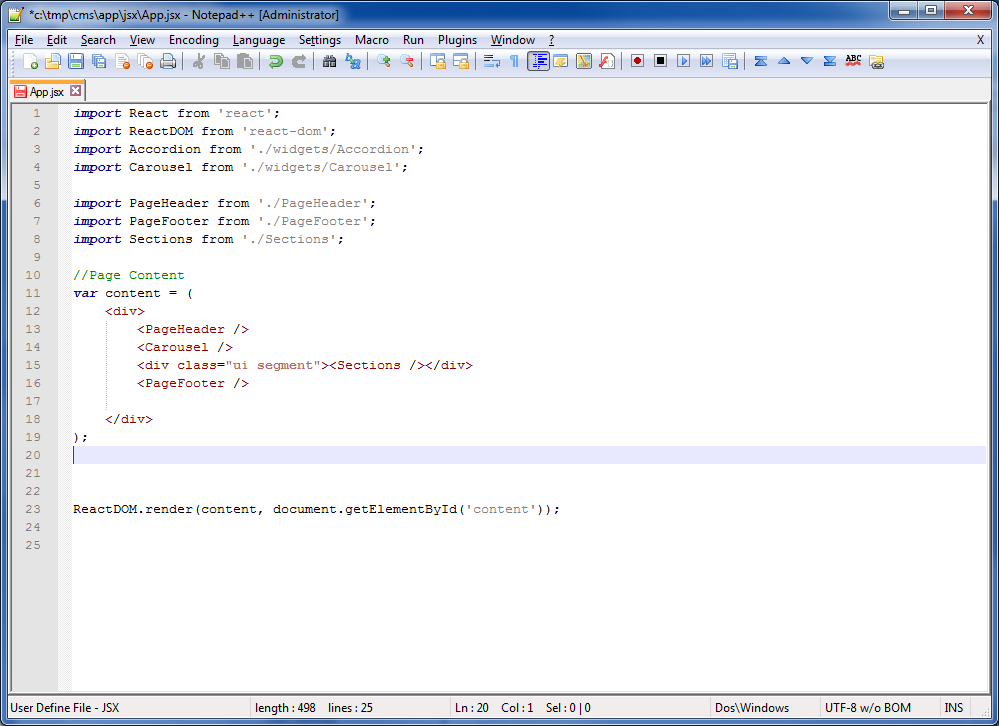
#JSX Syntax Highlighting for Notepad++ For those times when you need to edit JSX files inside of Notepad++. Patterned after the default javascript version, this adds some, (admittedly simple), highlighting for the HTML as well. However, while a bit simple, it is still just good enough to be useful for me - and maybe useful for you as well.
#Example
#Installation
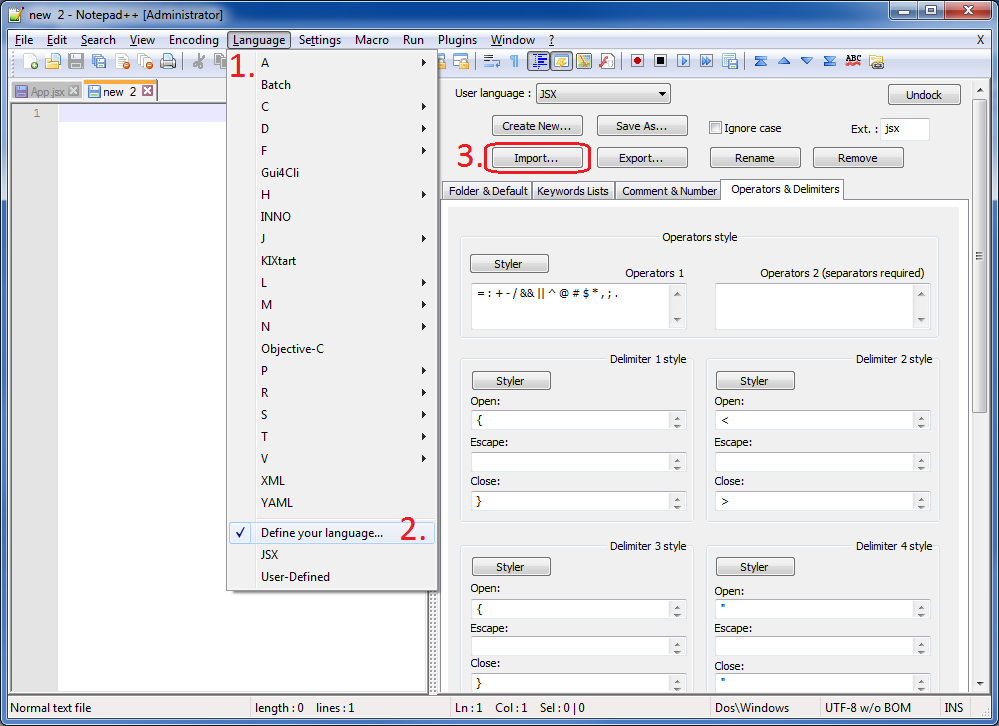
In Notepad++ go to Language -> Define your Language... -> Import, and choose the jsx.xml file from this repo. This should place the JSX language at the bottom of the list of languages.
#Limitations Here are some known limitations:
- Code folding seems to be broken
- Matching angle brackets not highlighted
- No highlighting for regexes