DRB99 - DISTRIBUTE PAINLESSLY!



drb99 makes releasing less painful. Pick your channels, hit the API, get your files.
| Channel | Generated files |
|---|---|
| npm | package.json · install.js · index.js · README.md · .gitignore |
| GitHub Release | .goreleaser.yml · release.yml |
| AUR | PKGBUILD · aur-release.yml |
| Nix Flake | flake.nix |
| Docker | Dockerfile |
The user selects distribution channels in the web UI, which sends a POST /generate request to the API with the required fields. The API returns file contents as JSON, ready to be written directly to disk.
flowchart LR
    User -->|selects channels| UI[Web UI]
    UI -->|POST /generate| API[drb99 API]
    API -->|JSON response| Files[Generated files]
    Files --> npm & GitHub & AUR & Nix & Docker
curl -s -X POST "http://localhost:8088/api/v1/generate" \
  -H 'Content-Type: application/json' \
  -d '{
    "repo_url": "https://github.com/h3yng/drb99",
    "binary_name": "drb99",
    "runtime_image": "golang:latest",
    "platforms": ["linux-amd64", "windows-amd64"],
    "features": {
      "npm_wrapper": false,
      "goreleaser": false,
      "github_actions": false,
      "docker_container": true
    }
  }'
The response is a JSON object with each requested file's path and contents, ready to write to disk.
A hosted UI is available here.
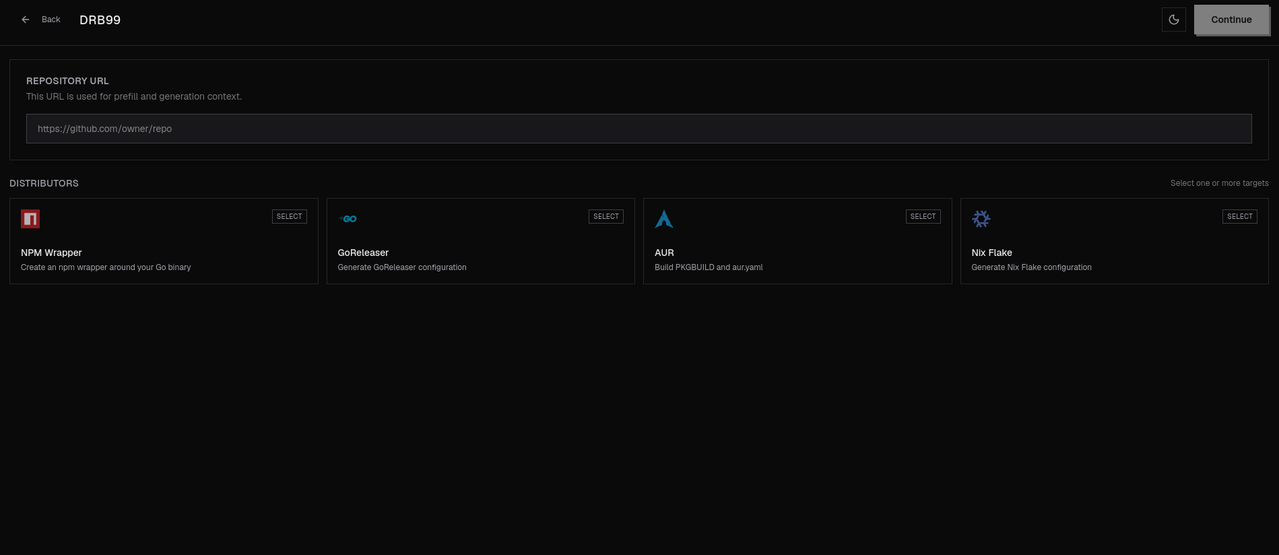
The API is publicly accessible but not yet stable, breaking changes are ongoing. Full API documentation will be published once the interface settles. Until then, using the web UI is recommended.
- More channels
- More configuration options per channel
- Multi-language support beyond Go