Gallery
Impressions on what can be done with JPlotter and how it looks like. Most of the visualizations shown here are from the test directory of JPlotter which contains examples and proof of concept code. Feel free to run these little programs yourself, if possible a maven exec command is supplied.
Notice for Wayland display server users:
When your display server is Wayland, LWJGL switches to a different GL function provider (by default) than under an X11 server.
When this happens, AWT/Swing cannot communicate with the OpenGL context.
To prevent this, the system property org.lwjgl.opengl.contextAPI has to be set to native. This property can be provided to the JVM like so:
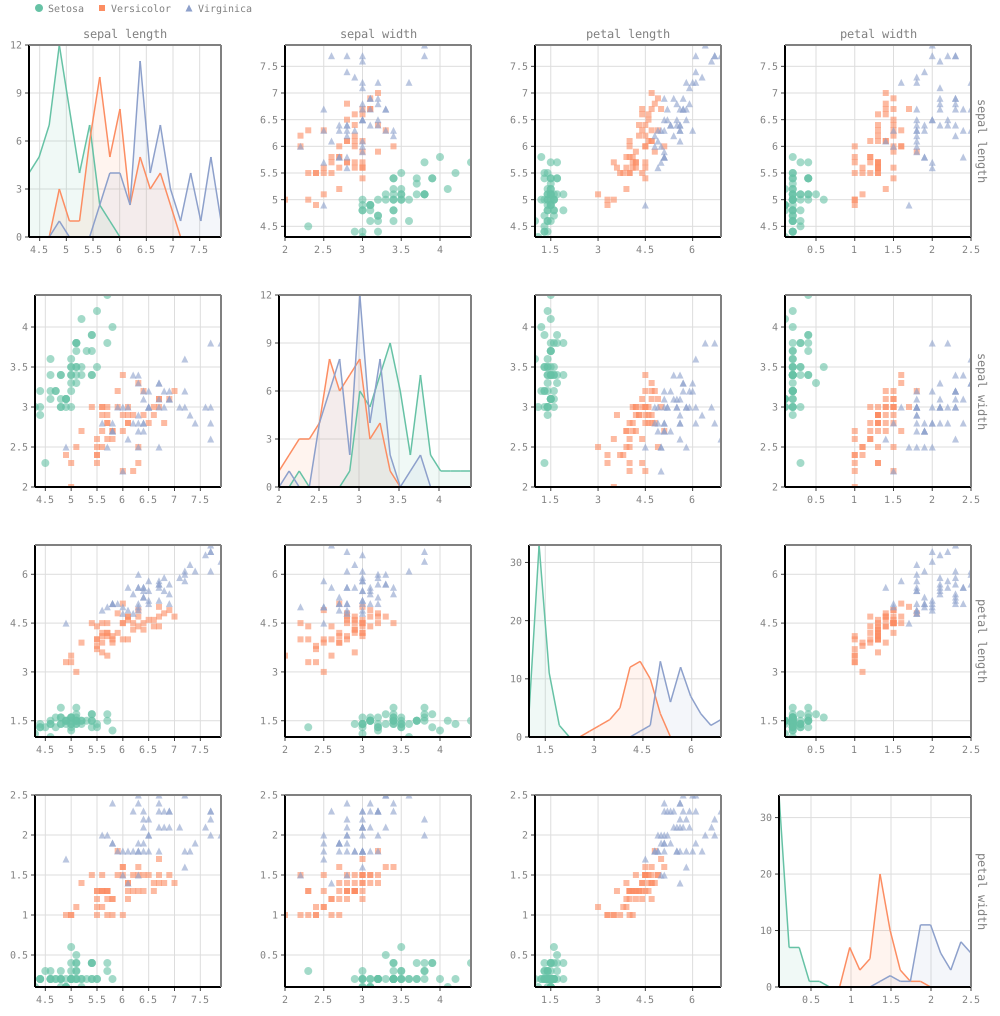
java -Dorg.lwjgl.opengl.contextAPI=native ....`Iris Dataset - Scatter Plot Matrix
mvn test exec:java -D"exec.classpathScope"="test" -D"exec.mainClass"="hageldave.jplotter.IrisViz"
optionally add: -Dexec.args="jplotter_fallback=true" for fallback rendering mode (e.g. MacOS)
with Wayland add: -Dorg.lwjgl.opengl.contextAPI=native

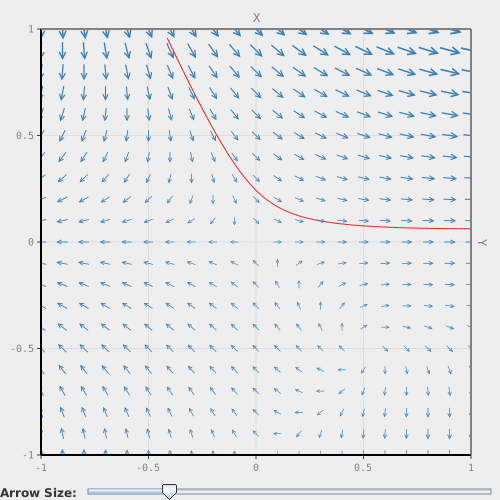
mvn test exec:java -D"exec.classpathScope"="test" -D"exec.mainClass"="hageldave.jplotter.VectorFieldViz"
optionally add: -Dexec.args="jplotter_fallback=true" for fallback rendering mode (e.g. MacOS)
with Wayland add: -Dorg.lwjgl.opengl.contextAPI=native

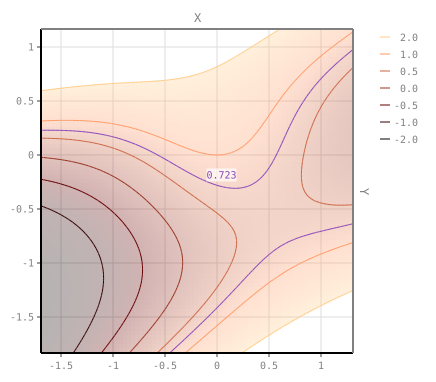
mvn test exec:java -D"exec.classpathScope"="test" -D"exec.mainClass"="hageldave.jplotter.IsolinesViz"
optionally add: -Dexec.args="jplotter_fallback=true" for fallback rendering mode (e.g. MacOS). !Decreases performance notably!
with Wayland add: -Dorg.lwjgl.opengl.contextAPI=native

Impressions of projects and prototypes that use JPlotter, but cannot be executed as demos.
The Hurricane Isabel Dataset has been introduced with the IEEE Visualization 2004 Contest. It is a simulation of hurricane Isabel with data points on a 3D grid with time varying attributes (such as temperature, velocity, pressure,...). This data has been embedded into a 2D projection with tSNE (for the purpose of this paper). Shown in the video below, is an application to explore the embeddings per time step and relate regions in the embedding to their related spatial context. There are 25 million points in the scatter plot that shows the tSNE embedding. Brushing over areas with less than 1 million points and linking to the other view is possible, but larger selections have longer refresh rates that result in stuttering.