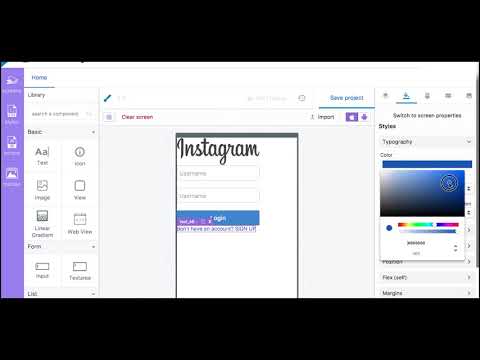
ScreenDy is a cloud-based mobile platform which allows you to create 100% NATIVE, CUSTOM and mobile optimised apps, and then deploy them on Mobile, Tablet, Connected Tv and other new platform in the future ... With ScreenDy you can use the web technologies like HTML, CSS, and Javascript to generate 100% Native apps. It’s a visual development environment that makes it super easy and fast to build mobile UI, define Feeds services, map services to UI, and even test the app. However you are not limited by the visual builder. You can use our code editors or any custom JavaScript, HTML5 or CSS to create any functionality you want! The final app is NATIVE and can be easily installed on the device.
The platform is currently in beta state. We're developing quickly and carefully,
but we still might change a few things along the way. This is why we don't
recommend actively using anything in a production app, unless you are fully aware
that things may break and might require frequent updates as we introduce new
features and changes to the services.
Please take the time to read through our documentation if you feel overwhelmed, but if you find yourself stuck somewhere along the way or have feedback you'd like to give us, please feel free to chat with our team directly from platform.screendy.com and let us know. Additionally, your ScreenDy Platform account allows you to post directly on the forum. To start using ScreenDy Platform, the first thing you'll need to do is create an account. Head over to the signup page to create your account, so we can get started.
ScreenDy platform runs in the following last browsers:
- Chrome (preferred)
- Firefox Note that this applies only to running the platform (ScreenDy studio), not the final app.
Do i need to know how to code?
To build just the app UI using ScreenDy Studio (beginner mode), you don’t necessarily need to have coding experience; you can use our library of Objects and then parameter them according to the documentation then generate your app without any knowledge of coding. If you want to add custom/specific Objects to your app, we offer you two ways to do it, depending of your knowledge:
- For Web developers (advanced mode): you need to have good knowledge of HTML,JavaScript and CSS. You also should know how to debug your app.
- For Mobile developers (expert mode): you need to have good knowledge of Native Mobile language (Objective-C for iPhone, Java for Android ...). You also should know how to debug your app.
Ok, so where do i start?
To get a very good idea how ScreenDy works :
- Read the guide “Building your first mobile app”.
- The overview section describe all the features.
- Try some tutorials Another great place to start is to watch our video training courses.