


This bundle provides the use of Zend Queue from Zend Framework. It allows your Symfony 2/3 application to schedule multiple console commands as server-side jobs.
See the Programmer's Reference Guide for more information.
Features:
- Manage multiple queues
- Schedule your Symfony commands
- Monitor messages and log exceptions
- Retry logic
- Prioritizing jobs
- RabbitMQ or database support
- Easy-to-use :)
Require heristop/jobqueue-bundle to your composer.json file:
{
    "require": {
        "heristop/jobqueue-bundle": "1.0.1",
        "zendframework/zend-queue": "2.*@dev"
    }
}
Load the bundle in AppKernel:
$bundles[] = new Heri\Bundle\JobQueueBundle\HeriJobQueueBundle();If you use the Doctrine adapter, update your database:
app/console doctrine:schema:update --forceIf you use the Amqp adapter, you may configure the connection in this way:
    # app/config/config.yml
    heri_job_queue:
        amqp_connection:
            host: localhost
            port: 5672
            user: guest
password: guestFirst, define a message which contains the Symfony command to call. For instance, we choose to add the clear command in a queue named "queue1":
    $queue = $this->get('jobqueue');
    $queue->attach('queue1');

    $queue->push([
        'command' => 'cache:clear'
    ]);
You can also call commands with arguments:
    $queue->push([
        'command'   => 'demo:great',
        'argument'  => [
            'name'   => 'Alexandre',
            '--yell' => true
        ]
    ]);
Then, add the queue to listen in the configuration:
    # app/config/config.yml
    heri_job_queue:
        enabled:            true
        max_messages:       1
        # set a process_timeout (in seconds) if you want your commands to be killed
        # when their execution time is too long (default: null)
        process_timeout:    60
        queues:             [ queue1 ]
Note: The queue is automatically created, but you can also use the command-line interface in this way:
app/console jobqueue:create queue1To run new messages pushed into the queue, execute this command:
app/console jobqueue:listenYou may specify which queue connection the listener should utilize (skipping configuration):
app/console jobqueue:listen queue1You may also specify the number of seconds to wait before polling for new jobs:
app/console jobqueue:listen --sleep=5To process only the first job on the queue, you may use the jobqueue:work command:
app/console jobqueue:workTo see the pending jobs, run the command below:
app/console jobqueue:show [queue-name]If a job failed, the exception is logged in the database, and the command is call again after the setted timeout (default 90 seconds):
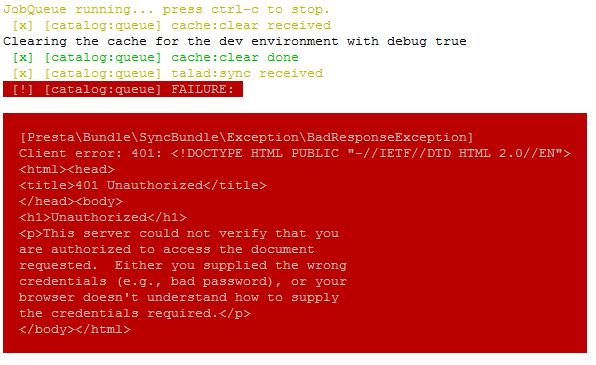
To delete all of your failed jobs, you may use the jobqueue:flush command:
app/console jobqueue:flush [queue-name]Jobs are executed in the order in which they are scheduled (assuming they are in the same queue). You may also prioritize a call:
    $queue
        ->highPriority()
        ->push([
            'command' => 'cache:clear',
]);If you use the Doctrine Adapter, you may use Sonata Admin to monitor your jobs:
    #
    # more information can be found here http://sonata-project.org/bundles/admin
    #
    sonata_admin:
        # ...
        dashboard:
            # ...
            groups:
                # ...
                System:
                    label:           System
                    icon:            '<i class="fa fa-wrench"></i>'
                    items:
                        - admin.queue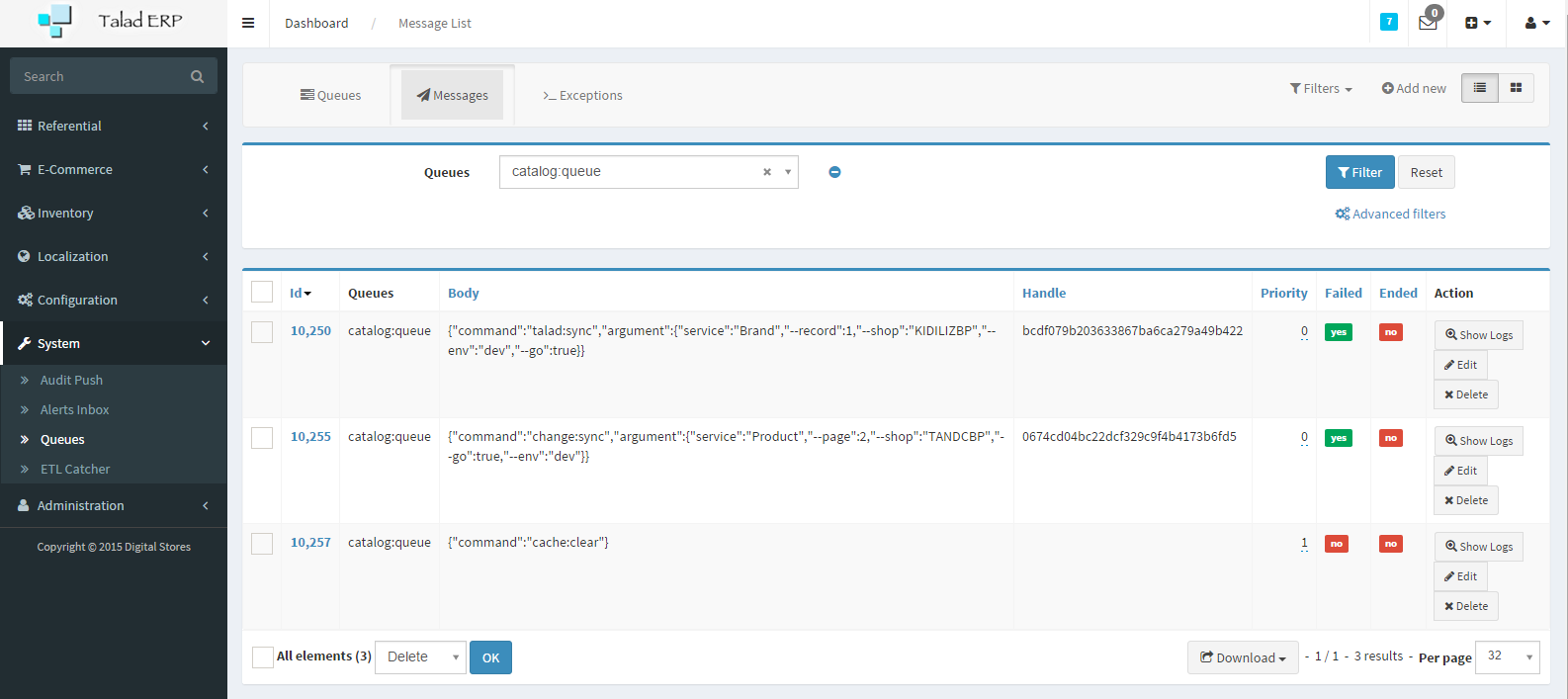
By default, number of excecution of failed messages is endless. If you use the Doctrine Adapter you may edit the max number of retries on queue table.
To retry all of your failed jobs, you may use this command:
app/console jobqueue:retry [queue-name]If you would like to delete a failed job, you may use this command:
app/console jobqueue:forget [id]The jobqueue:listen command should be runned with the prod environnement and the quiet option to hide output messages:
app/console jobqueue:listen --env=prod --quietTo avoid a memory leak caused by the monolog fingers crossed handler, you may configure the limit buffer size on config_prod.yml:
    # app/config/config_prod.yml
    monolog:
        handlers:
            main:
                type:         fingers_crossed
                action_level: error
                handler:      nested
                buffer_size:  50
Linux ProTip:
To run the command as a service, edit jobqueue-service shell in Resources/bin.
Set the correct PROJECT_ROOT_DIR value, and copy this file to /etc/init.d.
Then use update-rc.d:
    cp jobqueue-service /etc/init.d/jobqueue-service
    cd /etc/init.d && chmod 0755 jobqueue-service
    update-rc.d jobqueue-service defaults
To remove the service, use this command:
update-rc.d -f jobqueue-service removeIf the service stopped suddenly, you may use supervisord to restart it automatically.
A sample config might look like this:
  [program:jobqueue-service]
  command=/usr/bin/php %kernel.root_dir%/console jobqueue:listen --env=prod
  directory=/tmp
  autostart=true
  autorestart=true
  startretries=3
  stderr_logfile=/var/log/jobqueue-service/jobqueue.err.log
  stdout_logfile=/var/log/jobqueue-service/jobqueue.out.log
  user=www-data
~