SmartDoorLock is an advanced door locking system designed to enhance home security and convenience. It uses RFID technology and a web interface for remote control, providing an easy-to-use and secure solution for managing access to your home.
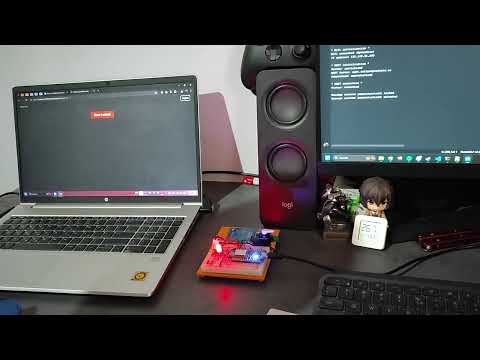
- Remote Control: Open and close your door from anywhere using a secure web interface.
- RFID Access: Unlock your door with an RFID card, eliminating the need for traditional keys.
- Real-Time Alerts: Receive instant updates on the website for every lock/unlock attempt.
- NodeMCU ESP8266
- RFID Sensor (MFRC522)
- Servo Motor
- Button
- RGB LED
- Breadboard and Jumper Wires
- Arduino IDE
- Libraries:
SPI.hServo.hMFRC522.hWiFiManager.hESP8266WiFi.hPubSubClient.hWiFiClientSecure.h
-
Connect the RFID Sensor:
- RST to GPIO0 (D3)
- SDA to GPIO2 (D4)
- MOSI to GPIO13 (D7)
- MISO to GPIO12 (D6)
- SCK to GPIO14 (D5)
- GND to GND
- 3.3V to 3.3V
-
Connect the Servo Motor:
- Signal to GPIO5 (D1)
- Power to 5V
- Ground to GND
-
Connect the Button:
- One side to GPIO4 (D2)
- The other side to GND
-
Connect the RGB LED:
- Red pin to GPIO15 (D8)
- Green pin to GPIO16 (D0)
- Blue pin to 3.3V
- Install Arduino IDE: Download and install the Arduino IDE from the official Arduino website.
- Install Libraries: Open the Arduino IDE, go to
Sketch -> Include Library -> Manage Libraries, and install the required libraries. - Upload Code: Connect your NodeMCU ESP8266 to your computer, open the provided code in the Arduino IDE, and upload it to the NodeMCU.
- Initialization: On startup, the system initializes the servo motor, RFID sensor, button, WiFi connection, and MQTT client.
- RFID Authentication: The RFID sensor continuously checks for a new card. When a valid card is detected, the door is unlocked or locked, and the state is published to the MQTT broker.
- Remote Control: The door can also be controlled remotely via the web interface, which sends commands through the MQTT broker.
- Button Control: The button provides a manual method to lock or unlock the door.
- LED Indicators: The RGB LED indicates the status of the door:
- Red: Locked
- Green: Unlocked
- Home Security: Keep your home secure by monitoring and controlling access remotely.
- Family Access: Provide easy access for family members with RFID cards.
- Vacation Peace of Mind: Check and control your door’s status while away.
- Delivery Access: Open the door remotely for trusted deliveries and lock it afterward.
- Increased Security: Enhanced security features protect against unauthorized access.
- Convenience: Simplify your life with easy-to-use RFID access and remote control.
- Peace of Mind: Stay informed and confident about your home’s security.
- User-Friendly: Easy to set up and use with an intuitive web interface.
- WiFi Connection Issues: Ensure your NodeMCU is within range of the WiFi router and check the SSID and password.
- RFID Not Reading: Check the connections and ensure the RFID card/tag is valid and properly aligned with the sensor.
- Servo Motor Not Moving: Verify the power supply and connections to the servo motor.