
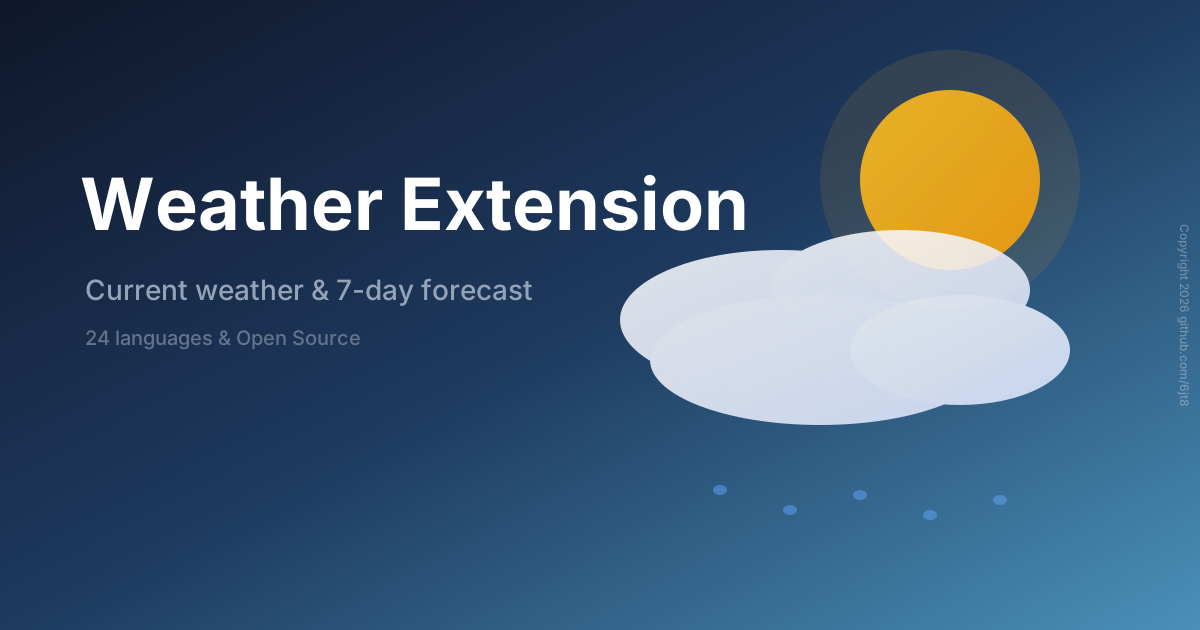
Browser extension for current weather and 7-day forecast — Chrome, Firefox, Edge, Opera, Brave & Safari


A project by horror69dev & 6jt8
- Current weather - Temperature, condition, humidity & wind
- 7-day forecast - Today + next 6 days
- 24 languages - Select in the popup, saved automatically
- Location detection - Automatic via geolocation or IP
- Favorites - Save and quickly load locations
- Unit toggle - Celsius / Fahrenheit (persisted)
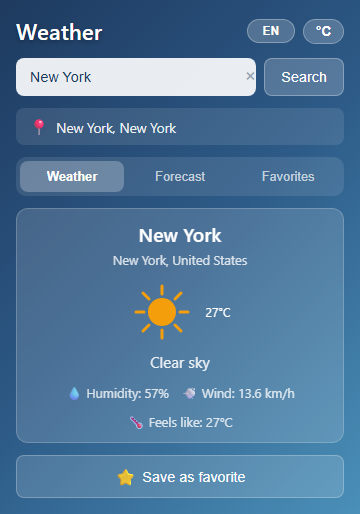
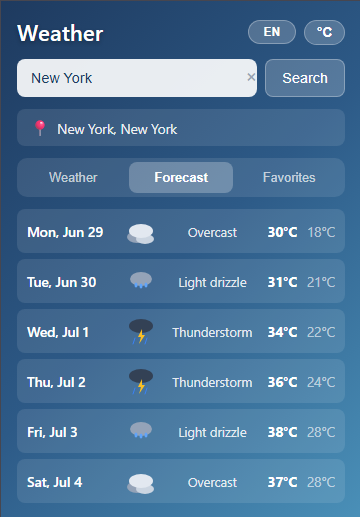
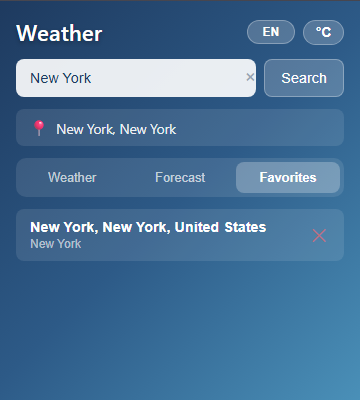
This release provides three packages for all supported browsers:
| Package | Browsers | Format | Installation |
|---|---|---|---|
weather-extension-chromium-v*.zip |
Chrome, Edge, Opera, Brave | ZIP | Load unpacked in developer mode |
weather-extension-firefox-v*.xpi |
Firefox | XPI | Install directly via about:addons |
weather-extension-safari-v*.zip |
Safari (macOS) | ZIP (contains .app) |
Move to Applications, enable in Safari |
- Chromium browsers (Chrome, Edge, Opera, Brave) share the same extension format (Manifest V3) — one ZIP works for all.
- Firefox uses Manifest V3 and requires a signed
.xpifor installation. - Safari requires a native macOS
.appbundle for distribution — the Safari ZIP contains the converted app built withsafari-web-extension-converter.
- Download
weather-extension-chromium-v*.zipfrom Releases - Extract the ZIP file to a folder
- Open your browser's extensions page:
- Chrome:
chrome://extensions/ - Edge:
edge://extensions/ - Opera:
opera://extensions/ - Brave:
brave://extensions/
- Chrome:
- Enable Developer mode (toggle in top right corner)
- Click Load unpacked → select the extracted folder
- Download
weather-extension-firefox-v*.xpifrom Releases - Open Firefox and navigate to
about:addons - Click the gear icon (⚙️) in the top right
- Select Install Add-on From File...
- Select the downloaded
.xpifile and confirm the installation
Option A: Using the .app bundle (recommended)
- Download
weather-extension-safari-v*.zipfrom Releases - Extract the ZIP — it contains
WeatherExtension.app - Move
WeatherExtension.appto your/Applicationsfolder - Open Safari → Settings → Extensions
- Enable Weather Extension in the extensions list
- If prompted, allow the extension in System Settings → Privacy & Security
Option B: Using developer mode (no .app)
- Download
weather-extension-chromium-v*.zipfrom Releases - Extract the ZIP file to a folder
- Open Safari → Settings → Advanced → enable Show Develop menu in menu bar
- From the Develop menu → Show Extension Builder → click + → Add Extension
- Select the extracted folder
git clone https://github.com/6jt8/weather-extension.git
cd weather-extension
No API key required - uses Open-Meteo (free, no signup).
# Install dependencies first
npm install

# Build all targets
node build/build.mjs all

# Build specific target
node build/build.mjs chromium
node build/build.mjs firefox
node build/build.mjs safari
Or use the npm script:
npm run buildSee Package Structure above for details on the output artifacts.
Releases are triggered by pushing a git tag matching v*.*.*:
# tag a release
git tag v1.0.0 && git push origin v1.0.0

# or with a prerelease suffix (package files still use base version)
git tag v1.0.1-beta && git push origin v1.0.1-beta
the tag version is used for the github release only. the actual extension version
is set in package.json and src/manifest.json — update those locally before tagging.
advanced: manual release via GitHub Actions → Release Build
| Job | Runner | Output |
|---|---|---|
package-chromium |
ubuntu-latest |
weather-extension-chromium-v*.zip |
package-firefox |
ubuntu-latest |
weather-extension-firefox-v*.xpi |
package-safari |
macos-latest |
weather-extension-safari-v*.zip (contains .app) |
release |
ubuntu-latest |
GitHub Release with all packages |
Uses Open-Meteo (free, no API key required)
/v1/forecast- Current weather + 7-day forecast/v1/search- Geocoding (location search)/v1/reverse- Reverse geocoding (coordinates to name)
Thanks to all contributors who have helped this project:
This project is licensed under the MIT License - see the LICENSE file for details.
Originally created by horror69dev. Refactored, upgraded, maintained and artwork by 6jt8.
Weather data provided by Open-Meteo.