Quick Start Test API Using Postman
This guide imports the Postman Echo collection, executes it through Idelium CLI, and reviews every captured request, assertion, payload, and response in Idelium Web.
Start the local stack:
cd idelium-docker
./quickstart-demo.sh
Open https://localhost and sign in with:
Email: admin@idelium.org
Password: admin
Install Idelium CLI on the execution host:
python3 -m venv .venv
source .venv/bin/activate
python -m pip install --upgrade pip
python -m pip install ideliumIdelium supports two execution paths:
| Runtime | Use it for | Requirement |
|---|---|---|
| Safe Python runner | Deterministic HTTP requests without arbitrary Postman scripts | Included with Idelium CLI |
| Newman | Full Postman compatibility, including pre-request scripts, pm.test, test scripts, environment files, and iteration data |
Node.js and Newman must be installed on the CLI host |
The Postman Echo example contains scripts and assertions and therefore requires Newman. Install and verify it:
npm install --global newman
newman --version
If npm is unavailable, install a supported Node.js distribution first. Idelium
does not embed Newman in the base API/Web/DB containers because execution tools
belong on a dedicated CLI host or runner image.
Repository page:
https://github.com/idelium/idelium-docker/blob/main/docs/examples/Postman%20Echo.postman_collection.json
Direct download:
https://raw.githubusercontent.com/idelium/idelium-docker/main/docs/examples/Postman%20Echo.postman_collection.json
Local checkout:
idelium-docker/docs/examples/Postman Echo.postman_collection.json
- Open Projects, select the project, and open Steps.
- Select New Step.
- Keep Wizard as the authoring mode and enter a step name.
- Select the
postmanruntime and thepostman_collectionaction. - Upload
Postman Echo.postman_collection.jsonunder Postman package. - Optionally upload a Postman environment file.
- Confirm that the collection name and request count are displayed.
- Add the action to the sequence and save the reusable step.
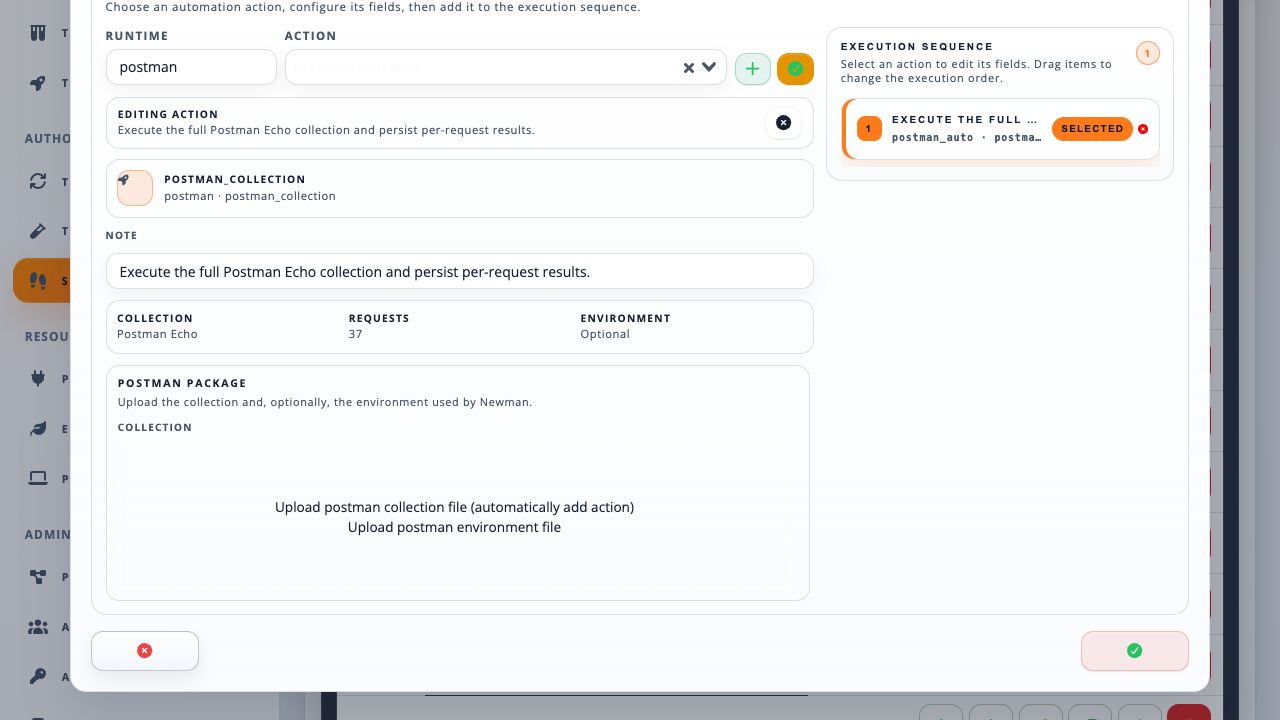
As an alternative, importing
idelium-demo-test-import.json
creates the complete browser demo test and its Postman Echo step in one operation.
- Open Tests and select Create Test.
- Enter the test name and description.
- Drag the Postman reusable step from the available column to the selected sequence.
- Arrange the execution order and save the test.
- Open Test Cycles and select Create Test Cycle.
- Enter a recognizable name and description.
- Drag the test from Available items to Selected sequence.
- Confirm the order, resolve any validation warning, and create the cycle.
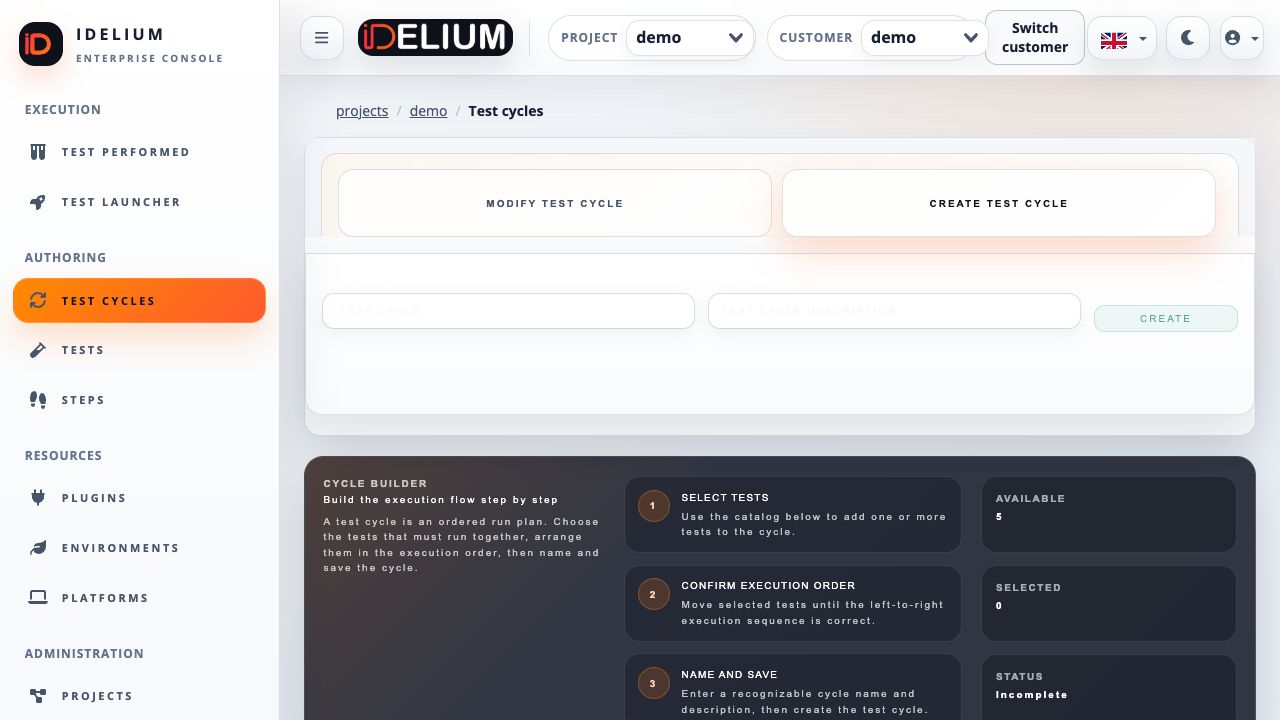
Download the project credential from API Key and store it in the protected CLI key file:
install -m 600 /dev/null ~/.ideliumCopy the key into ~/.idelium using a secure editor. Never expose API keys,
authorization headers, cookies, or environment secrets in commands or shared
screenshots.
idelium \
  --idProject=<project-id> \
  --idCycle=<cycle-id> \
  --environment=demo \
  --ideliumwsBaseurl=https://localhost
For the local self-signed certificate, either trust the generated certificate
or add --insecure for development only.
Bound Newman execution time when running a large collection:
idelium \
  --idProject=<project-id> \
  --idCycle=<cycle-id> \
  --environment=demo \
  --ideliumwsBaseurl=https://localhost \
  --postmanNewmanTimeout=300 \
  --insecure
The CLI prints each request name, method, URL, status, duration, assertion count,
and diagnostic. If Newman is missing from PATH, the required step fails with an
installation instruction, the test stops safely, and the failed completion is
reported to Idelium instead of leaving the run pending.
- Open Test Performed and select Test Results.
- Select the test cycle, performed run, and test.
- Select Show Step Results.
- Find the Postman step and select More Details.
- Review request name, method, resolved URL, HTTP status, assertions, diagnostic, and duration.
- Select Show Response for the request/response detail modal, including the request payload and captured response body when retention and redaction policy permit them.
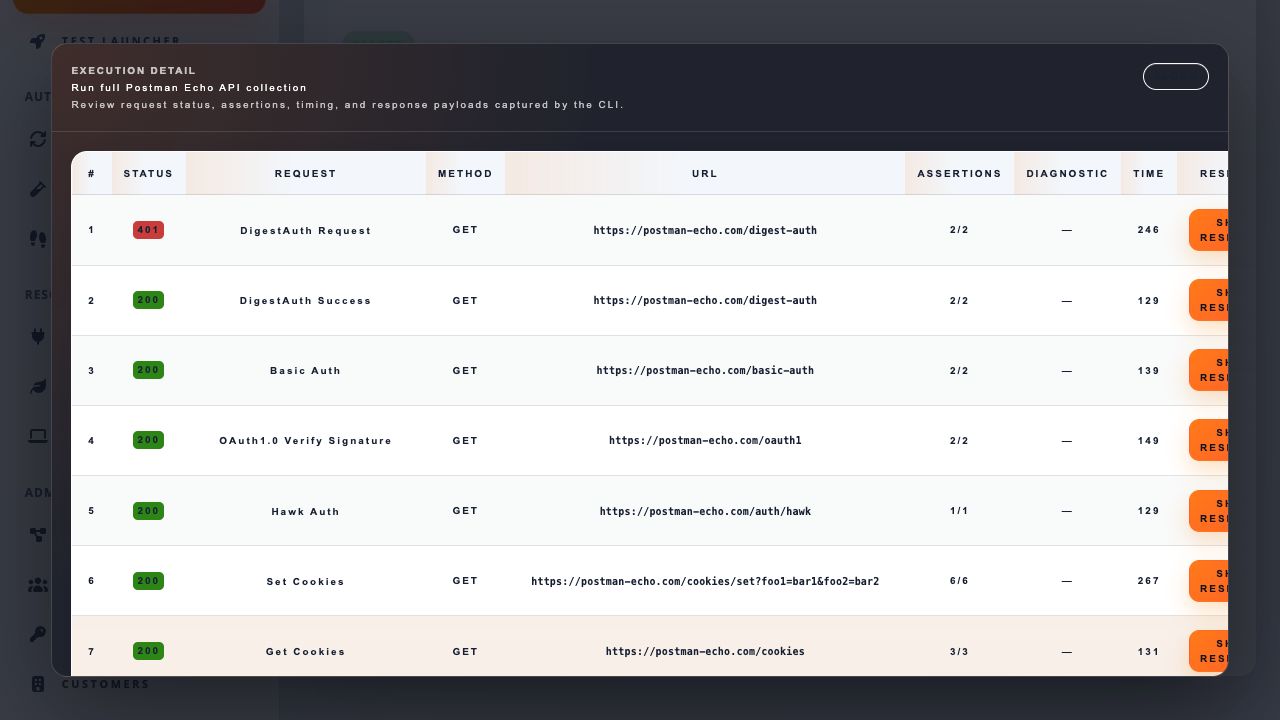
HTTP status alone does not determine the test outcome. A request can correctly
return 401 or 404 and still pass when its Postman assertions expect that
status. Conversely, an HTTP 200 request fails when one or more assertions fail.
The Newman adapter maps collection, request, script, and assertion results into versioned Idelium performed-step contracts. Stored request results include the request name, method, resolved URL, status, timing, assertion totals, classified diagnostics, and redacted payload/response data.
Before persistence, Idelium redacts common sensitive URL parameters, JSON fields, headers, tokens, cookies, passwords, session values, and authorization data. Payload or response content can also be unavailable because of response-size, retention, or artifact policy; the UI must show that state explicitly.
| Symptom | Resolution |
|---|---|
Newman ... was not found on PATH |
Install Node.js, run npm install --global newman, and verify newman --version in the same shell used for idelium. |
| The step contains no executable collection | Reopen the step and upload the complete collection through the postman_collection action. |
| Request URLs are empty | Re-import the current collection and rerun with a CLI version that persists resolved Newman request URLs. |
| The UI shows no request rows | Select the performed test, open Show Step Results, and use More Details on the Postman step. |
| Response body is redacted or unavailable | Review redaction, response-size, retention, and artifact policies; do not weaken secret redaction to expose credentials. |