
Your Group Finder in its own window: Mythic+, Raid and Mythic 0. Search with a real key-level filter, see Keystone Deserters, keep track of every group you applied to and get a heads-up when you're invited. Sign up, list your group and handle your applicants, with ratings, best runs, roles and specs, lockouts, Bloodlust / battle res and Raider.IO info at a glance. Blizzard's window stays closed.
Browse
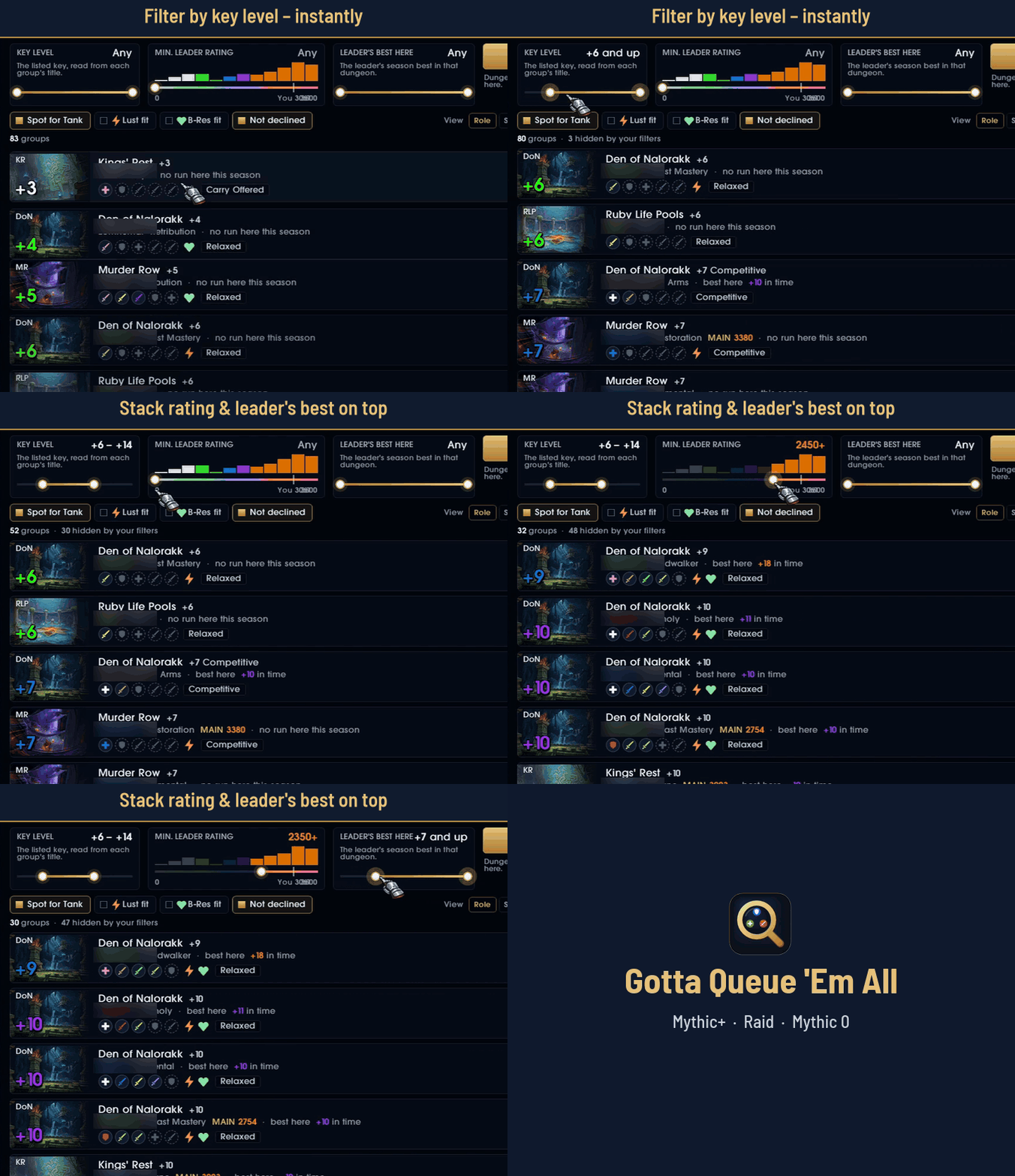
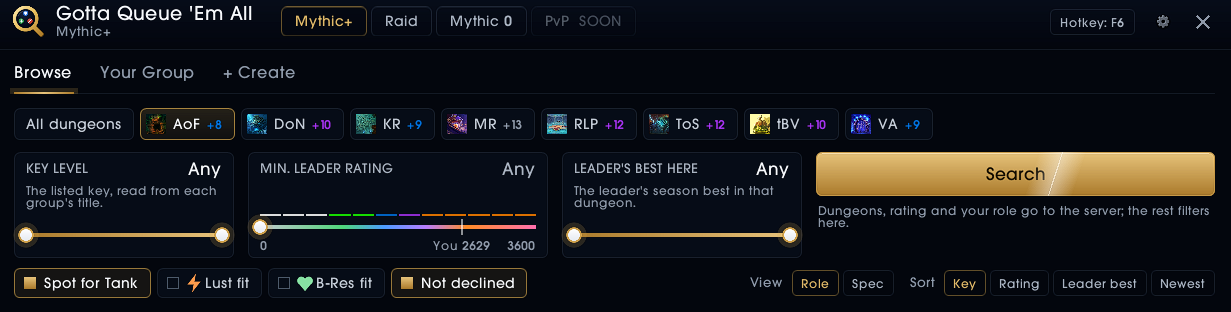
- Season dungeons as chips with your season best, a minimum leader rating slider with a histogram of the results, and "spot for my role".
- A key-level range slider: every group's key is read from its title, so groups outside the range disappear right away, without searching again.
- Cards with the dungeon's art and key, the leader (class, spec, best run in that dungeon), every member's role in class color, Lust / B-Res, playstyle, rating and age.
- Keystone Deserter: Blizzard's mark for leaving keys early, as a DESERTER tag on the card (the leader, or how many of the group). Shown, never filtered.
- Listed a while: groups up for 20 minutes or more with 2 players or fewer get a quiet hint; they stay in the list.
- Client-side filters: key level, leader's best in the dungeon, Lust / B-Res fit, not declined. Groups that don't fit are hidden, with a count of how many.
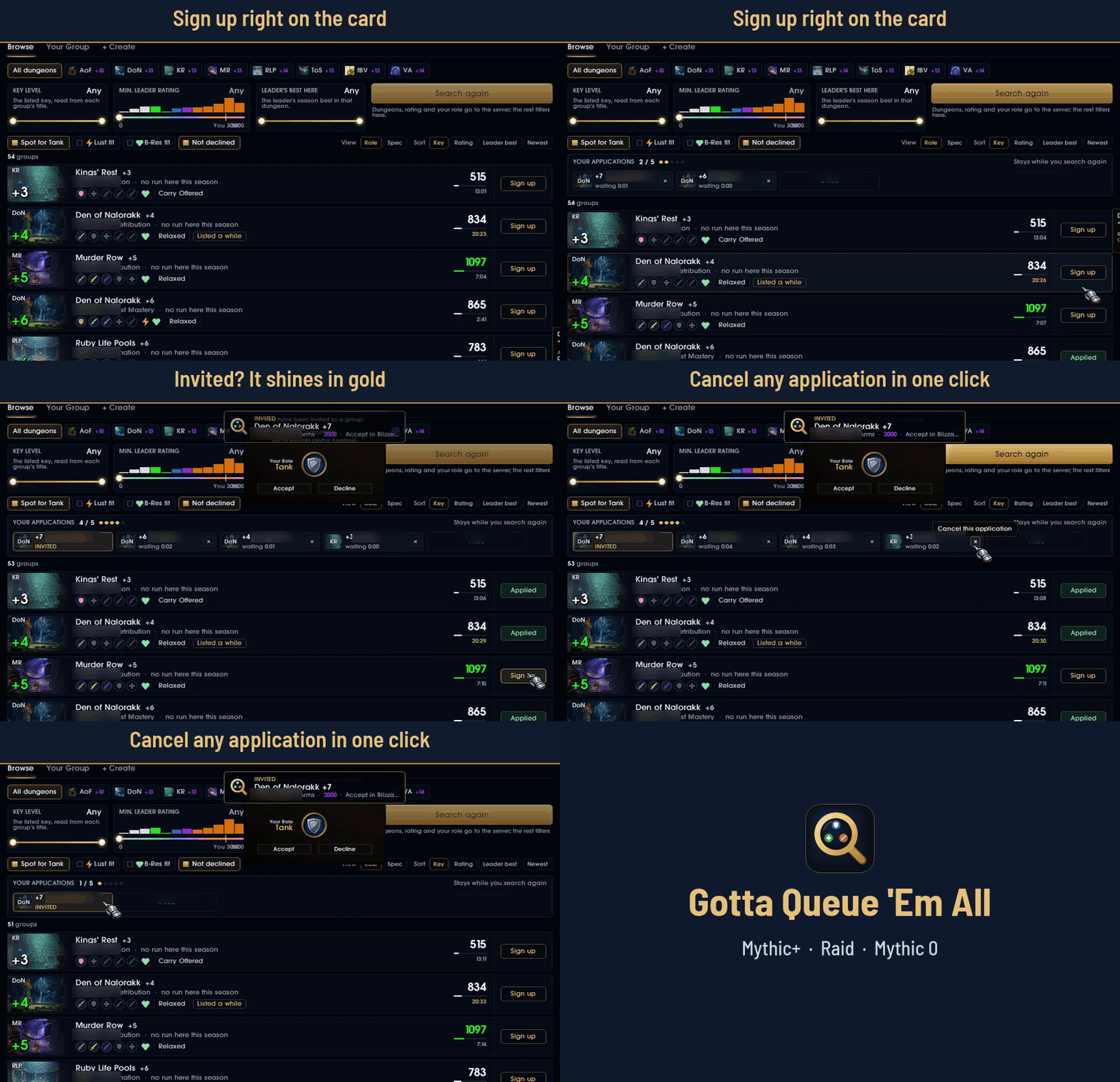
- Sort by key (lowest first), rating, leader best or newest. Sign up and cancel right on the card.
Your applications
- A bar above the list (Mythic+, Raid and Mythic 0) while you wait on groups: dungeon art, key, leader, how long you've waited, an × to cancel. Invites shine in gold.
- It reads your sign-ups, not the results, so it stays through new searches. At Blizzard's limit (5) the Sign up buttons say "5 / 5 applied".
Alerts
- When you're invited, or someone applies to the group you lead: a soft gold edge on the screen, a short message at the top (click it for Your Group), a sound, and the taskbar icon flashing while WoW is in the background. Each part can be switched off.
- No applicant alerts in someone else's group; the message goes away once you join.
Invite card
- Invites are answered in a card of its own: the dungeon's art, the key, the leader with rating and best run, the group with your spot in gold and the role you join as; Accept and Decline right there.
- Several invites at once stack below the card; a click brings one into it, so you pick the group you want.
- No second confirmation: Blizzard's "You have joined a group" is closed, a short message at the top says it. Blizzard's window comes back if WoW ever blocks the card's buttons.
Your Group
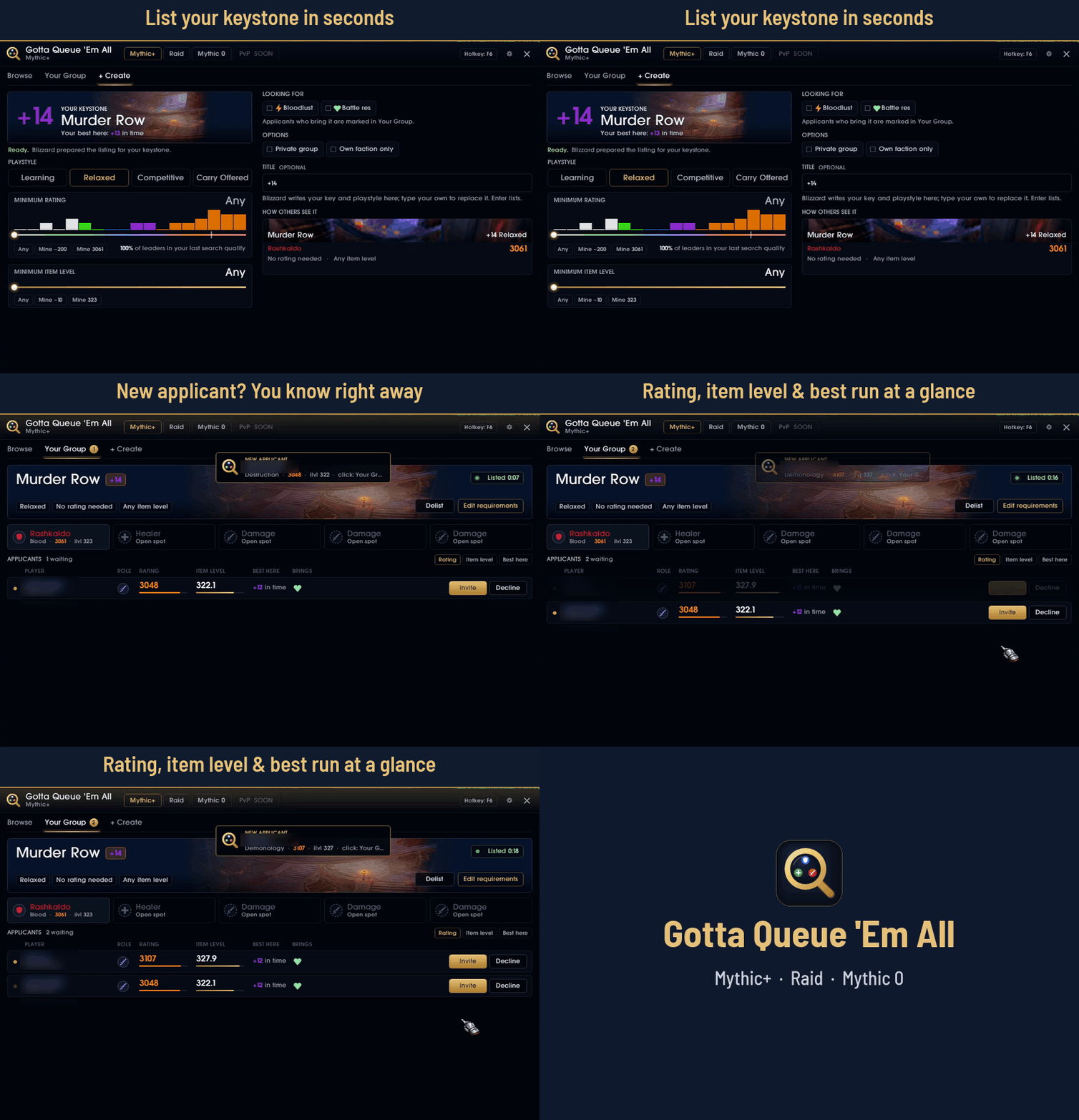
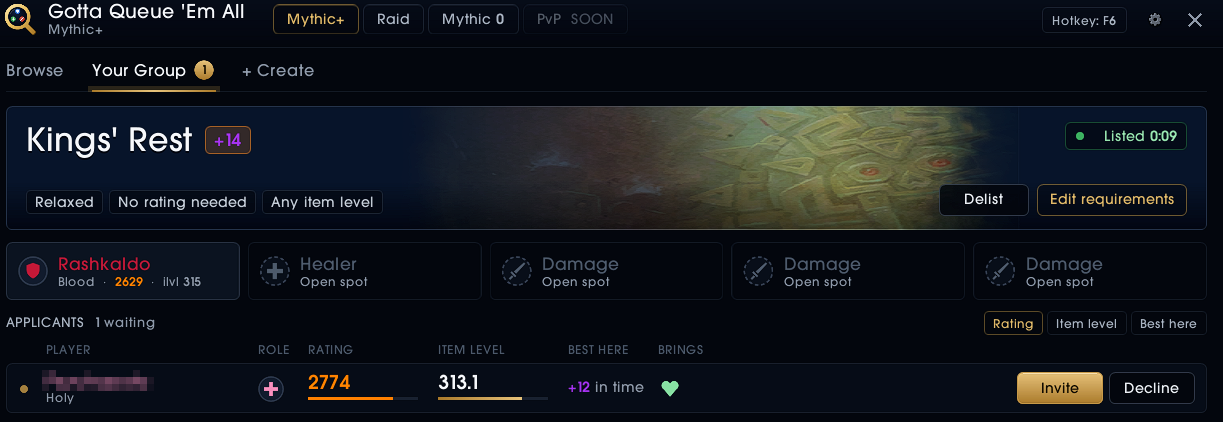
- Your listing with its art, key and requirements; edit the requirements or delist.
- Your party's slots and every applicant: rating, item level, best run in your dungeon, Lust / B-Res, deserter mark, "looking for" marks. Invite and decline in one click.
- The number of waiting applicants on the tab.
+ Create
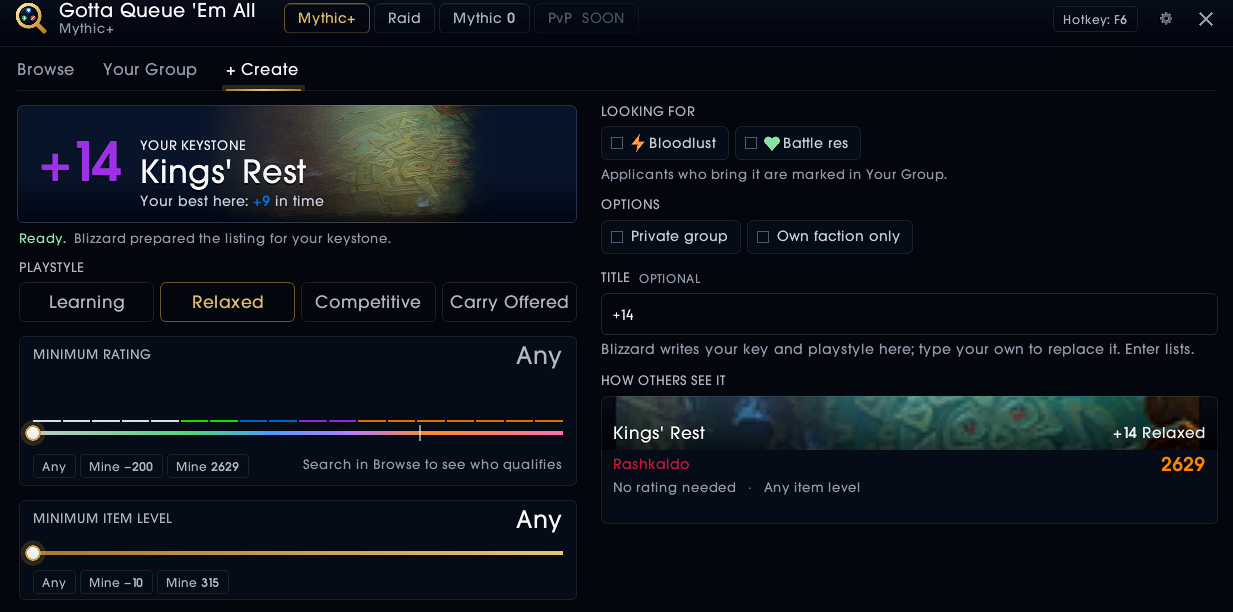
- Lists the keystone in your bags: playstyle, minimum rating (with how many leaders of your last search qualify), minimum item level, private group, own faction only.
- Blizzard's title box moves into the window: keep Blizzard's title or type your own.
Raid
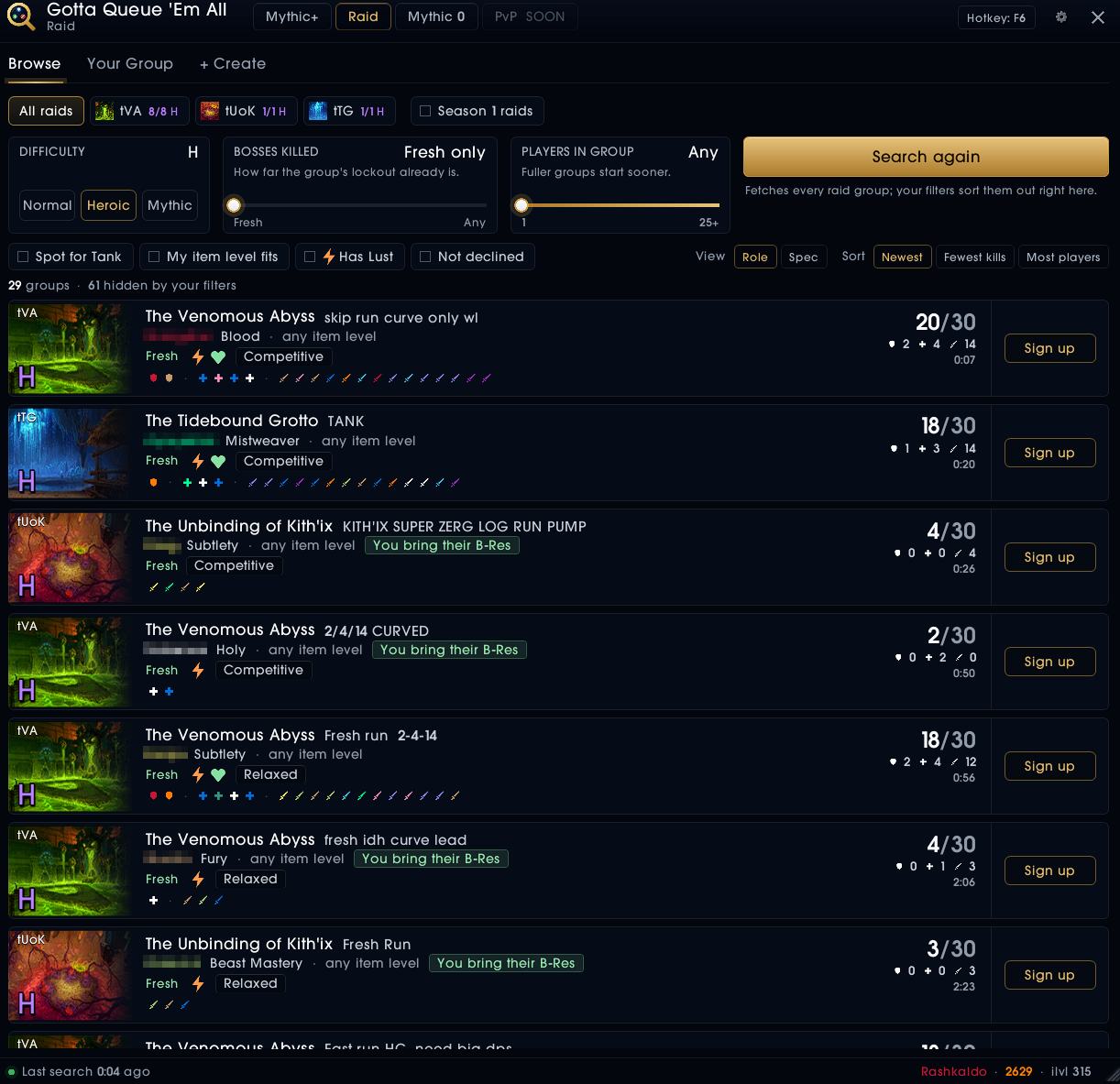
- This season's raids (and Season 1's on request) at Normal, Heroic and Mythic, with your lockout on each.
- Cards with the bosses the group's lockout has killed, its size by role, the item level it asks for, every member as a role glyph in class color or by spec.
- Filters: difficulty, bosses killed at most, minimum group size, spot for your role, your item level fits, has Lust, not declined. List your own raid group with the title you type.
Mythic 0
- This season's dungeons on Mythic, no keystone needed: search, filter and list groups like in Mythic+; your key never ends up in the title.
Footer
- Your Great Vault for the week: Mythic+ runs and the three slots, with their key and item level in the tooltip; a click opens the Great Vault.
- This week's affixes as icons, each with its description.
- Your name, rating and item level, and a DESERTER tag when Blizzard has marked you.
Settings
- In the window (the gear): alerts with a preview (when, invite card, on screen, sound, taskbar), the "listed a while" hint, the vault in the footer, minimap button, hotkey, size.
Everything else
- One switch (View: Role | Spec): members as role glyphs in class color, or with their spec under each glyph ("Resto", "BM", "Demo").
- A welcome screen on the first start (
/gotta welcomebrings it back). - Raider.IO profiles in the tooltips and a "MAIN" tag for alts, when Raider.IO is installed.
- Minimap button, a hotkey (set it with the Hotkey button in the window), the addon compartment.
- Resizable window; size and position are remembered.
/gotta (or /gqea), the minimap button or your hotkey opens the window.
Settings: the gear in the window, a right-click on the minimap button, or /gotta settings.
/gotta help lists the commands.
- Group titles can be shown but not read by addons. The key level is measured instead:
WoW lays the title out in a special invisible font and reports its width, which gives
the digits away ("+14", "14", "+14 Relaxed"). Titles with more numbers in them (custom
text) stay unread and always show. If a patch stops this, the slider says so and cards
show the title as before;
/gotta keyprobechecks it. - Group titles can't be written by addons, only typed by you. That's why + Create lets Blizzard prepare its form first and then shows Blizzard's own title box in the window.
- Searching from this window also sets the filters of Blizzard's own Group Finder (dungeon difficulty, roles, rating): they are shared.
- At times Blizzard locks the Group Finder's data for addons; groups that can't be read then are left out until the next search.
- The window holds a secure button (for + Create), so it closes when combat starts.
tools/Lint.ps1 runs luacheck with the
project's .luacheckrc (Lua 5.1 and the WoW API names the addon uses).
Bugs and ideas: please open an issue.
MIT. Barlow Semi Condensed: SIL Open Font License (media/fonts/OFL.txt).
The textures, logo and measuring font are generated by the scripts in tools/.