




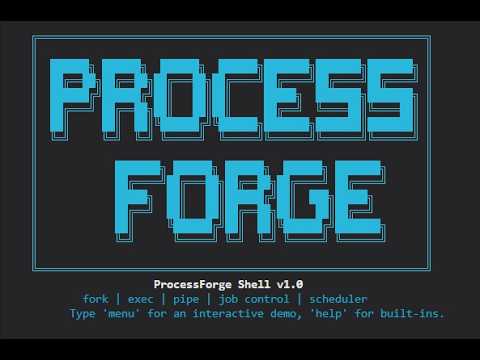
ProcessForge Shell is a research-grade Unix-like shell written in C. It demonstrates low-level process management, custom user-space scheduling (round-robin, priority), full POSIX job control, and structured logging — all within an interactive environment powered by GNU Readline.
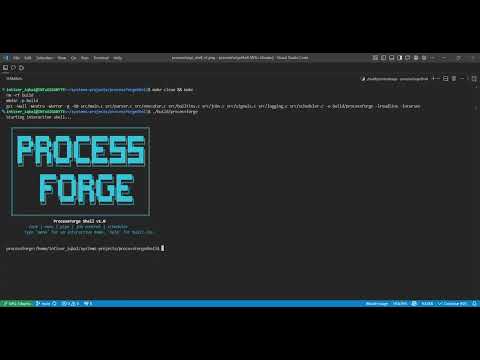
Walk through every feature: background jobs, signal handling, scheduler policies, priority changes, log viewer, and the interactive menu.
- Basic UNIX Features
- Job Control
- Scheduler Policies
- Changing Job Priority
- Log Viewer
- Interactive Menu
- Command History and Editing
- Development Logs
- Acknowledgements
- License
ProcessForge supports all essential UNIX shell operations:
- External commands —
ls,grep,sleep,echo,cat, and any executable on$PATH - Pipelines — unlimited stages:
ls | grep .c | sort | wc -l - Redirections —
<,>,>>(input, output, append) - Globbing —
*.c,src/*.hexpanded before execution - Built-ins —
cd,help,exit,quit,jobs,fg,bg,kill,sched,prio,log,menu

Type help inside the shell for the complete built-in reference.
Full job control is implemented with process-group semantics, terminal ownership transfer, and zombie-free child reaping.
| Command | Action |
|---|---|
sleep 30 & |
Start process in background; prints [1] <pid> |
jobs |
List all background jobs with state (Running / Stopped) |
fg %1 |
Bring job 1 to foreground; resumes it if stopped |
Ctrl-Z |
Stop the current foreground job |
bg %1 |
Resume a stopped job in the background |
kill %1 |
Send SIGTERM to the entire process group of job 1 |
kill -9 %1 |
Send SIGKILL to the entire process group of job 1 |
Example session:
processforge:~$ sleep 30 &
[1] 12345
processforge:~$ sleep 40 &
[2] 12346
processforge:~$ jobs
[1]  Running   sleep 30 &
[2]  Running   sleep 40 &
processforge:~$ fg %2
^Z
[2] Stopped  sleep 40
processforge:~$ bg %2
[2] sleep 40 &
processforge:~$ kill %1
Signal 15 sent to job 1 (pgid 12345)
kill: job 1 terminated, cleaning up
The shell correctly transfers terminal ownership via tcsetpgrp, handles SIGTSTP and SIGCONT, and reaps all children through a SIGCHLD handler without producing zombie processes.
ProcessForge includes a custom user-space scheduler that controls which background jobs are permitted to run at any given time, entirely without kernel modifications. The policy is changed at runtime with the sched built-in.
| Policy | Behaviour |
|---|---|
none |
Kernel default — all background jobs run concurrently |
roundrobin |
One background job runs at a time; jobs rotate every 50 ms |
priority |
Only the background job with the lowest priority value runs |
processforge:~$ yes > /dev/null &
[1] 22001
processforge:~$ yes > /dev/null &
[2] 22002
processforge:~$ sched roundrobin
Scheduler policy changed to 'roundrobin' (50 ms timeslices).
After switching to roundrobin, only one yes process consumes CPU at a time. The scheduler uses SIGSTOP and SIGCONT to pause and resume jobs — no privilege escalation required.
To query the current policy without changing it:
processforge:~$ sched
Scheduler policy: roundrobinThe prio built-in assigns a scheduling priority to a background job in the range -20 (highest) to 19 (lowest). The change takes effect immediately when the scheduler is in priority mode.
processforge:~$ sleep 300 &
[1] 33001
processforge:~$ prio %1 -5
Job 1 (pgid 33001) priority set to -5
If the active policy is not priority, the shell prints an advisory:
Note: scheduler policy is not 'priority'. Use 'sched priority' to activate.
Every executed command — foreground or background — is appended to /tmp/processforge.log in CSV format upon completion. Each record captures:
- Timestamp (12-hour format)
- Wall-clock duration (ms)
- User CPU time (ms)
- System CPU time (ms)
- Process group ID
- Command string
- Exit status (or signal number on abnormal termination)
The log built-in renders the last N entries in a colour-coded, boxed table:
processforge:~$ log
  ╔═══════════════════════════════════════════════════════════════╗
  ║  Timestamp                Command                    Status   ║
  ╠═══════════════════════════════════════════════════════════════╣
  ║  2026-05-03 02:27:32 PM   ls | grep .c | wc -l       [ OK ]   ║
  ║  2026-05-03 02:28:48 PM   whereami                   [ERR ]   ║
  ║  2026-05-03 03:12:55 PM   echo hello                 [ OK ]   ║
  ╚═══════════════════════════════════════════════════════════════╝
Successful exits are displayed in green; non-zero exits in red. Use log -n <N> to limit output to the last N entries.
Type menu to launch a self-contained, boxed interactive demo — useful for demonstrations and quick exploration without memorising commands.

  ╔════════════════════════════════════════════╗
  ║    ProcessForge  —  Demo Menu              ║
  ╠════════════════════════════════════════════╣
  ║  [1]  Run pipeline    ls | grep .c | wc -l ║
  ║  [2]  Background job  sleep 30 &           ║
  ║  [3]  List jobs       jobs                 ║
  ║  [4]  Scheduler       sched priority       ║
  ║  [5]  View logs       last 5 entries       ║
  ╠════════════════════════════════════════════╣
  ║  [0]  Exit menu                            ║
  ╚════════════════════════════════════════════╝
Each selection executes the corresponding command, wraps its output in a labelled box, and pauses before redrawing the menu. The screen is cleared between iterations to prevent output accumulation.
Line editing and history are provided by GNU Readline:
- Up / Down arrows — navigate command history
- Left / Right arrows — move the cursor for in-line editing
- Ctrl-A / Ctrl-E — jump to start / end of line
- Persistent history — automatically saved to
~/.processforge_historyacross sessions
The prompt dynamically reflects the number of active background jobs:
[2] processforge:/home/user/project$
When no background jobs are running, the [N] prefix is omitted.
Dependencies: GCC, GNU Make, GNU Readline (libreadline-dev on Debian/Ubuntu).
# Clone
git clone https://github.com/intiserIqbal/processforge-shell.git
cd processforge-shell

# Build
make

# Run
./processforge
To clean build artefacts:
make cleanTested on Ubuntu 22.04 LTS and WSL2 (Windows 11). macOS is not supported due to differences in SIGCHLD semantics and tcsetpgrp behaviour.
processforge-shell/
├── src/
│ ├── main.c # Shell loop, readline integration, dynamic prompt
│ ├── parser.c # Tokeniser, pipeline & redirection parser
│ ├── executor.c # fork/exec, pipeline execution, redirections
│ ├── jobs.c # Job table, SIGCHLD handler, job reaping
│ ├── builtins.c # All built‑in commands (cd, help, jobs, fg, bg, kill, sched, prio, log, menu)
│ ├── logging.c # CSV logging with deferred signal‑safe queue
│ ├── signals.c # Setup signal handlers for the shell
│ └── scheduler.c # User‑space scheduler (none / roundrobin / priority)
├── include/
│ ├── shell.h
│ ├── jobs.h
│ ├── logging.h
│ ├── scheduler.h
│ ├── signals.h
│ └── logo.h # ASCII art banner
├── docs/
│ ├── assets/ # Screenshots (help.png, interactive_table.png, logo.png)
│ └── devlogs/ # Daily development notes (Day 1–9)
├── tests/ # Shell behaviour test scripts (optional, not yet fully automated)
├── scripts/ # Installer script (install.sh)
├── .gitignore
├── Dockerfile
├── LICENSE
├── Makefile
└── README.md
Daily implementation notes are available in docs/devlogs/:
| Day | Topic |
|---|---|
| Day 1 | Core shell loop, built-ins, fork/exec |
| Day 2 | Single-stage pipelines |
| Day 3 | Redirections and parser fixes |
| Day 4 | Multi-stage pipelines and test suite |
| Day 5 | Job control foundations and SIGCHLD handling |
| Day 6 | Full job control (fg, bg, kill) |
| Day 7 | Instrumentation and logging |
| Day 8 | User-space scheduler (round-robin, priority) |
| Day 9 | UX enhancements (readline, menu, prio, formatted log) |
- My professor – for piquing my interest in operating systems and encouraging low‑level systems exploration
- Silberschatz, Galvin & Gagne – Operating System Concepts, 10th Edition, which provided the foundational knowledge of process management, job control, and scheduling
- GNU Readline — for line editing and persistent history
- The design of classic UNIX shells (bash, dash) — for reference on POSIX job control semantics
MIT License — free to use, modify, and distribute with attribution.
Open an issue on GitHub or reach out via the repository's discussion tab.
"What Is Now Proved Was Once Only Imagined." — William Blake