ECE Grubhub, a revolutionary meal delivery application like Grubhub allows Rutgers students to order food from their favorite restaurant and have it delivered right on their door in real time!

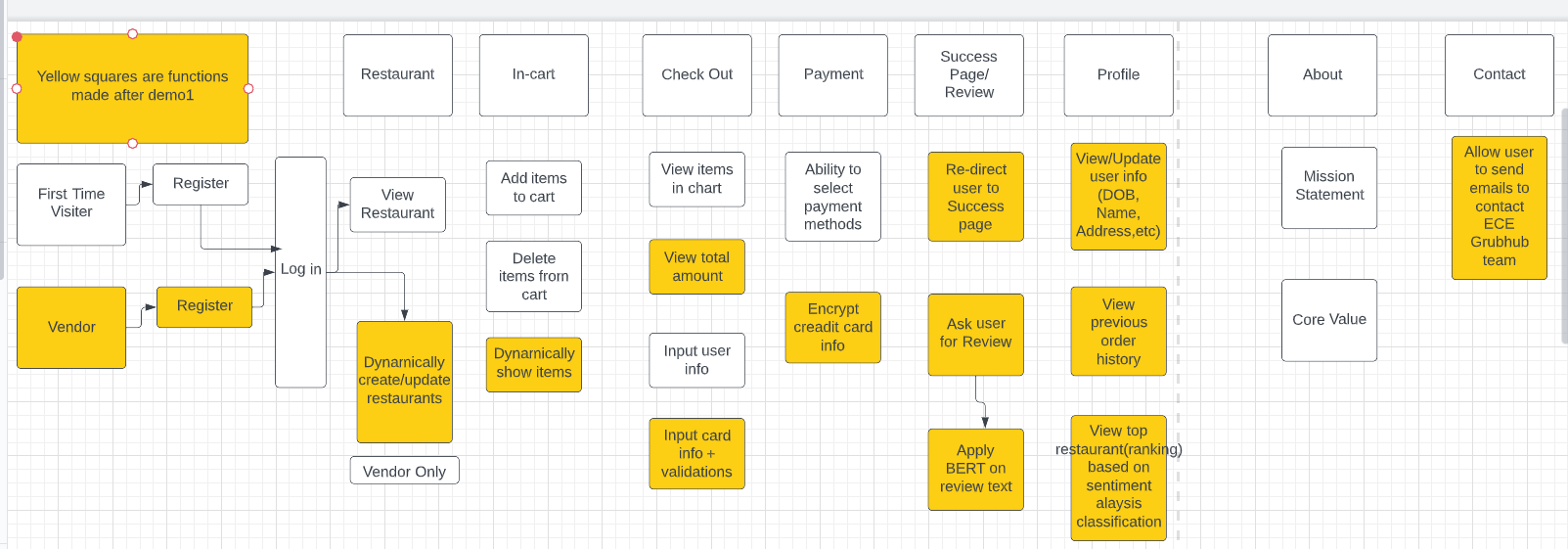
ECEGrubhub has many features which make it a successful meal delivery service. Firstly both users and vendors are able to create and register an account. Once a vendor creates an account they are able to register multiple restaurants with their own food, beverage, and pricing options. And once a user creates an account they are able to see all available restaurants and place orders for what they would like. Once an order is placed an invoice is sent to the user's email, and an estimated delivery time is calculated. Users are also able to write reviews about restaurants they have ordered from. ECEGrubhub also supports several other features such as editing of user/vendor information, credit card validation, and much more.
Our Project made use of several technologies in order to implement its many features. The tools we utilized included:
MongoDB/Mongoose- used to implement our backend database which stores reviews, restaurants and user/vendor information, as well as logs from events such as orders and invoices.Bcrypt- implemented to hash passwords in order to keep user information safe.Nodemailer- utilized to send invoice emails to users after an order was placed.Creditcardutils- used to verify valid credit card information.Passport- used to authenticate user signup/login requests.Express-validator- used for server-side data validation.
To run our project you will need to have all the packages listed within the packages.json file. To install those packages navigate to the project directory and using Node.js run the following command:
npm install
While in the main project directory, running the live version of the code (which automatically restarts when changes are made) can be done with the following command:
npm run watch
Or to run the normal version you can use this command instead:
npm app.js
Once the code is running, visit http://localhost:3000 in your browser to view the website.
During the signup process you will be prompted with whether you would like to be a vendor or a normal user. Vendors will be able to order food just like users but will provide the additional functionality to add restaurants.
-
Users could face unstable network connectivity.
-
System might crash if more users access it at the same time.
-
Users may not be able to access it because of service outages
-
Bcrypt package issue during installation. Error message:
Error: dlopen. Solution is to runnpm install bcryptto reinstall the package and fix any issues.
This is the project created by Rutgers Engineering students for their Software Engineering (14:332:452) class. The students were part of Group 1.
- Linqi Xiao
- Meghana Achyutananda
- Maliha Yeasmin
- Irina Mukhametzhanova
- Dhruv Rana
- Rahaf Abdallah
- Liao Xu
- Youngjung Cho
- Qizhen Ding
- Arslan Tariq
- Christian Kushnir
- Ronik Kapadia