SocketClaw is a local-first terminal security operations cockpit. It watches configured hosts and logs, explains why each observation is important, stores the evidence in SQLite, and uses GPT-5.6 Luna directly through the OpenAI Platform when deeper incident analysis is requested.
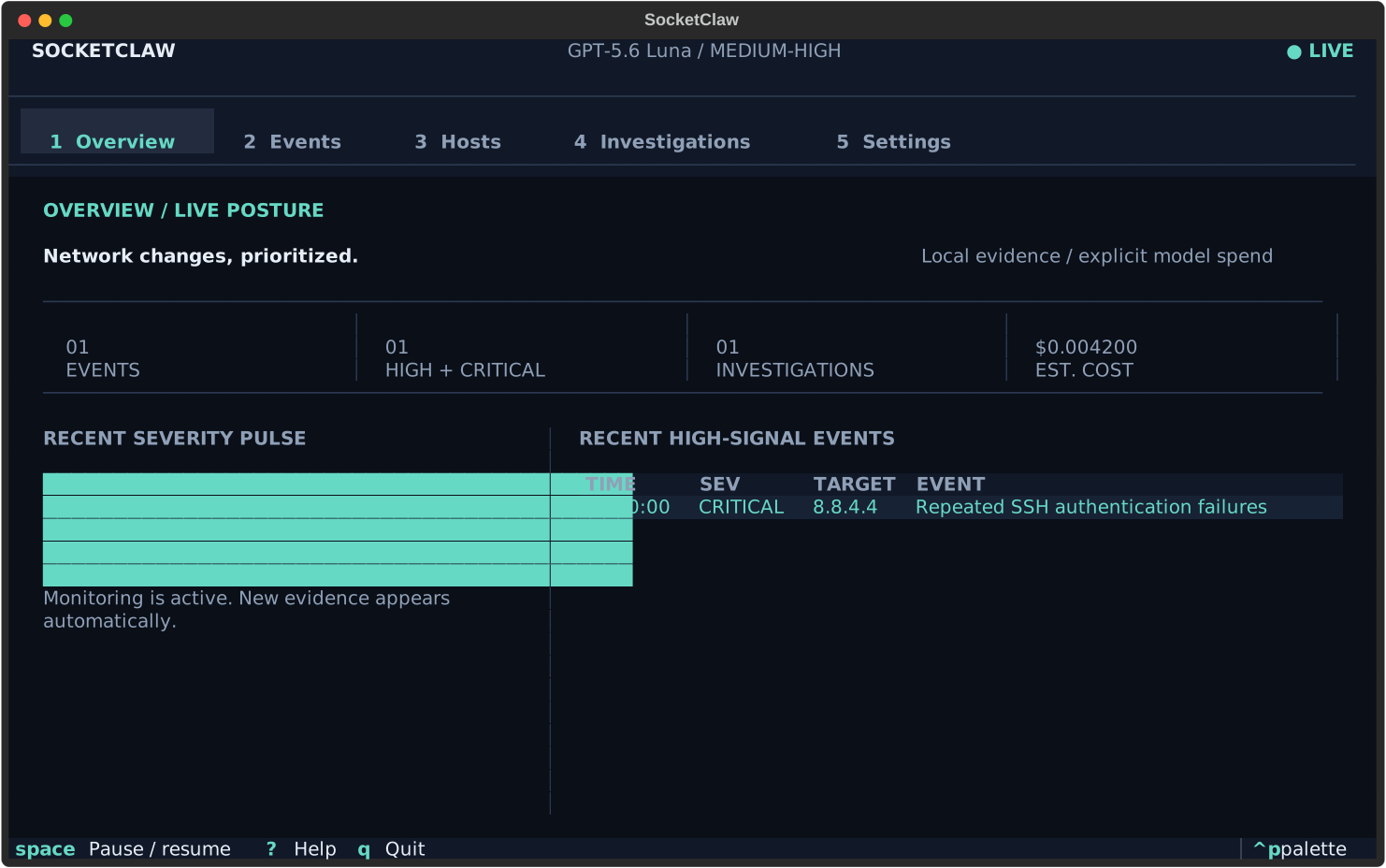
- Runs cross-platform ping checks, bounded TCP port scans, and rotation-aware log watchers in one resilient process.
- Scores every event locally with visible detection signals; monitoring keeps working without an API key or OpenAI connectivity.
- Presents a keyboard-first Textual interface for posture, events, hosts, investigations, and settings.
- Persists events and model operations in a local SQLite database. This includes estimated costs, failures, and response proposals.
- Exports redacted Markdown or JSON incident records.
- Connects only to
https://api.openai.com/v1for AI investigation. No alternate model-provider route or fallback exists.
- Python 3.11 or newer
- A terminal with color support
- The optional system
pingcommand for reachability checks. Other probes keep working when it is unavailable. - An optional OpenAI API key for AI investigations. Monitoring works without one.
From a checkout, the recommended isolated installation is:
uv tool install .Or with pipx:
pipx install .For development:
uv sync --dev
uv run socketclawLaunch SocketClaw:
socketclawThe four-step onboarding flow:
- explains the local file boundary;
- optionally validates an OpenAI key and Luna access without generating tokens, or continues offline;
- configures initial targets and intervals;
- starts the local monitor.
The API key field is masked. When supplied, the key is stored as inert data in
~/.socketclaw/.env; the file is never sourced as shell code. On POSIX
systems, SocketClaw enforces mode 0700 on its home and 0600 on managed
configuration, credential, database, and export files. SQLite WAL/SHM sidecars
remain protected by the non-traversable 0700 home directory. On Windows, the
directory inherits the account ACL of the user profile.
Offline onboarding persists normally. AI investigations remain unavailable
until a validated key is added from Settings.
| Model | OpenAI model ID | Reasoning effort |
|---|---|---|
| GPT-5.6 Luna | gpt-5.6-luna |
medium for medium and lower events, high for high and critical events |
The model cannot be changed in configuration or the UI. Requests use the OpenAI Responses API with structured outputs. A failed request becomes a durable, retryable investigation failure instead of falling back.
| Key | Action |
|---|---|
1–5 |
Open Overview, Events, Hosts, Investigations, or Settings |
Space |
Pause or resume scheduled monitoring |
C / A |
Show critical events / clear event filters |
I |
Investigate the selected event |
E |
Export the selected incident as Markdown |
R |
Run the context action (host ping or investigation retry) |
Ctrl+P |
Open the Textual command palette |
? |
Show keyboard help |
Q |
Stop monitoring and quit cleanly |
Model output can create a response proposal, but it cannot directly change the machine:
- a proposal records the exact action, target, reason, and reversibility;
- approval and rejection are explicit, durable state transitions;
- approval requires a confirmation modal;
- unsafe address classes such as loopback and multicast are rejected as block targets;
- configured IP watch targets are also rejected;
- this release does not ship a firewall mutation adapter. “Approved” means reviewed and recorded, not executed on the host.
Every proposal stays in the explicit review workflow. Operators choose whether to open a review-to-end confirmation step for approval or rejection.
The default application home is ~/.socketclaw. Override it with
SOCKETCLAW_HOME for testing or an alternate profile.
~/.socketclaw/
├── .env                 # optional OpenAI key, private file
├── .instance.lock       # private single-process ownership lock
├── config.toml          # validated non-secret settings, private file
├── socketclaw.db        # events, investigations, proposals, runs
└── exports/             # redacted incident Markdown and JSON
Only one SocketClaw TUI may own an application home at a time. A second launch is rejected before it can recover or modify work owned by the running process.
Configuration and export writes use a temporary file, fsync, and atomic
replace. SocketClaw never prints the configured key in doctor output, UI
notifications, exports, or live-test evidence.
Automatic exports use POSIX directory handles so a replaced export directory
cannot redirect incident data. On platforms without those handles, automatic
exports fail closed; use socketclaw export --output PATH with a path you
selected explicitly.
socketclaw                       # launch the TUI
socketclaw doctor                # launch-readiness diagnostics
socketclaw config path           # effective application home
socketclaw export --format markdown
socketclaw export --format json --output incident.json
socketclaw export --event EVENT_UUID
socketclaw version
doctor treats malformed configuration and unusable SQLite storage as launch
blockers. Missing optional system commands are warnings so the rest of the
cockpit remains usable.
Onboarding says the key is invalid
Confirm that the key is an OpenAI Platform key and has access to
gpt-5.6-luna. socketclaw doctor reports only whether a key is configured;
it never prints its value. You can continue onboarding offline and add a key
later from Settings.
Ping is unavailable
Run socketclaw doctor. Install the operating system ping command, or use the
TCP port scans and log monitoring meanwhile. Probe failures become system
events instead of stopping other jobs.
The config file will not load
Run socketclaw config path, inspect config.toml, and correct the first
validation error shown by socketclaw doctor. SocketClaw will not overwrite a
malformed file automatically.
OpenAI returns 401, 402, 429, or an API error
The investigation detail preserves a redacted, classified failure. Correct the key or credit/rate-limit condition and use Retry. Local monitoring and history remain available.
The terminal is small
SocketClaw supports an 80×24 compact layout. A wider terminal exposes more detail columns and the secondary incident pane.
From a Git checkout:
uv sync --dev
uv run pytest -q
uv run ruff format --check .
uv run ruff check .
uv run pyright
uv lock --check
uv export --frozen --no-hashes --no-dev --no-emit-project --output-file .audit-requirements.txt
uvx pip-audit --disable-pip --no-deps -r .audit-requirements.txt
uv build
Regenerate the tracked, secret-checked TUI evidence after intentional visual changes:
uv run python scripts/capture_tui.pyReview and commit the resulting artifacts/tui/*.svg files and
docs/screenshots/overview.svg together. Generated live OpenAI evidence is
local-only and ignored by Git.
Paid live OpenAI tests are opt-in. They use OPENAI_API_KEY when it is already
present in the environment, or they can read an explicit env-file path. The
file is parsed as data; it is not sourced:
SOCKETCLAW_LIVE_OPENAI=1 \
SOCKETCLAW_LIVE_ENV_FILE=/absolute/path/to/.env \
uv run pytest tests/live/test_openai_model.py -q
Live evidence is redacted and written below artifacts/live-openai/.