This project demonstrates object detection using YOLO (You Only Look Once) architecture for a self-driving car application. The app processes video files to detect and label objects in real time, utilizing pre-trained YOLOv3 weights for object recognition.
- Object detection in videos using YOLOv3.
- Pre-trained model for fast and accurate predictions.
- Real-time detection of common objects such as cars, pedestrians, traffic lights, and more.
- Supports multiple video formats for testing.
Ensure that you have the following libraries installed:
pip install tensorflow matplotlib pillow opencv-python gdownDownload the YOLOv3 model weights
wget -O /content/data/yolo_weights.h5 "https://storage.googleapis.com/inspirit-ai-data-bucket-1/Data/AI%20Scholars/Sessions%206%20-%2010%20(Projects)/Project%20-%20%20Object%20Detection%20(Autonomous%20Vehicles)/yolo.h5"
To detect objects in a video:
python detect_video.py --video_path /path/to/input/video.mp4 --output_path /path/to/output/video.mp4
To detect objects in an image, use:
from PIL import Image
from yolo_detection import detect_image


image = Image.open("/path/to/image.jpg")
output_image = detect_image(image)
output_image.show()
This example shows how to run object detection on a video file:
video_path = '/content/data/video2.mp4'
output_path = '/content/data/video2_detected.mp4'
detect_video(video_path, output_path)
Here are sample videos processed by the model:
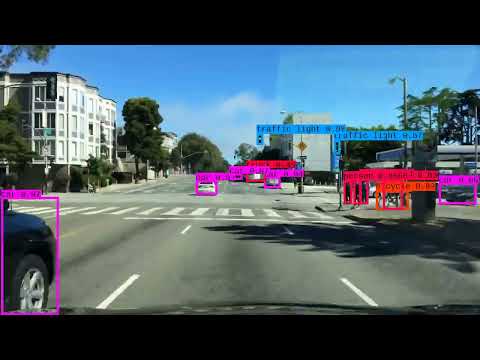
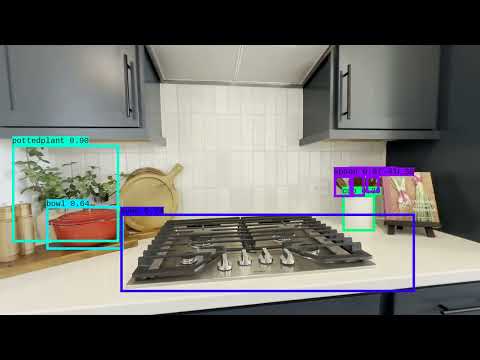
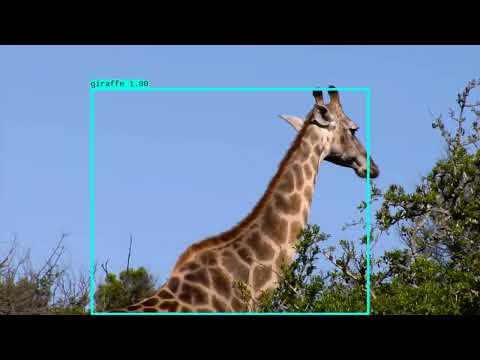
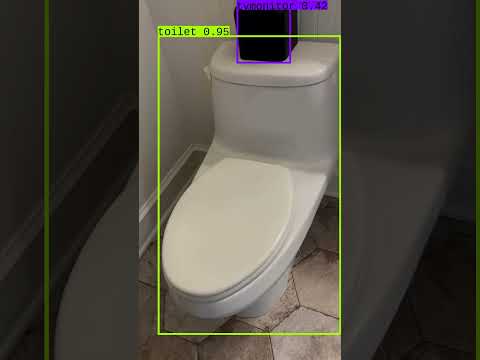
To learn more about how this self-driving car object detection app works, check out the slideshow presentation
yolo_detection.py: Contains the main object detection logic using YOLO.
detect_video.py: Script for processing videos and applying object detection.
utils.py: Contains utility functions for image preprocessing, bounding box manipulation, and IOU calculations.
This project uses the YOLOv3 architecture for real-time object detection. Pre-trained weights were provided by the Inspirit AI dataset.