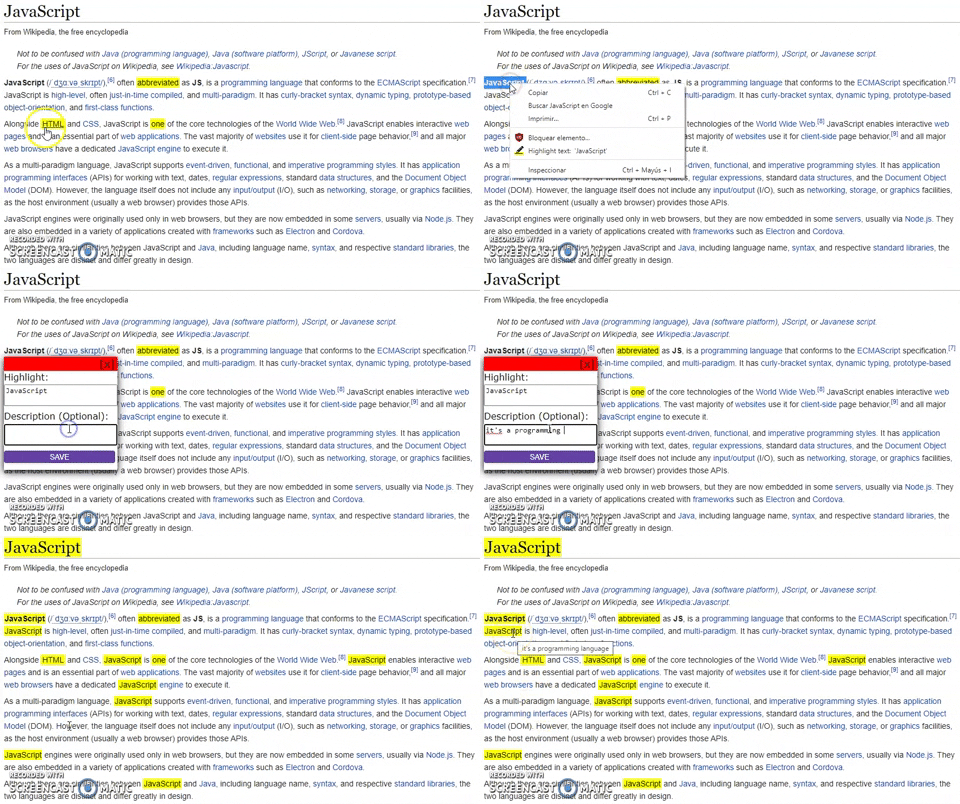
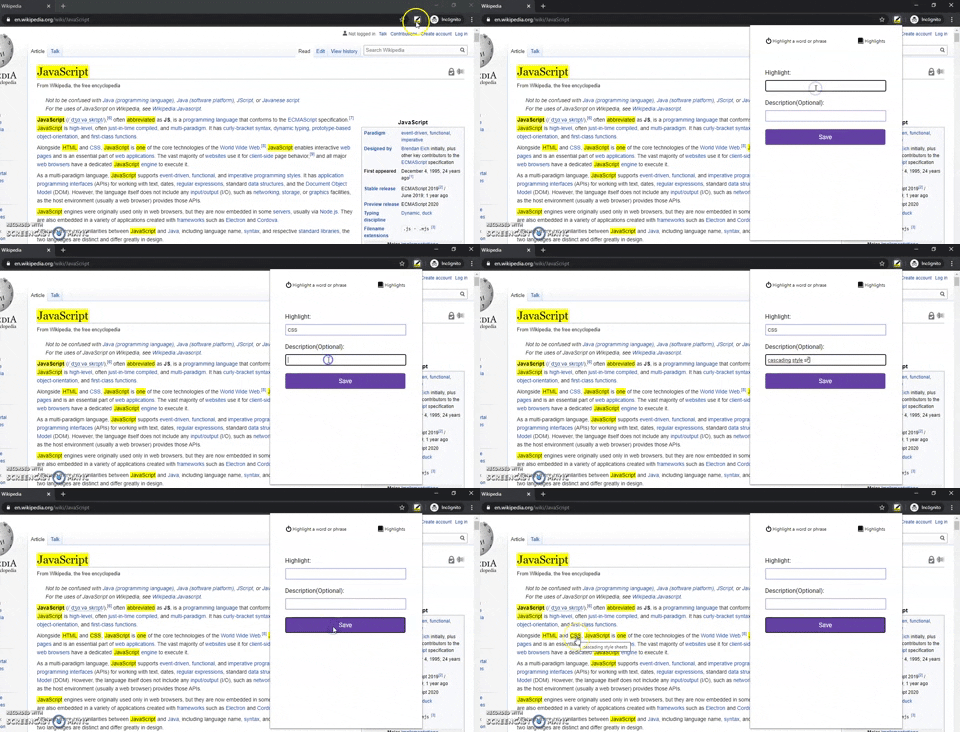
Web higlighter is an extension for chrome that helps you highlight words, phrases or chunks of text. You can add descriptions, translation or any kind of details to the highlights. Everytime you find a word on the web that you saved in your database it will be highlighted with their respective details, descriptions or details.
- Javascript (ES6)
- Markjs library for highlights
- Chrome Storage, Tabs ContextMenu APIs
- Web Intersection Observer, MutationObserver APIs
- CSS
- HTML
- First download or clone the repository
- Go to chrome://extensions in google chrome
- Click on load unpacked
- Select the directory or repository you downloaded
- Once installed go to any page.
- Select text on any page
- Right click to open the context menu and click on Highlight text: "%s"
- A menu will open in which it will show the text that will be highlighted and the description or definition you wanna add
- Click on save to highlight it and stored in database
- Everytime you encounter the word it will be lighlighted with its respective definition, description or none because it's optional