Forked from FloatingLabelLayout https://gist.github.com/chrisbanes/11247418, this sample adds a little behavior to the floating label showing how strong the password is.
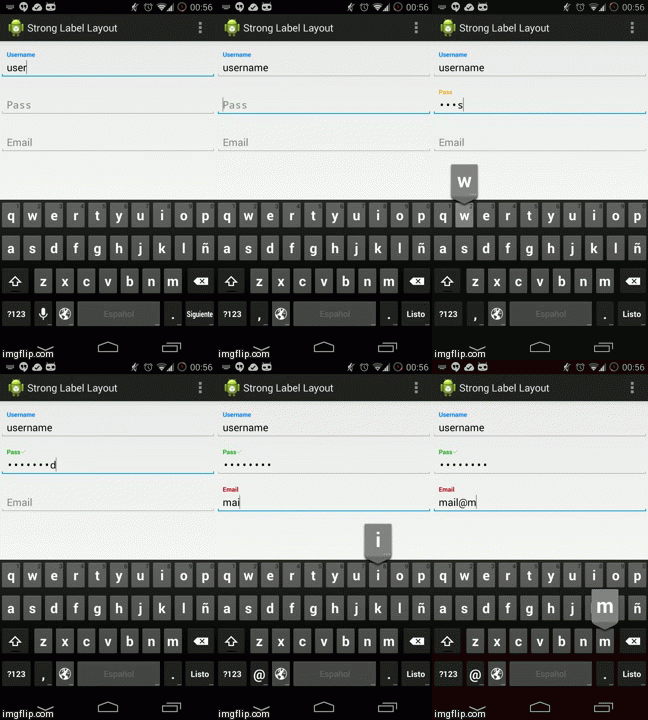
[Video] (https://www.youtube.com/watch?v=Ki_ur4qZbZQ)
You need to add this to your code:
<YourPackage.PasswordFloatLabelLayout
        android:layout_width="match_parent"
        android:layout_height="wrap_content"
        app:floatLabelTextAppearance="@style/TextAppearance.YourApp.FloatLabel"
        app:showStateIcon="true">
app:showStateIcon (false by default) indicate if you want to show an icon when your password is strong.