



Track parcels from PostNL, DHL, DPD, Vinted Go, GLS, Dragonfly, Trunkrs, Cainiao, Hermes, Packeta, Correos, PostNord, Sameday, Swiss Post, Planzer, Austrian Post, Helthjem, Dynalogic, Budbee, Nova Post, Delhivery and SunYou in a single Home Assistant card — with animated banners, letter scan images, automatic sensor detection, a "+ Add parcel" control for account-less carriers, and a full visual editor.
📖 Full documentation, configuration reference and screenshots: jonisnet.github.io/hki-parcels-card
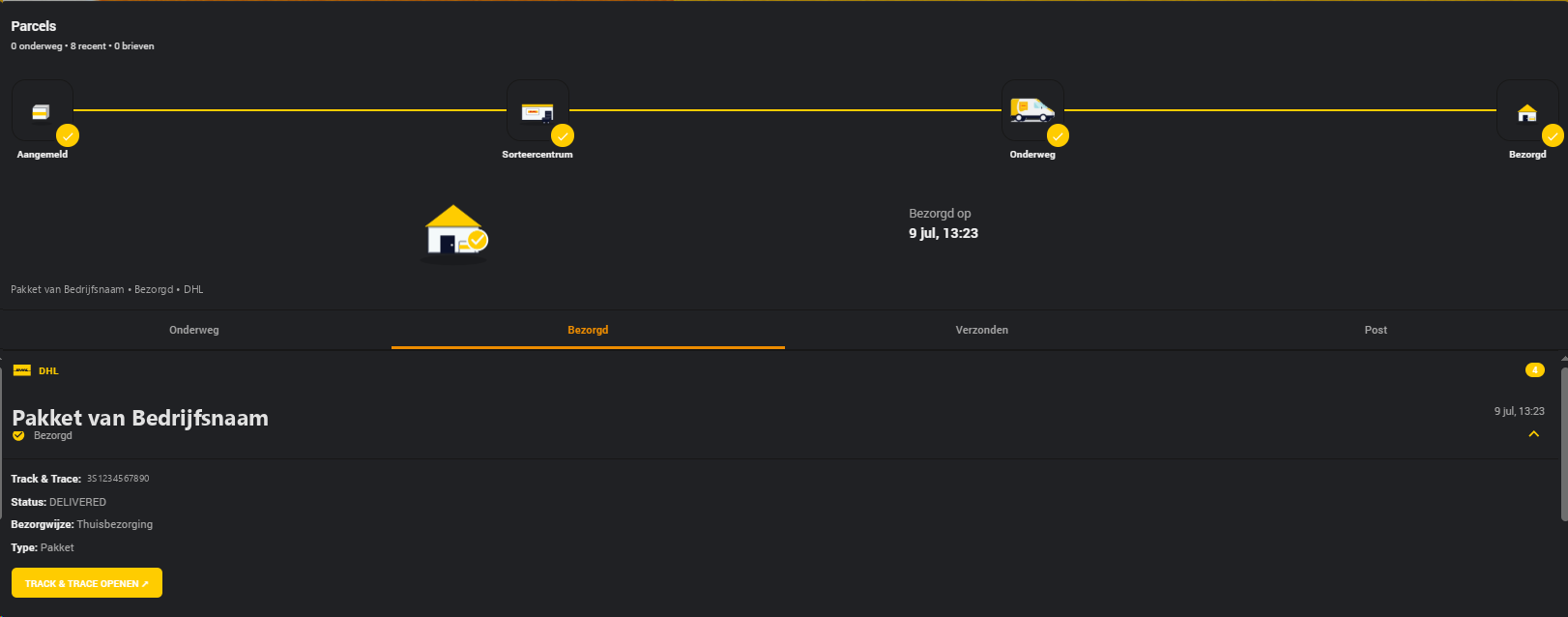
Parcel detail with the 4-step delivery tracker
Based on jimz011/hki-elements — the original PostNL card from the HKI project, extended with multi-carrier support, automatic sensor templating and letterbox mail.
This main branch (and every v1.7.x release on it) now only receives bug fixes. New
carriers and new features are being built in a separate repository,
jonisnet/ha-parcel-card, currently in
beta — not just a new branch here, but a whole new repo with a new name and card type
(custom:ha-parcel-card instead of custom:hki-parcels-card).
Why a rename, not just a v2 branch: "HKI" is jimz011's own
trade name — this card started as a fork of his hki-elements
project (credit that stays, see Credits below), but was never actually his own
release. Continuing to call it "HKI Parcels Card" going forward isn't accurate, especially as v2
moves toward integrating more closely with the broader
ha-parcel-integrations family this card already
depends on. main/v1.x keeps the old name and card type unchanged — nothing breaks for existing
installs — but new development happens under the new name from here on.
See the new repo's own README for install instructions if you want to try v2 early or help test. It's a moving target, not (yet) recommended if you just want a stable card.
- Multi-carrier — PostNL, DHL, DPD, Vinted Go, GLS, Dragonfly, Trunkrs, Cainiao, Hermes, Packeta, Correos, PostNord, Sameday, Swiss Post, Planzer, Austrian Post, Helthjem, Dynalogic, Budbee, Nova Post, Delhivery and SunYou side by side in one card, each with its own branded logo, van animation and banner
- Four tabs — In Transit · Delivered · Sent · Letters, with parcel details, barcode and a direct tracking link
- 4-step delivery tracker — a branded progress illustration (Registered · Sorting centre · Out for delivery · Delivered) when a parcel is selected
- Carrier overview popup — click a logo in the multi-carrier banner to see every parcel and letter for that carrier across all tabs in one popup, with details expandable in place
- Add a parcel from the card — account-less carriers (GLS, Dragonfly, Trunkrs, Cainiao, Hermes, Packeta, Correos, PostNord, Sameday, Swiss Post, Planzer, Austrian Post, Helthjem, Dynalogic, Budbee, Nova Post, Delhivery, SunYou) get a "+ Add parcel" control that registers a new Track & Trace number directly; see Add parcel support below for why PostNL/DHL/DPD don't
- Custom parcel names — give any parcel a short label of your own (e.g. "Birthday gift") right from its detail panel, instead of just a tracking code; shared instance-wide with live updates by default, or scope it to just you or just this browser — see
custom_name_scope - Flexible sorting & grouping — soonest-arriving parcel on top by default, or pin newest/oldest-first everywhere; group parcels by carrier or show one flat, interleaved list — see
sort_order/group_by_carrier - Letterbox mail — PostNL letters get their own tab with scan images, matched automatically and resilient to ha-postnl updates
- Full visual editor — no YAML required, with auto sensor detection, a media browser for custom images, a colour picker and live preview
- Automatic combo banner — with two or more carriers configured, the card builds a combo banner from just the carriers you've actually added
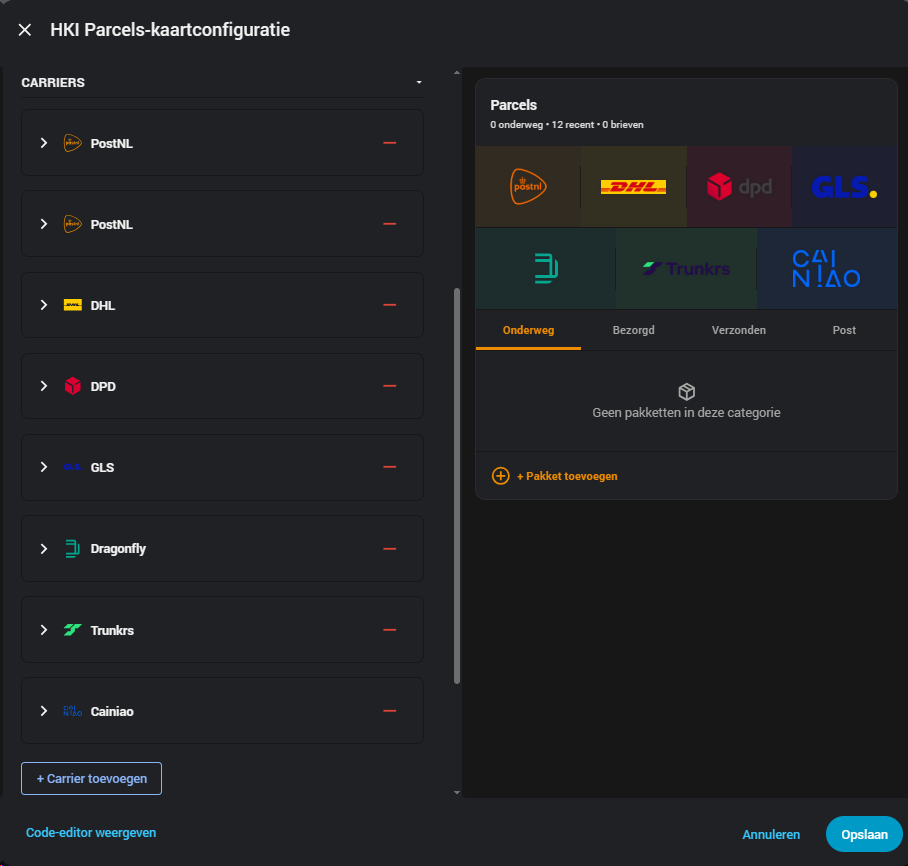
Visual editor with live preview
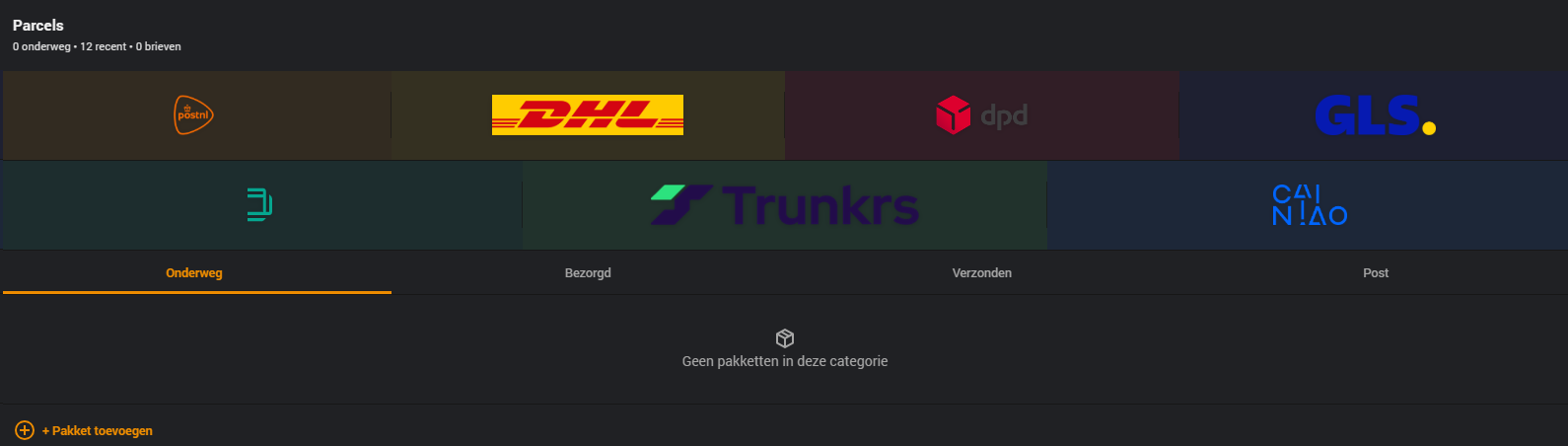 |
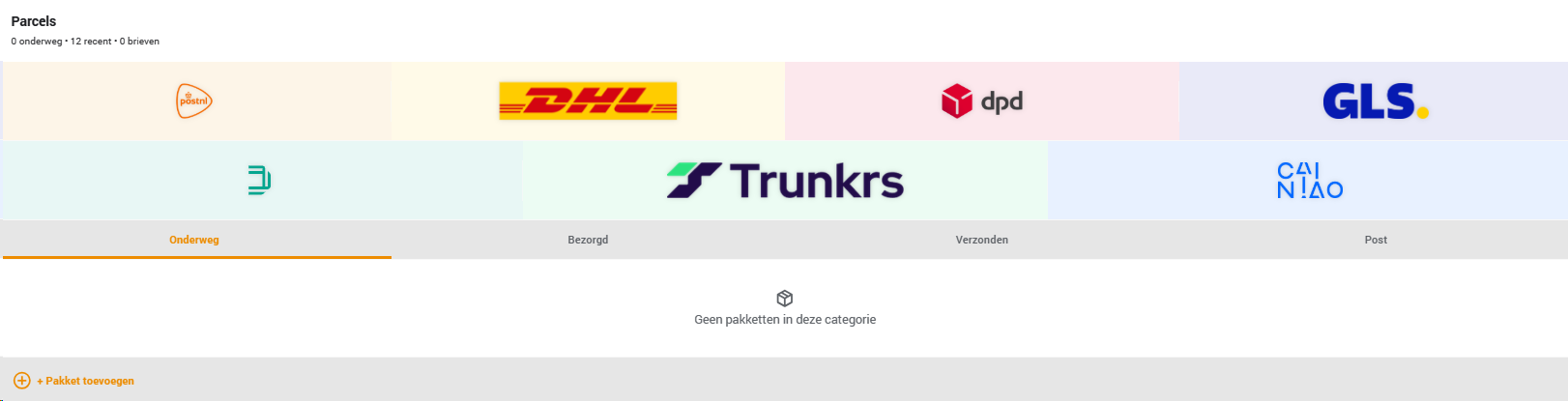 |
| Dark theme | Light theme |
More screenshots and examples: jonisnet.github.io/hki-parcels-card/card/screenshots
Install the integration for each carrier you use before adding the card. All of them are part of the ha-parcel-integrations family, publishing the same canonical parcel format — which is what lets one card support all of them.
| Carrier | Integration | Account type |
|---|---|---|
| PostNL | ha-parcel-integrations/ha-postnl ≥ 4.0.0 (older postnl / postnl_legacy variants are being phased out, see Installation) |
Account login |
| DHL | ha-parcel-integrations/ha-dhl-nl | Account login |
| DPD | ha-parcel-integrations/ha-dpd | Account login |
| Vinted Go | ha-parcel-integrations/ha-vinted-go | Account login (e-mail + verification link, no password) |
| GLS | ha-parcel-integrations/ha-gls | Tracking number + postal code |
| Dragonfly | ha-parcel-integrations/ha-dragonfly — created by Alwin Hummels, also maintained standalone at HummelsTech/ha-dragonfly; either works with this card | Tracking number only |
| Trunkrs | ha-parcel-integrations/ha-trunkrs | Tracking number + postal code |
| Cainiao | ha-parcel-integrations/ha-cainiao | Tracking number only |
| Hermes | ha-parcel-integrations/ha-hermes | Tracking number only |
| Packeta | ha-parcel-integrations/ha-packeta | Tracking number only |
| Correos | ha-parcel-integrations/ha-correos | Tracking number only |
| PostNord | ha-parcel-integrations/ha-postnord | Tracking number only |
| Sameday | ha-parcel-integrations/ha-sameday | Tracking number only |
| Swiss Post | ha-parcel-integrations/ha-swiss-post | Tracking number only |
| Planzer | ha-parcel-integrations/ha-planzer | Tracking number only |
| Austrian Post | ha-parcel-integrations/ha-oesterreichische-post | Tracking number only |
| Helthjem | ha-parcel-integrations/ha-helthjem | Tracking number only |
| Dynalogic | ha-parcel-integrations/ha-dynalogic | Tracking number only |
| Budbee | ha-parcel-integrations/ha-budbee | Tracking number only |
| Nova Post | ha-parcel-integrations/ha-nova-post | Tracking number only |
| Delhivery | ha-parcel-integrations/ha-delhivery | Tracking number only |
| SunYou | ha-parcel-integrations/ha-sunyou | Tracking number only |
Full version compatibility notes, PostNL variant details and sensor naming: jonisnet.github.io/hki-parcels-card/card/configuration.
The card's "+ Add parcel" control only appears for carriers whose integration is account-less — they identify a parcel purely by tracking number (plus postal code for GLS/Trunkrs), so there's a track_parcel service to register one on demand. PostNL, DHL and DPD are account-based: every parcel sent to or from your account already appears automatically, and those integrations expose no equivalent service to register an arbitrary tracking number — so there's nothing for the card to call.
| Carrier | Add parcel from card | Why |
|---|---|---|
| PostNL | ❌ | Account-based — parcels appear automatically, no track_parcel service exists |
| DHL | ❌ | Account-based — parcels appear automatically, no track_parcel service exists |
| DPD | ❌ | Account-based — parcels appear automatically, no track_parcel service exists |
| Vinted Go | ❌ | Account-based — parcels appear automatically, no track_parcel service exists |
| GLS | ✅ | Account-less — tracked by number + postal code |
| Dragonfly | ✅ | Account-less — tracked by number only |
| Trunkrs | ✅ | Account-less — tracked by number + postal code |
| Cainiao | ✅ | Account-less — tracked by number only |
| Hermes | ✅ | Account-less — tracked by number only |
| Packeta | ✅ | Account-less — tracked by number only |
| Correos | ✅ | Account-less — tracked by number only |
| PostNord | ✅ | Account-less — tracked by number only |
| Sameday | ✅ | Account-less — tracked by number only |
| Swiss Post | ✅ | Account-less — tracked by number only |
| Planzer | ✅ | Account-less — tracked by number only |
| Austrian Post | ✅ | Account-less — tracked by number only |
| Helthjem | ✅ | Account-less — tracked by number only |
| Dynalogic | ✅ | Account-less — tracked by number only |
| Budbee | ✅ | Account-less — tracked by number only |
| Nova Post | ✅ | Account-less — tracked by number only |
| Delhivery | ✅ | Account-less — tracked by number only |
| SunYou | ✅ | Account-less — tracked by number only |
- Go to HACS → Dashboard → ⋮ → Custom repositories
- Add
https://github.com/jonisnet/hki-parcels-cardwith category Dashboard - Search for HKI Parcels Card and click Install
- Restart Home Assistant (or do a hard refresh: Ctrl+Shift+R)
- Download
hki-parcels-card.jsfrom the latest release - Copy the file to
/config/www/hki-parcels-card.js - Go to Settings → Dashboards → Resources and add
/local/hki-parcels-card.js(type: JavaScript module) - Hard refresh your browser
Optional: install custom-brand-icons via HACS for branded PHU carrier icons — detected automatically, no configuration needed.
Full installation guide: jonisnet.github.io/hki-parcels-card/installation.
Add the card to your dashboard — it auto-detects every installed carrier integration and pre-fills a fully configured entry for each one it finds. Open the visual editor afterwards only if you want to tweak something.
Or add it via YAML:
type: custom:hki-parcels-card
title: Parcels
carriers:
  - type: postnl_v4
    user: my_account
  - type: dhl
    user: my_account
  - type: dpd
    user: my_account
  - type: vinted_go
    user: my_account
  - type: gls
    user: "1234ab"
  - type: dragonfly
  - type: trunkrs
    user: "1234ab"
  - type: cainiao
  - type: hermes
  - type: packeta
  - type: correos
  - type: postnord
  - type: sameday
  - type: swiss_post
  - type: planzer
  - type: austrian_post
  - type: helthjem
  - type: dynalogic
  - type: budbee
  - type: nova_post
  - type: delhivery
  - type: sunyou
For the full list of card/carrier options, sensor naming schemes and the carrier types reference table, see the Configuration guide.
The card automatically follows your Home Assistant UI language — no setting to configure. Currently available: 🇬🇧 English, 🇳🇱 Dutch, 🇩🇪 German, 🇫🇷 French, 🇪🇸 Spanish, 🇮🇹 Italian, 🇵🇱 Polish, 🇵🇹 Portuguese, 🇨🇿 Czech, 🇸🇰 Slovak, 🇭🇺 Hungarian, 🇷🇴 Romanian, 🇧🇬 Bulgarian, 🇺🇦 Ukrainian, 🇮🇳 Hindi, 🇸🇪 Swedish, 🇩🇰 Danish, 🇫🇮 Finnish, 🇳🇴 Norwegian (Bokmål) (any other language falls back to English) — chosen to match the languages the underlying carrier integrations themselves support. Want to add or improve one? See translations/README.md — it's a single JSON file per language, no code changes needed.
This card is free and maintained in my spare time. If it's useful to you, a small contribution is very welcome and appreciated:


- jimz011/hki-elements — original PostNL card and visual design
- ha-parcel-integrations — PostNL, DHL, DPD, Vinted Go, GLS, Dragonfly, Trunkrs, Cainiao, Hermes, Packeta, Correos, PostNord, Sameday, Swiss Post, Planzer, Austrian Post, Helthjem, Dynalogic, Budbee, Nova Post, Delhivery and SunYou integrations, all sharing one canonical parcel format
- Alwin Hummels (@HummelsTech) — created the Dragonfly integration (HummelsTech/ha-dragonfly), also mirrored into ha-parcel-integrations above
- arjenbos/ha-postnl — legacy PostNL integration