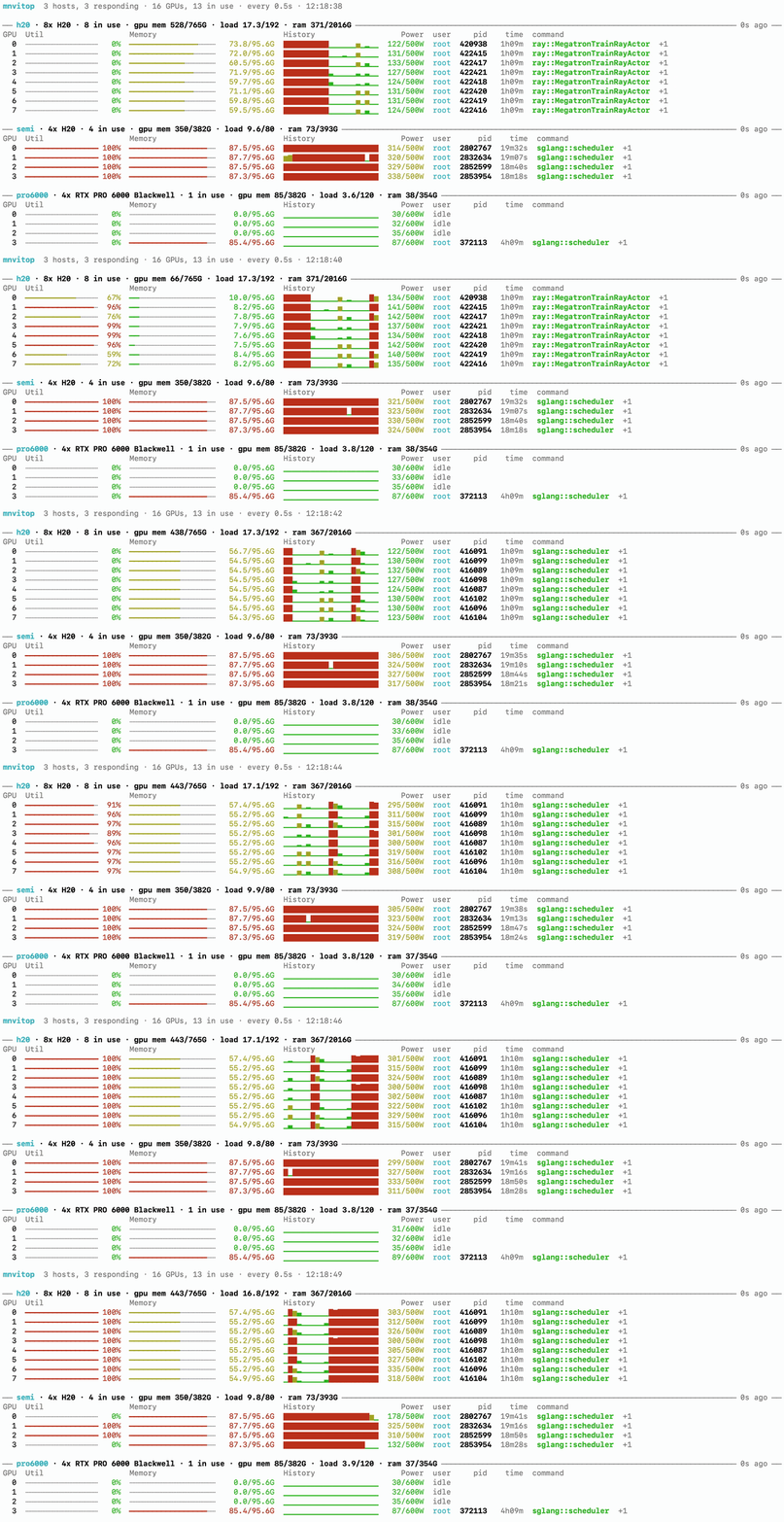
One terminal for the GPUs of all your ssh hosts. It runs nvidia-smi over ssh
and shows every host's GPUs, their memory, utilisation history and running
processes in a single live view. Nothing needs to be installed on the remote
side beyond nvidia-smi and ps. It also ships an MCP server, so an agent can
ask where a free GPU is.
uv tool install mnvitopYou need Python 3.11 or newer locally and ssh access to the hosts. To get the
MCP server as well, install mnvitop[mcp].
mnvitop h20 semi pro6000Each argument is an ssh destination, either an alias from ~/.ssh/config or
user@host. Ctrl-C quits.
mnvitop -a        # temperature, process cpu and memory, more processes per GPU
mnvitop --once    # print once and exit
mnvitop --json    # one JSON line per round, for logging
mnvitop --help lists the rest. To stop typing the hosts every time, put them
in ~/.config/mnvitop/hosts.toml, following
hosts.example.toml.
For agents, mnvitop-mcp is a stdio MCP server with three tools: find_gpus,
fleet_status and list_hosts. Register it in Claude Code with
claude mcp add mnvitop -- mnvitop-mcp. The repository also carries a matching
skill in skills/gpu-fleet.
MIT license.