ConfirmPrompt
This page is deprecated, documentation moved to: https://inquirerpy.readthedocs.io/
A prompt to obtain user confirmation.
class ConfirmPrompt(BaseSimplePrompt):
    def __init__(
        self,
        message: Union[str, Callable[[SessionResult], str]],
        style: InquirerPyStyle = None,
        default: Union[bool, Callable[[Dict[str, Any]], bool]] = False,
        qmark: str = "?",
        transformer: Callable[[bool], Any] = None,
        filter: Callable[[bool], Any] = None,
        **kwargs
    ) -> None: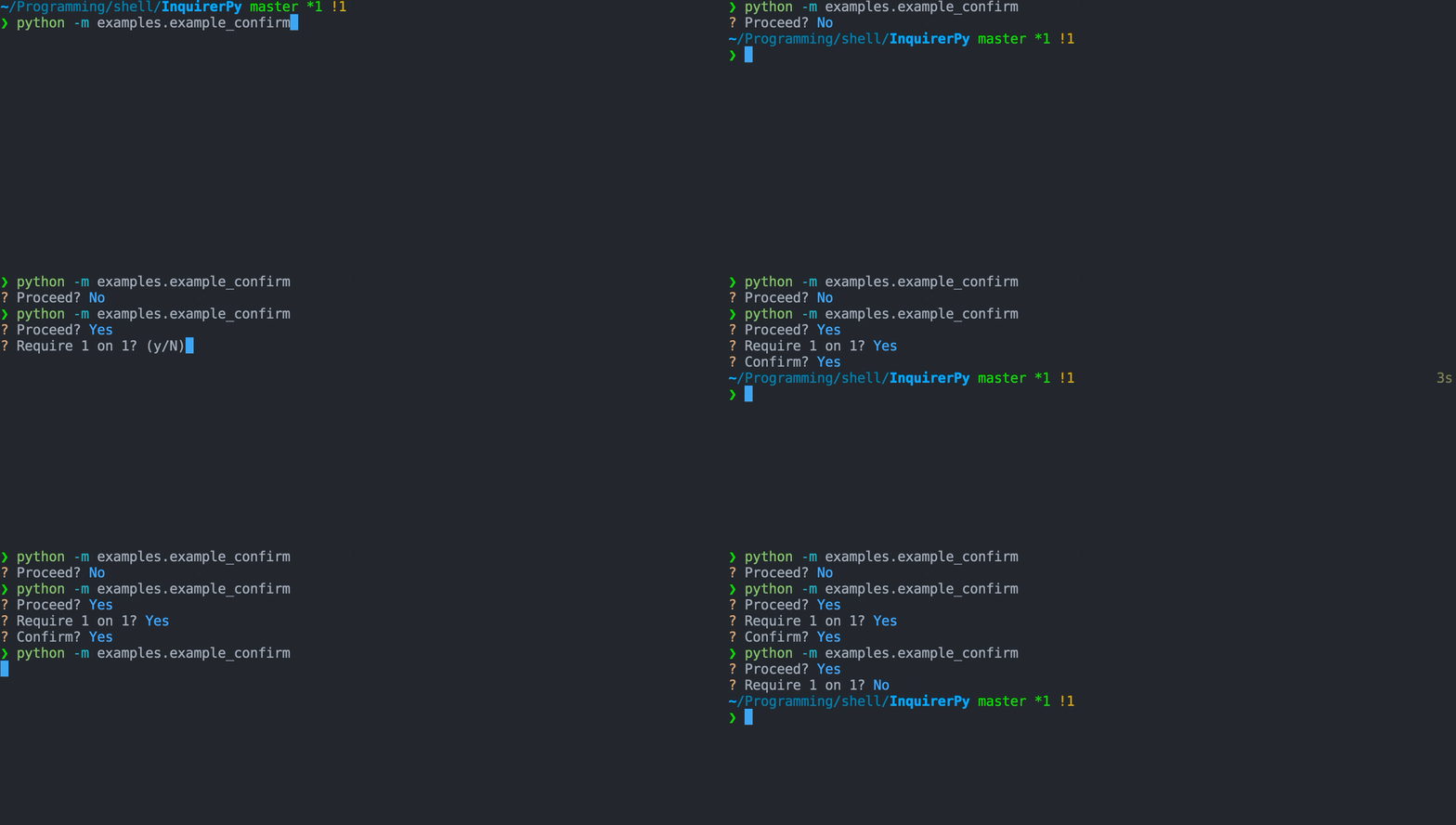
Classic Syntax (PyInquirer)
from InquirerPy import prompt

questions = [
    {
        "type": "confirm",
        "message": "Proceed?",
        "name": "proceed",
        "default": True,
    },
    {
        "type": "confirm",
        "message": "Require 1 on 1?",
        "when": lambda result: result["proceed"],
    },
    {
        "type": "confirm",
        "message": "Confirm?",
        "when": lambda result: result.get("1", False),
    },
]

result = prompt(questions)
Alternate Syntax
from InquirerPy import inquirer

proceed, service, confirm = False, False, False
proceed = inquirer.confirm(message="Proceed?", default=True).execute()
if proceed:
    service = inquirer.confirm(message="Require 1 on 1?").execute()
if service:
confirm = inquirer.confirm(message="Confirm?").execute()REQUIRED
The question message to display/ask the user.
When providing as a function, the current prompt session result will be provided as a parameter. If you are using the alternate syntax (i.e. inquirer), put a dummy parameter (_) in your function.
from InquirerPy import inquirer

def get_message(_) -> str:
    message = "Name:"
    # logic ...
    return message

result = inquirer.confirm(message=get_message)An InquirerPyStyle instance. Use get_style to retrieve an instance, reference Style documentation for more information.
If you are suing classic syntax (i.e.
style), there's no need to provide this value sincepromptalready sets the style, unless you would like to apply different style for different question.
Set the default value of the confirm prompt. This value should be a boolean, it will affect the UI of the prompt (y/N or Y/n). When pressing Enter without
pressing y or n, the default value will be used.
When providing as a function, the current prompt session result will be provided as a parameter. If you are using the alternate syntax (i.e. inquirer), put a dummy parameter (_) in your function.
The question mark symbol to display in front of the question.
A callable to transform the result. This is visual effect only, meaning it doesn't affect the returned result, it only changes the result displayed in the prompt.
Note: filter function won't affect the answer passed into transformer, transformer actually run before the filter function.
result = inquirer.confirm(message="Confirm?", default=True).execute() # UI -> ? Confirm? Yes
result = inquirer.confirm(
    message="Confirm?", default=True, transformer=lambda result: str(result)
).execute() # UI -> ? Confirm? TrueA callable to filter the result. Different than the transformer, this affects the actual
returned result but doesn't affect the visible prompt content.
result = inquirer.confirm(message="Confirm?", default=True).execute() # result = True
result = inquirer.confirm(
    message="Confirm?", default=True, filter=lambda result: str(result)
).execute() # result = "True"