Home
Welcome to the QGIS3rdPartySW wiki!
Please take a look below to install and use it!
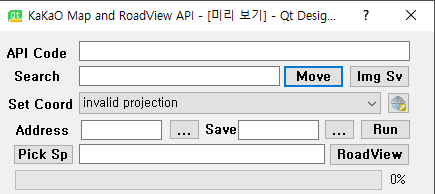
-
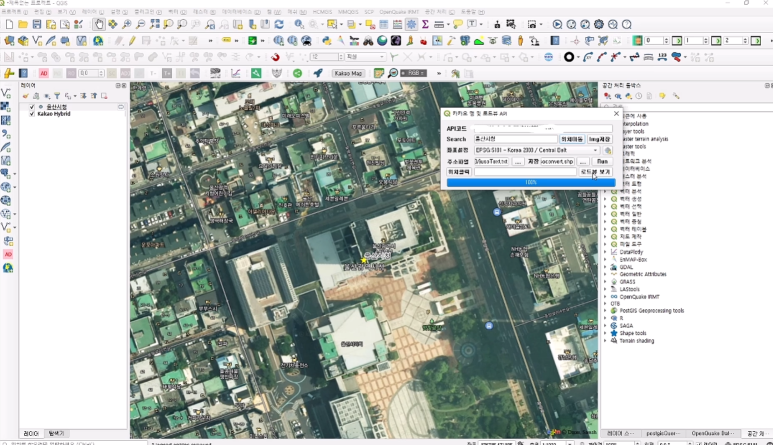
API Code : Personal API approval code input box approved by kakao developer site
-
Search: Enter the name and address you want to search
-
Move to location: Move to location entered in the search window (use API key and address entered in coordinates setting window)
-
Img storage: After moving the position, save the screen image displayed on the canvas (after selecting kakaoMap on TMS for Korea)
-
Coordinate setting: Select the target map coordinate system setting box to inform the location based on Kakao map. (FYI, epsg:5181)
-
Global shape: Select coordinate system
-
"..." next to the address file input box: Select the address text file based on the approval code entered in the API code input box 1
8.Next to the Save Input box, "..." : Enter the document path and file name to store the coordinate system conversion values
9.Run : Convert address file to hardness/latitude or x,y values and run shp file generation (for reference, add txt file generation)
-
Location Click: Click Location on QGIS Map Canvas -> Enter x and y values coordinates in the input box
-
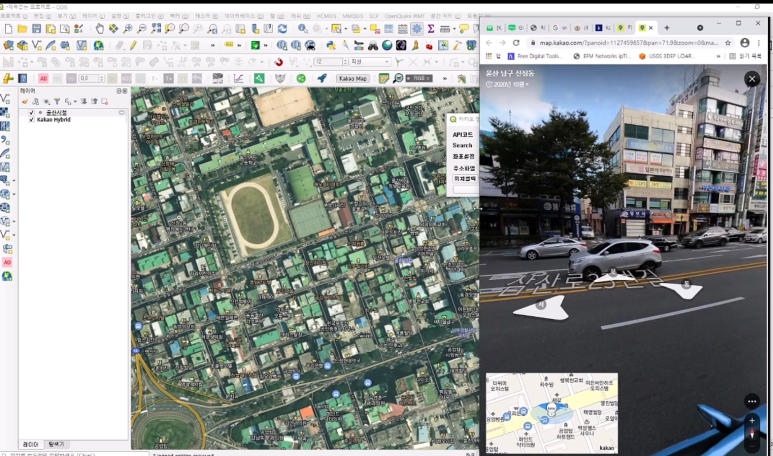
Road view: Enter the address in the search box 2 and move to the entered position. The result value and the click value of the 9 positions are related Launch Kakao Map Load View in Chrome Web Browser
QGIS 3.1x Installation Description
1.In order to install on QGIS 3.1x, please extract the file "DaumAPI_Tool.zip" below, copy it to the individual pc (window 1064bit) user plug-in, and run QGIS.
** Individual pc QGIS 3.1x file installation path is "C:\Users\userName\AppData\Roaming\QGIS\QGIS3\profiles\default\python\plugins"
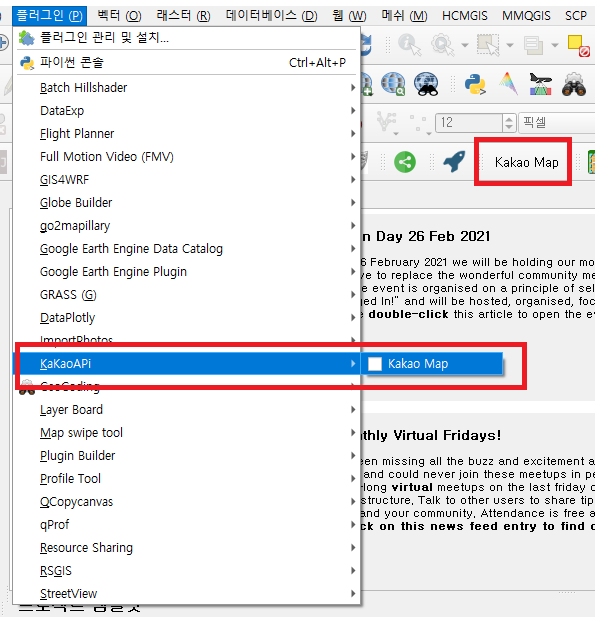
2.Order of running KakaoAPI on QGIS 3.1x
** Either kakao hybrid map or satellite map must be selected from the TMS for Korea menu before execution
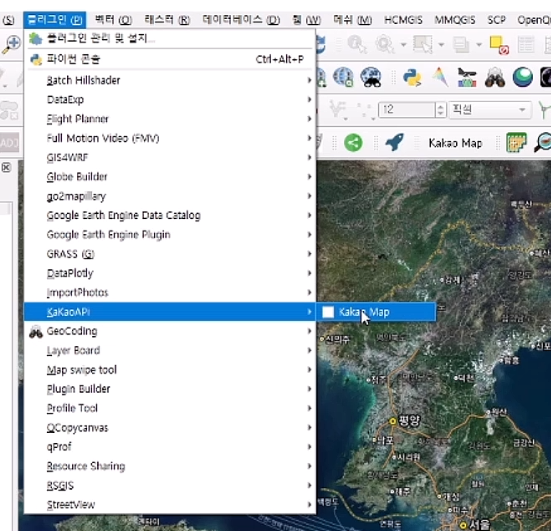
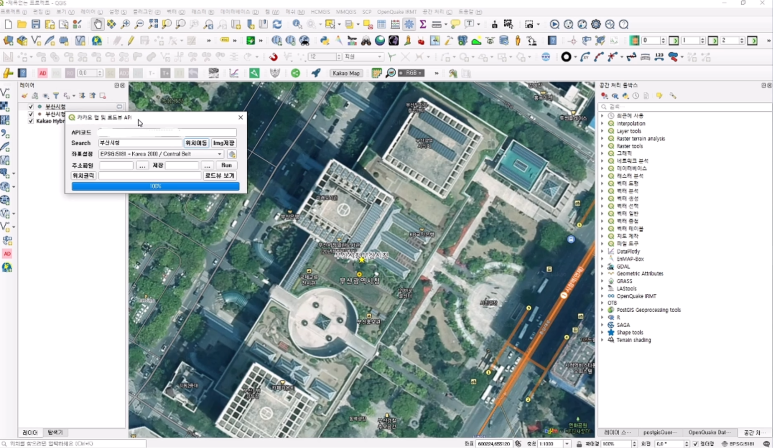
More Details method to install and use.
-
Click on project window, click on properties window
-
Click on the properties window coordinate system -> Select EPSG 5186
-
Click Apply at the bottom of the Project Properties window, and then click OK
4~7. From TMS FOR KOREA (requires installation from plug-in menu) in the "Web", select VWORLD MAP->VWORLD SATLLITE, layer added as shown in 9
-
Click KAKAOMAP and run window 10 pop-up
-
For API code, enter the REST API authentication code that has been authenticated in the following developer mode Select EPSG5186 in Coordinate Settings Same as the coordinate system set in Course 2
SEARCH Enter Daegu City Hall Click Move Location (when the screen map does not appear, select the layer added to the layer window 11 and click Move to the selected object) -
Position movement results are displayed
-
Click View Load View to view the load view of the relevant point
15.Run as a load view pop-up window to the Daegu City Hall branch as shown in the window.
