









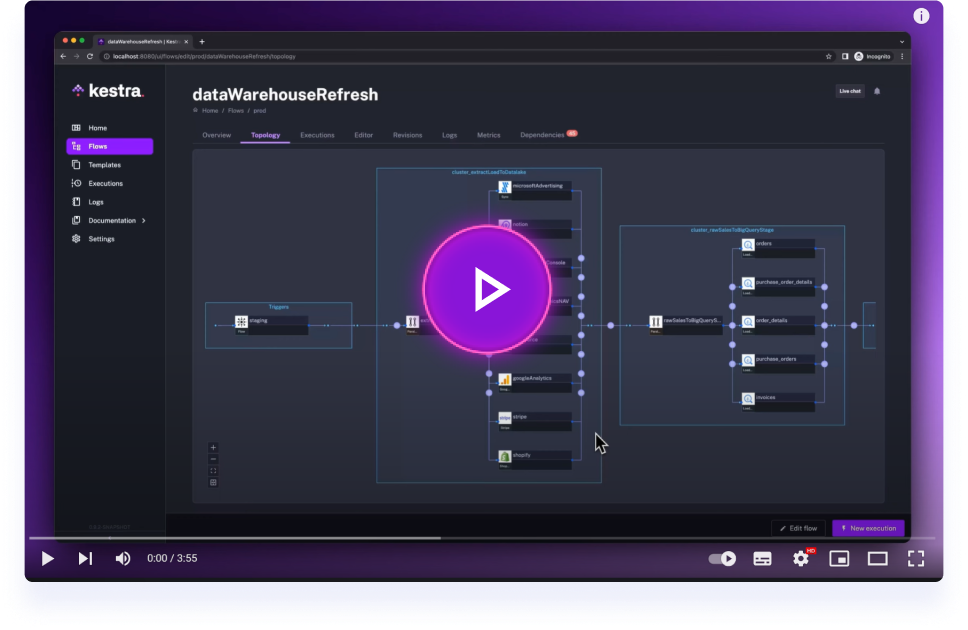
Get started with Kestra in 4 minutes.
The official Kestra Blueprints library can be found under kestra.io/docs.
Blueprints are a curated, organized, and searchable catalog of ready-to-use examples designed to help you kickstart your workflow.
Each Blueprint combines code and documentation and can be assigned several tags for organization and discoverability.
Some blueprints are packaged with Kestra and available in the tutorial namespace. This is a subset of the blueprints labeled "Getting Started".
When contributing Blueprints, please include clear metadata, documentation and runnable examples so other users can quickly understand, configure and run your flow.
A Blueprint is a ready-to-use flow template. Build something you would actually run — connected to AI, a database, a warehouse, whatever you work with. To be accepted, the flow needs to be doing more than just a 100-line script and a few logging tasks. Below are some minimum requirements.
Minimum 3 runnable tasks
- At least 1 flow task — Parallel, If, or a Loop, for example.
- At least 1 trigger; event-based triggers are a nice to have
- At least 1 non-core plugin (i.e., some third party plugin such as the Git plugin)
What gets a PR closed without review
- The flow does not call the system named in the title. A script that hard-codes its result (for example
anomalies_detected = 0orecho '{"status": "evaluated"}'), a "simulated probe", or a Log task that always prints "healthy" is a placeholder, not a blueprint. - The same task body submitted many times with only the names swapped. Ten real blueprints are worth more than a hundred copies.
- Plugin classes that do not exist. Check every
type:against kestra.io/plugins or load the flow in a Kestra 2.0 editor before opening the PR. - Non-technical or small-business chores (timesheets, invoices, loyalty points, HR reminders) where Kestra only sends an email or a Slack message.
- Files outside
flows/, or a flow with noextendblock.
Open one PR per blueprint, after you have run it at least once. Proposal issues are not needed; the PR is the proposal.
Required & recommended fields
id(required): hyphen-case, must match filename.namespace(required): owner/team namespace (e.g.,company.analytics,company.ai,company.team).tasks(required): fully-defined tasks; adddescriptionper task when behaviour isn't obvious.extend(required): metadata block powering the Kestra Blueprints Catalog. All 9 fields are standard across the catalog:title: concise human-friendly title (one line, not the id slug).metaTitle: SEO title for the browser tab.shortDescription: 1–2 sentence summary used for UI preview cards.metaDescription: search snippet strictly <= 160 characters.description: comprehensive documentation following the 8 canonical sections below (~1,500 to 3,000 characters).tags: primary category (Data,AI,Infrastructure,Business,Cloud,Core).subTags: faceted filter tags selected from the controlled taxonomy below.ee:true/false(trueonly if using Enterprise Edition plugins).demo: alwaysfalsefor contributed blueprints; the Kestra team flips it on the few flows wired to the public demo instance.
To ensure consistency and quality across the catalog, the description block must include all 8 canonical sections:
## How it works: Numbered step-by-step walkthrough of triggers, tasks, and flow control logic.## What you get: Bulleted list of tangible outputs, failure safeguards, and automation benefits.## Who it's for: Target personas (e.g., Analytics Engineers, Platform Teams, AI Practitioners).## Why orchestrate this with Kestra: Value of declarative orchestration, retries, and state tracking over raw scripts or cron.## Prerequisites: Required container runtimes, services, or IAM permissions.### Secrets: List each secret name and its exact purpose (never include actual values).
## Quick start: Numbered instructions to configure secrets, test-run the flow, and enable the schedule.## How to extend: Practical enhancement ideas (e.g., alert channels, downstream BI cache warming).## Links: Direct markdown links to Kestra plugin documentation and external tool APIs.
Subtags are strictly validated against the catalog taxonomy. Do not invent custom strings. Common valid subtags by primary category include:
Data:Testing & Quality,dbt Transformations,ELT & Warehouse Loading,ELT & Data Landing,Day 2 Operations,Data Warehouses,Monitoring & Alerting,Realtime & Streaming,Spark & Big Data,File & Data Processing Basics,Vector Stores & RAG.AI:Agents & Structured Output,Monitoring & Alerting,Vector Stores & RAG,Content Generation,Classification & Moderation,Policy & Compliance,Incident Response,RAG & Knowledge Retrieval,Testing & Quality.Infrastructure:CI/CD & Deployment,Infrastructure Automation,Kubernetes Operations,Day 2 Operations,Incident Response,Approval Gates,FinOps & Cost Management,GitOps & Flow Sync,Monitoring & Alerting.Business:Reporting & Digests,Approval Gates,HR & Ops Automation,CRM & Marketing Ops,Scheduling,Policy & Compliance.Core:Flow Control & Conditions,Failure Alerting Mechanics,Namespace & Git Management.
extend:
  title: Concise Human-Friendly Title Here
  metaTitle: SEO Title for Search Engines | Kestra
  shortDescription: Short 1-2 sentence preview used for UI catalog cards.
  metaDescription: Concise summary strictly <= 160 characters for search snippet.
  description: |
    Brief 1-paragraph overview of what this workflow accomplishes and the problem it solves.

    ## How it works

    1. Trigger description (e.g. Schedule or event-driven Webhook).
    2. Step-by-step task execution walkthrough explaining non-obvious configurations.
    3. Downstream routing, notifications, or failure handling.

    ## What you get

    - Bullet points of tangible outcomes and operational safeguards.
    - Automated alerts directing engineers straight to root-cause issues.

    ## Who it's for

    - Target engineering personas and operational teams.

    ## Why orchestrate this with Kestra

    - Advantages of declarative YAML orchestration, retries, and secret masking over standalone scripts.

    ## Prerequisites

    - Required runner, worker, or service access.

    ### Secrets

    - `SECRET_NAME`: Purpose of secret (required).

    ## Quick start

    1. Configure required secrets in your Kestra namespace.
    2. Import this blueprint and click **Execute** with default inputs.
    3. Verify execution logs and activate the trigger.

    ## How to extend

    - Practical suggestions for adding alert channels, downstream BI triggers, or cloud storage syncs.

    ## Links

    - [Plugin Documentation](https://kestra.io/plugins/...)
    - [External Tool Documentation](https://...)
  tags:
    - Data
  subTags:
    - Testing & Quality
  ee: false
  demo: false
Thank you for contributing — clear docs make Blueprints far more reusable, so be as detailed as you can :D
Sanity checks in Kestra are test flows used to verify functionality of plugins and tasks:
Structure:
- Plugin sanity checks: Flow ID is the task name, namespace "sanitychecks", and include Assert tasks to test task outputs.
- Flow sanity checks: Flow ID mentions main tasks, namespace "sanitychecks"; they test the complete workflow (always self-contained)
External Dependencies:
- OSS services: Use Docker Run/Stop tasks
- Cloud services: Leverage sandbox environments when possible
- SaaS/License services: Not currently supported (or hard-coded credentials from demo accounts)
Organization:
- All sanity checks are synced to the blueprint repository
- Plugin checks: Located in plugin repos, pulled to blueprint repo via CI/CD
- Flow checks: Written directly in blueprint repo into the
sanitychecks/flowsfolder. Blueprints withdemo: trueare also synced intosanitychecks/flows/blueprints
Please check the full Notion page for full information