Skip to content

kgn3400/docker_status

Folders and files

NameName
Last commit message
Last commit date

Latest commit


History

43 Commits


Repository files navigation

GitHub release (latest by date) GitHub all releases GitHub last commit GitHub code size in bytes Validate% with hassfest

App icon

Docker status


The Docker status integration allows you to monitor multiple Docker and container installations. Getting the status/statistics of your containers and images.

To enable remote access to the docker host, check this guide

Unused images can been pruned via action prune_images.

Installation

Open your Home Assistant instance and start setting up a new integration. Or click My Home Assistant

Configuration

Configuration is setup via UI in Home assistant. To add one, go to Settings > Devices & Services and click the add button. Next choose the Docker status option.

After the initial configuration, additional docker hosts can be added by starting the configuration flow again.
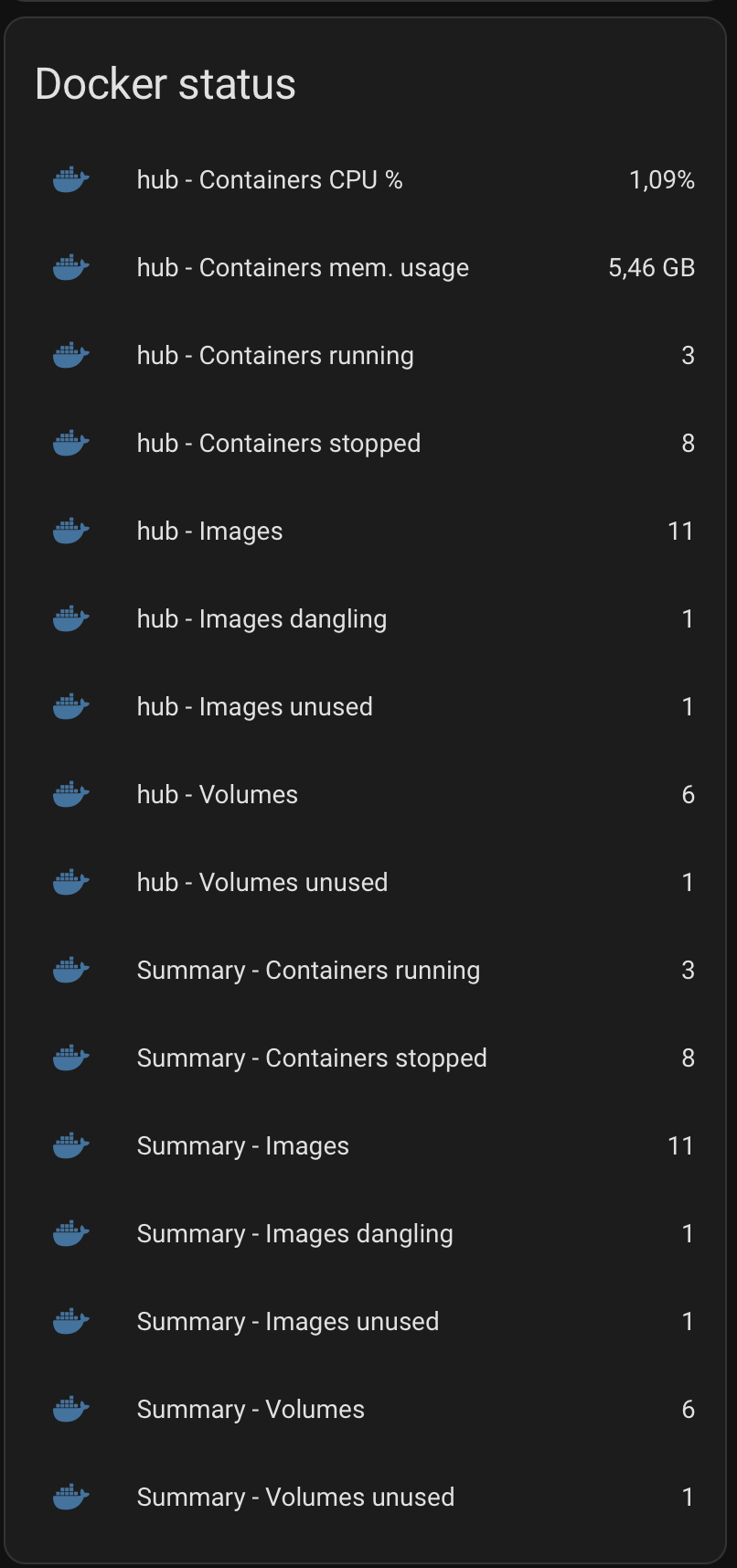
Sensors

Config


Actions

Available actions: prune_images and update

About

Monitor multiple Docker/Container installations

Topics

Resources

Stars

Watchers

Forks

Packages

No packages published

Languages