Notification Tweak · Gboard Tweak · Snapper Tweak · Status Bar Tweak — four useful tweaks to enhance your Android experience.





Auto Expand is an LSPosed/Xposed module that bundles four useful tweaks to make daily Android use faster and less cluttered:
- Notification Tweak — auto-expands every notification (shade, heads-up, lock screen) so you read full text + actions without tapping. Grouped notifications expand the parent and keep children in the compact list style.
- Gboard Tweak — adds a customizable toolbar below Gboard with clipboard history, paste, select-all, cursor jump, and text shortcuts.
- Snapper Tweak — zero-delay screen-region capture you can crop, float on top of any app, save, share, or OCR. Triggered by an edge button or the Power+Volume-Down chord.
- Status Bar Tweak — invisible tap zones around the camera cutout. Single / double / triple tap and long-press each map to one of 21 quick actions (flashlight, Wi-Fi, screenshot, lock screen, open app, etc.).
Everything is configurable from a clean home-screen-style settings UI, 100% local, no network access. The module hooks SystemUI directly, so it works on most Android 16 ROMs that use AOSP-derived notification internals. Every hook is wrapped in try/catch — if anything fails, it fails silently. No bootloop risk.
If you find this useful, star the repo and consider buying me a coffee — it keeps the project alive.
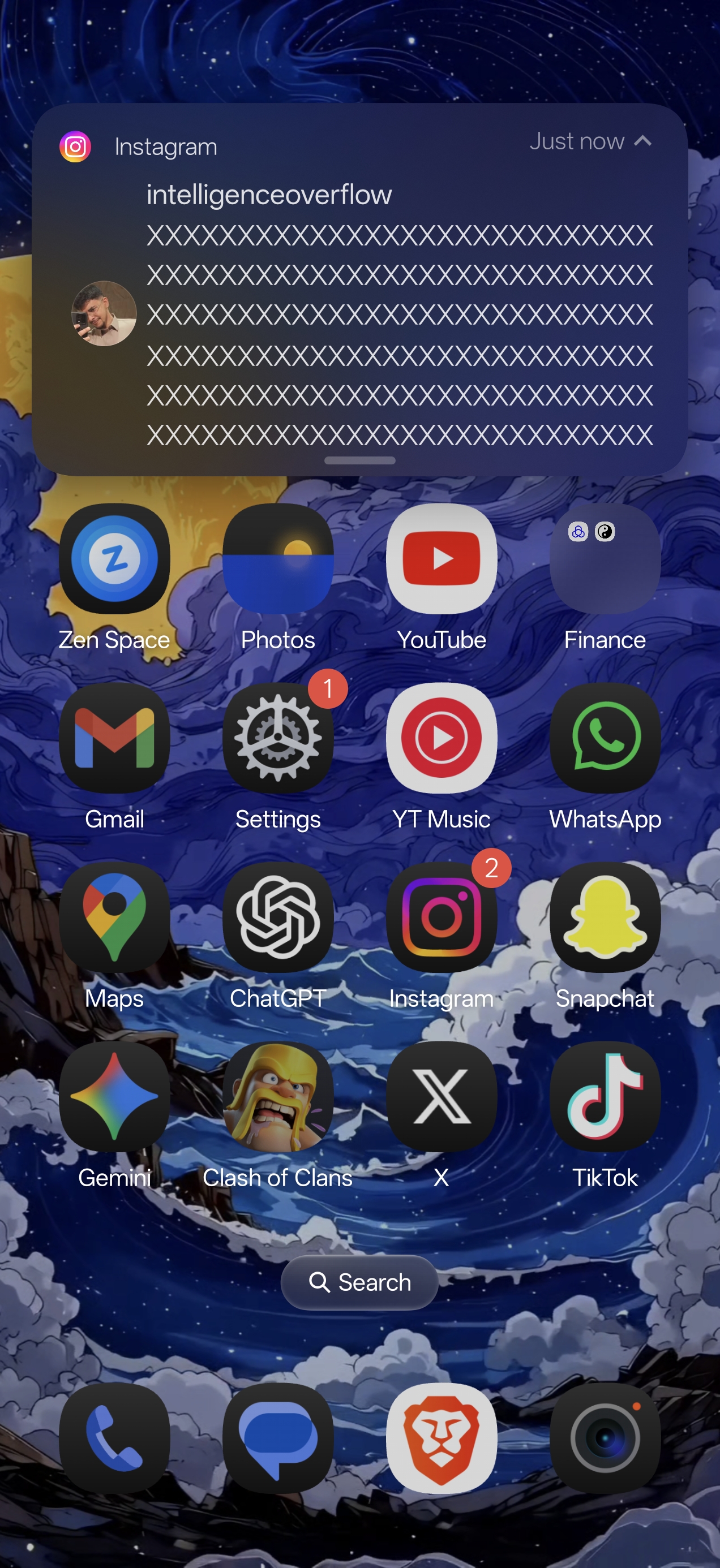
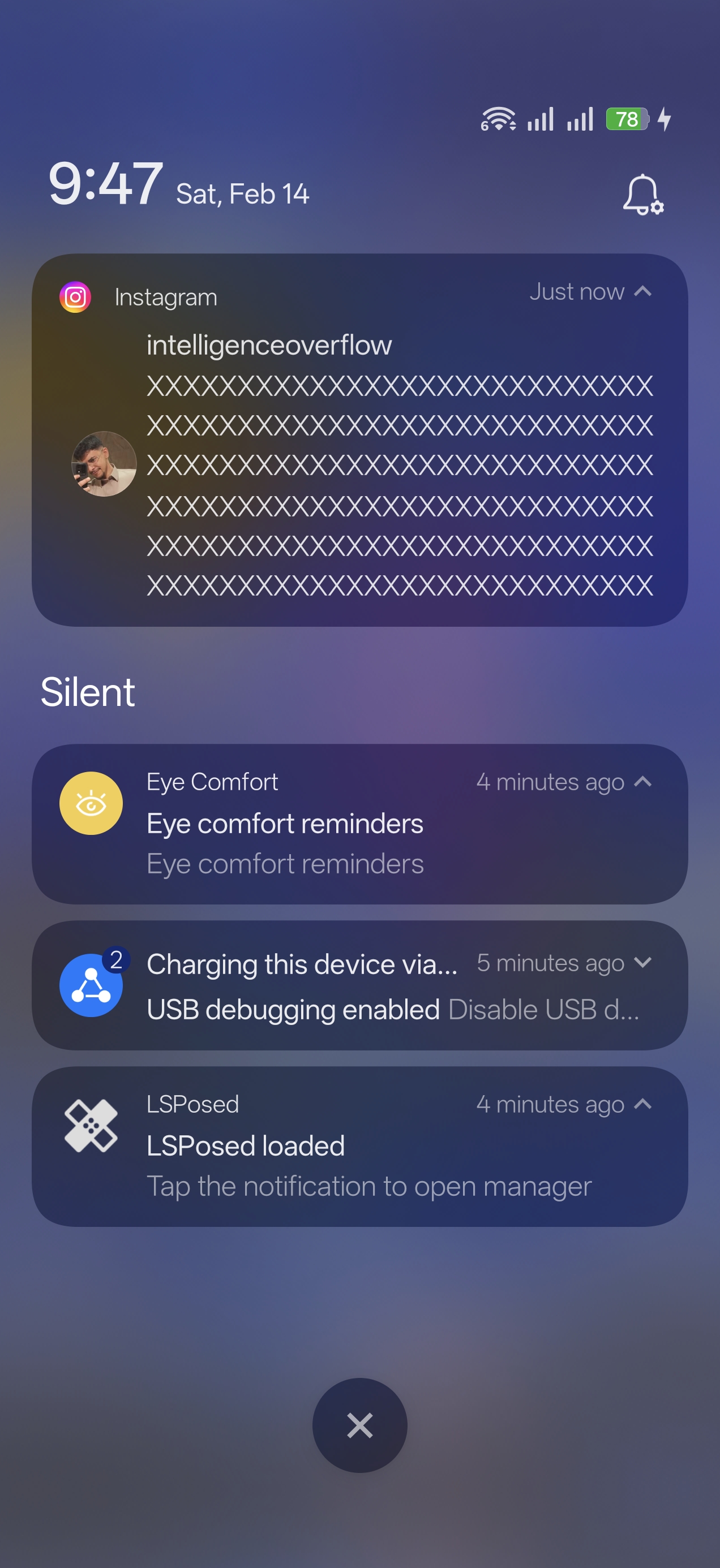
| Expanded Heads-Up | Notification Shade | Settings |
|---|---|---|
 |
 |
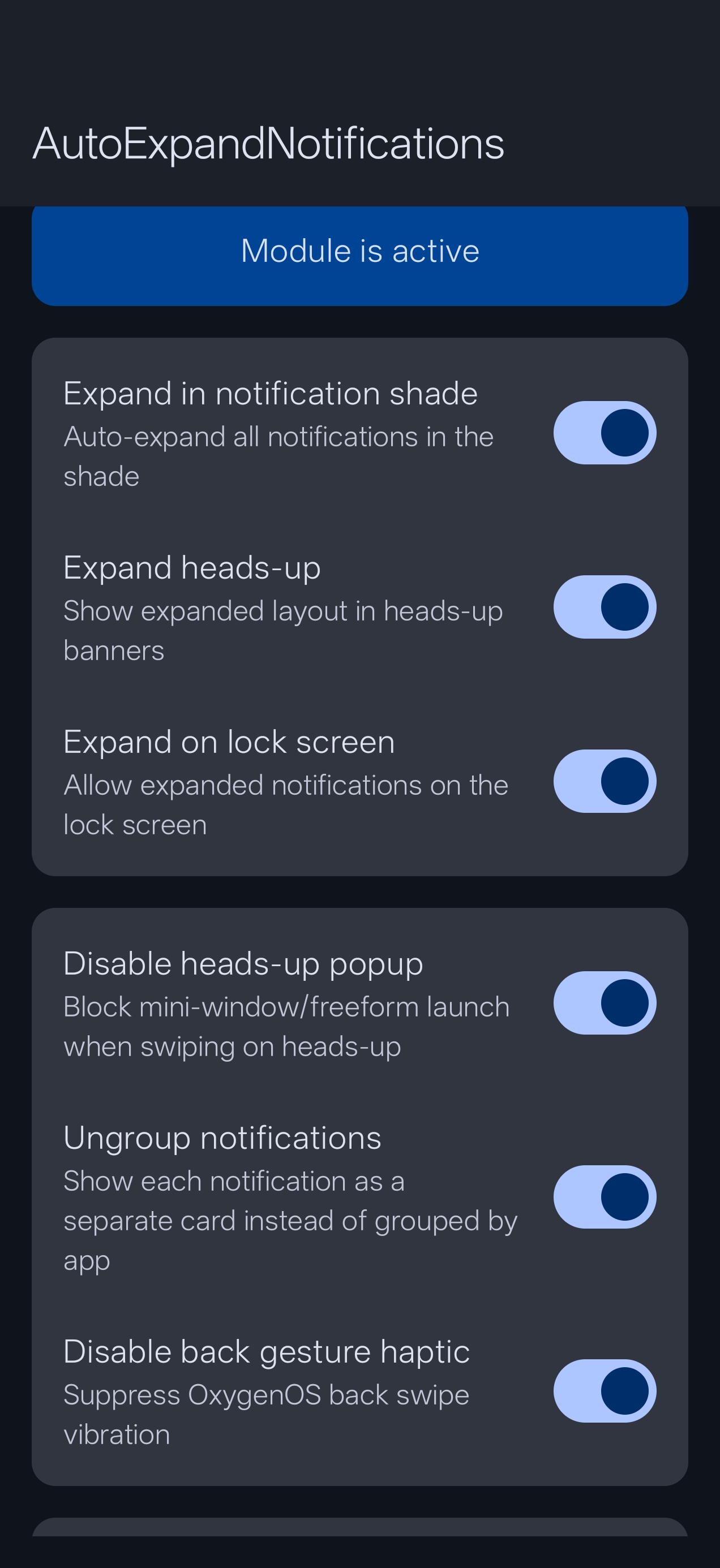 |
Automatically expand notifications in three contexts:
- Notification Shade — full text and action buttons visible the moment you pull down
- Heads-Up Banners — incoming banners arrive fully expanded; supports grouped HUDs (parent expanded, children pre-collapsed, no flicker)
- Lock Screen — expanded notifications by default; can be disabled for privacy
Caps the number of visible text lines in auto-expanded heads-up banners so long messages don't fill your entire screen. (default: 5 lines, 0 = unlimited).
Prevents the mini-window / freeform app launch when swiping down on a heads-up notification.
Shows each notification as a separate card instead of grouping them by app.
Disables the vibration feedback when using the back swipe gesture, while keeping all other haptic feedback intact.
Choose specific apps whose notifications should NOT be auto-expanded.
A zero-delay screen capture and annotation tool built directly into the system. Requires the Display over other apps overlay permission.
Activation — three modes:
- Software — floating edge button on the left or right side of the screen
- Hardware — Power + Volume Down chord, intercepted at
system_serverlevel. The native screenshot is fully suppressed; only Snapper fires - Both — edge button and chord active simultaneously
Capture flow
- Screencap is pre-fetched in the background the moment activation fires — zero delay
- Drag corner handles to select your region; double-tap inside selection to float instantly
Floating overlay
- Resizable, draggable floating window above all apps
- Pinch to zoom; drag to reposition anywhere on screen
- Tap to show the action bar (save, share, copy, OCR)
Snap History
- Every saved crop stored locally; accessible from the Snapper screen
- Per-snap actions: Float · Open in Gallery · Save to Photos · Share · Delete
- Configurable history limit; pruning removes actual image files
Injects a customizable toolbar below Gboard. Each button can be individually enabled or disabled. Toolbar height is adjustable via a slider.
- Clipboard — scrollable clipboard history popup. Pin entries with a long-press.
- Paste — quick one-tap paste of the most recent clipboard item.
- Select All — tap to select the last word; long-press to select all.
- Cursor Navigation — jump cursor to start or end of the text field.
- Text Shortcut — tap / long-press to insert preset text snippets.
Invisible tap zones on the left and right sides of the status bar, around the camera cutout. Assign any of 21 quick actions to each zone gesture.
Gestures per zone: single tap · double tap · triple tap · long press
Available actions: Toggle Flashlight · Toggle Wi-Fi · Toggle Bluetooth · Toggle Mobile Data · Toggle DND · Toggle Auto Rotate · Toggle Power Saver · Volume Up/Down/Mute · Set Ringer (Normal / Vibrate / Silent / Cycle) · Show Notifications · Show Quick Settings · Take Screenshot · Lock Screen · Open App · Open Snapper History
Haptic feedback — configurable tick / heavy-click vibration confirms every tap.
Live preview — "Adjust Zone Sizes" renders colored overlays directly on the status bar so you can see exactly which area is covered before committing.
Everything this module does happens entirely on your device. No data is collected, no network requests are made, no analytics are included. No internet permission is declared.
- Android device running Android 16
- Root access (Magisk / KernelSU / APatch)
- LSPosed framework (Irena or compatible fork)
- Zygisk enabled
- Display over other apps permission (required for Snapper Tweak and Zone size preview)
| Device | OS | Status |
|---|---|---|
| OnePlus 15 | OxygenOS 16 (Android 16) | Fully working |
| Xiaomi 17 | HyperOS / Android 16 | Fully working |
| Other OnePlus Android 16 devices | OxygenOS 16 | Expected to work |
Built against AOSP-derived SystemUI internals. May work on other Android 16 ROMs (Pixel, ColorOS, OneUI 8, etc.) but compatibility is not guaranteed. Hooks fail silently — installing on an unsupported ROM will not bootloop, the affected feature will just be inactive.
- Download the latest APK from Releases
- Install the APK on your device
- Open LSPosed Manager → Modules → find Auto Expand → enable it
- Tap the module to open its scope. Enable the processes you need:
android(System Framework) — required for Snapper Tweak hardware chord + Status Bar Tweakcom.android.systemui(System UI) — required for Notifications + Status Bar Tweakcom.google.android.inputmethod.latin(Gboard) — required for Gboard Tweak
- Reboot your device
- Open the Auto Expand app to configure features
- For Snapper Tweak / Status Bar Tweak: grant Display over other apps when prompted
If Auto Expand is useful to you, two things go a long way:
- ⭐ Star the repo on GitHub — visibility helps more people find it
- ☕ Buy me a coffee via PayPal — pick any amount, or send to
@kroomfahd
- Renamed to Auto Expand
- Grouped heads-up notifications: parent expanded, children pre-collapsed at attach-time (no flicker)
- Group notification expand in shade and lock screen
- Donation UI: 4 PayPal amount buttons + copy
@kroomfahdusername - "Star on GitHub" card on the home screen
- Top-level hook safety net — no bootloop on hook init failure
- README rewritten for general Android 16 audience
- Status Bar Tweak — invisible tap zones with 21 quick actions
- Haptic feedback for zone taps; configurable
- Zone size preview — live colored overlays on the status bar
- Home screen navigation — card-based UI, pure black theme
- APK size reduced from 102 MB → 53 MB (arm64-v8a only, R8, ML Kit on Play Services)
- Snapper Tweak, Heads-Up Max Lines, hardware chord interception
- XSharedPreferences IPC for Xiaomi compatibility
- Master toggle for Snapper Tweak
- Crop coordinate fix; Gemini hardening
- Gboard Tweak (Gboard toolbar), clipboard history, ungroup notifications, initial release
Q: Do I need to reboot after changing settings? A: Yes, a reboot is required for toggle changes to take effect. The app shows a reminder.
Q: Will this cause a bootloop? A: Every hook is wrapped in try/catch with a top-level safety net. If a hook fails, it fails silently — the affected feature is inactive, the system keeps running. Still recommended to have bootloop protection in place.
Q: My ROM isn't OxygenOS or HyperOS — will it work? A: It will not bootloop. Whether each feature works depends on whether your ROM uses AOSP-style SystemUI internals. Try it; if a feature is silent, that hook didn't find its target.
Q: The keyboard toolbar doesn't appear after enabling it. A: Force-stop Gboard after enabling the toolbar in the settings app, then open any text field.
Q: The hardware chord triggers Snapper but also takes a native screenshot.
A: Make sure Hardware or Both is selected and reboot. The hook intercepts the chord at system_server before the native handler sees it.
Contributions and compatibility reports are welcome — open an issue if you've tested on a different device or ROM.
- Telegram: @kvmy1
GPL-3.0 — see the LICENSE file.
This module modifies SystemUI and Gboard behavior through Xposed hooks. While extensively tested, I am not responsible for any issues that may arise. Always maintain a backup and have bootloop protection in place.