cmd hint#62
Conversation


|
Kudos, SonarCloud Quality Gate passed!
|


| border-radius: 5px 5px 0 0; | ||
| position: relative; | ||
| } | ||
| .terminal .top { |

There was a problem hiding this comment.
this is a scss you don't need to use multiple selectors, just put everything inside .terminal selected and replace .terminal inside with '&', i.e. '& .top'
| text-align: center; | ||
| font-size: 15px; | ||
| } | ||
| .red { background: #EC6A5F; border-color: #D04E42; } |
There was a problem hiding this comment.
can you use buefy colors here? It's easy to do
There was a problem hiding this comment.
Do you mean setup these colors in Apps.scss? I guess it will be used only here, it's just colors of fake terminal buttons
There was a problem hiding this comment.
No, use buefy colors instead of defining new ones. https://bulma.io/documentation/customize/variables/. In your example, you can give a specific CSS class and get same results.
This is minor, of course.
| this.$toastr.e('Something went wrong while getting tags'); | ||
| }).finally(() => this.loading = false); | ||
|
|
||
| api.getCurrentUser().then(response => { |
There was a problem hiding this comment.
At this point, username is already known, you can just get it from Vuex, look for 'mapGetters' keyword. There is no need to fetch user on every view
2 participants


I add cmd hint in chart details
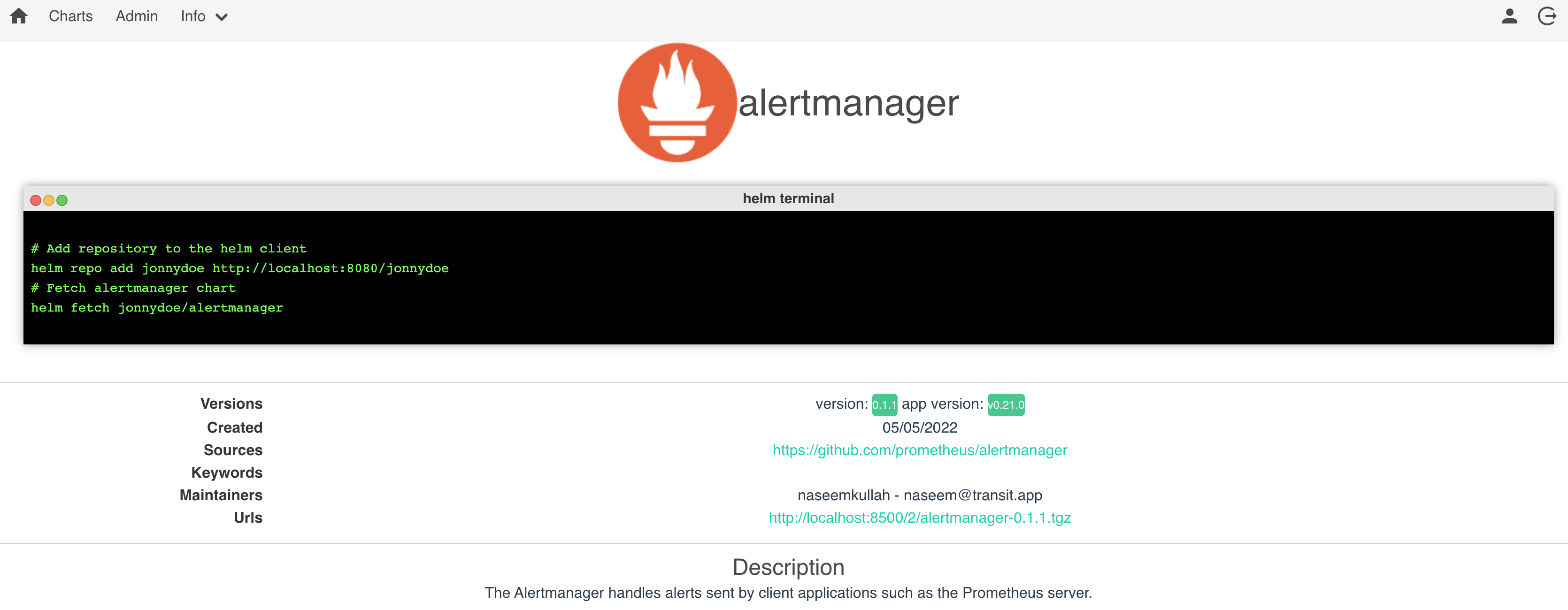
TODO: change http://localhost:8080/ to gateway url