A client-side drawing recognition web app built with Next.js, Tailwind CSS and TensorFlow.js. Draw on the in-browser canvas and Lilith will try to guess your sketch in real time using QuickDraw model.
You can view the live application here:
https://lilith-canvas.vercel.app/
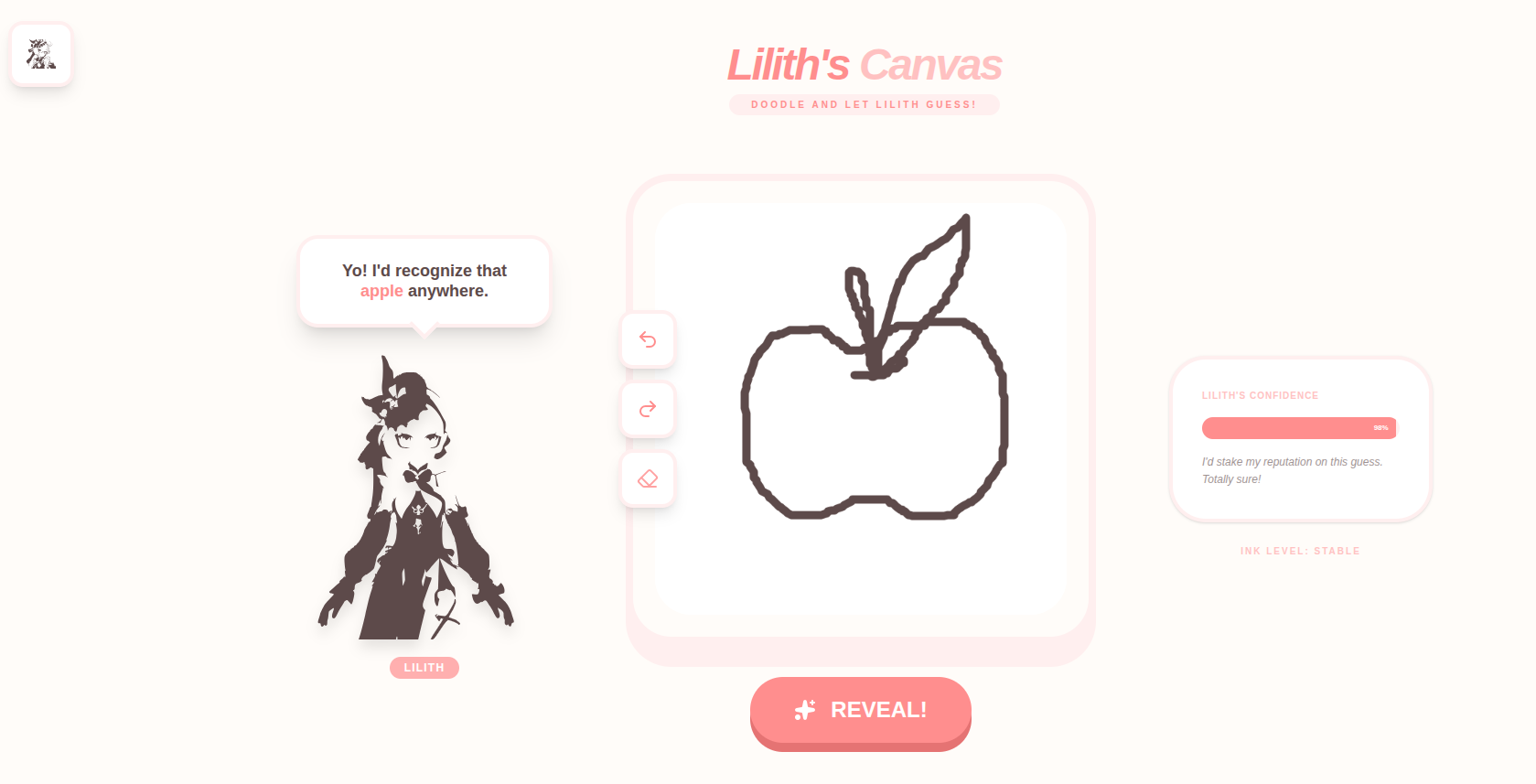
- Real-time inference entirely in the browser (TensorFlow.js)
- Simple CNN-based sketch classifier (model loaded client-side)
- Interactive drawing canvas with undo/redo/erase
- Friendly UI and animated loading / dialogue components (Framer Motion)
- Lightweight — no server-side ML required
- Next.js
- TypeScript
- Tailwind CSS
- TensorFlow.js
- QuickDraw model
- Framer Motion
- Lucide icons
-
Install dependencies: npm install (or pnpm install / yarn)
-
Run dev server: npm run dev
-
Open http://localhost:3000 and draw on the canvas.
-
Build: npm run build
-
Start: npm run start
- The Canvas component collects strokes and renders them to a 600×600 canvas.
- When you click "REVEAL!", the canvas pixel data is preprocessed and passed to a TensorFlow.js model (src/lib/tensorflow).
- The model returns class probabilities; the UI highlights the top prediction and shows a confidence bar.
- If the model fails to load, check console for fetch errors and ensure model files are in the expected public path.
- For canvas drawing issues, verify device pixel ratio & canvas size mapping in Canvas.tsx.
Issues and PRs are welcome.