

A modern loading popup widget for Python CustomTkinter.
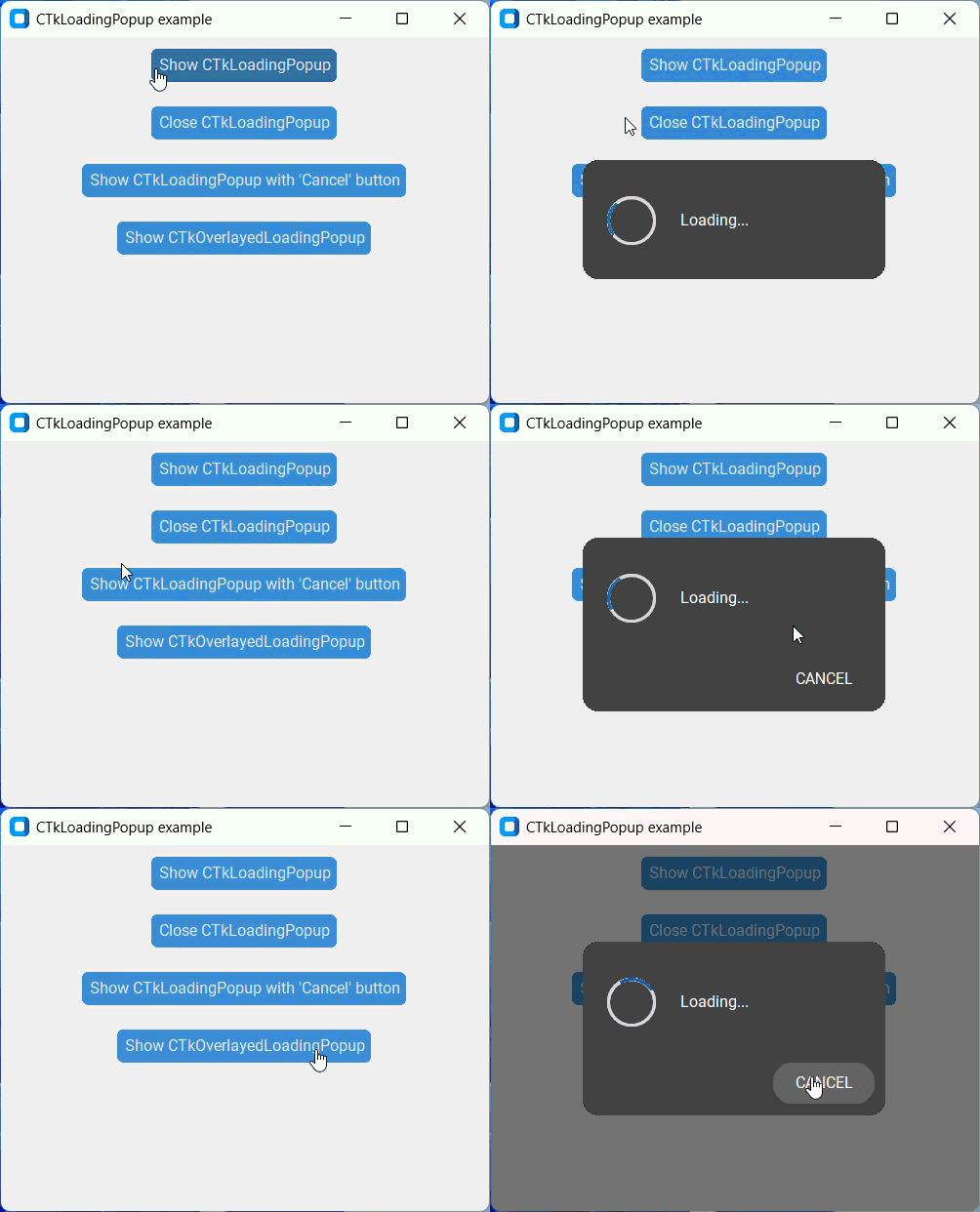
Transparent corners require pywinstyles and are only available on Windows
import customtkinter
from CTkLoadingPopup import CTkLoadingPopup

app = customtkinter.CTk()
app.geometry("400x400")
CTkLoadingPopup(app)
app.mainloop()pip install git+https://github.com/limafresh/CTkLoadingPopup.git
Simply download the CTkLoadingPopup folder and place it in your script directory.
| Parameter | Description |
|---|---|
| parent | root or toplevel, required |
| text | popup text |
| progress | float, from 0.0 to 1.0 |
| start_angle | initial angle of the spinner |
| indeterminate_speed | speed of the spinning in the indeterminate mode |
| spinner_size | size of the spinner |
| spinner_width | width of the spinner outline |
| corner_radius | corner radius of popup |
| border_width | border width of popup |
| border_color | border color of popup |
| font | font of popup text |
| bg_color | popup background color |
| text_color | text color |
| spinner_color | spinner color |
| progress_color | spinner progress color |
| mode | "indeterminate" (by default) or "determinate" |
| padx | set horizontal padding |
| pady | set vertical padding |
| cancel_button | add a "Cancel" button that closes the popup |
| cancel_button_text | text of cancel button |
| cancel_button_text_color | text color of cancel button |
| cancel_button_hover_color | hover color of cancel button |
| cancel_button_state | cancel button state (see CTkButton documentation) |
| compound | "left" (by default), "right", "top" |
| close_command | command that is executed before closing |
- .configure(*args): change some popup options
- .close()
- .stop(value):
TrueorFalse - .get(): returns progress value (in determinate mode) or None (in indeterminate mode)
Warning
May be slow. Pillow required.
from CTkLoadingPopup import CTkOverlayedLoadingPopup

popup = CTkOverlayedLoadingPopup(app)