




Your AI workspace and bot for work and personal life—all in one app.
Work and chat with AI natively in Clisbot and across your communication channels.
Desktop · iPhone & iPad beta (TestFlight) · Android beta · Android APK
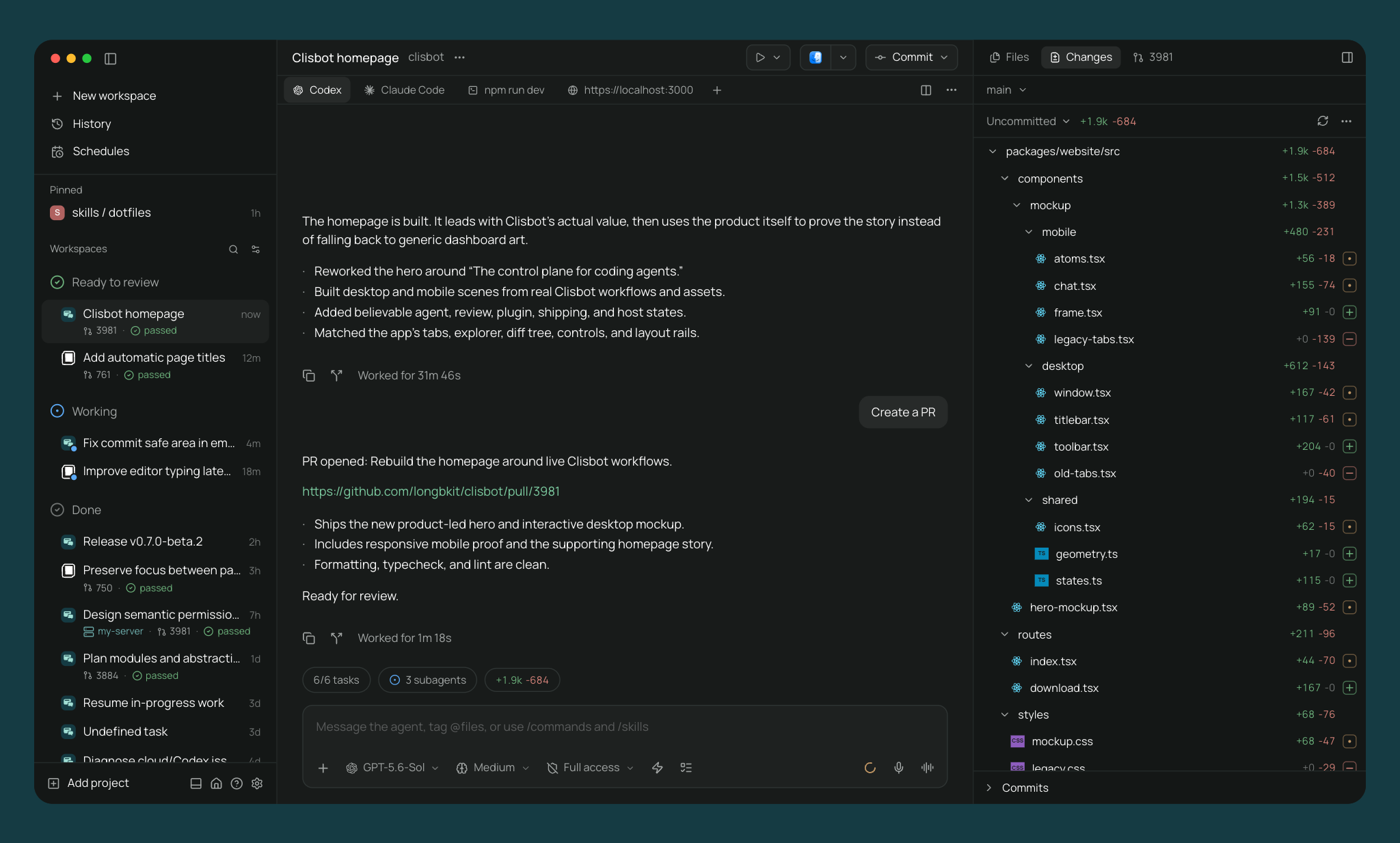
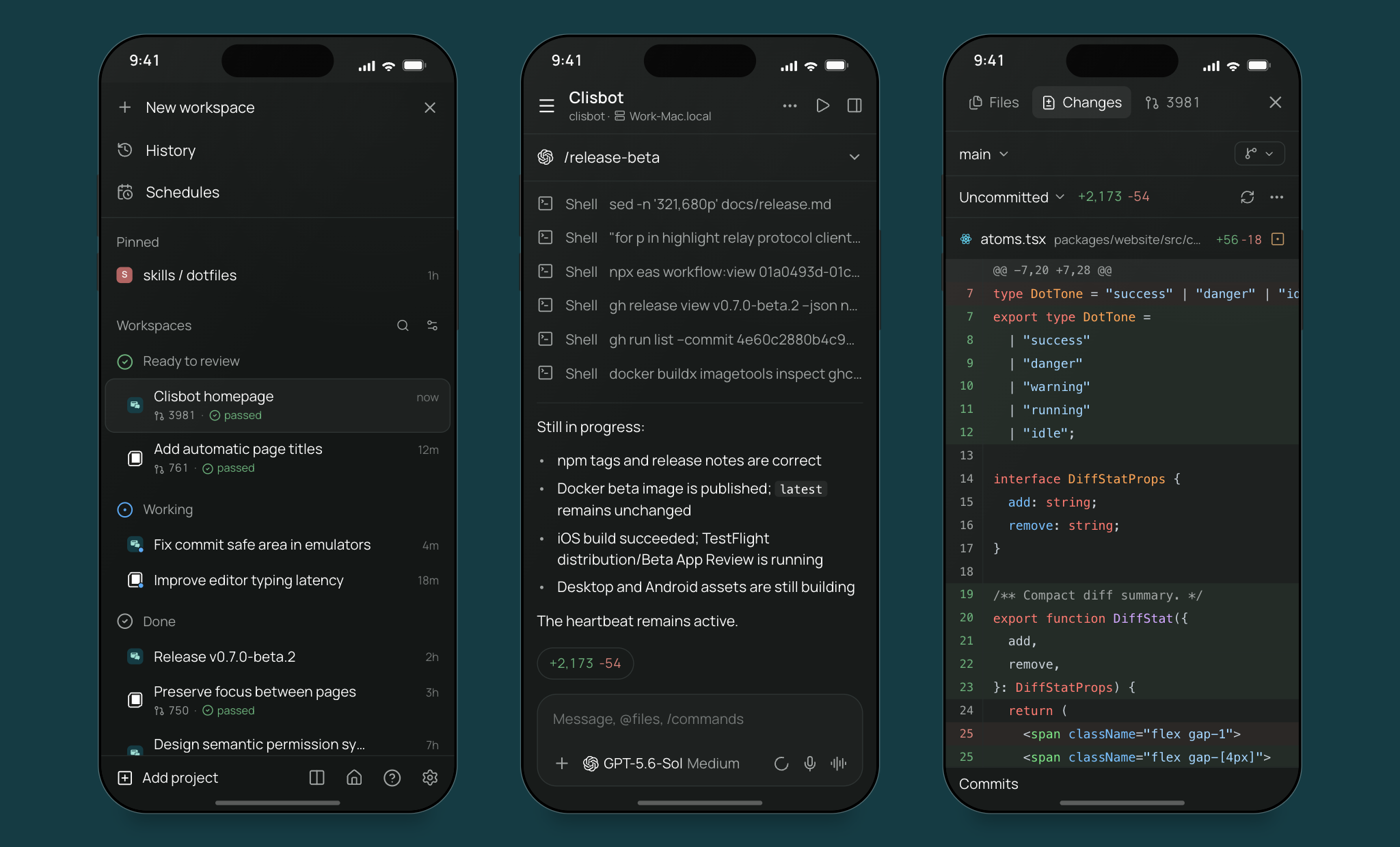
An alternative to Claude Cowork and AI desktop apps. A desktop workspace for office work and software engineering. Research a topic, analyze data, write documents, or take software from planning through implementation, testing, and review—with conversations, files, and code in one place. Choose your agent provider and model. Bring your existing subscription or API key.
An alternative to OpenClaw and Hermes Agent. Put agents to work on your own machines, with persistent context, reusable skills, and the tools they need to act. Delegate tasks, schedule recurring work, and automate workflows while keeping progress and results visible. Use it on your own or give your team managed access to projects, providers, and models.
An alternative to Grok Bot, Muse, or Dots. Create your own bots for work and personal life. Shape each bot's role, persona, memory, tools, and behavior, and choose where it runs. Bring specialists—researchers, planners, engineers, and reviewers—into one group chat. Give them a shared goal and let them discuss ideas, coordinate tasks, and review one another's work to produce a more complete, polished result. Talk to bots natively in Clisbot and use AI through your communication channels—from your laptop or on the go.
- Parallel agents: Run many agents at once, each in its own worktree.
- Built-in orchestration: Agents in Clisbot can create worktrees, launch other agents, and talk to them, across providers.
- Complete development workflow: Edit files, review diffs, open pull requests, and run terminals, in split panes you arrange how you want.
- Self-hosted: Agents run on your machine with your full dev environment. Use your tools, your configs, and your skills.
- Freedom to choose: 40+ agent options: Claude Code, Codex, Copilot, OpenCode, Pi, Antigravity, and Muse Code are built in; explore 39 ACP catalog presets including Grok. Pick the model for each task.
- Voice control: Dictate tasks or talk through problems in voice mode. Hands-free when you need it.
- Cross-device: iOS, Android, desktop, web, and CLI. Start work at your desk, check in from your phone, script it from the terminal.
- Privacy controls: Supported production app builds enable optional usage analytics by default. You can turn it off in Settings → General → Privacy. See analytics scope and controls.
Run parallel tasks in Clisbot: start agents in separate worktrees, review their diffs, run each app, and check it in the built-in browser.
Sponsorship options for Clisbot are being set up. We will publish verified contribution links and sponsorship terms when they are ready.
Clisbot combines Paseo's cross-device agent workspace with OpenClaw's channel integrations and native channel capabilities. Paseo's freedom of choice lets you pick the agent harness—Claude Code, Codex, Copilot, OpenCode, or Pi—and model for each task. Switch providers as your work changes while keeping one workspace and app. This foundation brings together a desktop workspace for office work and software engineering, an agent platform for delegated tasks and automation, and bots for work and personal life. The goal is to make AI a native part of the app and available across every communication channel. Agents run on a Host, while people can follow and direct their work from the app or team conversations.
Clisbot adds native bot creation and group collaboration. Quickly create specialists with distinct roles, instructions, and models, then bring them into one group to complete a task, brainstorm ideas, or review one another's work. You control the participants, shared instructions, reply rules, and discussion limits directly in the app, and can redirect or stop a discussion whenever needed. Native groups give you more direct control over bot collaboration than routing it through an external chat app's interface and bot restrictions.
For professional and enterprise use, Clisbot adds Hub-managed Hosts and access control. Grants to Members and Teams decide which Hosts and Projects they can use, and which providers and models are available for their agents. Teams can share managed Hosts without giving everyone the same access.
I’m Long Luong (Long), Co-founder & CTO of Vexere, Vietnam’s #1 transportation booking platform, where we also build SaaS and inventory distribution infrastructure for transportation operators. As we scale a 300-person company with a 100-member Engineering, Product, and Design team, I’ve been searching for the most practical way to roll out AI-native workflows across the organization.
The challenge is not whether AI is useful. It is how to make it work at enterprise scale without creating a fragmented, expensive, or ungovernable stack. In practice, that means solving several hard problems at once: cost control, workflow truthfulness, team accessibility, governance, and the ability to bring frontier AI into the real tools and communication surfaces where work already happens.
clisbot is the approach I landed on. Instead of building yet another isolated AI layer, it turns the coding CLIs we already trust into durable, chat-native agents that can work across Slack, Telegram, Zalo surfaces, and real team workflows.
If clisbot helps your workflow, a GitHub star is a simple way to let me know it is useful and help more people discover it.
Plugins run on the daemon and show up in every client you connect, with the same UI on desktop, web, iOS, and Android. Write a plugin once and it is on your phone.
- UI: screens, sidebar items, workspace panels, Command Center items, slash commands, composer pills, attachment sources, timeline items, themes.
- Agent lifecycle: change configuration, environment, and MCP servers, answer permissions, follow up when a turn ends.
- Providers: add a coding agent as a provider.
Install from the registry with clisbot plugin add owner/slug, or from Git or a local directory.
Plugins run with access to your daemon machine and inside connected clients; install only code you trust.
Clisbot runs a local server called the daemon that manages your coding agents. Clients like the desktop app, mobile app, web app, and CLI connect to it.
You need at least one agent CLI installed and configured with your credentials:
Download it from clisbot.com/download or the GitHub releases page. Open the app and the daemon starts automatically. Nothing else to install.
To connect from your phone, open Settings → your host → Pair Device.
The phone apps are in beta. Join from a link; no invite needed.
- iPhone and iPad: open the TestFlight link on your device. It installs TestFlight, then Clisbot.
- Android: in this order, signed in with the Google account you use on Google Play:
- Join the Clisbot Android Testers group.
- Open the Android testing page, tap Become a tester, then install Clisbot from Google Play.
You can also install the Android APK from the latest release without Google Play.
For a server, a VM, or any machine without the desktop app. Install the CLI and start the daemon:
npm install -g clisbot
clisbot
Clisbot starts, then asks whether to enable the end-to-end encrypted relay for device pairing. If you decline, connect directly over TCP, Tailscale, or another VPN. The desktop, mobile, and web apps connect to this daemon like any other host.
For full setup and configuration, see:
Run the Clisbot daemon and self-hosted web UI in Docker:
docker run -d --name clisbot \
  -p 6868:6868 \
  -e CLISBOT_PASSWORD=change-me \
  -v "$PWD/clisbot-home:/home/clisbot" \
  -v "$PWD:/workspace" \
  ghcr.io/longbkit/clisbot:latest
Open http://localhost:6868 after it starts. Extend the base image with the agent CLIs you use, then provide credentials through environment variables or the persistent /home/clisbot volume. See the Docker documentation for full setup details.
Everything you can do in the app, you can do from the terminal.
clisbot run --provider claude/opus-4.6 "implement user authentication"
clisbot run --provider codex/gpt-5.5 --worktree feature-x "implement feature X"

clisbot ls                           # list running agents
clisbot attach abc123                # stream live output
clisbot send abc123 "also add tests" # follow-up task

# run on a remote daemon; --cwd is a path on that host
clisbot run --host workstation.local:6868 --cwd /workspace "run the full test suite"
See the full CLI reference for more.
Build issue integrations, dashboards, and orchestration services with @clisbot/client:
import { createClisbotClient } from "@clisbot/client";

const client = createClisbotClient({ url: "ws://127.0.0.1:6868/ws" });
await client.connect();

const agent = await client.agents.create({
  config: { provider: "codex/gpt-5.5" },
  cwd: "/Users/me/dev/storefront",
  prompt: "Review the current diff and name the riskiest change.",
});

const result = await agent.waitForFinish();
console.log(result.lastMessage);

await client.close();
See the SDK quickstart, recipes, and API reference.
Skills teach your agent to use Clisbot to orchestrate other agents.
npx skills add longbkit/clisbotThen use them in any agent conversation:
/clisbot-handoff— hand off work between agents. Plan with Claude, then hand off implementation to Codex./clisbot-advisor— spin up a single agent as an advisor for a second opinion, without delegating the work itself./clisbot-committee— form a committee of two contrasting agents to step back, do root cause analysis, and produce a plan.
Quick monorepo package map:
packages/server: Clisbot daemon (agent process orchestration, WebSocket API, MCP server)packages/app: Expo client (iOS, Android, web)packages/cli:clisbotCLI for daemon and agent workflowspackages/desktop: Electron desktop apppackages/relay: Relay transport and encryption used by the daemon and clientspackages/website: Marketing site and documentation (clisbot.com)
Common commands:
# run all local dev services
npm run dev

# run individual surfaces
npm run dev:server
npm run dev:app
npm run dev:desktop
npm run dev:website

# build the server stack
npm run build:server

# repo-wide checks
npm run typecheck- Paseo — Paseo by Mohamed Boudra and contributors is the source foundation for Clisbot's daemon, agent sessions, clients, and relay model. Its copyright and license notices remain in LICENSE.
- OpenClaw — OpenClaw and its contributors are credited for the channel code adapted in
packages/channels/. The source baselines are recorded in that tree'supstream-sync.jsonfiles; bundled dependency notices are in THIRD_PARTY_NOTICES.
Clisbot is licensed under the Apache License 2.0, except for components with their own licenses.
Copyright (c) 2026-present Long Luong — Clisbot modifications and original additions.
Original Paseo code: Copyright (c) 2025-present Mohamed Boudra. Upstream and third-party copyright and license notices are preserved in LICENSE, individual component licenses, and THIRD_PARTY_NOTICES.