
English · 简体中文
Install the aitutors.me tutors into ChatGPT or Codex.
This repository contains only the plugin manifest — the tutors themselves run at
https://aitutors.me/mcp. Nothing here needs building, and there is no code to run.
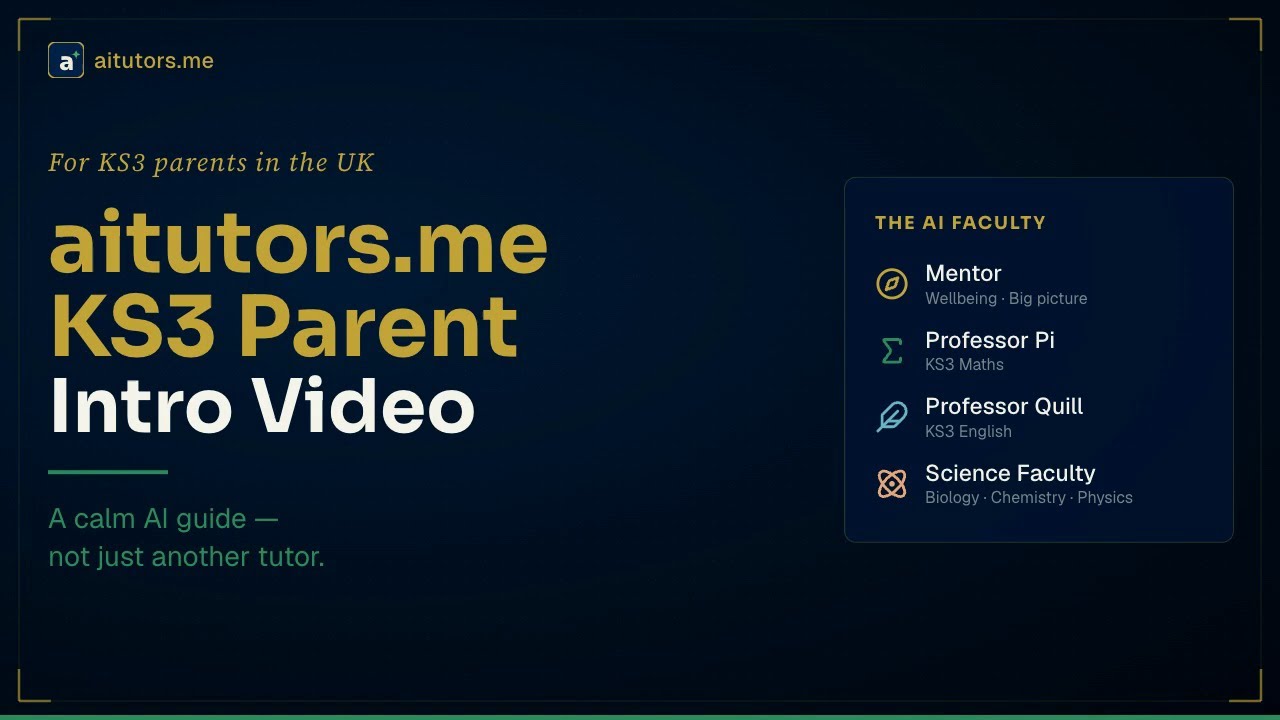
Two minutes on what the tutors do and how a KS3 family uses them.
- Open Plugins → Add plugin marketplace
- Paste this repository's URL as the Source:
https://github.com/maggielovelace/aitutors-plugin - Add the marketplace, then Install the AI Tutors plugin
- Sign in with your aitutors.me account when prompted
Plugins are available in ChatGPT Work on the web and in the desktop app. They are not available in the Chat tab, the IDE extension, or on mobile.
codex plugin marketplace add https://github.com/maggielovelace/aitutors-plugin
codex plugin add aitutors@aitutors-me
codex mcp login aitutors
The last command opens the aitutors.me sign-in page in your browser.
Any MCP client that speaks OAuth can connect directly to:
https://aitutors.me/mcp
Step-by-step guides: Claude · ChatGPT · Claude Code & Codex
Mentor runs the daily check-in and hands over to the right subject tutor — Professors Pi (maths), Quill (English), Darwin (biology), Curie (chemistry), Newton (physics), Harari (history) and Mercator (geography).
Sessions, flashcards and progress save to the same account as the aitutors.me parent dashboard, so work done in ChatGPT shows up there.
An active aitutors.me subscription. The plugin signs you in to your existing account; it does not create one.

24 hand-drawn crayon stickers of Heddy, the aitutors.me owl — for iMessage on
iPhone, iPad and Mac. Heddy Stickers is coming to the App Store. The
transparent PNGs are in stickers/ for personal use in your own
chats (terms).

The eight AI tutors — Mentor and seven professors — as brick-built busts, so they share a world
with LEGO Heddy. Each holds one thing that says who they are: Pi's mug of tea, Curie's goggles,
Newton's apple. Original characters, labelled "AI tutor" wherever they appear. Portraits on cream
and as transparent cutouts are in faculty/ for personal use
(terms).

The same eight tutors, engineered in code from real LDraw parts, the way LEGO Heddy was made, and rendered in Heddy's own studio. Each bust is 1,400–1,600 plates and tiles. The painted set above is version 1; this is version 2, and both are kept.
faculty/built/ is a toolkit as well as a gallery:
- Renders: 1200 px portraits and transparent cutouts in
renders/andrenders/cutout/ - Models: a parts list (
model/<id>.json) and a standard LDraw file (model/<id>.ldr, opens in Studio, LDCad or LeoCAD) for each professor - Build tools: the builder, one spec per professor and Heddy's renderer, with a single command:
python3 faculty/built/tools/build.py all --render --cutout(rendering needs Python 3.11 withbpy) - A guide for agents: the "set lock" (head size, camera, plinth) that keeps new assets on-model, how to add a character or render a new angle or expression, and the rules every asset follows (labelled "AI tutor", original faces, "brick-built" never "LEGO")
- Copy-paste prompts for Codex, Claude Code and other agents: set up, stickers and avatars, new angles, new expressions, a new character, and adding a portrait to a page — Prompts for AI agents

Heddy as a real, buildable LEGO desk sculpture: 1,446 genuine LEGO elements, 217 mm
tall, about 1.5 kg. The model is generated in code from the heddy-ip product geometry, so
every identity anchor survives: the asymmetric amber eyes (left larger), the diamond beak,
the single tuft and the spark-green star. It is engineered, not a CGI look-alike. All nine
validation checks pass: no parts intersect or float, it builds in step order and comes apart
again, it stands on its own feet (it tips only past 16.7°), and the upper body turns ±20° on a
hidden turntable.
- Model:
heddy-ip/lego/model/heddy.ldr(opens in Studio, LDCad or LeoCAD), parts listbom.csv, validation reportvalidation.md - Instructions: an 82-page, 148-step booklet —
heddy-lego-instructions.pdf - Films: a 45 s 4K hero film, a 29.7 s 9:16 social cut and an 8 s mascot sting —
heddy-ip/lego/video/ - Design notes (character analysis, colour mapping, engineering trade-offs, declared
deviations):
heddy-ip/lego/README.md
Part geometry comes from the LDraw.org parts library (CC BY 4.0). Titles are set in Bricolage Grotesque and IBM Plex Sans (OFL).
hello@aitutors.me · aitutors.me/chatgpt · YouTube
Claude is our primary platform — new features land there first. Everything the tutors do works the same on both.
This repository also ships the heddy-ip agent skill: generate on-model images,
cutout stickers, and reels of Heddy, the aitutors.me snowy-owl mascot, with identity
governance (locked character DNA, frozen reference sheets, templated prompts, a QA gate
with a repair policy). Generation needs a GEMINI_API_KEY. Recipes:
heddy-ip/COOKBOOK.md.
Whatever the pose, scene, or medium, it is always the same owl: asymmetric amber eyes (left larger), a small amber diamond beak, the spark-green star badge, the head tuft. That consistency is the product — the skill exists to make identity drift impossible.
 |
 |
| Feed image — the crayon-storybook rendition | Night scene — same DNA, dark ground rules |
A starter media library ships in heddy-ip/media/: looping GIFs
(motion-DNA animations + reel cuts), standalone SVGs of the moods and fits, the
pilot reel and its block clips as MP4s, and the four style-direction stills. The
full 369-file asset library lives in the team's shared Drive folder.
 |
 |
 |
| hop (motion DNA) | winter snow | night reader |
-
Blog & article illustration — feed it a post; it finds the 3–6 ideas worth a picture, writes a shot list, and renders one image per idea with Heddy performing each concept (never decorating it).
-
Social posts — feed images (1:1 / 4:5), story and reel covers (9:16 with safe zones), OG cards (16:9), X banners — sizes and platform rules are encoded in the skill.
-
Cutout stickers — transparent-PNG Heddy poses for compositing onto screenshots, thumbnails and slides (
--cutoutchroma-keys the background to alpha). -
Expression & pose sheets — the moods (rest / focus / ready), the quiet celebration set, and the wardrobe items, as labelled grids:


-
Short reels — narrated 10-second blocks (voice first, one style key per block, a character-fidelity gate per clip), assembled in the edit.
-
Identity repair — a render with one wrong anchor (a hooked beak, equalised eyes) gets a single-target edit, not a redesign.


Every generation conditions on the frozen identity anchor
(reference.jpg), and every
delivery passes the QA checklist: thesis test first, then the identity anchors one by one,
then structural integrity.

/plugin marketplace add maggielovelace/aitutors-plugin
/plugin install heddy-ip@aitutors-mecodex plugin marketplace add https://github.com/maggielovelace/aitutors-plugin
codex plugin add heddy-ip@aitutors-megit clone https://github.com/maggielovelace/aitutors-plugin /tmp/aitutors-plugin
cp -R /tmp/aitutors-plugin/heddy-ip/skills/heddy-ip ~/.hermes/skills/creative/heddy-ip
hermes skills list | grep heddy-ipHermes prompts for GEMINI_API_KEY on first load (the SKILL.md declares it via
required_environment_variables).
The skill is a self-contained folder — heddy-ip/skills/heddy-ip/ (SKILL.md +
references + frozen reference sheets + a stdlib-only Python generation script).
Copy it onto the agent's skills path; OpenClaw metadata (emoji, requires.bins)
is in the SKILL.md frontmatter, and any agent that reads SKILL.md can use it as-is.
Character licence note: the Heddy character and the reference artwork are aitutors.me brand IP. The skill is published so that agents working for aitutors.me can produce brand assets — it is not a licence to use the character for other products. See LICENSE.
This repository also ships the flashcards agent skill: teach an LLM to turn
notes, a textbook page, or a topic into flashcards in aitutors.me's own format
— the same format its own tutors and its own kid-facing card composer produce, so
what you get back is accepted by aitutors.me's QA gate on the first try. No API key,
no account, no network call from the skill itself — it produces plain JSON and stops.
Unlike heddy-ip, this skill is format and QA only — it has no tutoring logic,
no hint-ladder, and no curriculum content of its own. It is published under MIT
(see the "flashcards" carve-out in LICENSE) because there's nothing
proprietary in "here is a JSON schema for a flashcard".
- Six card kinds, each with a different job —
basic(one question, one answer),basic_reversed(one note becomes two independently-scheduled cards, for names and vocab),type_in(typed recall, for short exact answers),cloze(fill one blank),cloze_multi(fill several blanks, one card per blank, automatically).image_occlusionis documented but never authored — it's reserved for aitutors.me's own canonical diagrams. - The atomic-front rule — one fact per card, with the same conservative multi-fact detector aitutors.me's own QA gate uses, so a front that asks for "three organelles" gets split before it ever gets rejected.
- The hint-leak rule — a hint may never repeat a word of 4+ letters that's also in the answer; the skill writes hints that narrow the search instead of spelling out the destination.
- The exact JSON wire shape the import screen expects, including the 8-card-per-batch ceiling and what to do with a bigger set (split it).
Full schema and worked examples: flashcards/skills/flashcards/references/card-format.md.
QA rules restated for a model: flashcards/skills/flashcards/references/qa-checklist.md.
- Give the agent your source material (paste notes, describe a topic, or point
it at a textbook page) and ask it to use the
flashcardsskill. - It reads the material, splits it into atomic single-fact fronts, picks a card kind per fact, checks every hint against the hint-leak rule, and caps the batch at 8 cards.
- It hands back one fenced JSON block — nothing else to do on the agent side.
- Take that JSON to aitutors.me/study/cards/new/import (requires an aitutors.me account with an active subject), paste it in, and confirm the preview. The cards land straight in your own private practice pile — nobody else ever sees them, and they're editable drafts until the first time you're graded on one.
Example prompt:
Use the flashcards skill on this page of notes about the water cycle — make
me a set for a Year 8 aitutors.me account, then give me the JSON to import.
/plugin marketplace add maggielovelace/aitutors-plugin
/plugin install flashcards@aitutors-mecodex plugin marketplace add https://github.com/maggielovelace/aitutors-plugin
codex plugin add flashcards@aitutors-megit clone https://github.com/maggielovelace/aitutors-plugin /tmp/aitutors-plugin
cp -R /tmp/aitutors-plugin/flashcards/skills/flashcards ~/.hermes/skills/education/flashcards
hermes skills list | grep flashcardsNo environment variables are required — the skill only produces JSON.
The skill is a self-contained folder — flashcards/skills/flashcards/ (SKILL.md +
references, no scripts, no assets). Copy it onto the agent's skills path;
OpenClaw metadata (emoji) is in the SKILL.md frontmatter, and any agent that
reads SKILL.md can use it as-is.