



A whole family-tablet dashboard for Home Assistant: calendar, meal planning,
chores, rewards, timers and more, in one install.
Runs entirely on your own Home Assistant, no cloud or subscription.
Installation · Screenshots · Features · Themes · Documentation · Changelog
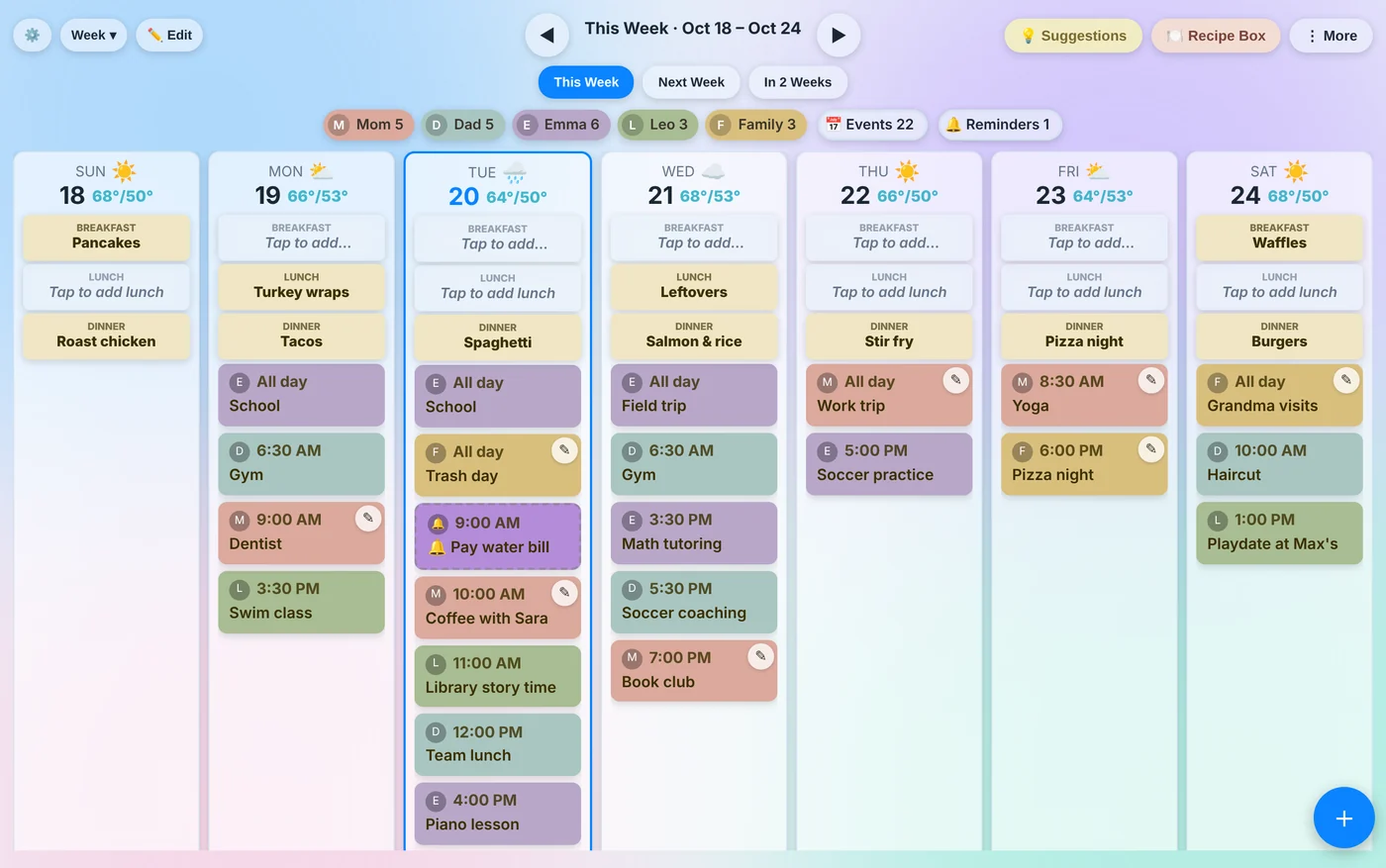
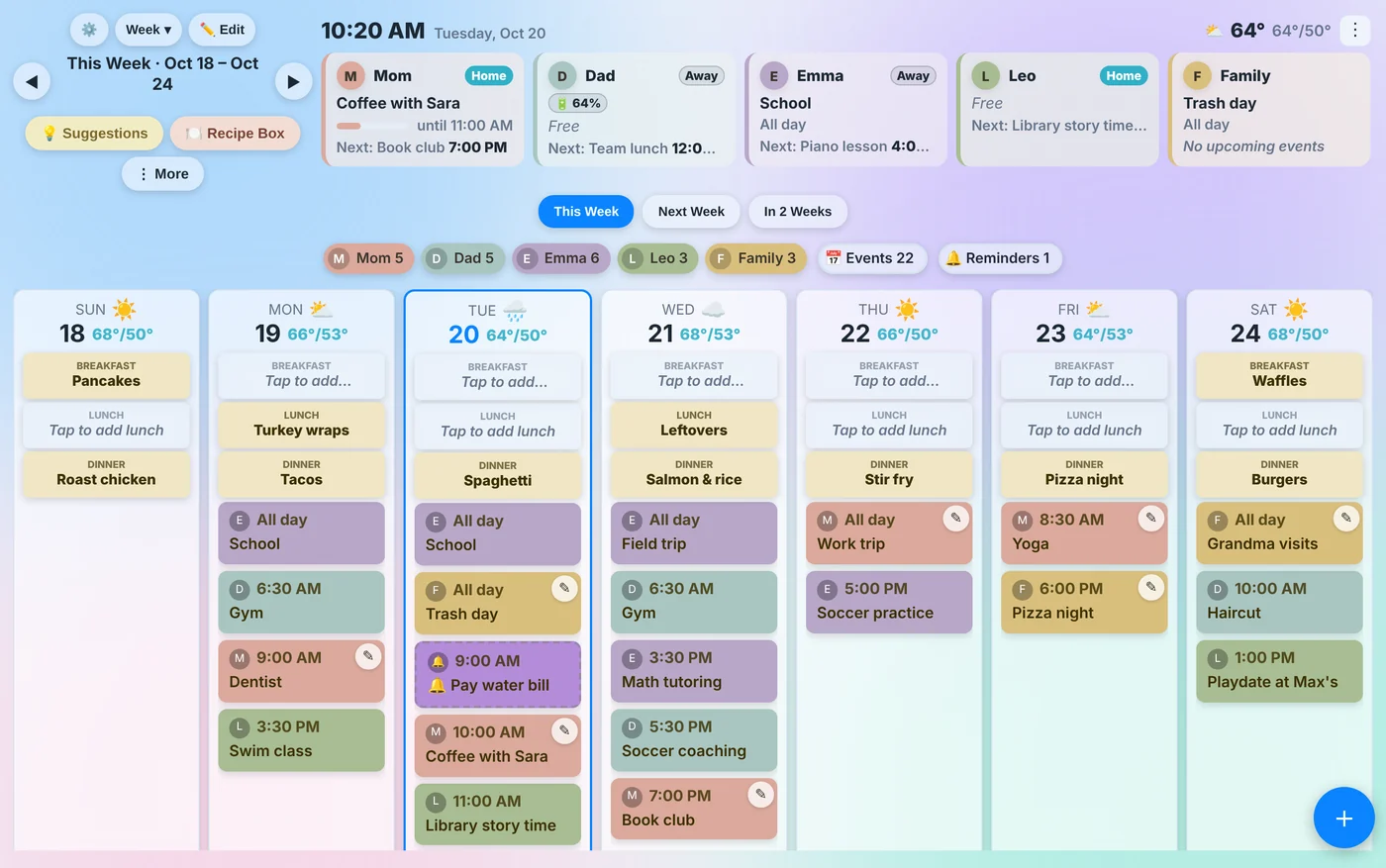
A week of everyone's calendars side by side, with breakfast, lunch and dinner planned at the top of each day. Switch between Week, Month, Planner and Agenda layouts, and tap any event to see details, edit it, duplicate it or turn it into a countdown.
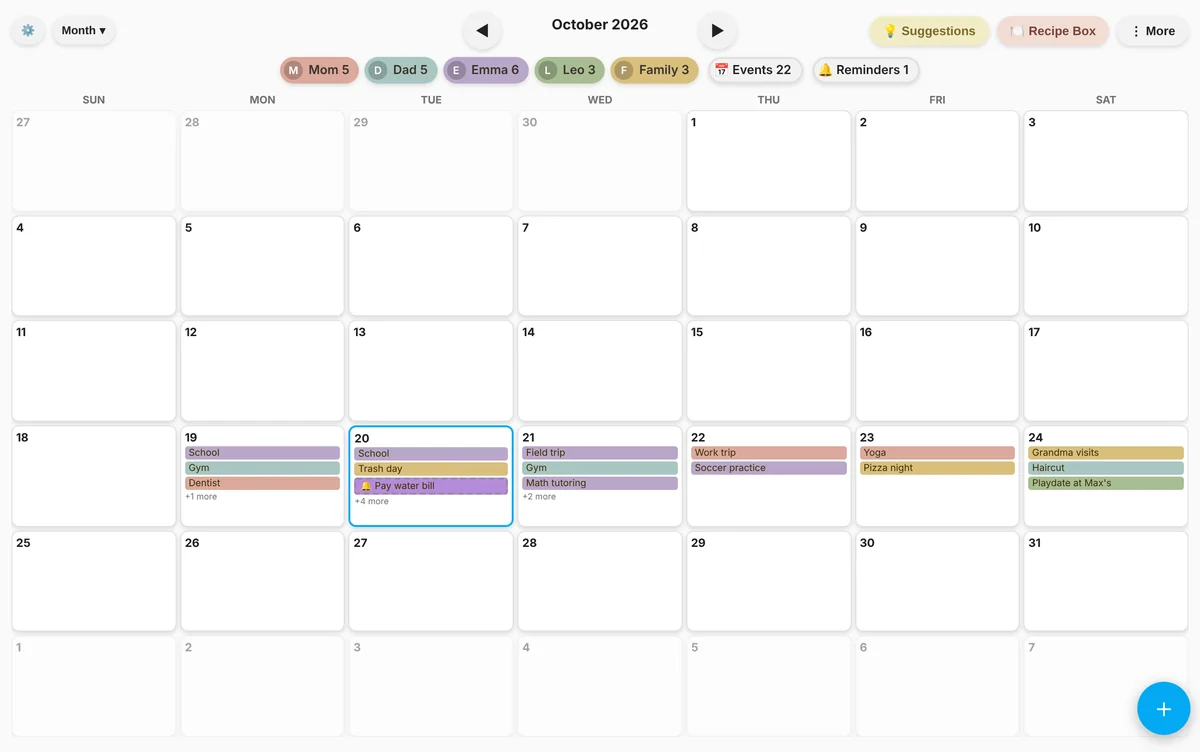 Month (HA Light theme) |
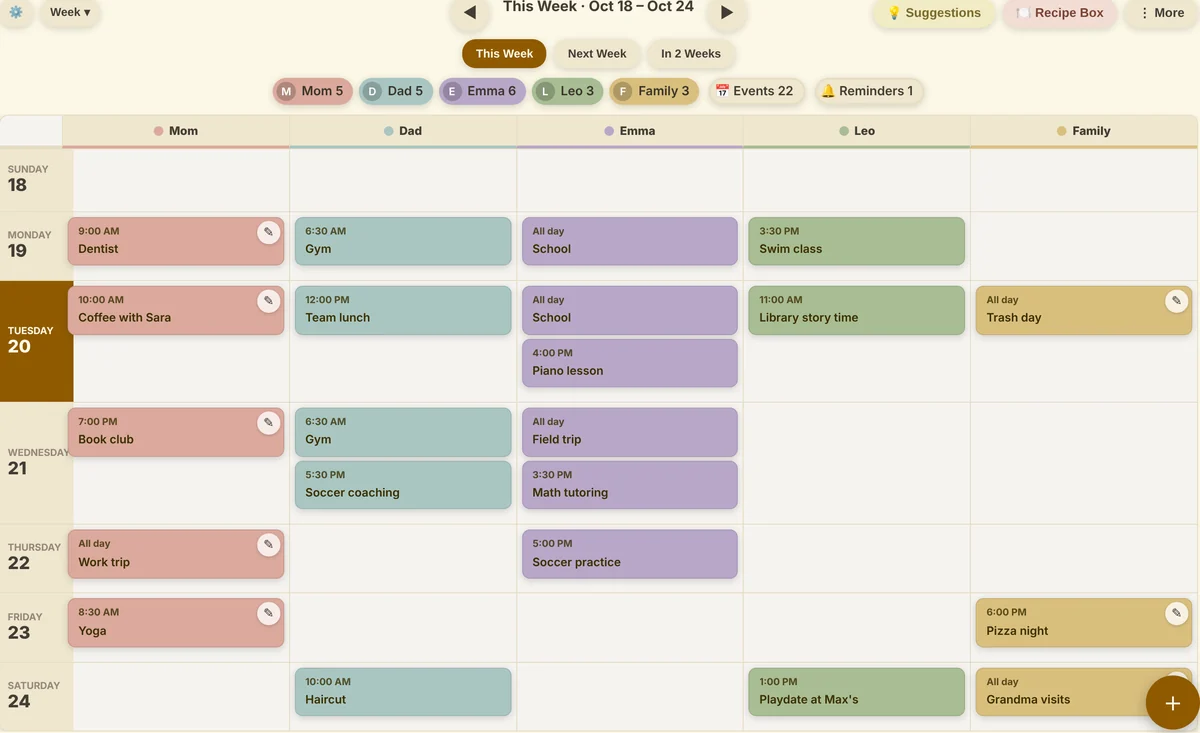 Planner: one row per day, one column per person |
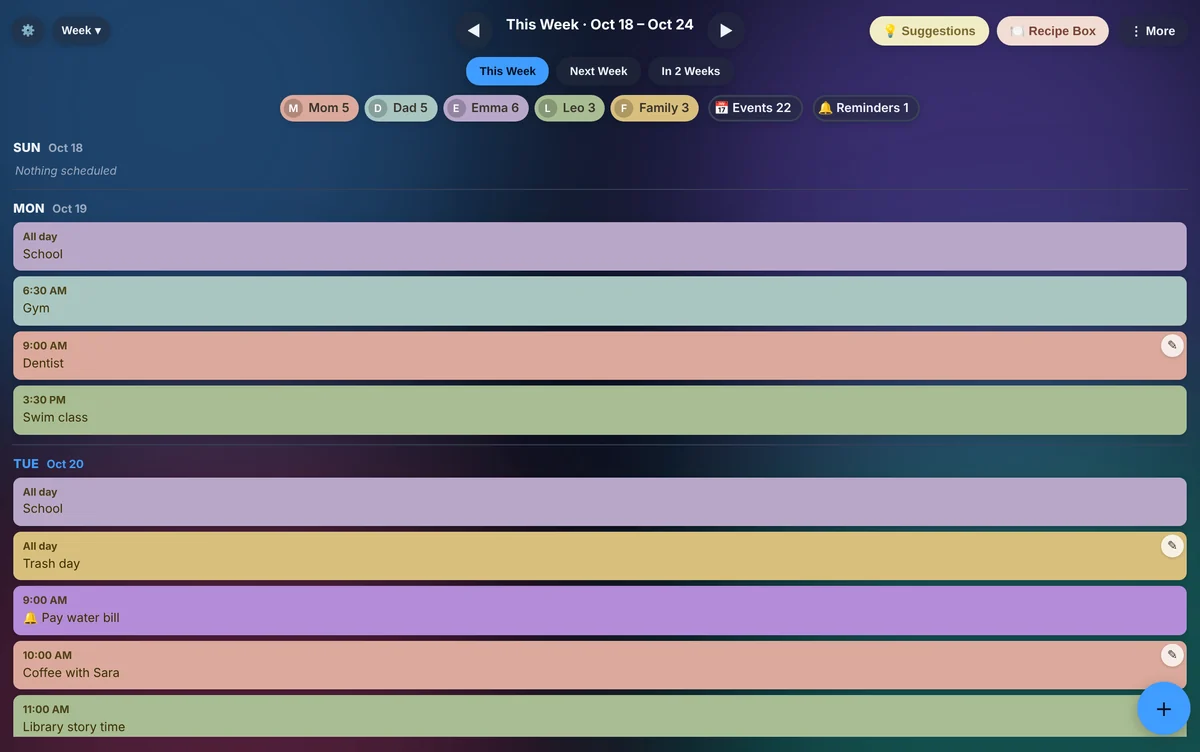 Agenda: a simple list, great for a narrow screen (Liquid Glass Dark) |
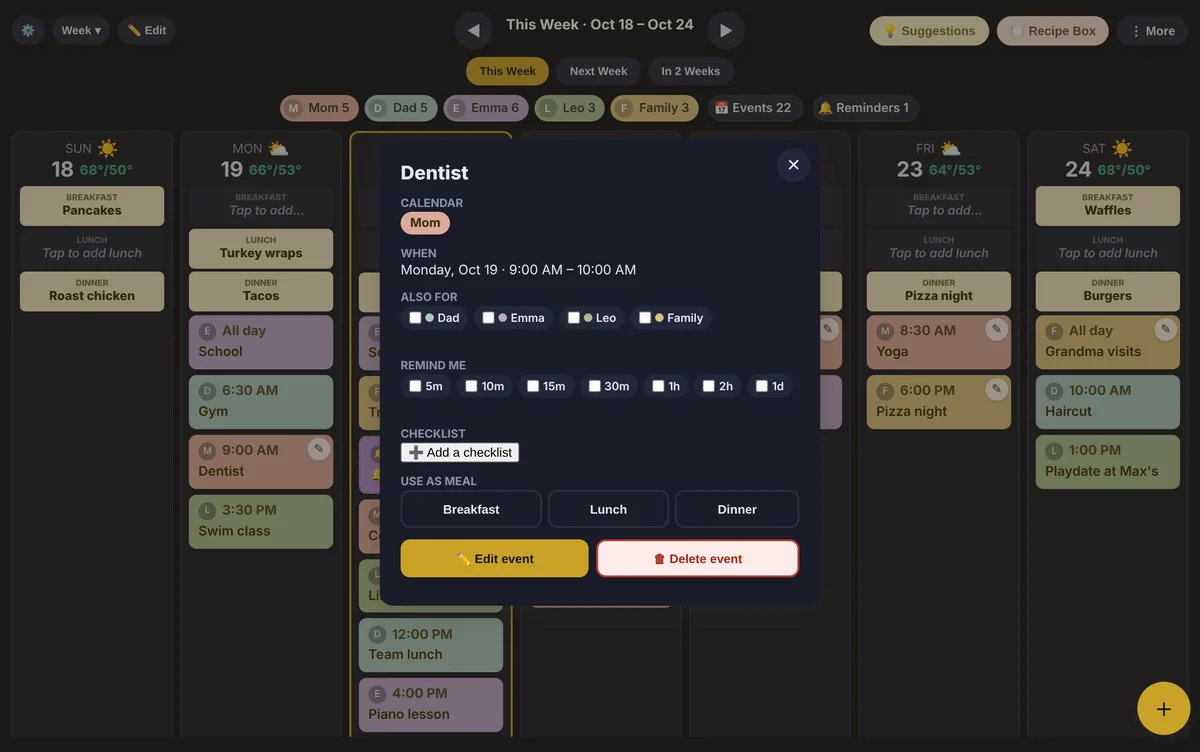 Event details: reminders, checklists, edit and duplicate (Midnight) |
Who's home, what everyone is doing right now and what's next, either as its own card or built into the top of the calendar.
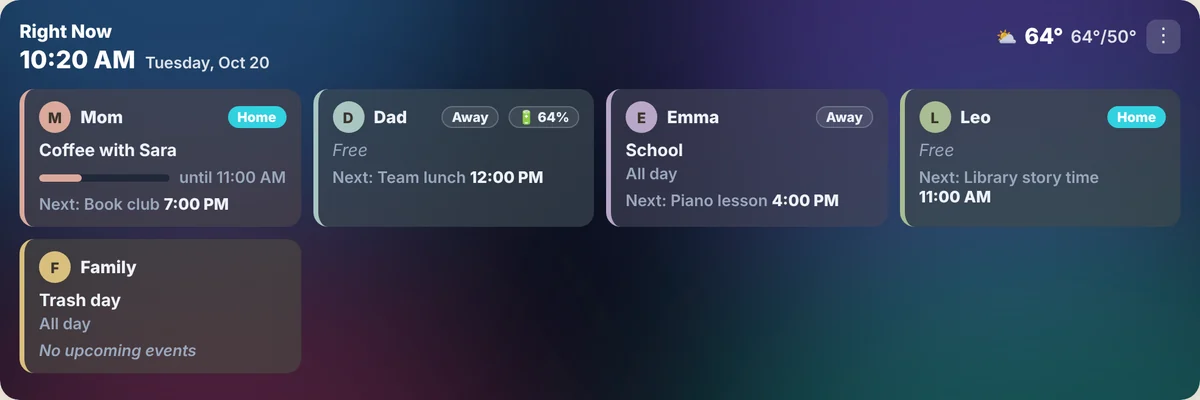
Right Now card: presence, battery and any other sensor per person (Liquid Glass Dark)
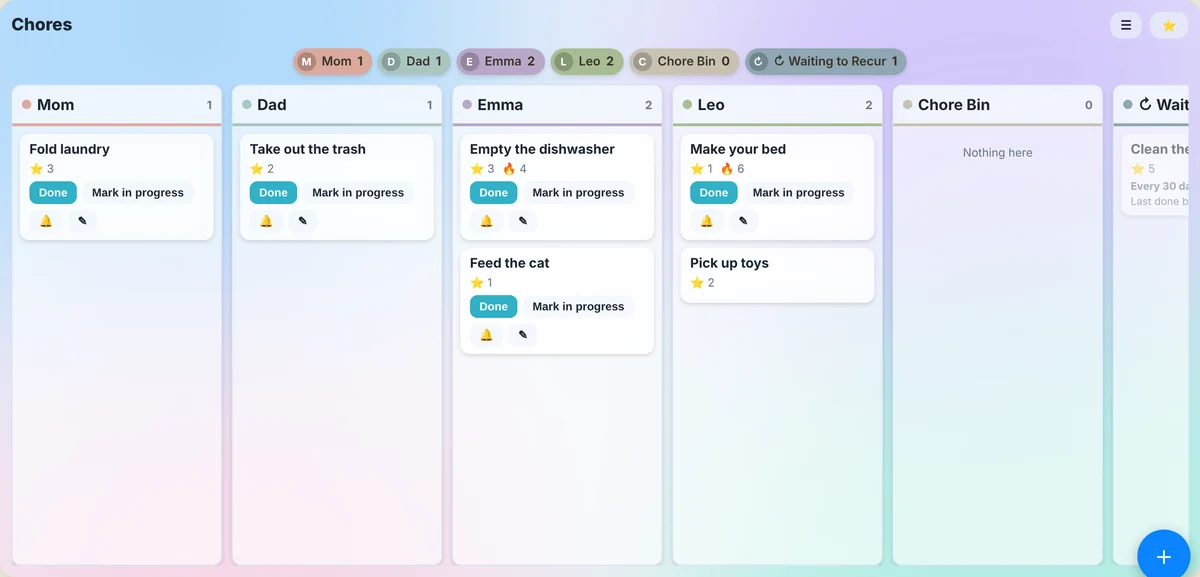 Chores: a column per person, stars for every job, "Mark in progress" |
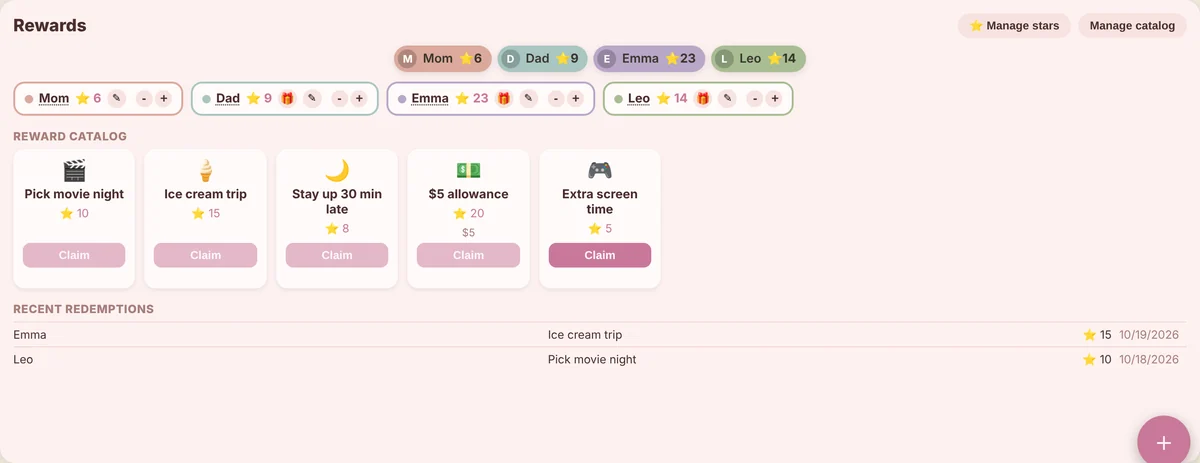 Rewards: spend stars on rewards you set up (Blossom theme) |
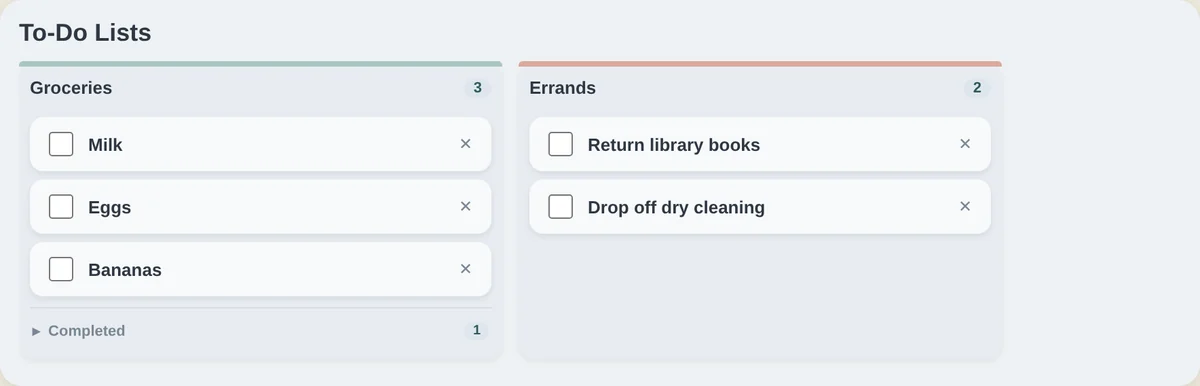 To-Do lists: any Home Assistant to-do list, side by side (Slate) |
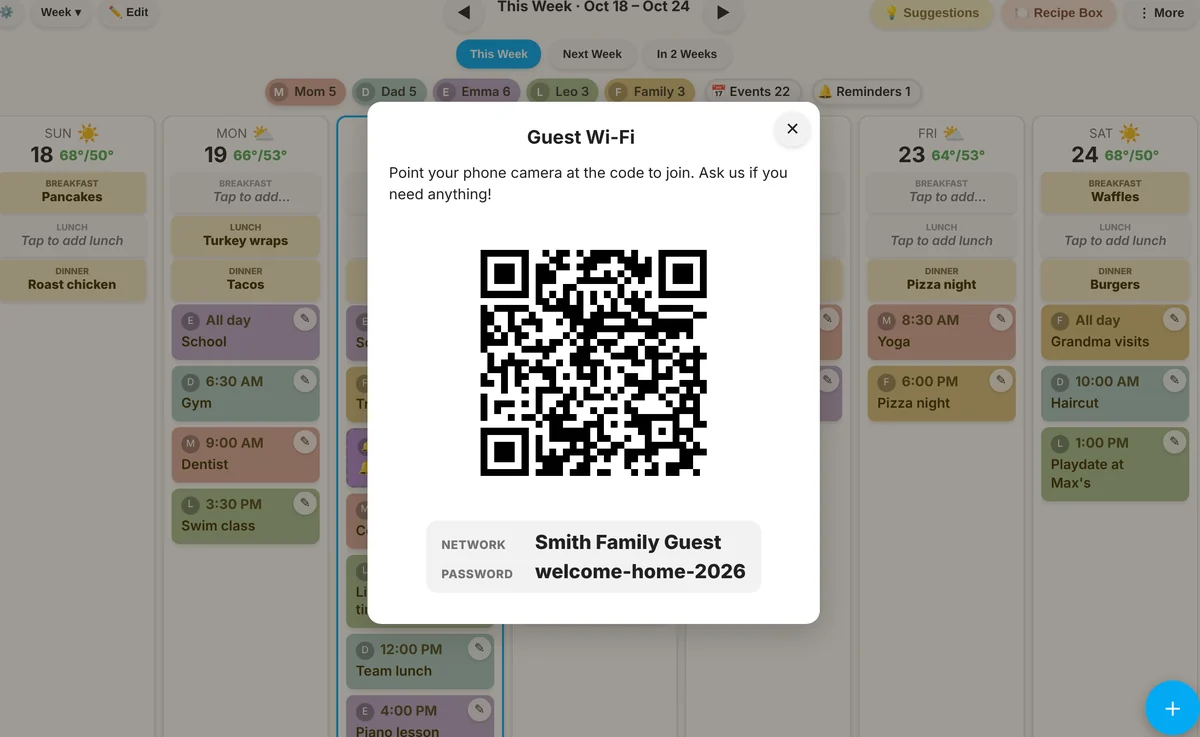 Your own buttons: e.g. a Guest Wi-Fi QR code, babysitter info or emergency contacts |
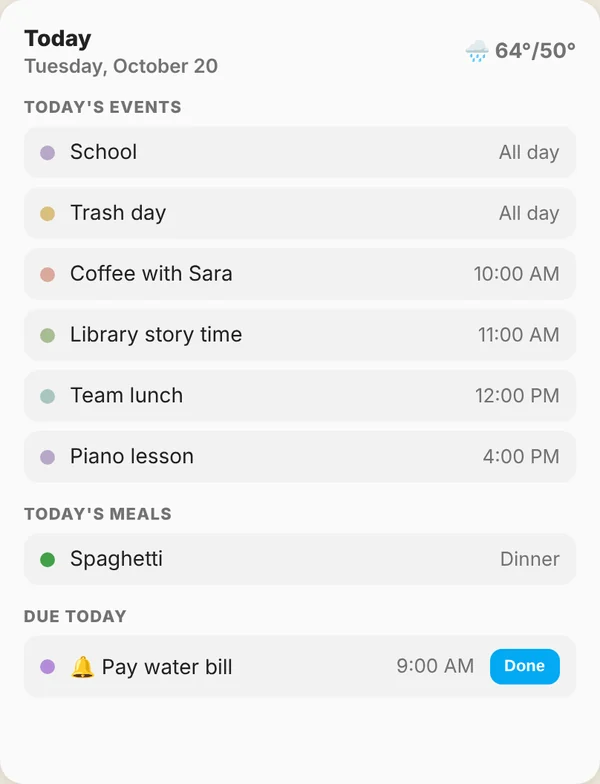 Today card: today's events, meals and reminders, for any dashboard (HA Light) |
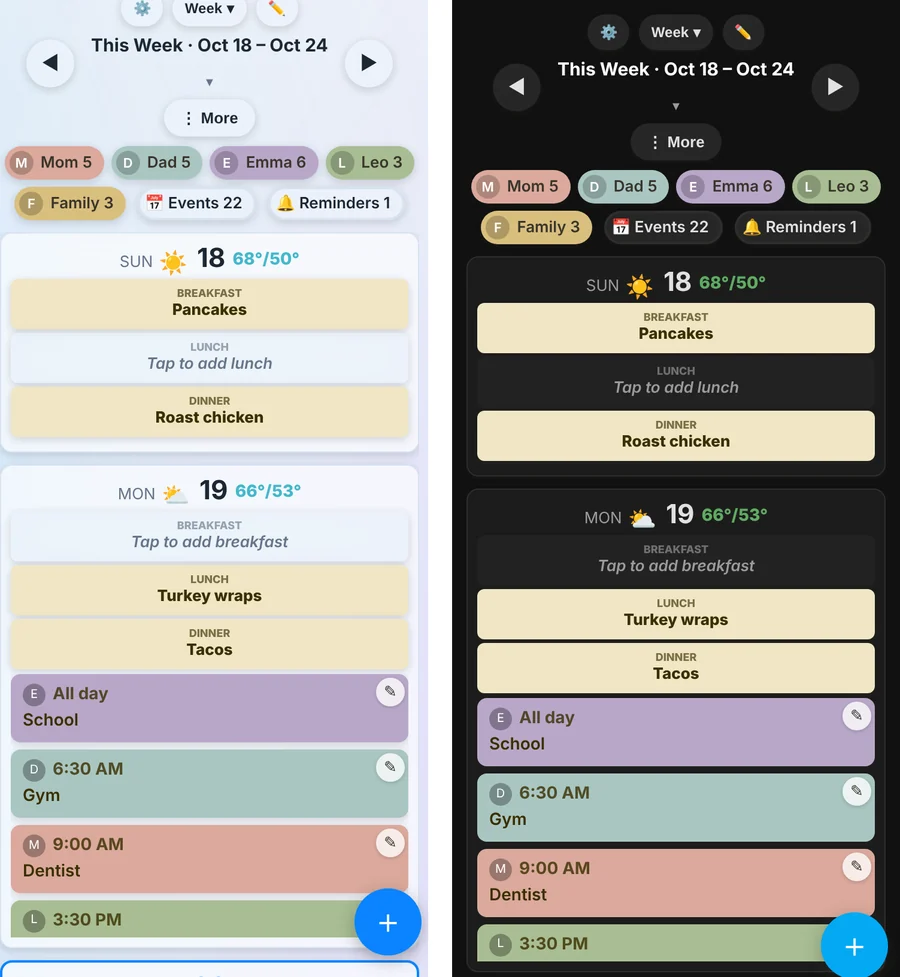 On a phone: the calendar stacks into one day at a time (Liquid Glass and HA Dark) |
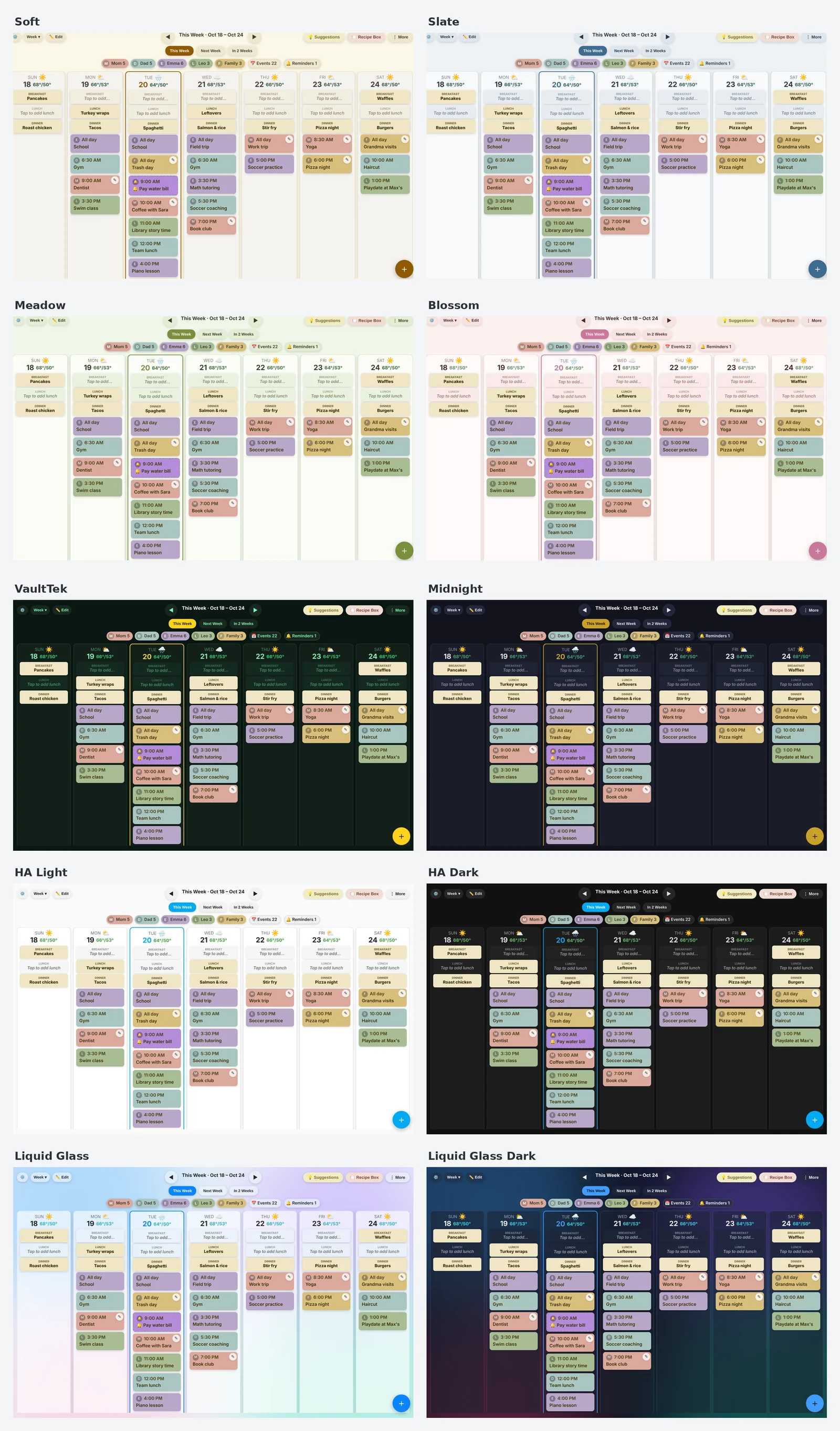
Ten built-in themes, plus every theme you have installed in Home Assistant. Each screen can use its own theme, and the Theme Builder lets you make your own (colours, fonts, glass transparency and blur, background image).
Calendar
- Week, Month, Planner and Agenda layouts, with a choice of how many days and rows to show.
- Any number of Home Assistant calendars. Each person gets a colour, a main calendar, and as many extra calendars as you like merged into their column.
- Add, edit, duplicate and delete events, including repeating events, on calendars that support it.
- Event reminders, checklists, countdowns, multi-person events, weather on each day, and an option to grey out past events.
- Holiday Backgrounds: your own or ready-made holiday photos behind a day, a week or the whole month.
Meals and recipes
- One to three meal blocks a day, recurring meals, whole-week templates, and suggestions from dishes you've made before.
- A searchable Recipe Box with ratings, and optional Grocy integration: a recipe viewer with servings scaling, recipe import from a link or pasted text, shopping lists and pantry tracking.
Chores, rewards, goals and routines
- Assigned, rotating or first-come chores that earn stars, a rewards catalog to spend them on, goals, and morning/afternoon/night routines.
- Per-person permissions, Child and Kiosk accounts, and a "Just me" view for each person.
Right Now, Today and the More menu
- Right Now shows each person's current and next event, Home/Away, and any sensors or switches you choose.
- Today shows today's events, meals and reminders in a small card.
- Add your own buttons to the More menu: pop-ups with text, photos, links and QR codes (Wi-Fi, contacts, links and more, including your UniFi network's own Wi-Fi QR code). A pop-up can be locked so only chosen people can open it.
Timers and alarms
- Timers and alarms that ring on screens, phones and speakers until someone stops them, a Timer log, and actions and events for your automations.
For a wall tablet
- Screen Saver with video, camera feed, photos, clock and weather.
- Privacy Mode keeps events behind a PIN lock screen; Discreet Mode hides names and event text but keeps the colours and times.
- Kiosk PIN sign-in, so a shared tablet knows who is using it.
Also
- Notifications sent by Home Assistant itself, so they arrive whether or not a dashboard is open: event reminders, reminders, chore due dates and a Daily Digest.
- Settings backups every 12 hours, which you can download and restore.
- Available in English, German, Spanish, French, Italian, Dutch, Polish and Portuguese (Brazil). Each person sees their own Home Assistant language and 12/24-hour clock.
Requires a few Home Assistant todo.* entities (for the recipe box, meal plan and reminders) and at least one calendar.* entity. See Requirements in the full docs.
Family Hub isn't in the default HACS store yet, so add it as a custom repository:
- In Home Assistant, go to HACS → the ⋮ menu (top right) → Custom repositories, and add this repository's URL with category Integration, or use this one-click link:
- Find Family Hub in HACS and click Download.
- Restart Home Assistant.
- Settings → Devices & Services → Add Integration → search for Family Hub, or use this link:


- Copy the
custom_components/family_hubfolder into your own/config/custom_components/(overwrite an existing install to update it). - Restart Home Assistant.
- Settings → Devices & Services → Add Integration → search for Family Hub.
- Add the card(s) you want to a dashboard. See Card configuration in the full docs for example YAML.
Full feature detail, the complete todo/calendar entity requirements, example card YAML for every card, and known limitations are in DOCUMENTATION.md. Release history is in CHANGELOG.md (older entries in CHANGELOG_ARCHIVE.md).
Built to compete with commercial family-hub tablets (Skylight, Dragon Touch and others) while running entirely on your own Home Assistant.
Screenshots show sample data.
Copyright (C) 2026 Bordello Labs.
Licensed under the GNU General Public License v3.0 (GPL-3.0); see LICENSE for the full text. You're free to use, study, modify, and redistribute this software, provided that any distributed copies (including modified versions) remain under the same license and keep their source available.