Meshery is an extensible, self-service engineering platform for the collaborative management of cloud and cloud-native infrastructure.
Installation | Documentation | Forum | Playground | Catalog
Meshery Extensions are plugins or add-ons that enhance the functionality of the Meshery platform beyond its core capabilities. Meshery supports different types of extensions (docs):
- Adapters: Adapters allow Meshery to interface with different cloud-native infrastructure.
- Load Generators: for performance characterization and benchmarking
- Integrations: model-based support for a broad variety of design and orchestration of cloud and cloud-native platforms, tools, and technologies.
- Providers: for connecting to different cloud providers and infrastructure platforms
- UI Plugins: Meshery UI has a number of extension points that allow users to customize their experience with third-party plugins.
- CLI Plugins: Helm and kubectl plugins that let you create Kanvas snapshots from Helm charts, Kubernetes manifests, and the current state of your Kubernetes cluster, then upload them to Meshery.









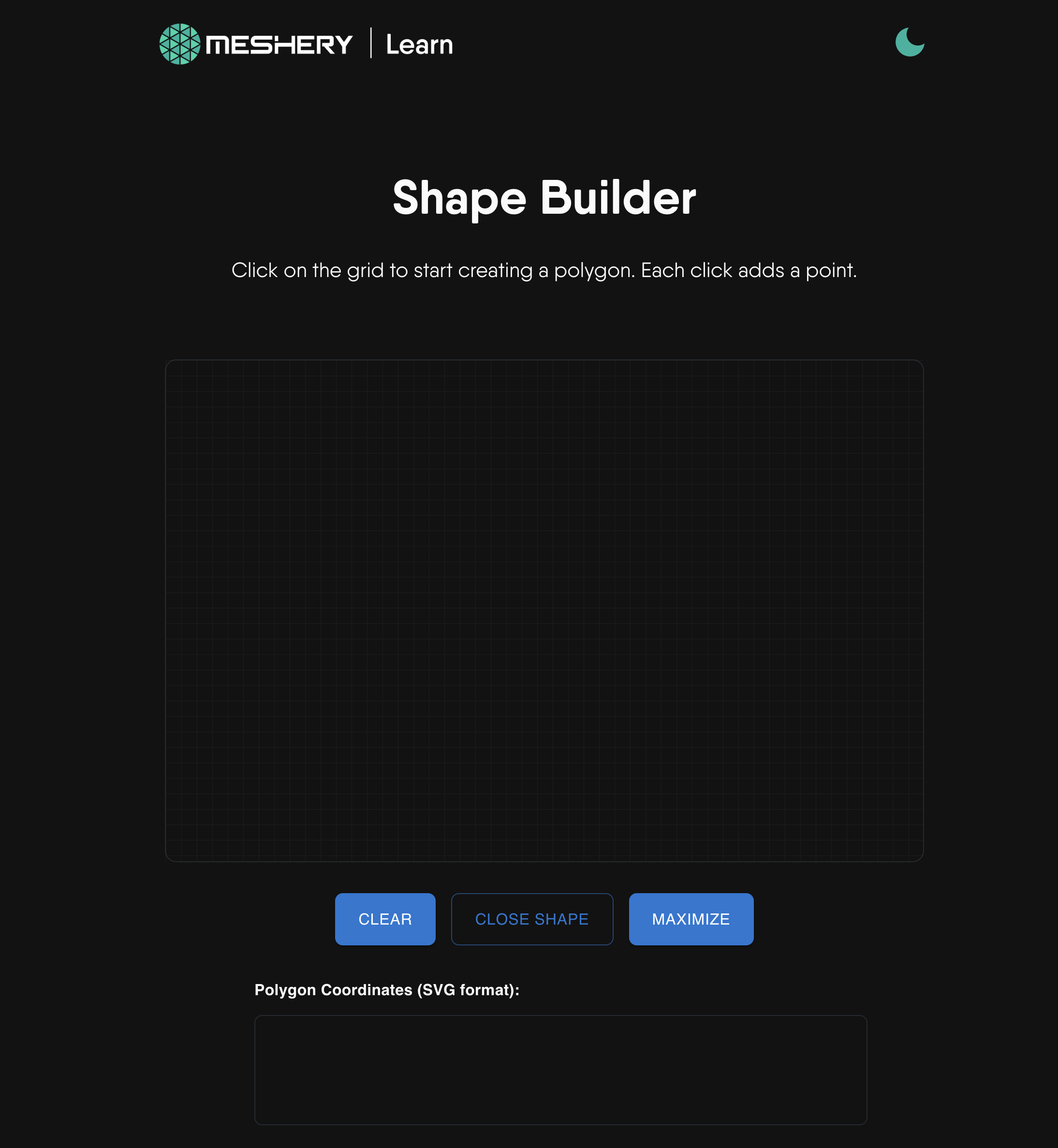
This Meshery extension offers an easy way to visually create polygons, outputting the format necessary for Kanvas to recognize and render your custom polygon shape. As a best practice, users are encouraged to select an existing or create a custom shape for their components to best visually signify the function of their component. See the Components Shape Guide for a list of the built-in component shapes in Meshery.
Interactively, explore existing component shapes easily by looking in Meshery Playground in the Kanvas extension's dock at the bottom of the screen. You will see the different types of component shapes in the "Shapes" model as examples.
Once you have created your custom shape, export your matrix notation and use within a polygon shape in your Meshery Component. For example, the following is a plus icon:

-0.33 -1 0.33 -1 0.33 -0.33 1 -0.33 1 0.33 0.33 0.33 0.33 1 -0.33 1 -0.33 0.33 -1 0.33 -1 -0.33 -0.33 -0.33
Anyone can create new components. When they do, they can use a predefined shape to represent their new component. Alternatively, they can define their own polygon; their own shape. The manner in which shapes are defined is based on a number matrix from negative one to positive one.
Our projects are community-built and welcome collaboration. 👍 Be sure to see the Contributor Journey Map and Community Handbook for a tour of resources available to you. Jump into community Slack or discussion forum to participate.
MeshMates are experienced community members, who will help you learn your way around, discover live projects, and expand your community network. Connect with a Meshmate today!
Learn more about the MeshMates program.
✔️ Join any or all of the weekly meetings on community calendar.
✔️ Watch community meeting recordings.
✔️ Fill-in a member form and gain access to community resources.
✔️ Discuss in the community forum.
✔️ Explore more in the community handbook.

Not sure where to start? Grab an open issue with the help-wanted label.
Please do! We're a warm and welcoming community of open source contributors. Please join. All types of contributions are welcome. Be sure to read the Contributor Guides for a tour of resources available to you and how to get started.
If you like Meshery, please ★ star this repository to show your support! 🤩
This repository and site are available as open-source under the terms of the Apache 2.0 License.