As of now, we use many hexagon elements throughout the website. Examples can be found on the landing page:
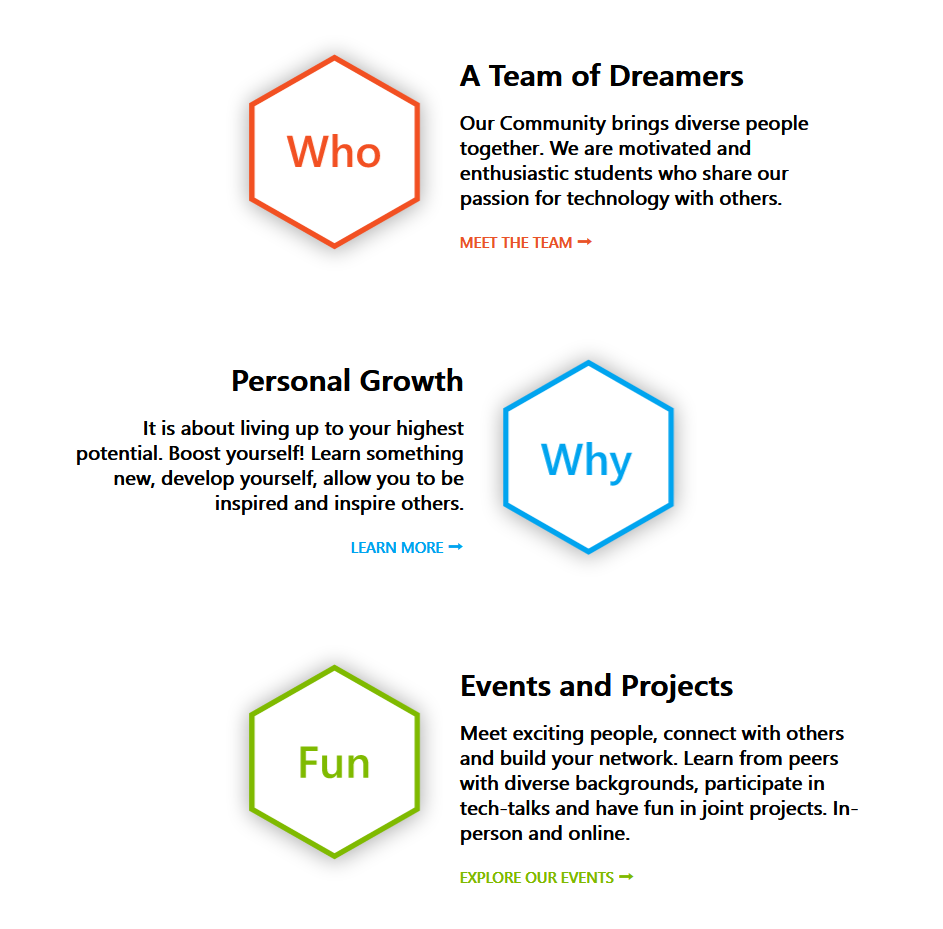
It is a good thing that we use SVG images, i.e. scale invariant graphics which look sharp on all displays. It is notable that the used hexagons are very similar and differ only in properties such as color text. Still, we use a different SVG file (located in Assets/SVG) for each element.
This makes it hard to configure, i.e. change colors, text, font or font size. We should look out ways to keep the nice SVG properties but make them easily configurable via CSS. At least for text elements this should be achievable:
https://www.w3schools.com/howto/howto_css_image_text.asp
Remark: The approach to position text elements with absolute position requires the use of container elements which are not positioned statically.
I am also happy to hear about other approaches. Maybe there are technologies to create and configure SVG elements as the site is loaded. Any input on this issue is welcome.
As of now, we use many hexagon elements throughout the website. Examples can be found on the landing page:
It is a good thing that we use SVG images, i.e. scale invariant graphics which look sharp on all displays. It is notable that the used hexagons are very similar and differ only in properties such as color text. Still, we use a different SVG file (located in Assets/SVG) for each element.
This makes it hard to configure, i.e. change colors, text, font or font size. We should look out ways to keep the nice SVG properties but make them easily configurable via CSS. At least for text elements this should be achievable:
https://www.w3schools.com/howto/howto_css_image_text.asp
Remark: The approach to position text elements with absolute position requires the use of container elements which are not positioned statically.
I am also happy to hear about other approaches. Maybe there are technologies to create and configure SVG elements as the site is loaded. Any input on this issue is welcome.