
Utilities to retrieve road networks from country maps and compute distances between geospatial coordinates.
Note: sudo is needed if you are not in the docker user group on your system.
First, clone the repository to your system, then:
cd geospatial-routing-api
docker build -t web:latest .
docker run -d --name geo_routing -e "PORT=8765" -e "DEBUG=1" -p 8007:8765 web:latest
This will start up a Docker container named 'geo_routing' running on http://localhost:8007/, which will display the API documentation with the appropriate endpoints.
To stop the container at any time, run:
docker stop geo_routing
And to remove:
docker rm geo_routing
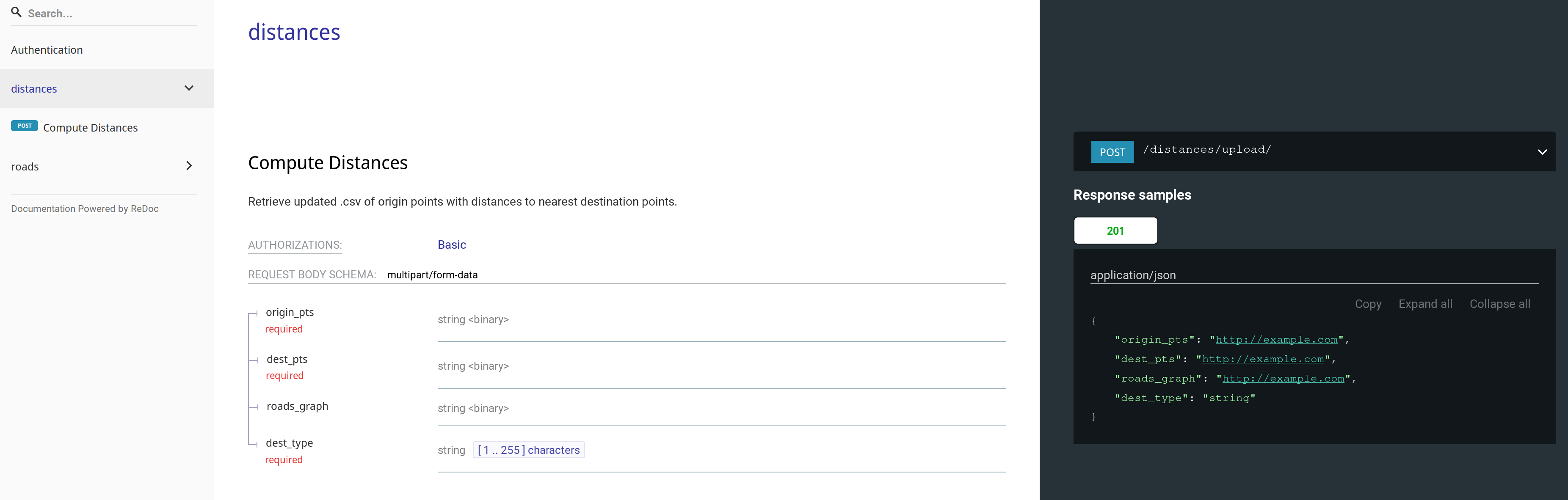
Endpoint: /distances/upload/
Computes straight-line (i.e. haversine) distances between two sets of geographical points (origin sites & destination sites), and will output an updated .csv of the origin sites. You must specify the type of destination site.
Example POST request:
curl --request POST \
  --url http://0.0.0.0:8000/distances/upload/ \
  --header 'content-type: multipart/form-data' \
  --form origin_pts=@/home/msradam/Projects/magicbox-geo-api/belize_pop.csv \
  --form dest_pts=@/home/msradam/Projects/magicbox-geo-api/belize_hs.csv \
  --form dest_type=healthsite
Computes routed distances via a specified country road network. The request schema includes an additional argument - the country's name - which queries local storage to determine if the road network for that country has been downloaded. Similarly returns an updated .csv of the origin sites .csv. with an additional column for routed distance.
Example POST request:
curl --request POST \
  --url http://0.0.0.0:8000/distances/upload/ \
  --header 'content-type: multipart/form-data' \
  --form origin_pts=@/<path_to_csv>/belize_pop.csv \
  --form dest_pts=@/<path_to_csv>/belize_hs.csv \
  --form dest_type=healthsite
  --form country_name=Belize
Endpoint: /roads/retrieve/
Obtains a NetworkX graph from OpenStreetMap via OSMNX and converts it to an iGraph object to perform computations on later:
Example POST Request:
curl --request POST \
  --url http://0.0.0.0:8000/distances/upload/ \
  --header 'Content-Type: application/json' \
  --data '{"country_name": "string",
          "network_type": "string",
          "filepath": "string"}'
Network type and filepath are optional - network type allows you specify the kind of roads that are download (default: all), filepath allows you to specify an absolute path in local storage for the graph to be stored.