Home
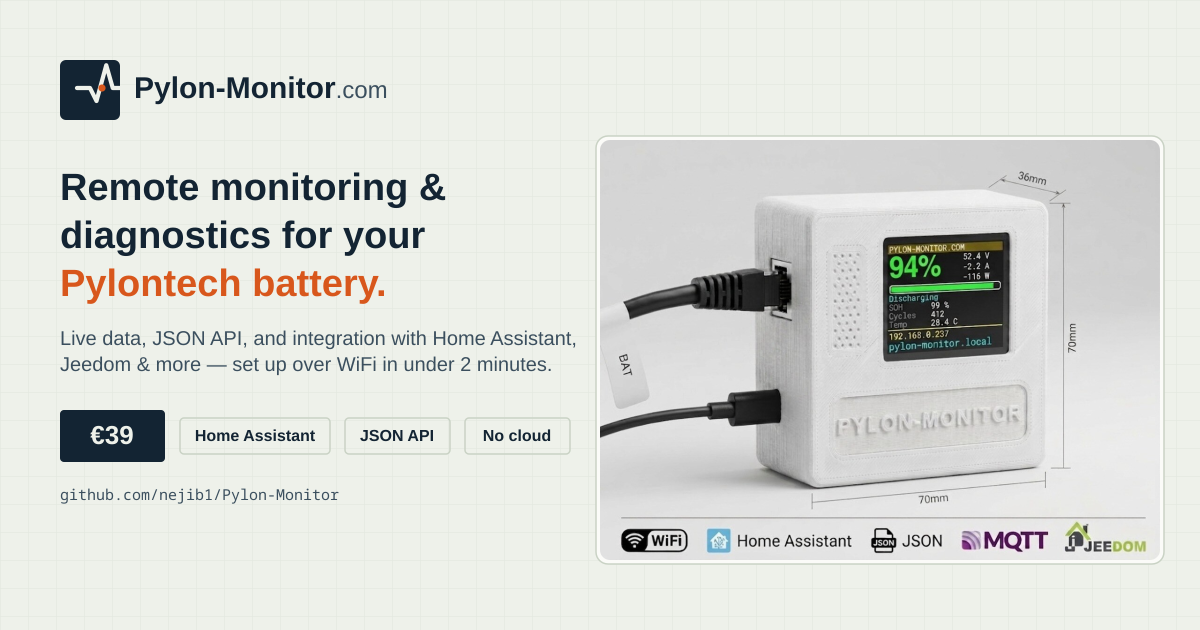
Welcome. This wiki hosts the in-depth Pylontech monitoring and diagnostics guides written by the team behind Pylon-Monitor — a small, standalone, plug & play device for remote monitoring and diagnostics of Pylontech battery storage: connect it to the battery's Console port, join its WiFi setup portal, and it's live in under 2 minutes, with a JSON API, native Home Assistant / MQTT integration, and a built-in web dashboard.
These same guides are also published on the official site in 6 languages (English, French, German, Spanish, Italian, Dutch) — this wiki carries the English versions. See the repository README for the SEO/documentation hub, or pylon-monitor.com for the product itself.
- Pylontech Monitoring: The Complete Guide — what Pylontech monitoring actually means, why the console-and-laptop routine falls short, and how wireless/remote monitoring works without a cloud account.
- Pylontech in Home Assistant: MQTT & REST Guide — MQTT auto-discovery vs. the REST platform, real topic names, the generated YAML, troubleshooting.
- Pylontech Diagnostics 101 — what SOC, SOH, cell imbalance, cycles and temperature actually mean, and what's normal vs. worth a closer look.
- Beyond Home Assistant: Jeedom, Node-RED, Domoticz & openHAB — connecting the same JSON API and MQTT topics to every smart-home platform besides Home Assistant.
This wiki is documentation and integration reference for the Pylon-Monitor device — not the firmware source code or hardware design, which aren't published here or anywhere else. Only the documented, stable, public interfaces (/api.json, MQTT topics, the web dashboard) are covered, which is everything an integration needs.
"Pylon-Monitor" and "Pylontech" are two different, unaffiliated entities: Pylontech is the battery manufacturer; Pylon-Monitor is an independent third-party monitoring accessory, not made or endorsed by Pylontech.