


An automated shulker duping addon for Meteor Client, designed to place shulkers in front of pistons and seamlessly store them in nearby chests when your inventory fills up.
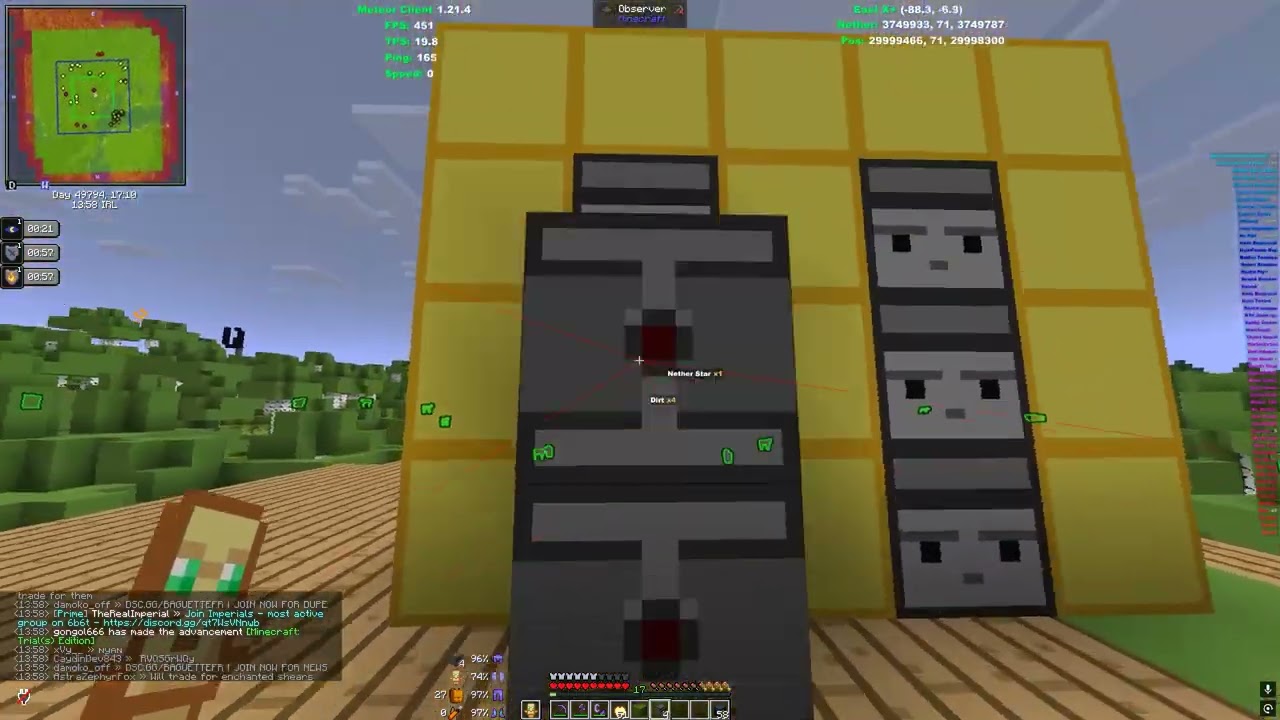
- Auto Piston Dupe: Automatically places shulkers from your hotbar or inventory in up to 6 configurable locations.
- Anti-Ghost Item: Advanced background synchronization that constantly refreshes your inventory so you never get stuck on invisible shulkers.
- Auto Storing (Dumping): When your inventory gets full, the addon automatically uses Baritone to walk to nearby chests and offload the shulkers, keeping a configurable amount to continue duping.
- Smart Chest Memory: Remembers which chests are full and skips them automatically.
- Flexible Area Modes: Define your chest storage using a simple Radius or by setting two corner points (TwoPoints mode) for precise storage rooms.
- Place-Only Mode: A toggle for users who just want to stand still and place shulkers at lightning speed without pathing to chests.
- Auto Chest Builder: Run at incredible speeds while perfectly placing a wall of double chests. Supports up to 7.8 blocks per second without dropping a single placement!
- Chest Wall Bot: A fully automated macro that perfectly builds a wall of double chests between two set points (
.chestbot pos1andpos2), working perfectly with Auto Chest Builder. - Reach Support: Fully configurable reach distance so you don't have to hug the chests to open them.
- Customizable Visuals: Renders your placement targets and chest storage area with customizable colors.
This module allows you to build massive walls of double chests incredibly fast simply by walking backwards or sideways.
- Width: How many chests wide the wall should be.
- Height: How many chests high the wall should be.
- Distance: How far away from you the chests will be placed.
- Blocks Per Tick (BPT) & Delay: Set BPT to
5and Delay to0for maximum vanilla-friendly speeds without getting kicked. - How to use: Simply turn it on, hold chests in your hotbar, and slowly walk along the line you want to build.
A fully automated macro that perfectly coordinates with Auto Chest Builder to build perfectly straight chest walls between two coordinates.
- Walk to the start of your desired wall and type
.chestbot pos1in chat. - Walk to the end of your desired wall and type
.chestbot pos2. - Stand roughly parallel to the wall, look in the general direction you want to walk, and turn on the module.
- The bot will automatically correct your yaw, hold the strafe keys, and perfectly walk the line while Auto Chest Builder does the rest!
You can download the ready-to-use mod file directly from the Releases page!
For beginners:
- Go to the Releases page and download
autopistondupe-3.1.8.jar. - Move the downloaded
.jarfile into your.minecraft/modsfolder. - Make sure you also have the following installed in your
modsfolder:- Meteor Client (Fabric 1.21.4 version): Download here
- Baritone (Fabric 1.21.4 version): Download here
- Fabric API (1.21.4 version)
- Launch the game and open the Meteor GUI (usually Right Shift).
- You will find the module under the PistonDupe category!
If you want to build the code yourself:
- Clone this repository.
- Run
.\gradlew build(Windows) or./gradlew build(Linux/Mac). - The compiled jar will be located in the
build/libs/folder.
Join our Discord server to get help, report bugs, and stay updated on new features! 💬 Join the Discord
- nevertheminder - Lead Developer & Creator
Feel free to open a Pull Request if you want to contribute to the project!