
Write Godot 4 scripts in TypeScript. You get autocomplete and type-checking for the whole Godot API, errors in your editor as you type, and clean .gd files that Godot runs as usual.
GDScript is great for getting things on screen, but its type system and tooling stay lightweight on purpose. As a project grows, TypeScript helps where GDScript doesn't:
- Errors before you run the game. A misspelled property, a wrong argument, a forgotten
nullcheck: the type checker flags it as you type. - The whole Godot API, typed. Accurate completions and docs for every class, method, property and signal, plus node paths and resource paths typed from your project.
- Safe refactoring. Rename a method or change a signature, and your editor updates every use.
You still write GDScript, just in TypeScript syntax: Godot's API (append, not push), Godot's semantics, and an error for any TypeScript feature GDScript can't express. Caveats lists them.
The output is ordinary GDScript you can read and ship. TypeScript is only how you write it, not something Godot runs.
- Type-safe Godot API — all 900+ engine classes generated as
.d.tsfrom the official Godot XML docs, with nullable reference types where appropriate - Live IDE diagnostics — TypeScript language service plugin surfaces converter and Godot CLI errors as squiggles, on unsaved buffers
- Watch mode — auto-convert on save and keep typings in sync (it watches your
.tscnscenes and assets too), then run a debounced full-project check (TypeScript + converter + Godot CLI) - Source maps — Godot script parse errors, runtime errors and stack traces map back to your TypeScript line/column
- Scene and path typings —
get_node(),get_parent(),get_child(),load(),preload()and group queries typed from your project files gdnamespace — strongly-typed helpers for GDScript-only constructs (signals,matchpatterns, getters/setters, operator overloading, raw GDScript)- Addons supported — typings for third-party GDScript addons, consumable from TypeScript
- GD → TS migration — one-shot bulk converter for existing projects
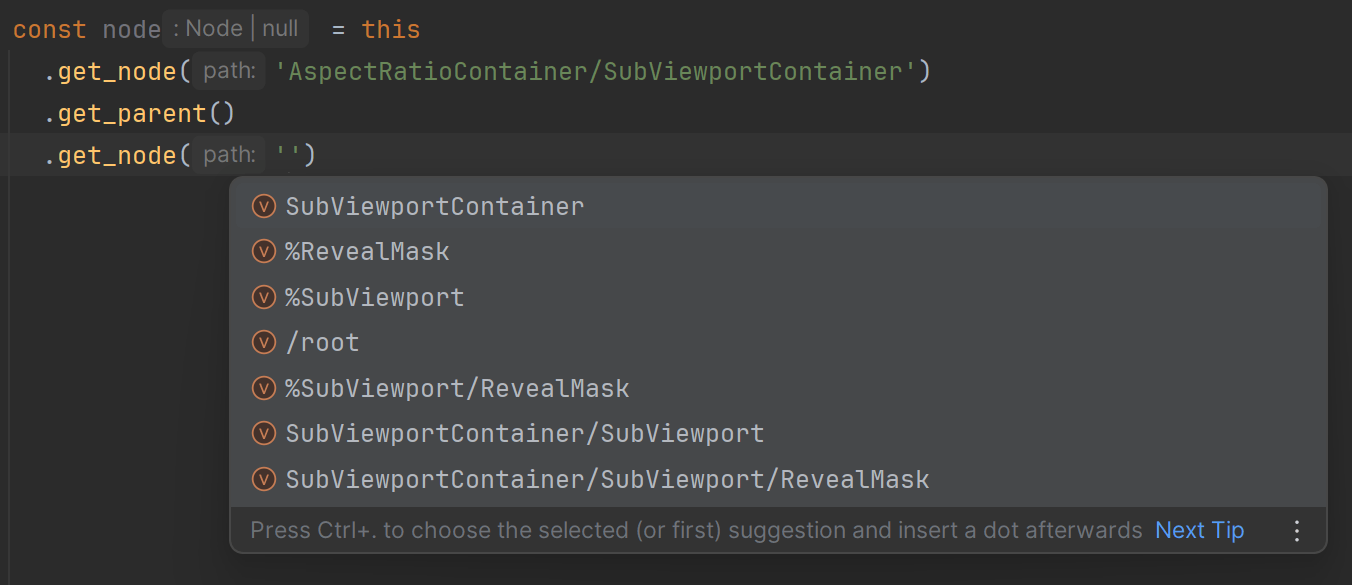
Scene and path type hints
Given this scene structure:
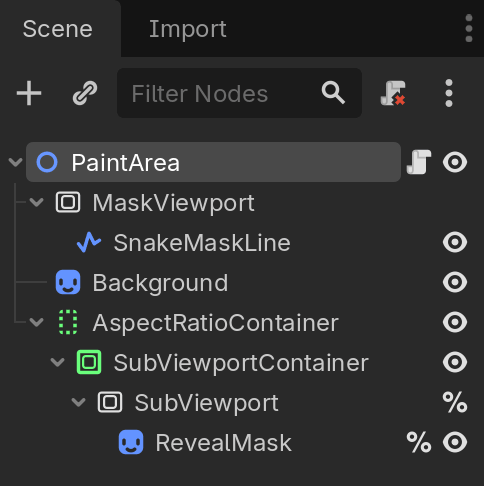
You get type hints for this:
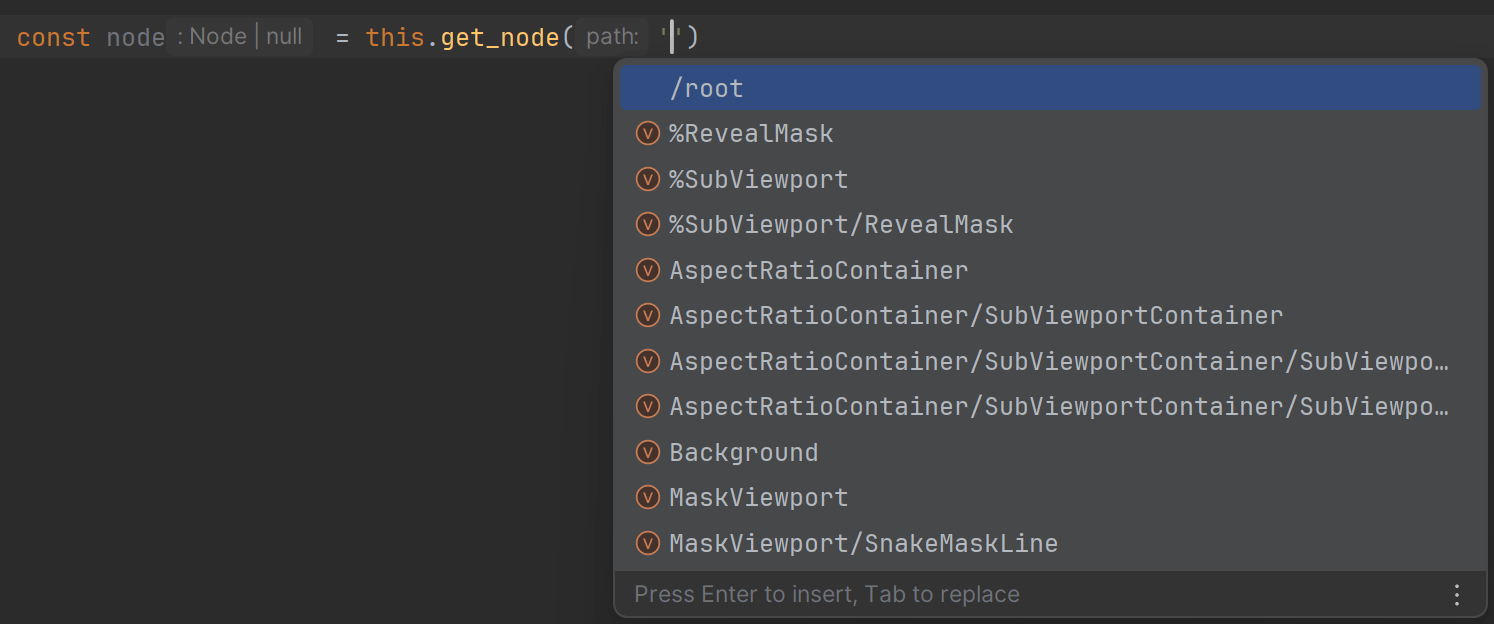
…or this:
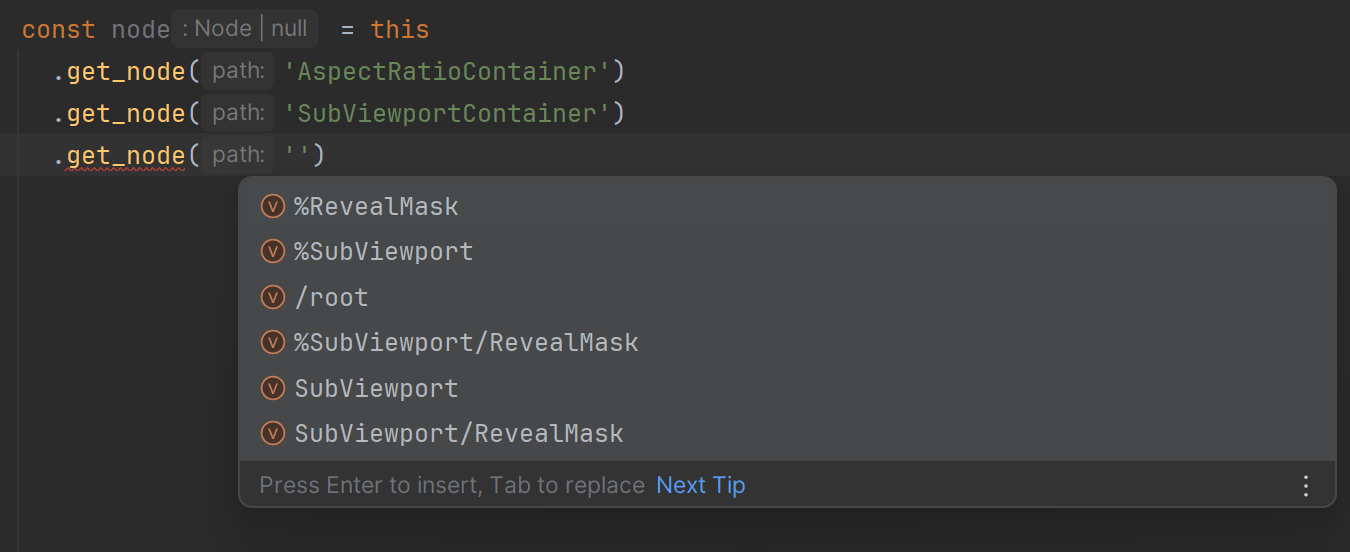
…or even this:
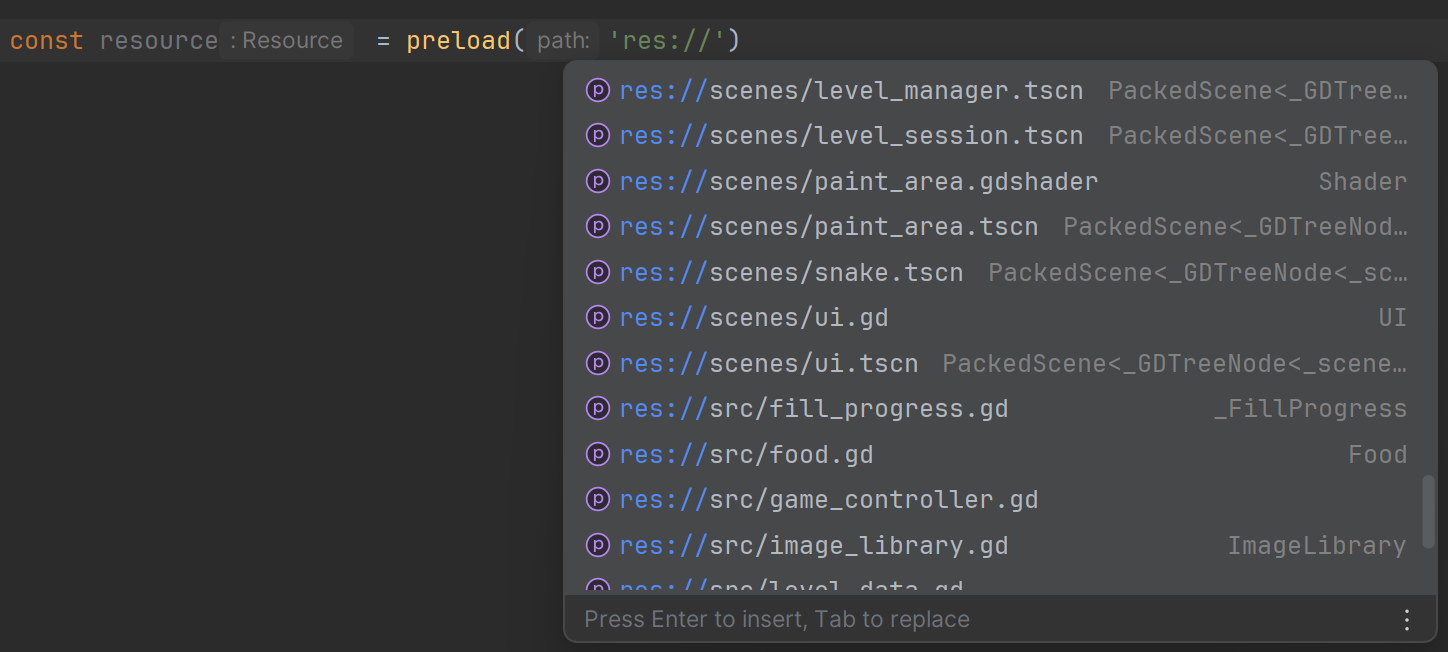
preload() is typed too:
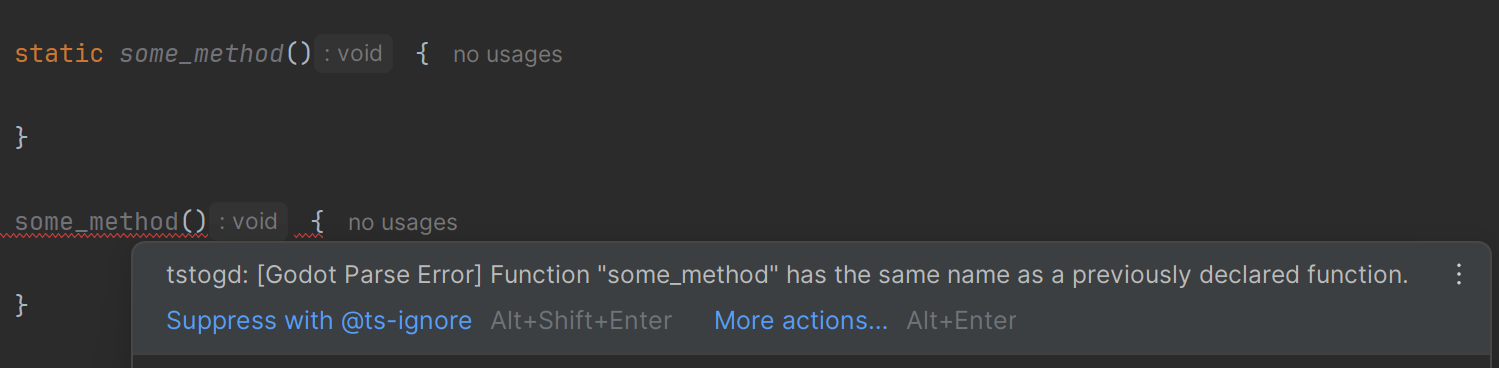
GDScript and converter errors in TypeScript code
GDScript doesn't allow a static and an instance member to share the same name — though TypeScript does. Your IDE surfaces the GDScript error at the exact spot in your .ts:
For edge cases — like using the result of && as a value — you get a converter error instead, because logical operations in GDScript always return a boolean:

You also get all of these errors (along with the TypeScript errors themselves) from the convert CLI command.
export class Player extends CharacterBody2D {
  health_changed = gd.signal<[health: int]>();

  @exports speed: float = 200.0;
  health: int = 100;

  _physics_process(delta: float) {
    let direction = Input.get_vector('ui_left', 'ui_right', 'ui_up', 'ui_down');
    this.velocity = gd.ops.mul(direction, this.speed);
    this.move_and_slide();
  }

  async take_damage(amount: int) {
    this.health -= amount;
    this.health_changed.emit(this.health);
    this.modulate = Color.RED;
    await this.get_tree().create_timer(0.2).timeout;
    this.modulate = Color.WHITE;
  }
}
class_name Player
extends CharacterBody2D
signal health_changed(health: int)
@export
var speed: float = 200.0
var health: int = 100
func _physics_process(delta: float):
var direction = Input.get_vector("ui_left", "ui_right", "ui_up", "ui_down")
self.velocity = (direction * self.speed)
self.move_and_slide()
func take_damage(amount: int):
self.health -= amount
self.health_changed.emit(self.health)
self.modulate = Color.RED
await self.get_tree().create_timer(0.2).timeout
self.modulate = Color.WHITETry more in the playground.
You need Node.js 22+ and Godot 4. In your Godot project folder:
npm install --save-dev typescript-to-gdscript
npx tstogd init
Then write .ts files in src/, run npx tstogd watch, and attach the generated .gd files from scripts/ in Godot. The Getting started guide walks through it step by step.
Basics: Getting started · How it works · Editor setup
Writing scripts: Scripts and classes · Variables and types · Functions and lambdas · Signals · Nodes and scenes · Exports and annotations · Coroutines · Math and value types · Arrays and dictionaries · Enums, constants and inner classes
Going further: Migrating from GDScript · Shared packages · Addons · Custom Godot builds · Escape hatches · Caveats · FAQ
Reference: Conversion rules · gd namespace · CLI · Configuration · Typings · IDE integration
Bug reports and ideas are welcome in GitHub issues, and pull requests too. To set up a development environment, see Development.
MIT