Update your statically generated site with github actions (more coming on the way).
⚠️ Version 5.0.0 and above - This version is compatible with Strapi v5 only. For Strapi v4, please use version 3.x.

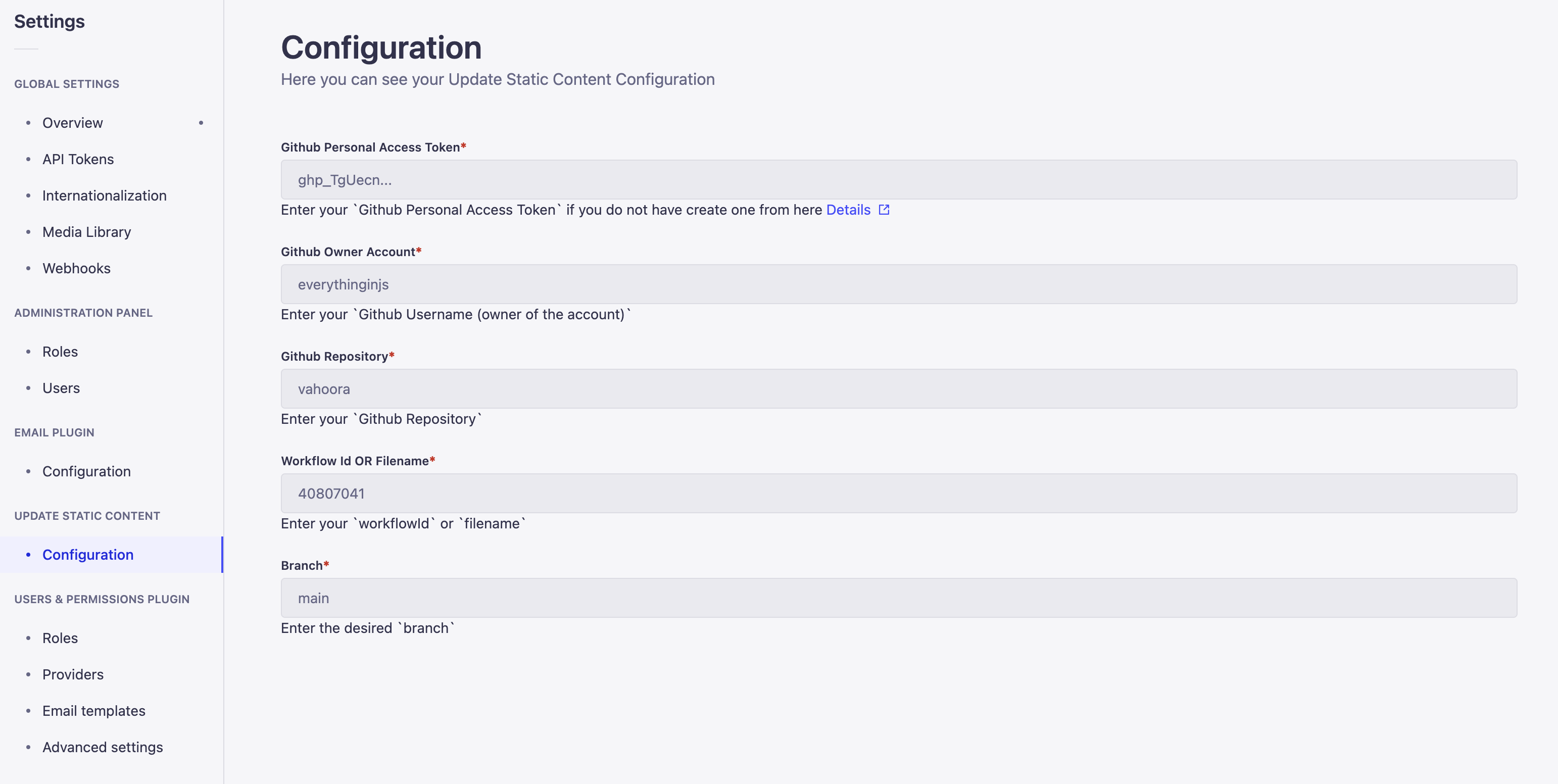
Plugin Settings
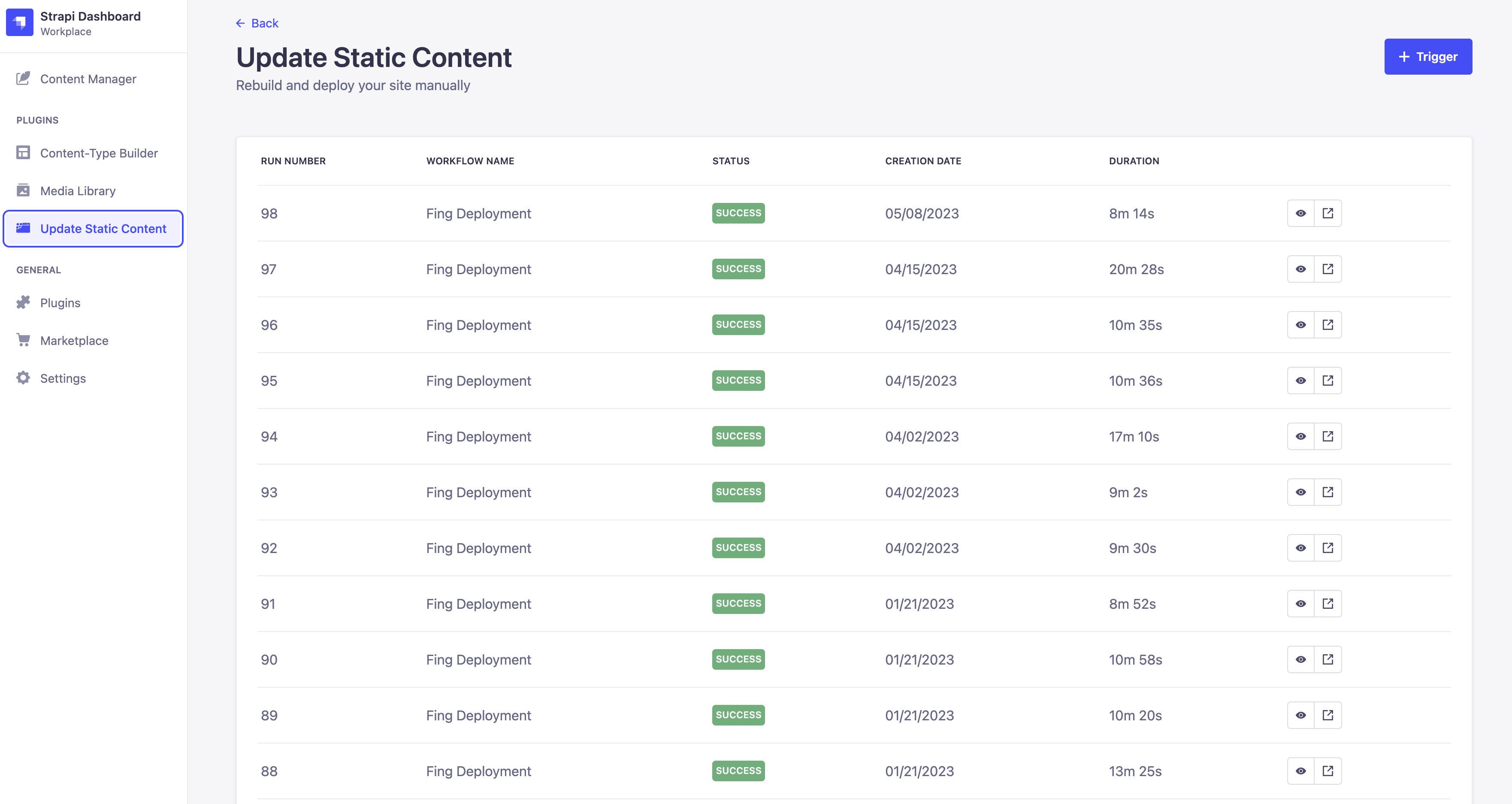
Plugin Page
- Secure Token Storage - GitHub tokens are encrypted using AES-256-GCM encryption
- Multiple Workflows - Configure and manage multiple GitHub Action workflows
- Edit Workflows - Modify workflow configurations without exposing sensitive tokens
- Workflow Descriptions - Add friendly names to workflows for easy identification
- Trigger Workflows - Manually trigger individual workflows or all workflows at once
- Workflow History - View workflow run history with pagination (20 runs per page)
- Download Logs - Download workflow run logs directly from the admin panel
- Permission System - Granular access control via Strapi's built-in permission system
- Easy Configuration - User-friendly UI for adding and managing workflow configurations
This package is hosted on GitHub Packages. Configure npm to use GitHub Packages for the @onesysadmin scope:
Create or update your .npmrc file in your project root:
@onesysadmin:registry=https://npm.pkg.github.com
Then install the plugin:
yarn add @onesysadmin/strapi-plugin-update-static-content
# OR
npm i @onesysadmin/strapi-plugin-update-static-content
Note: The package registry is publicly accessible and does not require authentication.
openssl rand -base64 32ENCRYPTION_KEY=your_generated_base64_key_hereAdd to config/plugins.js (or .ts):
module.exports = ({ env }) => ({
  'update-static-content': {
    enabled: true,
    config: {
      ENCRYPTION_KEY: env('ENCRYPTION_KEY'),
    },
  },
});
In version 5.x, workflow configurations are managed through the admin UI.
ENCRYPTION_KEYis the only required config parameter.
Create .github/workflows/deploy.yml in your site repository. The workflow must include workflow_dispatch as a trigger:
name: Deploy Static Site

on:
  push:
    branches: [main]
  workflow_dispatch: # Required for manual triggering from Strapi

jobs:
  deploy:
    runs-on: ubuntu-latest
    steps:
      - uses: actions/checkout@v4
      - uses: actions/setup-node@v4
        with:
          node-version: '18'
      - run: npm install
      - run: npm run build
      - name: Deploy
        env:
          DEPLOY_TOKEN: ${{ secrets.DEPLOY_TOKEN }}
run: echo "Deploying to production..."Create a PAT (classic) with repo scope at GitHub Settings → Developer settings → Personal access tokens.
- Navigate to Settings → Update Static Content
- Click "Add Workflow" and fill in the fields:
- Workflow Description: Friendly name (e.g., "Production Deploy")
- GitHub Personal Access Token: Your PAT from step 5
- GitHub Owner Account: Your GitHub username or org name
- GitHub Repository: Repository name (e.g.,
my-static-site) - Workflow Id OR Filename: Workflow filename (e.g.,
deploy.yml) or ID - Branch: Branch to trigger on (e.g.,
main)
- Click "Save"
- Navigate to Settings → Update Static Content
- Click the pencil icon next to the workflow
- Update fields as needed — leave the token field empty to keep the existing token
- Click "Save"
See docs/configuration.md for the full configuration reference and troubleshooting.
- Navigate to the Update Static Content plugin page
- Select a workflow from the dropdown
- Click "Trigger" and confirm
Click "Trigger All Workflows" to trigger all configured workflows simultaneously.
Each workflow shows recent run history (20 runs per page) with status, conclusion, timestamps, and commit info.
Click "Details" on any workflow run to download the complete logs as a ZIP file.
Configure at Settings → Administration Panel → Roles:
- Trigger — View plugin page, trigger workflows, view history and logs
- Settings — All Trigger capabilities + add/edit/delete workflow configurations
For programmatic integration, see docs/api.md.
GitHub tokens are encrypted with AES-256-GCM before storage — never stored or logged in plain text. See docs/api.md for details.
See CHANGELOG.md for a detailed history of changes.
- Cancel running workflows manually
- Support for workflow inputs/parameters
- Webhook support for automatic deployments
- Enhanced workflow status notifications
- Support for other CI/CD providers (GitLab, Bitbucket, etc.)
See docs/contributing.md for versioning policy, git workflow, and release process.