

This project started as a fork of https://github.com/rixvet/IntergasBoilerReader adapted to work with my Intergas Kombi Kompakt HRE 36/30 boiler, but it quickly grew up to a state where most of the code is new.
Features:
- Reads and displays in the console most of the known data available for the HRE boiler (state, extra state and runtime stats commands).
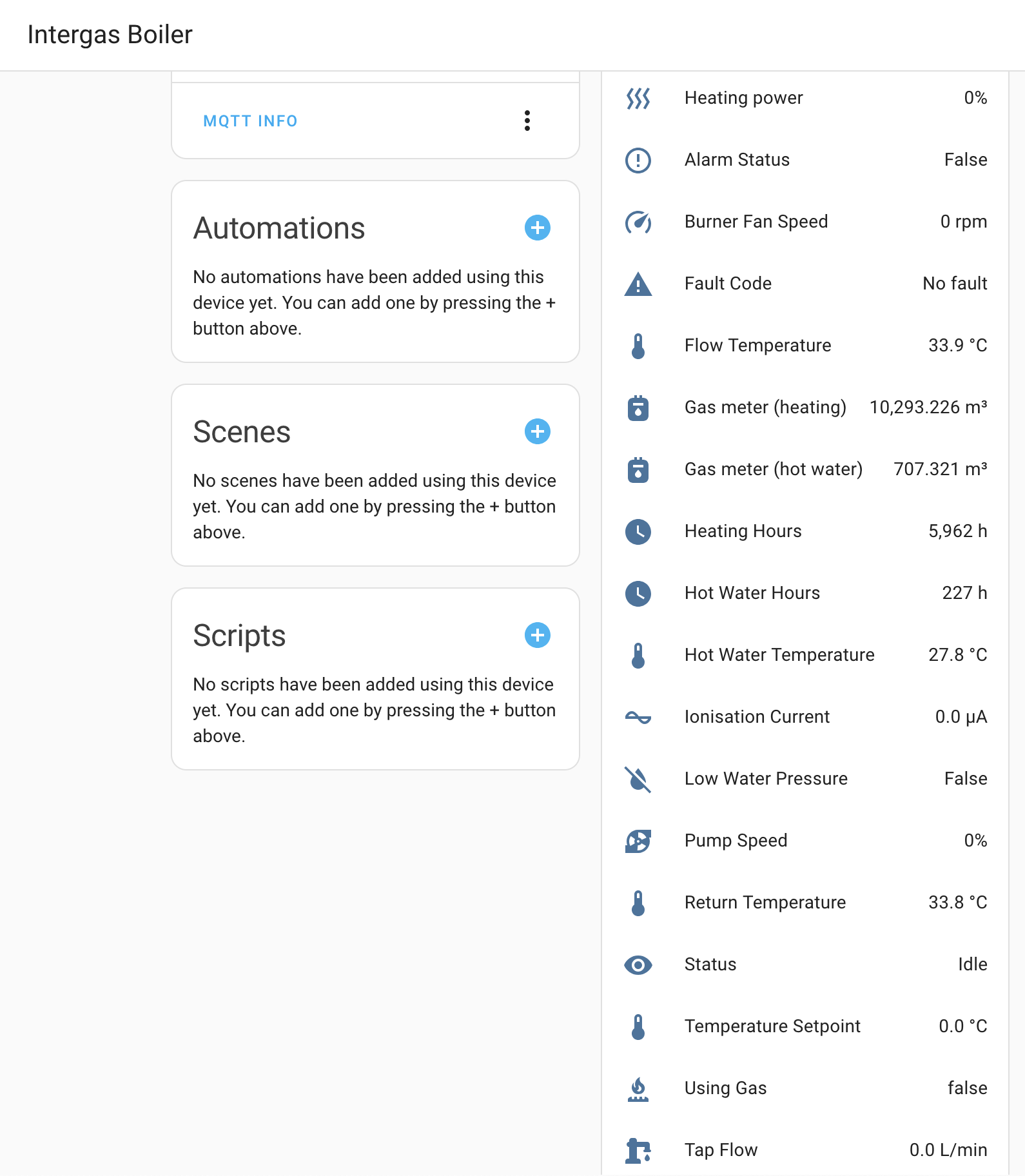
- The most relevant data is published to an MQTT broker as sensors bundled in a boiler device that is auto-discovered by Home Assistant.
- Much improved error handling, data logging and reconnection logic.
pip3 install pyserial paho-mqtt
Note: Requires Python 3.9 or later.
You'll need a FTDI USB to TTL serial device (e.g. I purchased this one) and wire it to the boiler's X5 connector (using an ATX 4 pin plug like this one) following this schema:
| FTDI TTL | X5 Interface |
|---|---|
| RX | Rx |
| TX | Tx |
| GND | Gnd |
With the VCC jumper set to 5v. Do NOT connect the VCC wire however or the boiler will trip.
I run this on a Raspberry Pi 2B permanently mounted near the Intergas boiler.
Edit the MQTT details, host, port and client ID in the python script, and preferably create a new dedicated user in HA for this. Then find out the associated serial port for the USB device and run it, e.g.:
python3 intergas_hre.py --mqtt-user <user> --mqtt-password <password> --port /dev/ttyUSB0
For 24x7 runnning and launching automatically after booting I created a new systemd service and rely on screen to handle persistent sessions that I can attach to if needed.
/etc/systemd/system/intergas-boiler.service
[Unit]
Description=Intergas HRE Boiler Monitoring
After=network.target

[Service]
User=pi
WorkingDirectory=/home/pi/IntergasHREBoilerReader
Type=simple
ExecStart=/usr/bin/screen -DmS boiler /usr/bin/python3 /home/pi/IntergasHREBoilerReader/intergas_hre.py --mqtt-user <user> --mqtt-password <password> --port /dev/ttyUSB0
ExecStop=/usr/bin/screen -S boiler -X quit
Restart=on-failure
RestartSec=10

[Install]
WantedBy=multi-user.target