


InfoSpark AI is a sophisticated Chrome extension that harnesses Chrome's built-in AI capabilities to provide context-aware writing assistance, intelligent text completion, and real-time streaming responses. Featuring a modular architecture with advanced session management, streaming communication, and draggable interface design, InfoSpark AI delivers a seamless, privacy-first writing experience that works entirely offline.
It’s quite interesting how this idea started, it actually grew out of my own job-hunting journey. As a native Chinese speaker studying in Ireland, I often found myself struggling when filling out online job applications, writing emails to recruiters, or networking with friends. My language skills alone weren’t always enough to handle every situation, and I didn’t have any handy tool to help me polish or optimize my writing.
That’s when I started thinking: what if there was a tool that could instantly refine poor text, automatically generate useful content, and even predict what I might want to say next? As a regular user of code agents, I realized that the Copilot-style interaction perfectly matched what I needed simple, smart, and intuitive for everyday users. I saw it as the ideal way to make text writing more efficient and accessible.
I was genuinely grateful to see Google’s open initiative. It feels like a real gift to the open-source community, timely, empowering, and inspiring!
BY THE WAY: If you have any job opportunities, feel free to reach out to me via email at [zxj000hugh@gmail.com]!
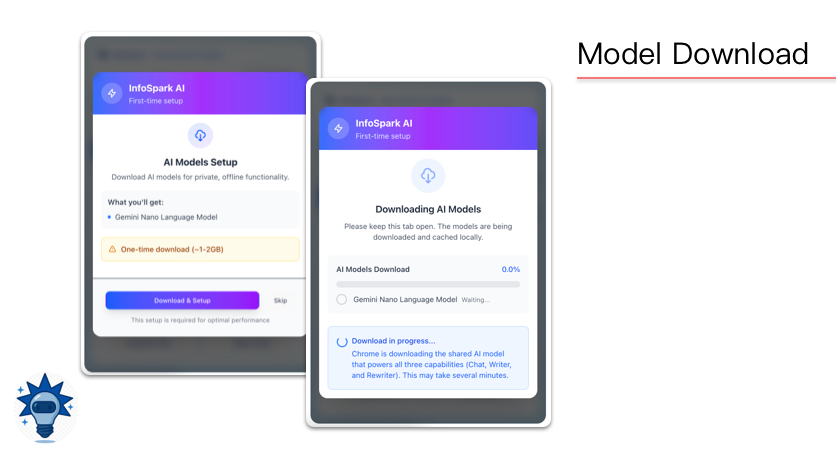
- Page Context Integration: AI understands current webpage content automatically
- Conversation Continuity: Maintains 8-round conversation history with smart memory
- Language Switching: Dynamic language preference with instant context updates
- Streaming Responses: Real-time message generation for natural conversations
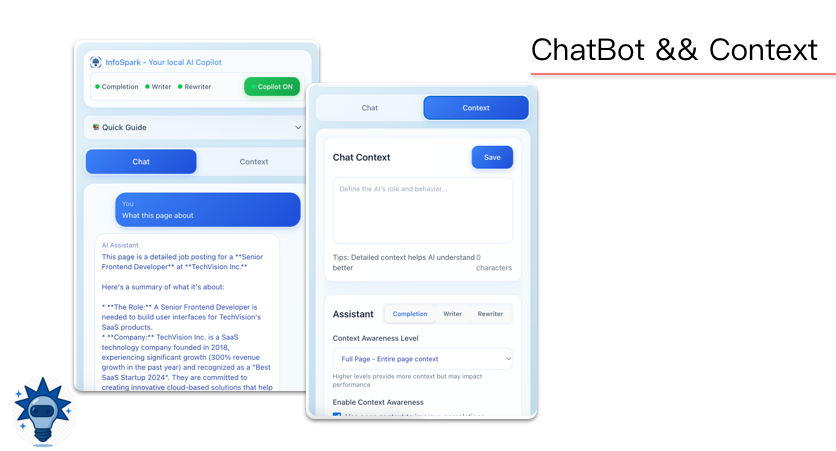
- Smart Context Detection: Three-level context awareness (none/paragraph/full-page)
- Real-time Streaming: Live text completion with AbortController interruption
- Draggable Panel: Fully customizable floating interface with position memory
- Intelligent Stopping: Smart sentence completion with word-count optimization
- Debounced Input: Efficient request handling with intelligent caching
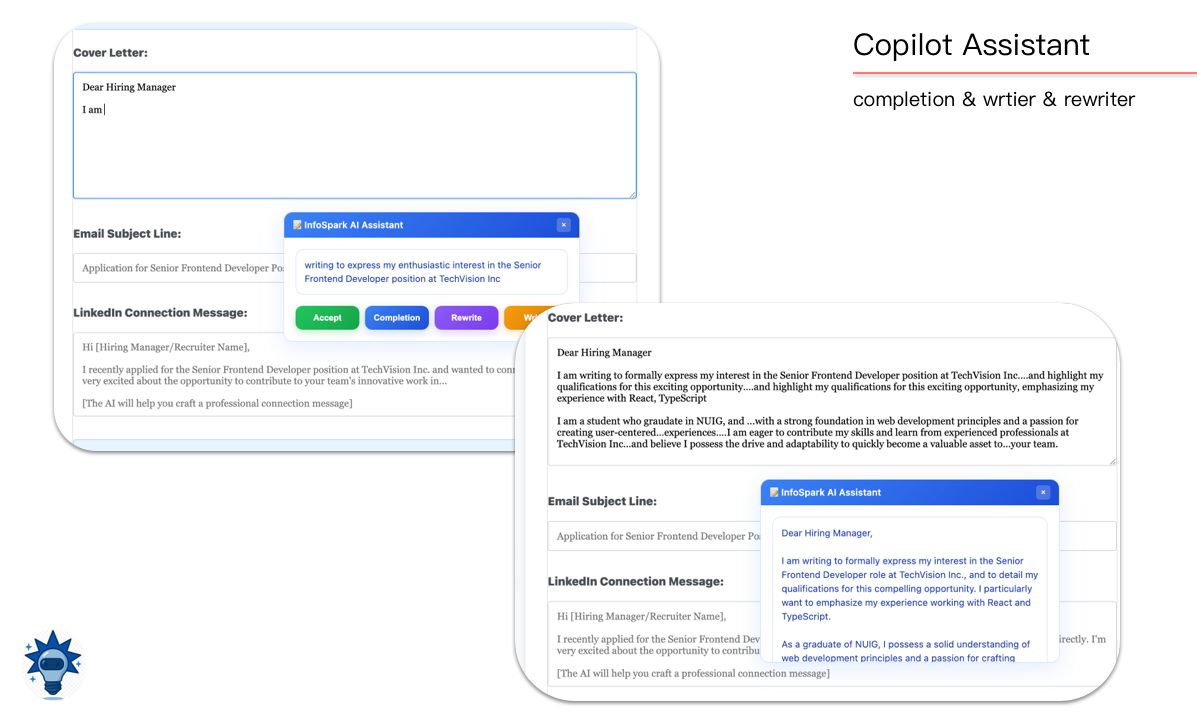
- Universal Input Support: Works in any text field across all websites
- Three AI Modes:
- Smart Completion: Context-aware sentence completion
- Creative Writer: Generate new content from prompts
- Intelligent Rewriter: Enhance existing text with style control
- Streaming Output: All responses stream in real-time for responsive UX
- Keyboard Integration: Press Tab to instantly accept completions
- Multi-level Context: Choose between no context, paragraph-level, or full-page context
- Advanced Configuration:
- Tone Control: Casual, formal, neutral, as-is
- Length Management: Short, medium, long, shorter, longer
- Format Options: Plain text, Markdown with intelligent conversion
- Context Length: Customizable context window (1000-3000 chars)
- Chrome Browser 138+ (Required for built-in AI)
- Device with AI model support capability
- Before you start using built, please check the chrome-ai-developer page, to ensure your device support the local AI model.
!! Notes: Since this extension has not yet been registered in the experimental model sources of Chrome's AI, you need to open the following three links in your browser:
- chrome://flags/#writer-api-for-gemini-nano
- chrome://flags/#rewriter-api-for-gemini-nano
- chrome://flags/#prompt-api-for-gemini-nano
Select Enabled for each of them. Then, click Relaunch or restart Chrome.
-
Clone the repository
git clone https://github.com/your-username/infospark-ai.git cd infospark/ -
Build the extension
npm install
npm run build
-
Load in Chrome
- Open
chrome://extensions/ - Enable "Developer mode"
- Click "Load unpacked"
- Select the
infospark/distfolder
- Open
- Activate Copilot: Click extension icon → Enable Copilot in sidebar
- Configure Context: Set AI behavior and context level in Context tab
- Start Writing: Type in any text field → AI suggestions appear automatically
- Chat Experience: Use Chat tab for conversational AI assistance
// Background Service Architecture
├── MessageHandler     // Unified message routing & error handling
├── StateManager      // Persistent Copilot state & tab management
├── SessionManager    // AI model lifecycle with intelligent cleanup
├── StreamHandler     // Real-time streaming with multi-stream support
└── AIAssistantBackground // Main orchestrator & Chrome API integration-
Chrome Messaging API: Command-based communication through
MessageHandler, Promise-based async patterns with unified error handling, Automatic message routing to appropriate handlers, Session lifecycle management (create, reset, status checks). -
Chrome Ports API: Persistent bidirectional connections for real-time operations,Multi-stream Management: Concurrent completion, writer, and rewriter streams, AbortController Integration: User-controlled stream interruption, Smart Resource Cleanup: Automatic connection cleanup on disconnection
-
Chrome Storage API: Intelligent state and context management, Context Caching: Page text snapshots with smart invalidation, Position Memory: Draggable panel position persistence, Configuration Sync: Real-time settings synchronization
- React 18: Modern component architecture with hooks
- Tailwind CSS: Utility-first responsive design
- Vite: Lightning-fast development and optimized builds
- Glass Morphism UI: Modern frosted glass design language
- Draggable Interface: Fully customizable floating panel with smooth animations
- Smart Event Handling: Debounced input with intelligent change detection
- Context Collection: Multi-level text extraction with metadata analysis
- Cache Management: Element-specific caching with time-based invalidation
- 100% Local Processing: All AI operations on-device, zero cloud dependency
- No Data Transmission: Never sends data to external servers
- Offline Functionality: Full feature set works without internet
- Encrypted Storage: Local configuration data protection
- Memory Management: Intelligent cleanup prevents data leaks
- Session Isolation: Each tab maintains separate context
- ✅ Complete Backend Refactor: Modular architecture with clean separation
- ✅ Advanced Streaming: Multi-stream support with AbortController
- ✅ Draggable Interface: Fully customizable floating panel
- ✅ Smart Context: Three-level context awareness system
- ✅ Intelligent Caching: Element-specific cache with invalidation
- ✅ Performance Optimization: Debounced operations and resource pooling
- ✅ Basic conversation functionality
- ✅ Simple text completion
- ✅ Text rewriting optimization
- ✅ Initial UI design
We welcome contributions! Please follow our development workflow:
# Clone the repository
git clone https://github.com/your-username/infospark-ai.git
cd infospark-ai/apply

# Install dependencies
npm install

# Start development server
npm run dev

# Build for production
npm run build- ESLint: Follow provided linting rules
- TypeScript: Use type annotations where beneficial
- Comments: Document complex logic and architecture decisions
- Testing: Add tests for new features
- Fork the repository
- Create feature branch (
git checkout -b feature/amazing-feature) - Commit changes (
git commit -m 'Add amazing feature') - Push to branch (
git push origin feature/amazing-feature) - Open Pull Request with detailed description
- AI Not Available: Ensure Chrome 138+ and AI feature enabled
- Panel Not Appearing: Check extension permissions and reload page
- Slow Responses: Verify local AI model is downloaded
- Context Issues: Clear cache and restart browser
This project is licensed under the MIT License - see the LICENSE file for details.
🚀 Empowering intelligent writing with local AI excellence!
Built with ❤️ for privacy-conscious creators