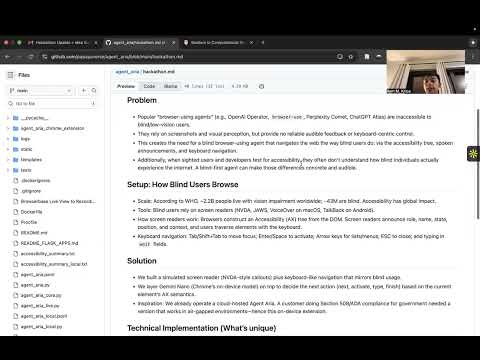
Agent Aria is a blind‑first, on‑device browser‑using agent designed to be usable and audible for everyone—especially blind and low‑vision users. Many popular agents navigate the web by screenshotting pages and reasoning visually; they rarely speak and they don’t honor the keyboard‑centric workflows that real screen reader users rely on. As a result, these tools are effectively inaccessible to blind users, and they also leave sighted developers without a concrete way to “hear” what their pages communicate through assistive technologies. Agent Aria addresses both: it navigates like a blind user and makes that experience audible and observable.
Hundreds of millions of people live with vision impairment worldwide, and tens of millions are blind. Blind users browse using screen readers such as NVDA, JAWS, VoiceOver (macOS), and TalkBack (Android). Rather than looking at pixels, screen readers traverse the browser’s Accessibility (AX) tree—a semantic representation of the page—announcing the role, name, state, and context of each element. Navigation happens via the keyboard: Tab and Shift+Tab to move focus, Enter/Space to activate, arrow keys in lists and menus, and typing into “edit” fields. This is a fundamentally different modality from visual inspection, and tools that don’t speak or respect this semantics miss how the web is actually experienced.
Agent Aria simulates a screen reader’s announcements and layers an on‑device decision model on top to choose the next action: move forward, activate, type, or finish. The content script derives NVDA‑style callouts from the page’s semantics—role (“button,” “link,” “edit”), name, heading levels, position in sets (“2 of 5”), and states such as unavailable, selected, checked, pressed, collapsed/expanded, required, read‑only, invalid, has popup, and busy. Each focus change speaks an announcement and highlights the current element on screen so sighted users can follow along.
Under the hood, the agent collects interactive candidates (links, buttons, inputs, textareas, selects, elements with ARIA roles or tabindex) and iterates through them in focus order—no screenshots, no visual perception. For speech, we use the Web Speech API when available and automatically fall back to the Chrome extension TTS API to ensure audio works even under autoplay restrictions. The service worker forms a concise prompt from the current NVDA‑style announcement and the user’s goal, and the on‑device model returns one of a small set of actions. Agent Aria then executes the action using keyboard‑like interactions in the page.
Most agents are vision‑first; Agent Aria is accessibility‑first. By grounding decisions in AX semantics rather than pixels, it mirrors real screen reader usage and avoids privacy concerns linked to screenshotting. The audible experience makes accessibility concrete for developers: you can literally hear what your page conveys. The system is built to work in air‑gapped environments, inspired by a customer performing Section 508 and ADA compliance work who needed a blind‑friendly agent without cloud dependencies. Speech and decision‑making run locally, which makes the agent practical in regulated or sensitive contexts.
Load the agent_aria_chrome_extension as an unpacked extension in Chrome (128+ with on‑device AI enabled), pin Agent Aria, and start a task from the popup. As the agent traverses, you’ll hear NVDA‑style announcements, see a high‑contrast highlight around the current element, and observe the agent taking keyboard‑like actions. If you prefer to watch first, the demo video above provides a short overview.
Agent Aria empowers blind and low‑vision users with an agent that actually speaks and navigates in their modality. It also gives designers and developers a practical way to evaluate what the AX tree and focus order communicate, bridging the gap between assistive technology and automated web agents. By centering accessibility and running on‑device, Agent Aria makes browser automation more inclusive, more private, and more aligned with how the web is experienced by millions of people every day.