


A modern, secure, and feature-rich banking portal built with Python and Streamlit, designed to empower users with comprehensive financial management capabilities.
- 💰 Real-time account summary and balance overview
- 📈 Interactive transaction visualizations
- ⚡ Quick-access shortcuts for common actions
- 🔄 Fund transfers between accounts
- 🔍 Filterable transaction history
- 📊 Advanced analytics and customizable reports
- 🧑 User profile customization
- 🔐 Security preference settings
- 📄 Downloadable account statements
- 👥 User management dashboard
- 📉 Transaction monitoring tools
- 📨 Contact form for customer support
- ❓ Comprehensive FAQs and user guides
| 🏠 Home Page | 🔐 Account Details |
|---|---|
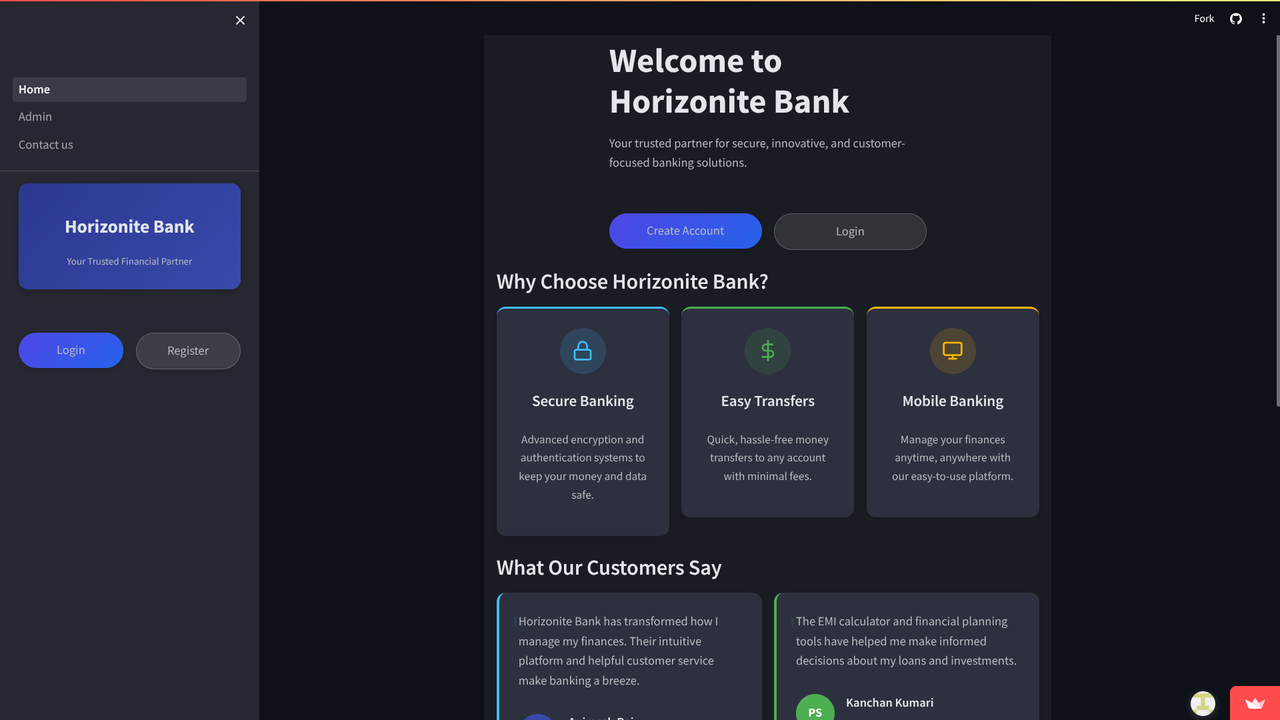 |
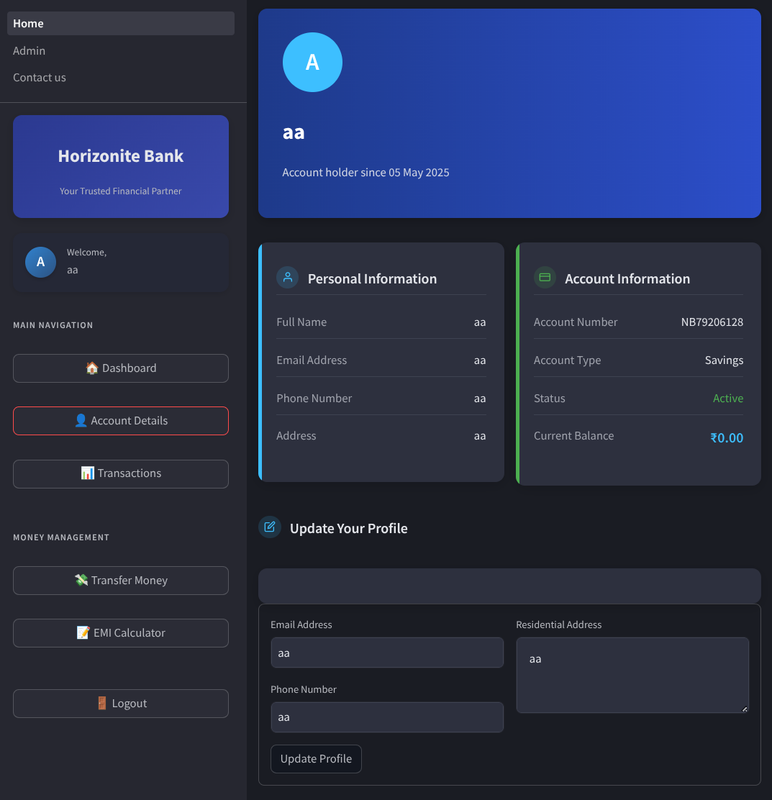 |
| 📊 User Dashboard | ⚙️ Admin Panel |
|---|---|
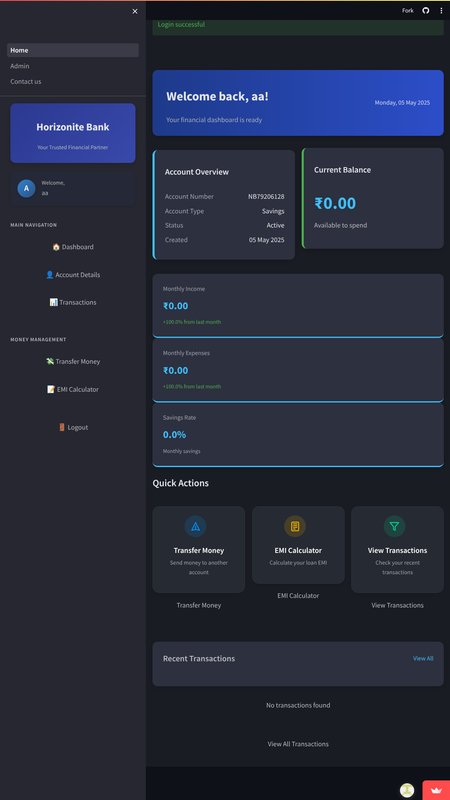 |
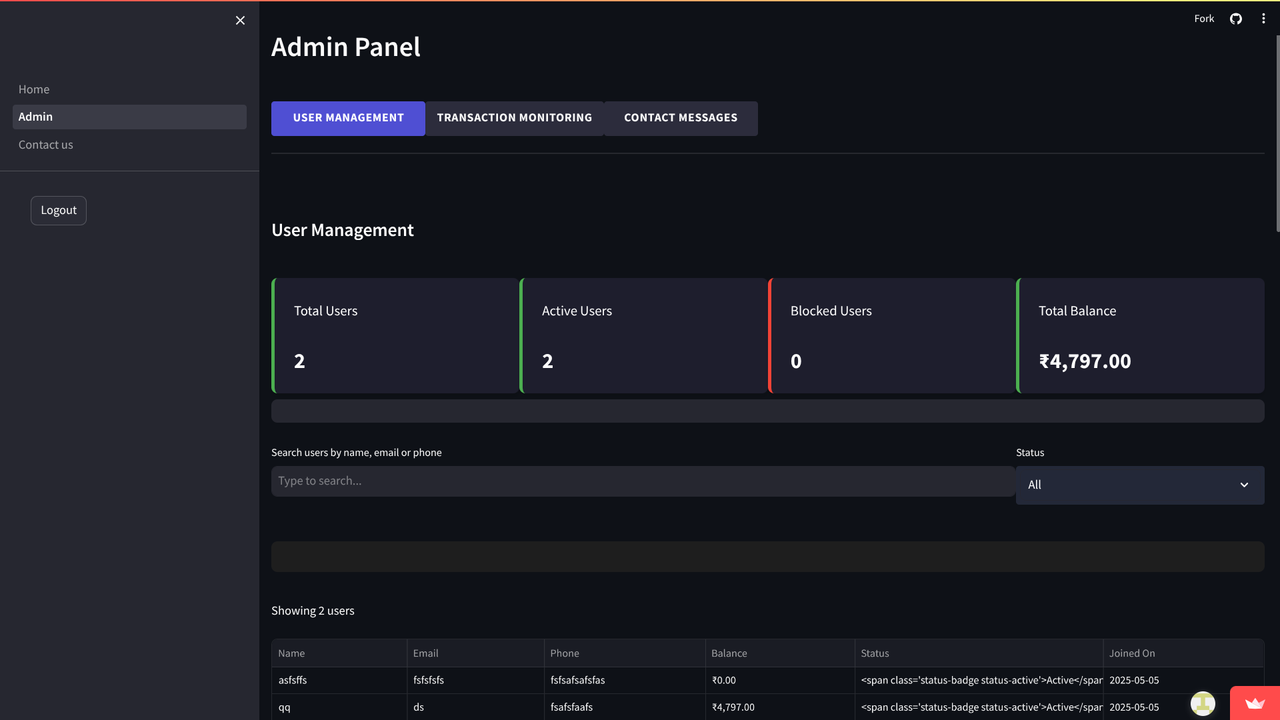 |
| 🧮 EMI Calculator | 📞 Contact Us |
|---|---|
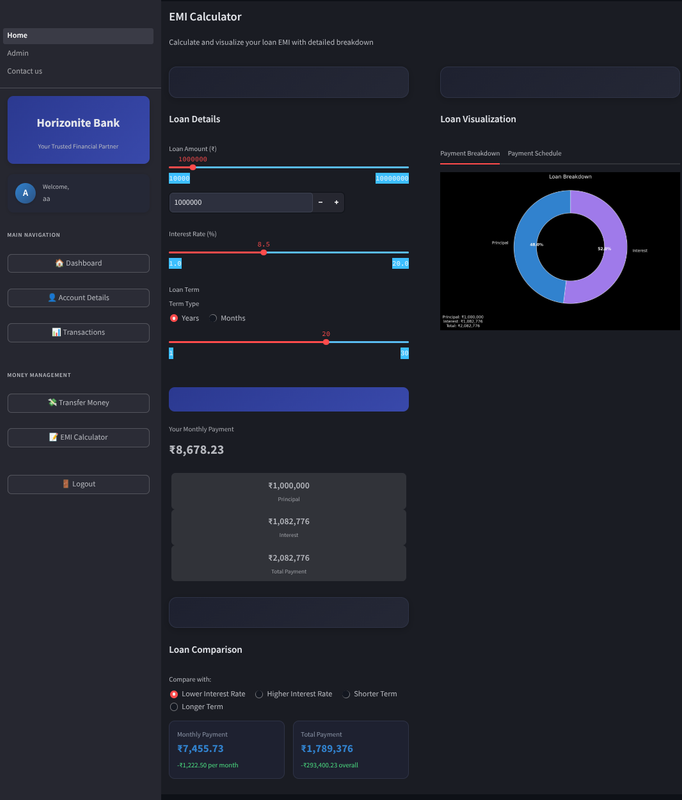 |
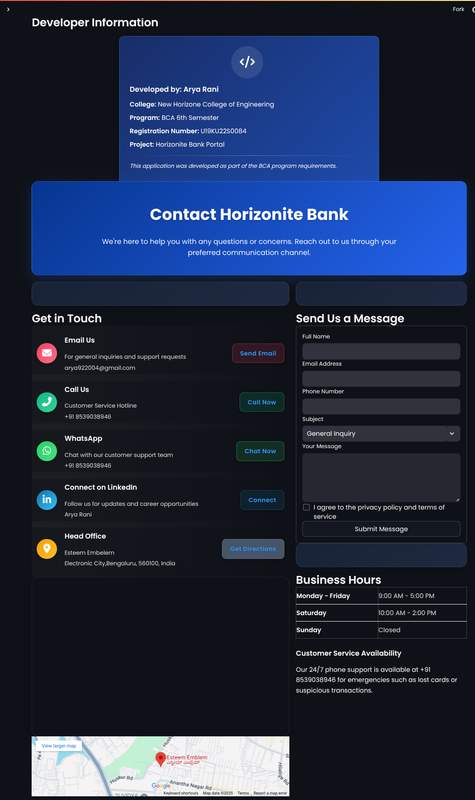 |
Get Horizonite Banking Portal up and running in just a few steps! Follow this guide to set up the project on your local machine. 🚀
Clone the Horizonite repository and navigate to the project directory:
git clone https://github.com/preetam-90/Horizonite-Bank.git
cd HorizoniteInstall the required Python packages using the provided requirements.txt:
pip install -r requirements.txtRun the Streamlit application to start the Horizonite Banking Portal:
streamlit run Home.pyThe following packages are essential for running Horizonite. Ensure you have these installed with the specified versions:
| Package | Version | Purpose |
|---|---|---|
| Streamlit | 1.30.0 | Web framework for the app |
| Pandas | 2.1.4 | Data manipulation and analysis |
| Matplotlib | 3.8.2 | Data visualization |
| Plotly | 5.18.0 | Interactive charts and graphs |
| PyOTP | 2.9.0 | Two-factor authentication (2FA) |
| Pillow | 10.2.0 | Image processing |
| UUID | 1.30 | Unique identifier generation |
Note: Ensure you have Python 3.11+ installed before setting up the project. You can download it from python.org.
The Horizonite Banking Portal is structured for modularity, scalability, and maintainability. Below is the project's file and folder organization, designed to keep code clean and accessible. 🌐
Horizonite/
├── Home.py                 # 🚀 Main application entry point
├── main.py                 # 🧠 Core business logic
├── assets/                 # 🎨 Static resources
│   ├── css/                # 💅 Custom CSS styles
│   └── images/             # 🖼️ Visual assets (logos, icons)
├── data/                   # 💾 Persistent storage
│   ├── users/              # 🔒 Encrypted user data (JSON)
│   ├── sessions/           # ⏰ Active session records
│   └── logs/               # 📜 System activity logs
├── pages/                  # 📑 Feature-specific modules
│   ├── Admin.py            # 🛠️ Admin dashboard
│   └── Contact_us.py       # 📞 Support portal
└── utils/                  # 🛠️ Helper utilities
    ├── auth.py             # 🔐 Authentication functions
    ├── db.py               # 🗄️ Data handling logic
    └── security.py         # 🛡️ Security protocols
Horizonite uses a lightweight and secure data storage system to manage user information, sessions, and logs efficiently. 📊
- User Data: 🔒 Stored as encrypted JSON files in
data/users/for secure user management. - Sessions: ⏲️ Time-stamped session records in
data/sessions/for robust session tracking. - Logs: 📋 Activity logs with timestamps in
data/logs/for system monitoring and debugging.
This project is proudly licensed under the MIT License. See the LICENSE file for full details. 🗳️
A big thank you to the tools and communities that made Horizonite possible! 🌟
- Streamlit: For its intuitive web framework. 🎨
- Plotly & Matplotlib: For powerful data visualization capabilities. 📈
- PyOTP: For secure two-factor authentication (2FA). 🔐
- Font Awesome: For sleek and modern icons. ✨
- Open Source Community: For inspiration and support. 🤗
Horizonite is crafted with modern technologies to ensure performance, security, and a delightful user experience. 🛠️
- 🐍 Python 3.11+: The backbone of the application.
- 🎨 Streamlit Framework: For rapid and responsive UI development.
- 🗃️ JSON File Storage: Lightweight and secure data persistence.
- 🔐 TOTP Authentication: Industry-standard two-factor authentication.
- 📱 Responsive Design: Seamless experience across devices.
We welcome contributions to make Horizonite even better! Follow these steps to get started: 🚀
- 🍴 Fork the Repository: Create your own copy of the project.
- 🌿 Create a Feature Branch:
git checkout -b feature/new-feature - 💾 Commit Your Changes:
git commit -am 'Add new feature' - 🚀 Push to Your Branch:
git push origin feature/new-feature - 📬 Submit a Pull Request: Share your changes with us!
Have questions or need support? Reach out to us! 💬
- 📧 Email: preetamkumar8873@example.com
- 💬 Live Chat: Available directly on the Horizonite App
We’re committed to making Horizonite the best it can be! Here are some planned enhancements: 🌟
- 🧪 Testing Section: Introduce unit testing guidelines and coverage reports.
- ⚙️ CI/CD Pipeline: Set up GitHub Actions for automated testing and deployment.
- 🗄️ Database: Transition to SQLite/PostgreSQL for production-grade scalability.
- 🔒 Security: Provide detailed encryption specifications for stored data.
- 📜 API Docs: Add Swagger/OpenAPI documentation for API endpoints.
- 🎥 Demo Video: Embed a walkthrough video for seamless onboarding.
- 📝 Changelog: Maintain a version history with release notes.
- 🌐 Browser Compatibility: Include a matrix of supported browsers.
Want to help? Let us know if you’d like to contribute to any of these improvements! Open an issue or reach out directly. 🙌