A GitHub Action that pushes content to devices using the Push to Display API. Use it in your CI/CD workflows to send deployment statuses, build results, alerts, or any structured content to physical display devices.
Turn any screen into a live display board — get Push to Display on iOS and Android.


- uses: pushtodisplay/action@v1
  with:
    api-key: ${{ secrets.PTD_API_KEY }}
    board-id: ${{ secrets.PTD_BOARD_ID }}
text: "Deploy completed ✓"| Input | Required | Description |
|---|---|---|
api-url |
No | Base URL of the Push to Display API (default: https://api.pushtodisplay.com) |
api-key |
Yes | API key for authentication (X-Api-Key header) |
board-id |
No | Signed board ID to push content to. If omitted, the user's default board is used. |
text |
No* | Simple text content to display (creates a single block) |
size |
No | Text size: small, medium, or large (applies to text only) |
weight |
No | Text weight: regular, semibold, or bold (applies to text only) |
color |
No | Text color in hex format #RRGGBB (applies to text only) |
blocks |
No* | JSON array of display blocks (see below) |
panel-id |
No | Panel ID (1–4) to target a specific panel |
full-panel |
No | Use full panel display mode (true/false, default false) |
density |
No | Line density: compact, standard, or spacious |
align-x |
No | Horizontal alignment: start, center, or end |
align-y |
No | Vertical alignment: start, center, or end |
background |
No | Background color in hex format (#RRGGBB) |
* Either text or blocks must be provided. If both are given, blocks takes precedence.
| Output | Description |
|---|---|
message-id |
The message ID returned by the API |
This action never fails the workflow. All errors — misconfigured inputs, invalid credentials, a missing board, or a Push to Display API outage — are reported as warning annotations on the step, and the step always succeeds. Requests are time-boxed (30s) so a hung connection cannot stall a workflow.
If your board is not updating, check the warning annotations on the run:
Push to Display API returned 404...— checkboard-id/api-keyPush to Display API returned 401/403...— invalid or revoked API keyPush to Display API returned 5xx...— temporary service issuePush to Display: ...(no API message) — misconfigured input
To report at the end of a job even when earlier steps fail, use if: always():
- name: Report status
  if: always()
  uses: pushtodisplay/action@v1
  with:
    api-key: ${{ secrets.PTD_API_KEY }}
    board-id: ${{ secrets.PTD_BOARD_ID }}
text: "Run ${{ github.run_number }} finished"- uses: pushtodisplay/action@v1
with:
api-key: ${{ secrets.PTD_API_KEY }}
board-id: ${{ secrets.PTD_BOARD_ID }}
text: "Build #${{ github.run_number }} passed"- uses: pushtodisplay/action@v1
with:
api-key: ${{ secrets.PTD_API_KEY }}
board-id: ${{ secrets.PTD_BOARD_ID }}
text: "Deploy OK"
size: "large"
weight: "bold"
color: "#00FF00"
background: "#0F172A"- uses: pushtodisplay/action@v1
with:
api-key: ${{ secrets.PTD_API_KEY }}
board-id: ${{ secrets.PTD_BOARD_ID }}
blocks: |
[
{ "text": "Deploy completed", "size": "large", "weight": "bold", "color": "#E8FFF6" },
{ "text": "Environment: production", "color": "#94A3B8" },
{ "text": "Commit: ${{ github.sha }}", "size": "small" }
]
background: "#0F172A"
density: "standard"
align-x: "center"
align-y: "center"- uses: pushtodisplay/action@v1
with:
api-key: ${{ secrets.PTD_API_KEY }}
board-id: ${{ secrets.PTD_BOARD_ID }}
text: "Queue: 12 | Errors: 0"
panel-id: "2"- uses: pushtodisplay/action@v1
id: push
with:
api-key: ${{ secrets.PTD_API_KEY }}
board-id: ${{ secrets.PTD_BOARD_ID }}
text: "Deployment started"
- run: echo "Message ID is ${{ steps.push.outputs.message-id }}"Each block in the blocks array supports these fields:
| Field | Required | Description |
|---|---|---|
text |
Yes | The text content to display |
size |
No | small, medium, or large |
weight |
No | regular, semibold, or bold |
color |
No | Text color (#RRGGBB) |
background |
No | Block background color (#RRGGBB) |
This action uses API keys for authentication. API keys are issued from the Push to Display admin portal and should be stored as GitHub secrets.
- Open the Push to Display admin portal
- Navigate to API Keys and tap Issue API Key
- Copy the API key and add it as a repository secret (e.g.,
PTD_API_KEY)
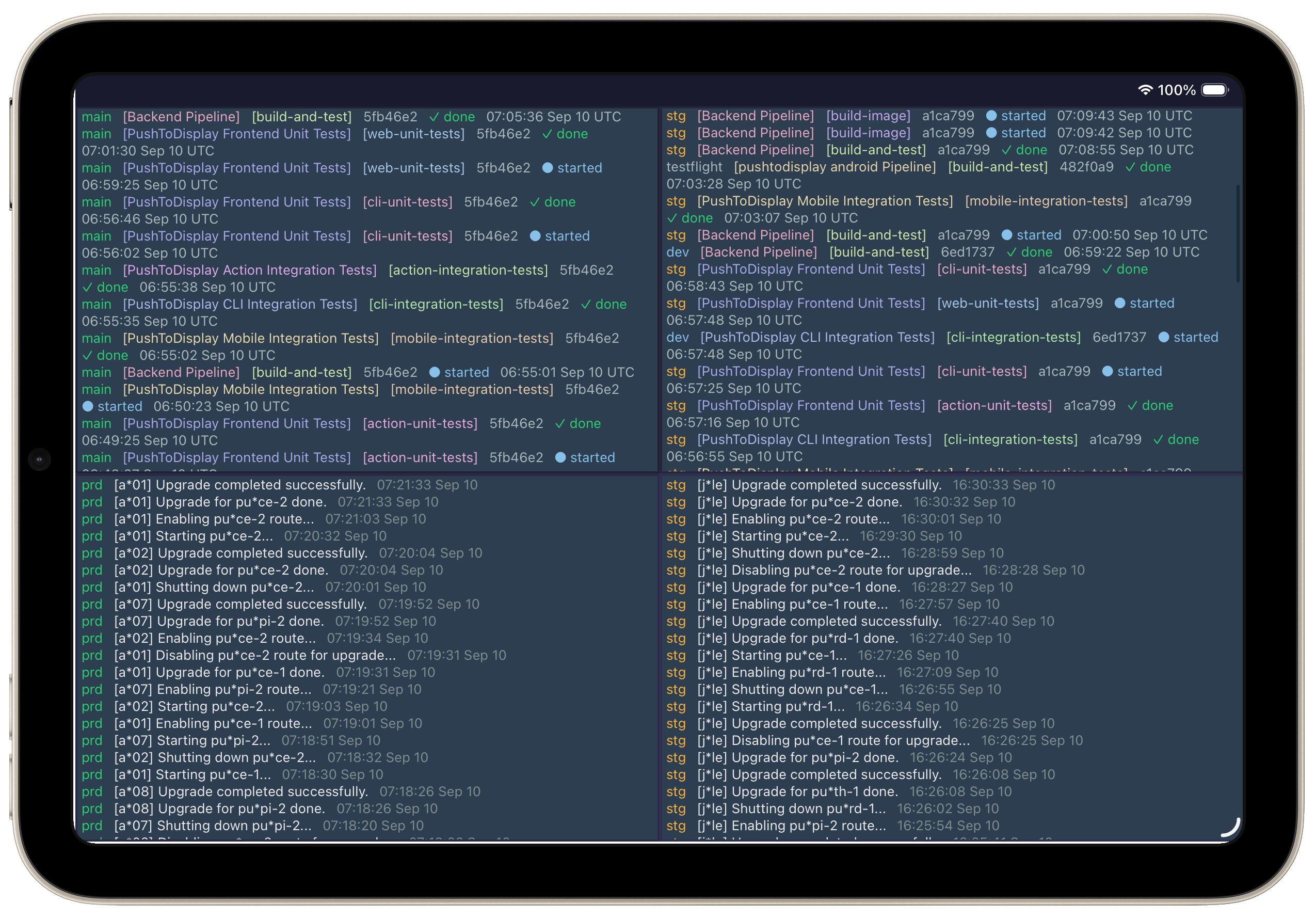
4-panel layout — multi-repo CI/CD status and deployment logs at a glance
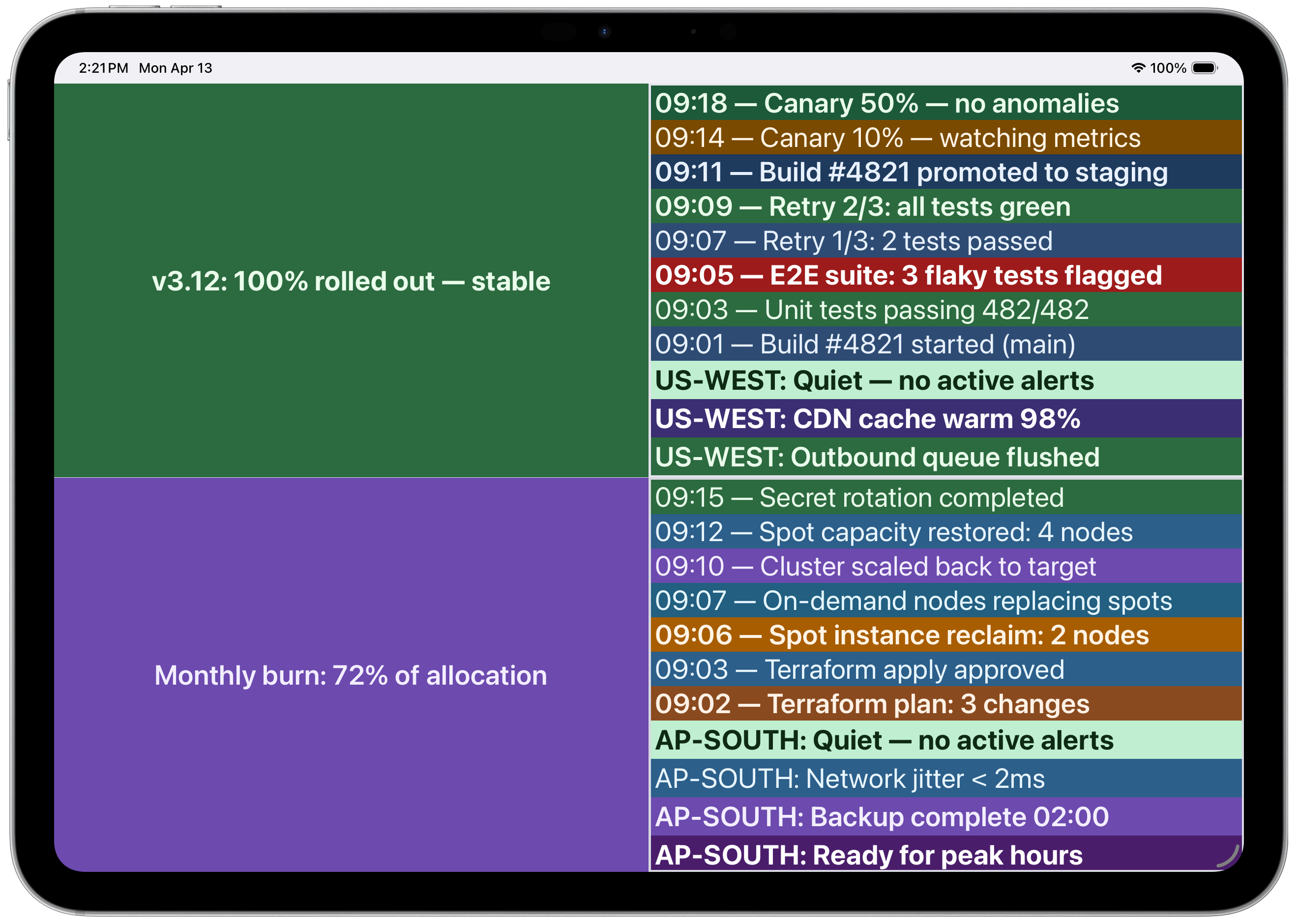 Multi-panel with CI/CD pipeline and infrastructure logs
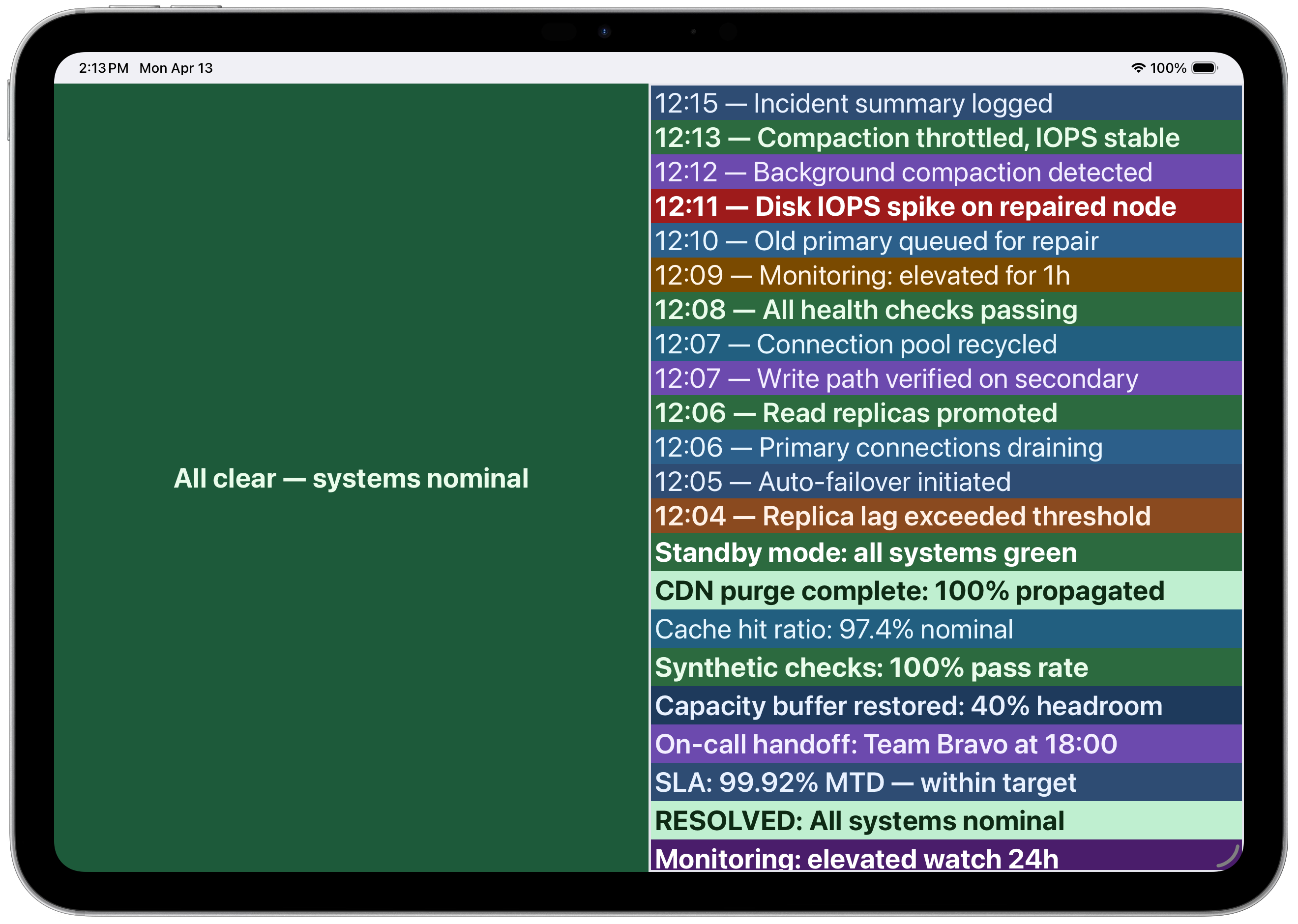 Incident timeline with color-coded severity
pushtodisplay/actions-dashboard— report each job's own GitHub Actions status to your board: one report step, any position, no GitHub API or token.
# Install dependencies
npm install

# Run tests
npm test

# Type check
npm run typecheck

# Build the action
npm run build