Live GitHub Actions job status on your Push to Display board, reported from inside each job — one step, any position, own job only.
No GitHub API. No GITHUB_TOKEN. No rate limits. No permissions. Runs as a node20 action (the runner's bundled Node — no system Node required) and shares the Push to Display API with pushtodisplay/action, the general-purpose push action.
Turn any screen into a live display board — get Push to Display on iOS and Android.


Add one report step to a job. The status is derived from the calling workflow's steps context (${{ toJSON(steps) }}) — computed by GitHub itself, exact by construction:
| what the report sees | status |
|---|---|
| nothing has run yet (first step) | ● started |
| steps ran, all succeeded (or skipped) | ✓ done |
steps ran, all succeeded, progress: "true" set |
● in progress |
| any step failed | ✗ failed · <step ids> |
| no failures, any step cancelled | ✗ cancelled · <step ids> |
Failures and cancellations always win over progress. Missing/unparsable steps-json warns and pushes metadata only (fail-soft, exit 0).
The steps context contains only steps that declare an id: and have already run — so a report step can never see steps after it, and the runner exposes no total step count. That is why a report placed mid-job must set progress: "true"; otherwise it looks exactly like a final report. The reporter's own steps, the runner's machinery (Set up job, Post …, Complete job) and service-container steps (keyed by a runner-generated UUID) are never counted.
env:
  PUSH_TO_DISPLAY_API_KEY: ${{ secrets.PUSH_TO_DISPLAY_API_KEY }}
  PUSH_TO_DISPLAY_BOARD: ${{ vars.PUSH_TO_DISPLAY_BOARD }}

jobs:
  build-and-test:
    runs-on: ubuntu-latest
    steps:
      - name: Report to display
        uses: pushtodisplay/actions-dashboard@v1
        with:
          steps-json: ${{ toJSON(steps) }}
      - run: dotnet build
      - run: dotnet test
      - name: Report to display (end)
        if: always()
        uses: pushtodisplay/actions-dashboard@v1
        with:
          steps-json: ${{ toJSON(steps) }}
First step = ● started; last step with if: always() = ✓ done / ✗ failed. Same config both times — no phase, nothing to learn. If you also report mid-job, add progress: "true" to that step only.
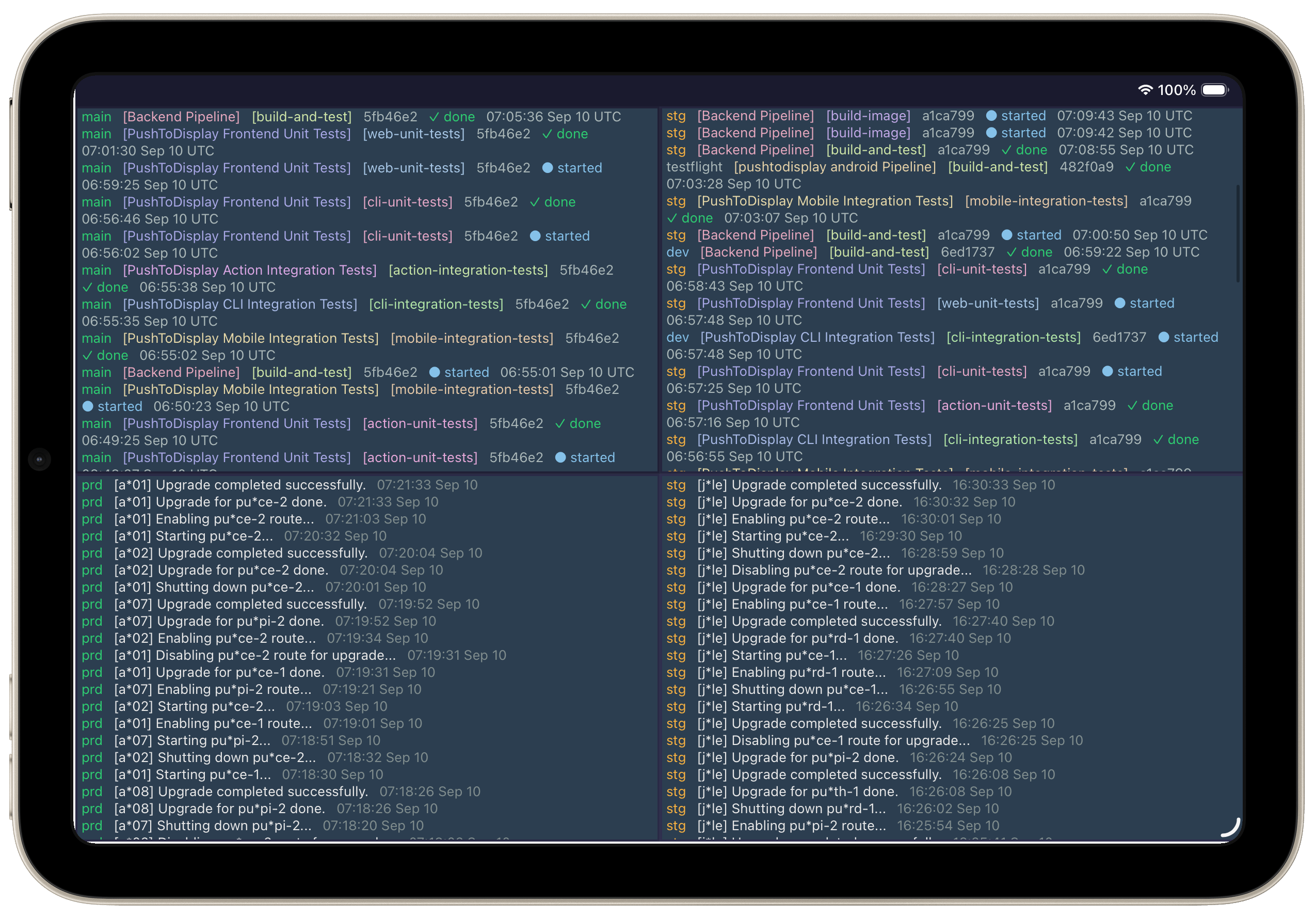
dev [Backend Pipeline] [detect-changes] 68454e8 ✓ done 09:17:53 Sep 09 UTC
On failure, the failed step ids are named in the status line:
dev [Backend Pipeline] [build-and-test] 68454e8 ✗ failed · build, test 09:17:53 Sep 09 UTC
- Six blocks, all small: branch name,
[workflow],[job], commit hash, status, timestamp. - The timestamp uses the
sendnotificationformat (HH:MM:SS Mon DD) and is always UTC, regardless of the runner's timezone. - The branch name is colored by environment, following the
sendnotificationconvention:main→#2ecc71green,stg→#f5b041amber,dev→#85c1e9blue, anything else →#aab7b8gray (values lightened where needed to stay legible). - Workflow and job names get a deterministic color: FNV-1a hash of the lowercased name → hue, with fixed saturation/lightness. The same name always gets the same color, on any machine — that's how you spot the same workflow or job across panels. 360 possible hues, so two names rarely collide exactly, but nearby hues look similar.
- Every color is verified ≥ 4.5:1 WCAG contrast against the
#2c3e50background (worst possible hash hue: 4.92:1). A unit test sweeps all 360 hues, so no future palette tweak can silently break legibility. - Status colors: done
#2ecc71, failed#f1948a, cancelled#f5b041, started/in progress#85c1e9; the commit hash is#aab7b8.
panel-id (explicit) → else panel 1 (default), on any branch.
Each push overwrites the same panel — the board keeps only the latest message.
| Input | Default | Notes |
|---|---|---|
steps-json |
— | ${{ toJSON(steps) }} — required for a status; without it only run metadata is pushed (warning logged) |
progress |
— | "true" on report steps placed mid-job → ● in progress |
api-key |
PUSH_TO_DISPLAY_API_KEY |
|
api-url |
https://api.pushtodisplay.com |
override for self-hosted |
board-id |
PUSH_TO_DISPLAY_BOARD |
defaults to the account board |
panel-id |
1 |
explicit panel ID (1-4) |
label |
workflow name |
The action never fails a workflow. Missing key, bad key, board API down, timeouts — all become a ::warning:: line and a clean exit 0. Requests are time-boxed (30s), no retries.
4-panel layout — multi-repo CI/CD status and deployment logs at a glance
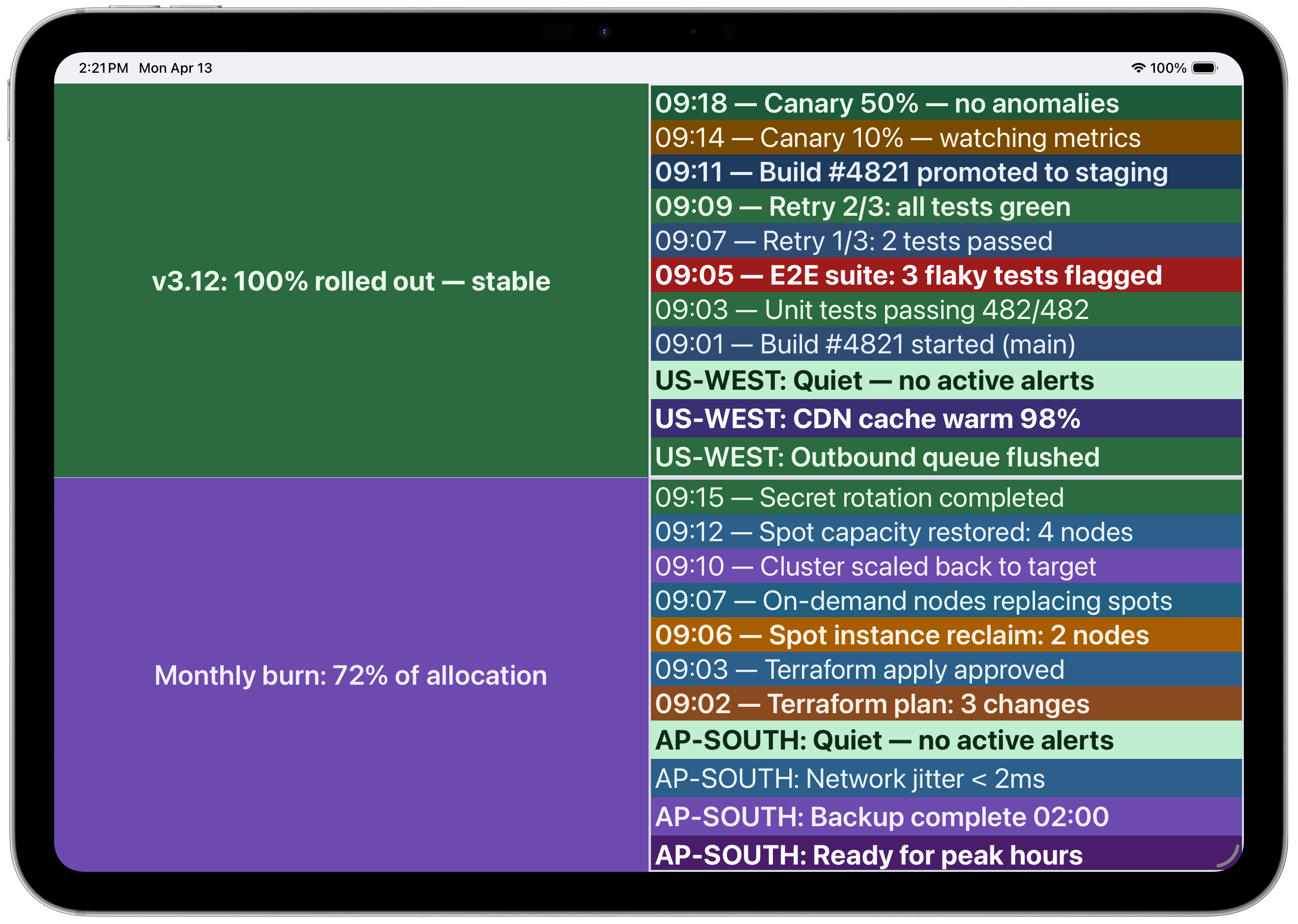 Multi-panel with CI/CD pipeline and infrastructure logs
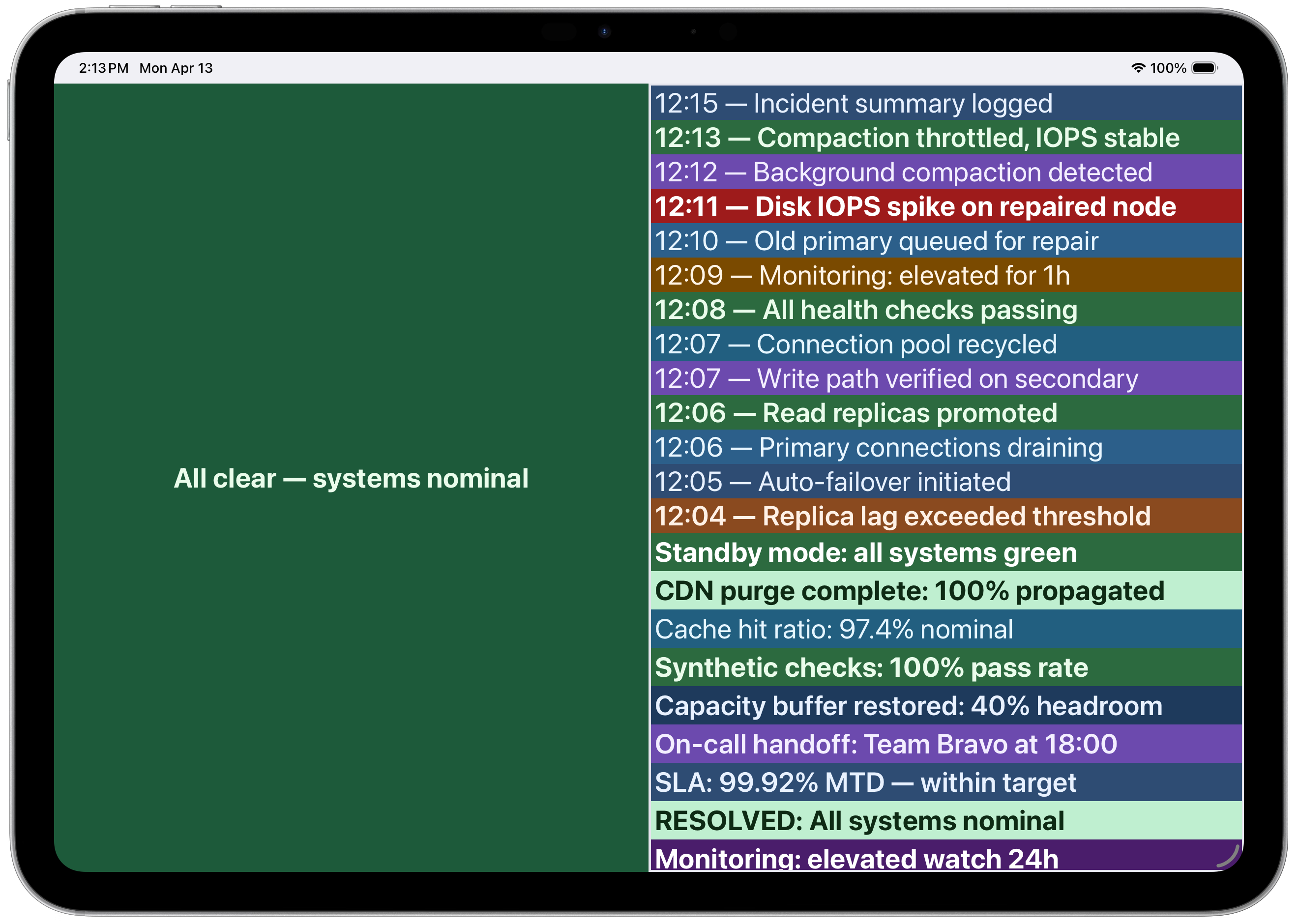 Incident timeline with color-coded severity
pushtodisplay/action— push arbitrary text or blocks to your board from any workflow step.