



Beautiful screenshot beautifier for macOS, Windows, and Linux.
- ✨ Adjustable Notification Duration — Control how long save/copy notifications stay on screen
- 🎨 8 New Background Presets — Forest Breeze, Deep Space, Golden Hour, Chrome, Electric, Warm Stone, Rose Velvet, Slate
- ⚖️ Auto-Balance Padding — Smart content-aware padding that adjusts based on your content
- 🔍 Hover-to-Enlarge Thumbnail — Floating thumbnail zooms in when you hover over it
- 📐 Region Resize & Reposition — Drag to move, use handles to resize, Enter to confirm
- 🐧 Linux X Button Fix — Close button now works correctly on all Linux environments
- 📜 Scrolling Screenshot — Capture entire scrollable pages with automatic stitching
- 🌍 Floating Translation — Translated text appears in a convenient floating popup
- 🗣️ Language Selector — Choose your preferred UI language from 19 options
- 🌐 Complete Localization — All UI elements fully translated across supported languages
- 📸 Screenshot capture (full screen, region, window)
- 📜 Scrolling screenshot (auto-stitching)
- 🌐 Screen translation
- 🎥 GIF screen recording
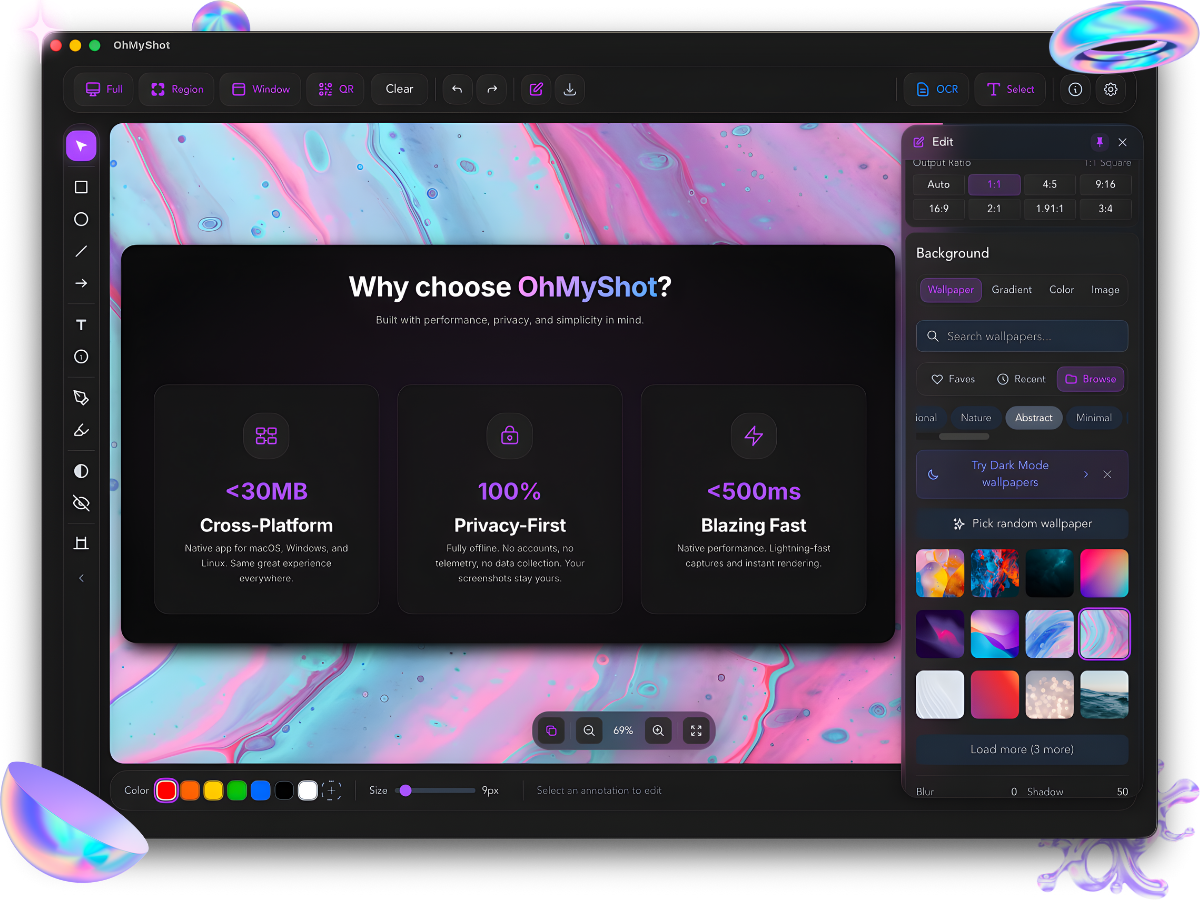
- 🎨 Beautiful backgrounds, gradients, borders, shadows
- ✏️ 10+ annotation tools (arrow, text, rectangle, circle, line, freehand, blur, highlighter, numbering, callout)
- 🗂️ Annotation layers panel
- 📌 Pin screenshots (always-on-top)
- 📚 Template library
- 🖼️ Export to PNG, JPEG, modern compressed image format, GIF
- 📝 Custom filename templates
- 💧 Watermark (text + image/logo)
- 📋 Annotation copy/paste
- 🌍 19 languages supported
- 🔄 Auto-update
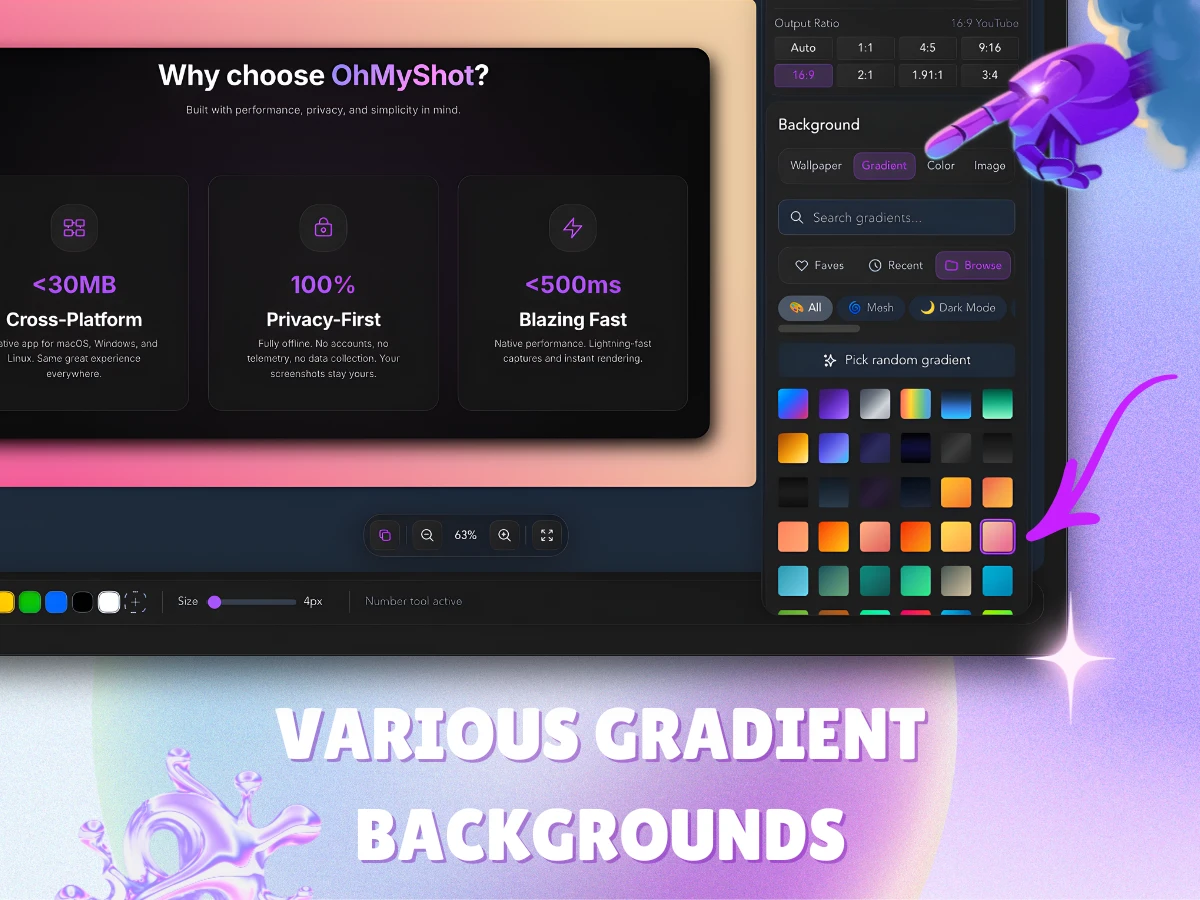
Professional gradient backgrounds
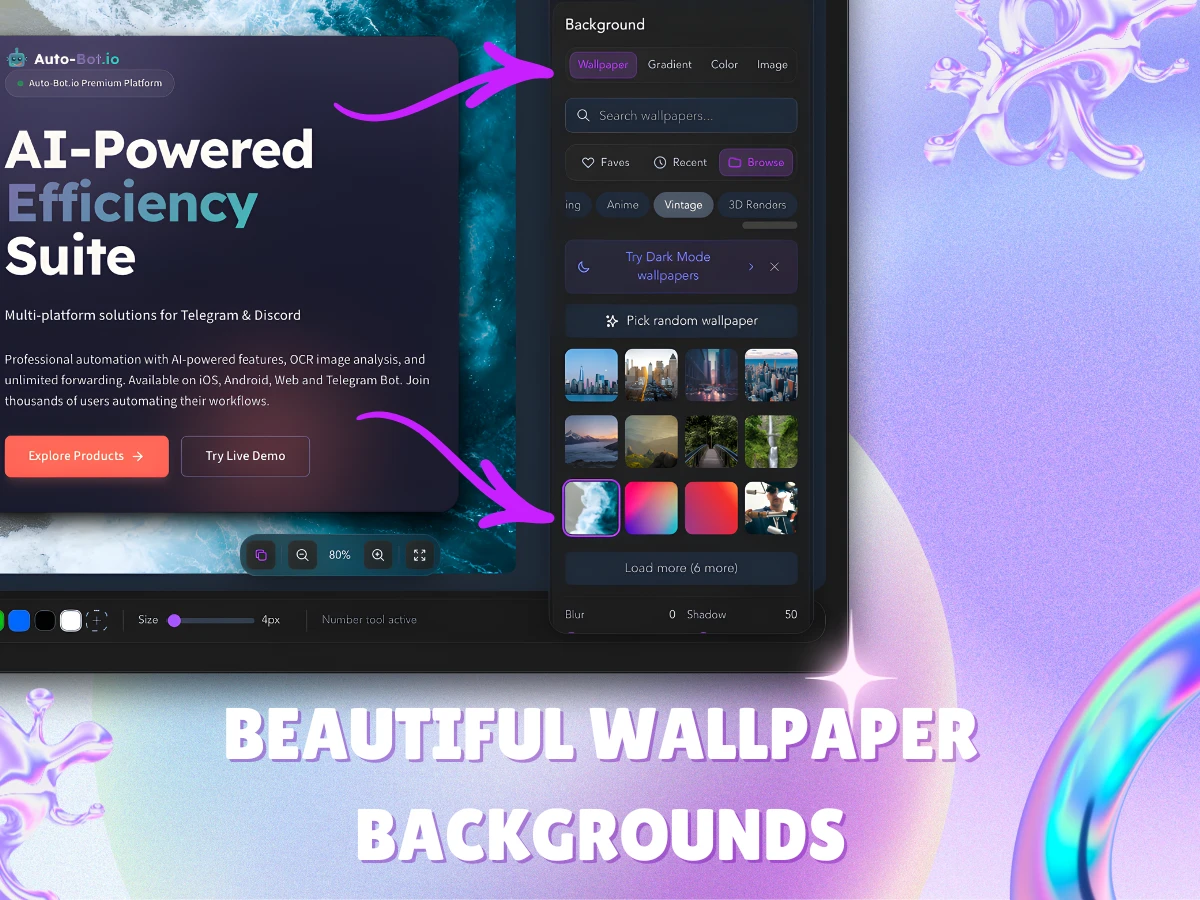
Custom wallpaper backgrounds
| Shortcut | Action |
|---|---|
| ⌘⌥3 | Screenshot region capture |
| ⌘⌥4 | OCR Direct Capture (select & extract text) |
| ⌘⌥5 | Quick Capture Mode |
| E | Toggle Edit Panel |
| X | Toggle Export Panel |
| M | Toggle Minimal Mode |
| [ | Collapse/Expand Toolbar |
| ? | Show all shortcuts |
| Platform | Download |
|---|---|
| macOS (Apple Silicon) | GitHub · CDN |
| macOS (Intel) | GitHub · CDN |
| Windows (Installer) | GitHub · CDN |
| Windows (MSI) | GitHub · CDN |
| Linux (AppImage) | GitHub · CDN |
| Linux (Debian/Ubuntu) | GitHub · CDN |
| Linux (Fedora/RHEL) | GitHub · CDN |
⚠️ Windows Note: You may see a SmartScreen warning. Click "More info" → "Run anyway" to proceed.
- Download the
.dmgfile - Open and drag OhMyShot to Applications
- If macOS shows "The application can't be opened":
- Terminal (Recommended): Open Terminal and run:
bash xattr -cr /Applications/OhMyShot.app - Right-click: Right-click the app → Open → Open
- System Settings: Go to System Settings → Privacy & Security → click "Open Anyway"
- Download the
.exeinstaller - Run the installer
- Follow the installation wizard
# Debian/Ubuntu
sudo dpkg -i OhMyShot_1.20.0_amd64.deb

# Fedora/RHEL
sudo rpm -i OhMyShot-1.20.0-1.x86_64.rpm
OhMyShot is privacy-first:
- No analytics or tracking
- No telemetry
- No account required
- Works offline by default (Cloud Upload is optional)
If you enable Cloud Upload, your screenshot is uploaded to ImgBB to generate a shareable link.
See our Privacy Policy for details.
See CHANGELOG.md for version history.
© 2026 RedFox Team. All rights reserved.
Website: ohmyshot.app