

Observability, prompt management, and evals for LLM engineering teams.





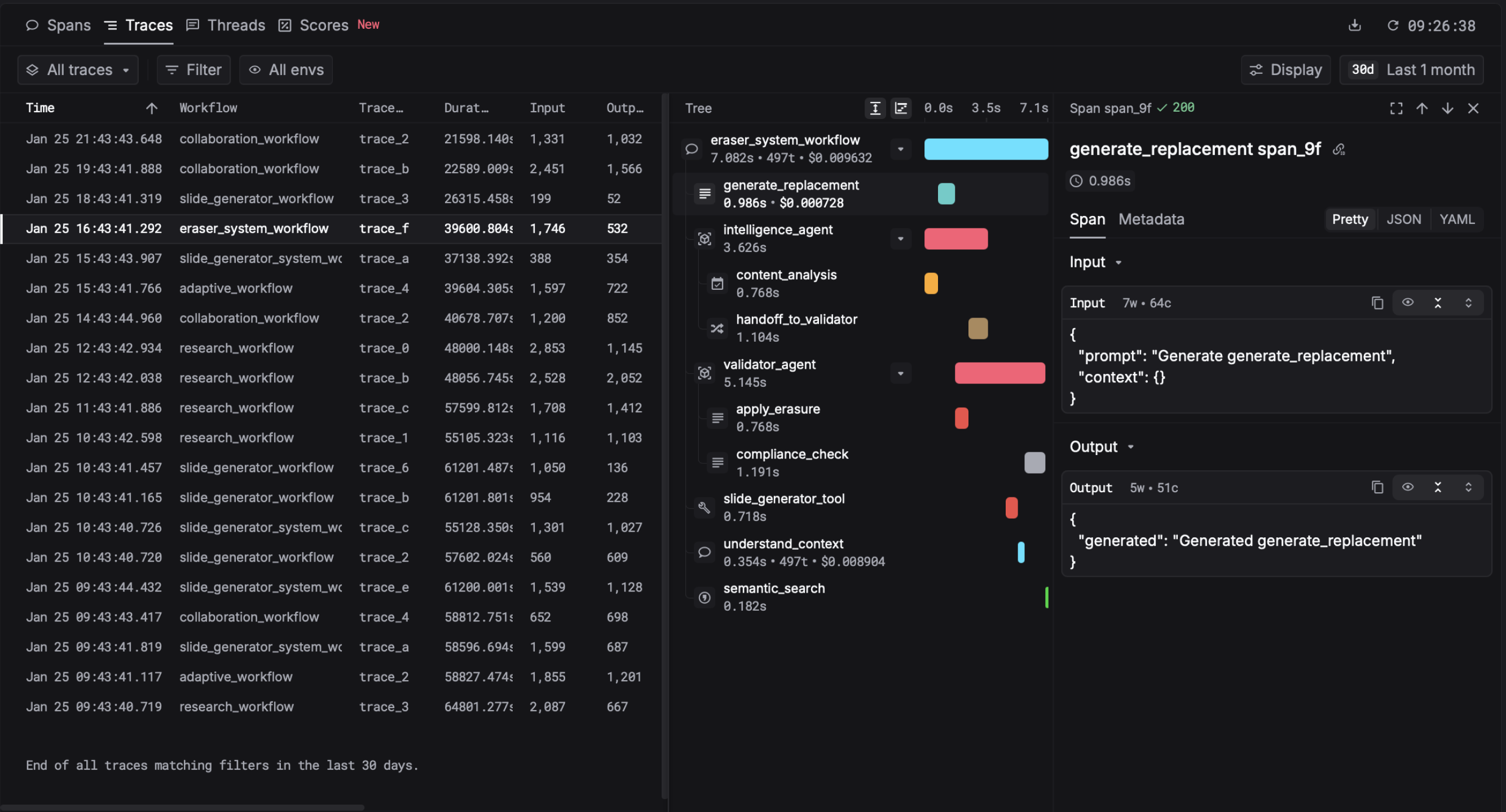
Respan's library for sending telemetries of LLM applications in OpenLLMetry format.


pip install respan-ai openainpm install @respan/respan openaiReplace openai with the provider SDK your application uses. The facade supplies the eligible first-party instrumentation adapters; TypeScript users should not install with --omit=optional because those adapters are optional dependencies of @respan/respan.
| Variable | Required | Description |
|---|---|---|
RESPAN_API_KEY |
Yes | Your Respan API key. Authenticates both proxy and tracing. Get it from the platform. |
RESPAN_BASE_URL |
No | Defaults to https://api.respan.ai/api. |
The quickstart below routes OpenAI through the Respan gateway, so RESPAN_API_KEY authenticates both inference and telemetry export. When calling a provider directly, configure that provider's credentials and endpoint normally; Respan still uses RESPAN_API_KEY for telemetry.
import os
from openai import OpenAI
from respan import Respan

# Omit `instrumentations` to auto-discover the matching bundled adapter.
respan = Respan()

# Respan API key authenticates both proxy and tracing
respan_api_key = os.environ["RESPAN_API_KEY"]
respan_base_url = os.getenv("RESPAN_BASE_URL", "https://api.respan.ai/api")

client = OpenAI(api_key=respan_api_key, base_url=respan_base_url)

response = client.chat.completions.create(
    model="gpt-4.1-nano",
    messages=[{"role": "user", "content": "Say hello in three languages."}],
)
print(response.choices[0].message.content)
respan.shutdown()import OpenAI from "openai";
import { Respan } from "@respan/respan";
const respanBaseURL =
process.env.RESPAN_BASE_URL ?? "https://api.respan.ai/api";
// Omit `instrumentations` to auto-discover the matching bundled adapter.
const respan = new Respan({
apiKey: process.env.RESPAN_API_KEY,
baseURL: respanBaseURL,
});
await respan.initialize();
const client = new OpenAI({
apiKey: process.env.RESPAN_API_KEY,
baseURL: respanBaseURL,
});
const response = await client.chat.completions.create({
model: "gpt-4.1-nano",
messages: [{ role: "user", content: "Say hello in three languages." }],
});
console.log(response.choices[0].message.content);
await respan.shutdown();See your traces in the Respan platform.
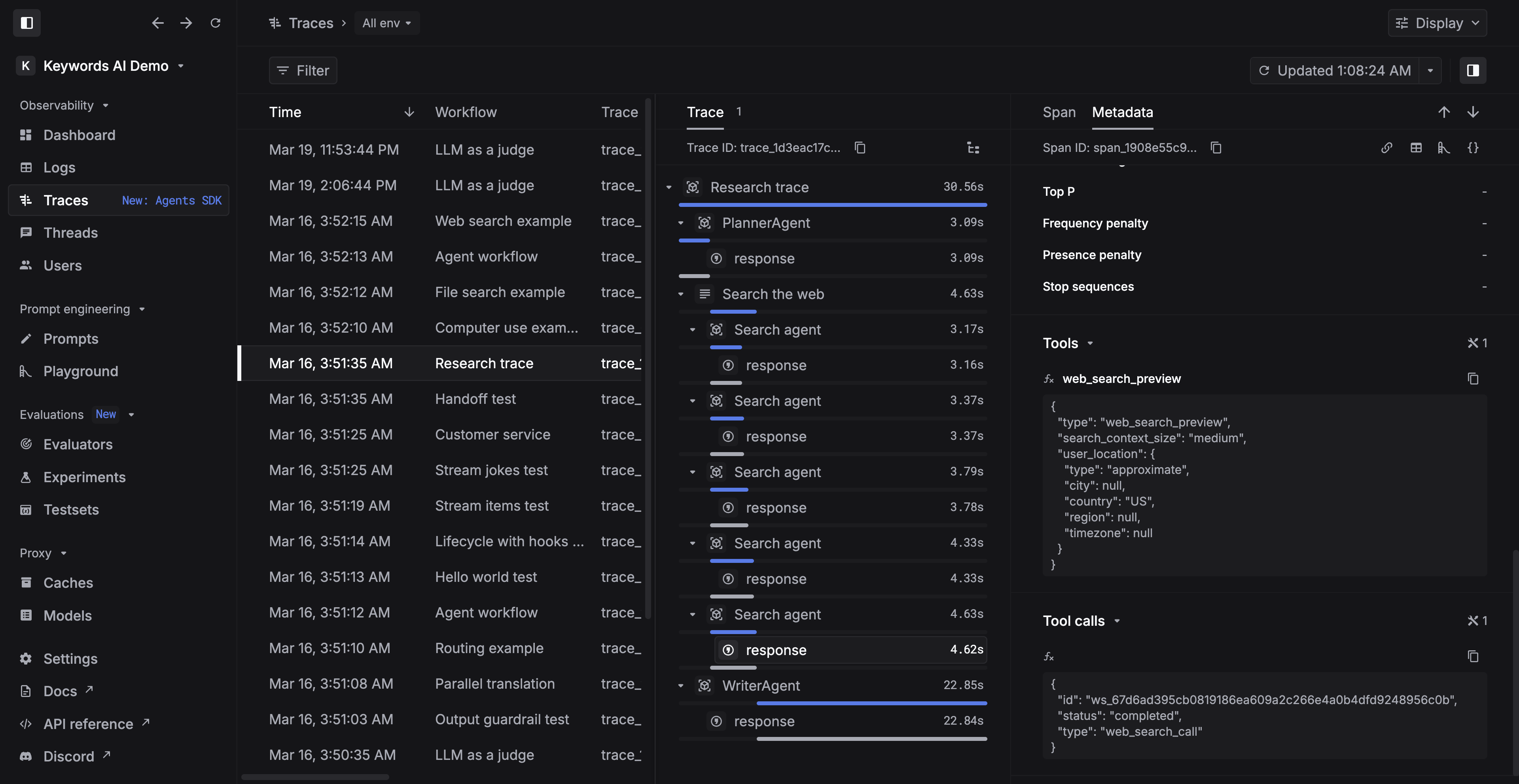
- Python OpenAI SDK examples — hello world, decorators, attributes, batch, streaming, tool calls
- Python OpenAI Agents SDK examples — hello world, handoffs, routing, guardrails
- TypeScript OpenAI SDK examples — hello world, decorators, attributes
Install the facade and the provider SDK, omit the instrumentations option, and initialize Respan before the first provider call. Missing provider SDKs are skipped without failing startup and are visible through the instrumentation status API.
| Provider | Python SDK | TypeScript SDK |
|---|---|---|
| OpenAI | openai |
openai |
| Azure OpenAI | openai |
openai |
| Anthropic | anthropic |
@anthropic-ai/sdk |
| Vertex AI | google-cloud-aiplatform |
@google-cloud/vertexai |
| Google GenAI | google-genai |
— |
| AWS Bedrock | boto3 |
@aws-sdk/client-bedrock-runtime |
| Cohere | — | cohere-ai |
| Together AI | together |
together-ai |
| OpenRouter | — | @openrouter/sdk |
| Writer | — | writer-sdk |
| Ollama | ollama |
— |
respan-ai bundles the seven eligible Python adapters. A normal @respan/respan install includes the nine TypeScript adapters as optional dependencies.
Inspect the result after construction in Python with respan.get_auto_instrumentation_status(), or after await respan.initialize() in TypeScript with respan.getInstrumentationStatus().
LLM wrappers, agent frameworks, application frameworks, protocol/tooling integrations, observability bridges, and vector databases remain explicit opt-ins to prevent duplicate spans. Supplying instrumentations selects explicit mode and disables automatic discovery by default.
Python can intentionally combine explicit plugins with direct-SDK automatic discovery by setting is_auto_instrument=True. Use Respan(is_auto_instrument=False) to disable automatic discovery entirely.
In TypeScript, use disabledInstrumentations: ["openrouter"] to disable one automatic adapter, or instrumentations: [] to disable all automatic discovery. TypeScript explicit mode is currently exclusive and cannot be combined with automatic discovery.
Structure traces with @workflow / @task (Python) or withWorkflow / withTask (TypeScript). See the decorators example for details.
Attach customer_identifier, thread_identifier, and metadata to all spans in scope. See the attributes example.
Please star us if you found this helpful!