Weather data presented in a highly graphic interface shown in relation to various planets from the Star Wars saga.
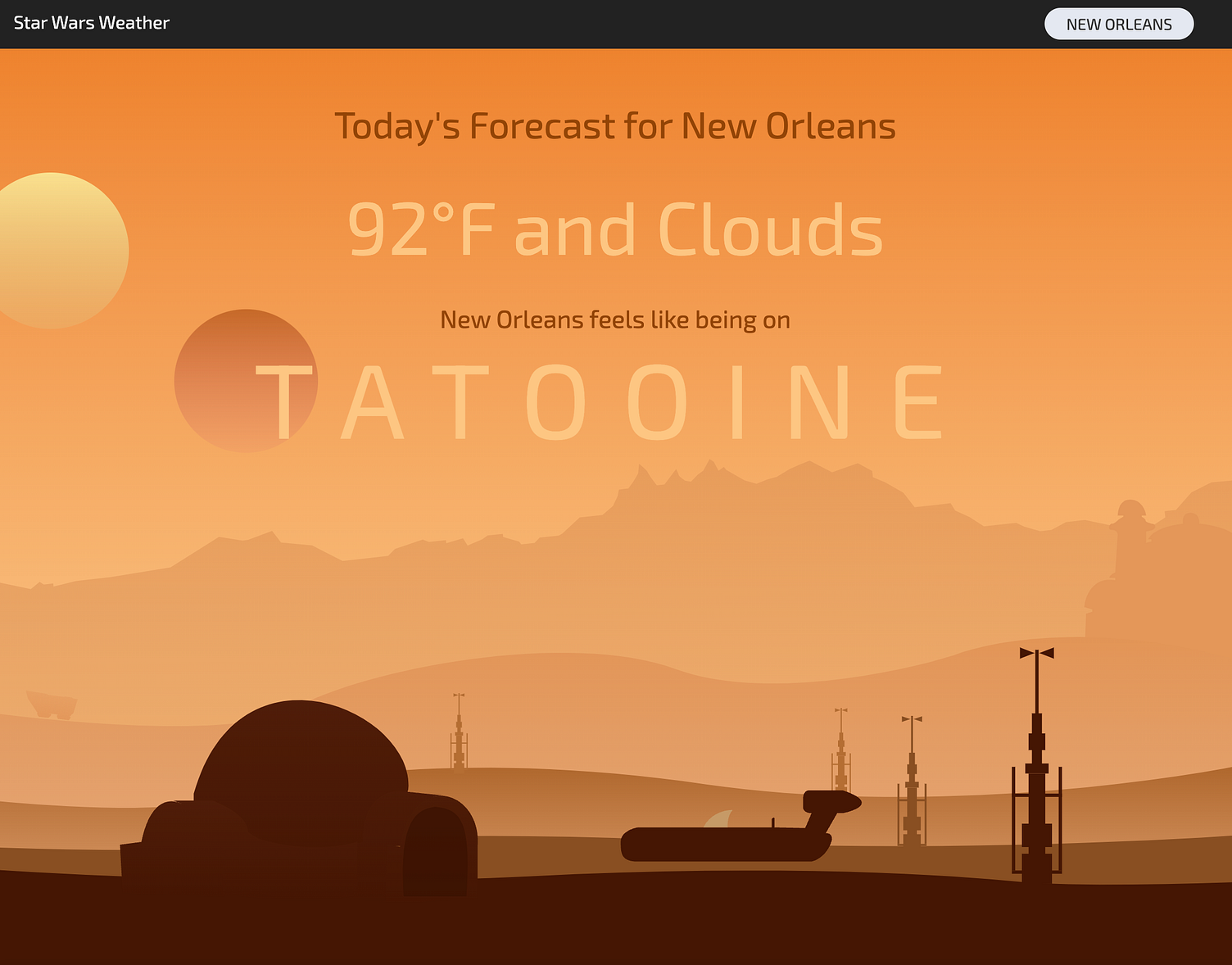
StarWarsWeather is a Next.js app that maps real-world weather conditions to Star Wars planets.
- Install dependencies:
npm install- Create
.env.localin the project root:
OPENWEATHERMAP_API_KEY=your_openweather_api_key- Start the app:
npm run devOpen http://localhost:3000.
OPENWEATHERMAP_API_KEY(required): server-only key used by:GET /api/weatherGET /api/geocode
Important migration note:
NEXT_PUBLIC_OPENWEATHERMAP_API_KEYis no longer used.- If you previously set that variable, move its value to
OPENWEATHERMAP_API_KEYand remove the public one.
npm run dev— start development servernpm run lint— run lint checksnpm run build— create production buildnpm run start— run production build locally
GET /api/weather?lat={lat}&lon={lon}GET /api/weather?address={cityOrQuery}GET /api/geocode?q={locationQuery}
/api/geocode returns up to 5 normalized candidates and supports the location disambiguation UI.
This site was created with: React, Next.js, Tailwind, Typescript, OpenWeatherAPI, HTML, and CSS.
Tools used to build this site: Figma, Illustrator, Photoshop, VS Code, Github, Netlify, and ChatGPT.
Greg Robleto - @robleto