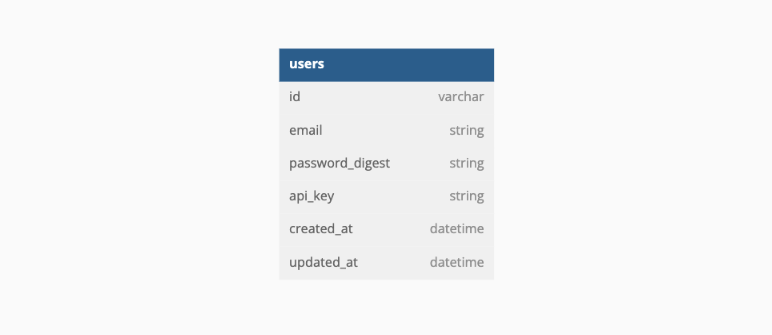
Sweater Weather is a service-oriented Ruby on Rails API application that exposes API endpoints for trip planning. This app allows users to see current and forecasted weather to plan upcoming trips.
- Expose an API that aggregates data from multiple external APIs
- Expose an API that requires an authentication token
- Expose an API for CRUD functionality
- Determine completion criteria based on the needs of other developers
- Research, select, and consume an API based on your needs as a developer
- Fork and/or Clone the repo using the SSH key
git clone git@github.com:rue-zheng/sweather_weather.git
- Install gems and dependencies
bundle install
- Create database and run migrations
rails db:create
rails db:migrate
- Set up figaro to securely use API key
bundle exec figaro install
- To use the API services mentioined above, add the following line in the hidden
root/config/application.ymlfile generated in step 4:
mapquest_api_key: YOUR_MAPQUEST_API_KEY
openweather_api_key: YOUR_OPEN_WEATHER_API_KEY
- Run run test suit
bundle exec rspec
- Start the local server to service API requests:
rails s
Open web browser and add endpoints to the end of the local base url:
http://localhost:3000
- http request
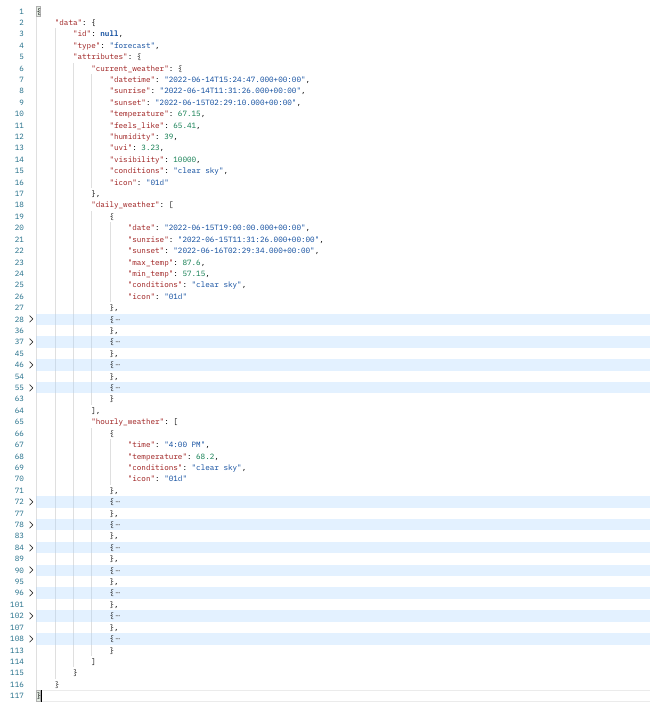
GET /api/v1/forecast?location=denver,co
Content-Type: application/json
Accept: application/json
headers: { 'Authorization' => 'Bearer YOUR_API_KEY' }
- Postman Sample Response:
- http request
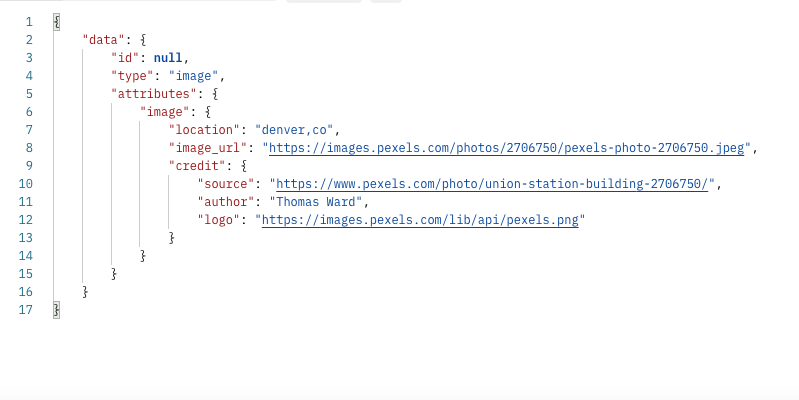
GET '/api/v1/backgrounds?location=denver,co'
Content-Type: application/json
Accept: application/json
headers: { 'Authorization' => 'Bearer YOUR_API_KEY' }
- Postman sample response
- http request
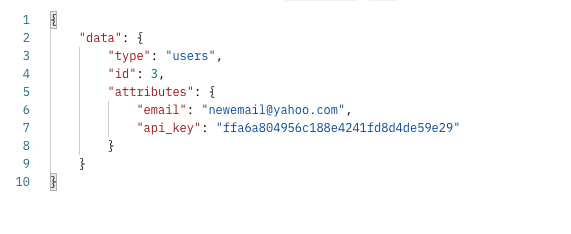
POST 'api/v1/users'
Content-Type: application/json
Accept: application/json

body:
{
  "email": "user@example.com",
  "password": "password",
  "password_confirmation": "password"
}
- Postman sample response
- http request
POST /api/v1/sessions
Content-Type: application/json
Accept: application/json

body:
{
  "email": "user@example.com",
  "password": "password"
}
- Postman sample response
- http request
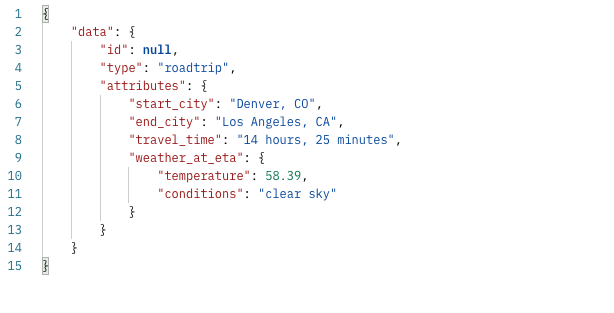
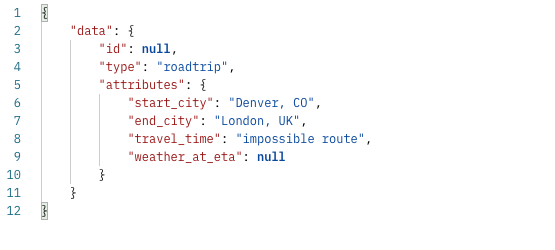
POST /api/v1/road_trip
Content-Type: application/json
Accept: application/json

body:
{
  "origin": "Denver,CO",
  "destination": "Los Angeles,CA",
  "api_key": "jgn983hy48thw9begh98h4539h4"
}
- Postman sample response (valid trip):
- Postman sample response (impossible route):
- Endpoint(s) consumed:
- Instruction to obtain an API key:
- Visit MapQuest Developer Signup Page and create an account
- Login and visit profile page. Under Manage Keys tab, the API key is listed under Application/Consumer Key.
- Developer's Guide
- Terms of Use
- Endpoint(s) consumed:
- Instruction to obtain an API key:
- Visit OpenWeather Signup Page and create an account
- Login and click on your user name. Under the dropdown menu, select My API Keys option to view and manage your API key (Note: it may take a few hours for the API key to be activated).
- Developer's Guide