



q3dviewer is a library designed for quickly deploying a 3D viewer. It is based on Qt and provides efficient OpenGL items for displaying 3D objects (e.g., point clouds, cameras, and 3D Gaussians). You can use it to visualize your 3D data or set up an efficient viewer application. It is inspired by PyQtGraph but focuses more on efficient 3D rendering.
To show how to use q3dviewer as a library, we also provide some very useful tools.
For library usage:
pip install q3dviewerFor additional GUI tools (q3d.film_maker, etc.):
pip install "q3dviewer[tools]"If you encounter an error related to loading the shared library libxcb-cursor.so.0 on Ubuntu 20.04 or 22.04, please install libxcb-cursor0:
sudo apt-get install libxcb-cursor0Once installed, you can directly use the following tools:
A tool for visualizing point cloud files (LAS, PCD, PLY, E57). Launch it by executing the following command in your terminal:
q3d.cloud_viewerAlternatively, if the path is not set (though it's not recommended):
python3 -m q3dviewer.tools.cloud_viewerBasic Operations
📁 Load Files - Drag and drop files into the viewer
- Point clouds: .pcd, .ply, .las, .e57
- Mesh files: .stl
📏 Measure Distance - Interactive point measurement
Ctrl + Left Click: Add measurement pointCtrl + Right Click: Remove last point- Total distance displayed automatically
🎥 Camera Controls - Navigate the 3D scene
Double Click: Set camera center to pointRight Drag: Rotate viewLeft Drag: Pan viewMouse Wheel: Zoom in/out
⚙️ Settings - Press M to open settings window
- Manual adjustment of visualization properties
Ctrl + S: Save all settingsCtrl + L: Load all settings
🔄 Depth Sorting - Press R to force one depth sort
🎯 Center Point - Shown while the camera view is changing
For example, you can download and view point clouds of Tokyo in LAS format from the following link:

Mesh Support - Starting from version 1.2.4, mesh files (.stl) are now supported.

A simple tool for editing point clouds. It supports PCD, PLY, LAS, and E57 files, point deletion, measurement, undo, and saving.
q3d.cloud_editor
A high-performance SLAM viewer compatible with ROS, serving as an alternative to RVIZ.
roscore &
q3d.ros_viewerWould you like to create a video from point cloud data? With Film Maker, you can easily create videos with simple operations. Just edit keyframes using the user-friendly GUI, and the software will automatically interpolate the keyframes to generate the video.
q3d.film_makerBasic Operations
- File loading, camera controls, and settings: Same as Cloud Viewer
Space: Add a keyframeDelete: Remove the selected keyframePlay: Play or stop the camera motionRecord: Record the camera motion during playbackSave Camera Motion/Load Camera Motion: Save or restore keyframes
Film Maker GUI:

The demo video demonstrating how to use Film Maker utilizes the cloud data of Kyobashi Station Area located in Osaka, Japan.
A simple viewer for 3D Gaussians. See EasyGaussianSplatting for more information.
q3d.gaussian_viewer # Drag and drop your Gaussian file onto the window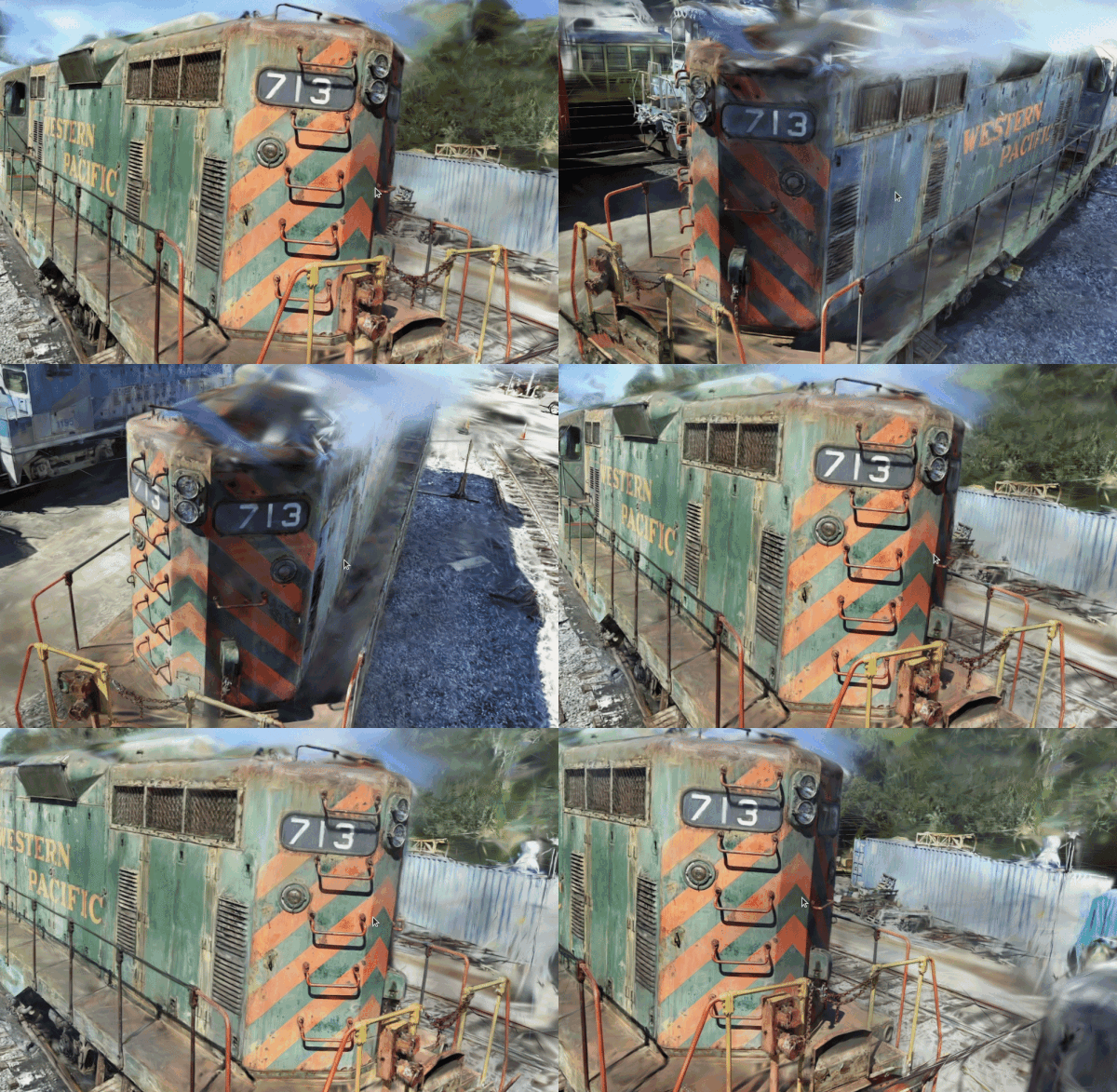
Using the examples above, you can easily customize and develop your own 3D viewer with q3dviewer. Below is a coding example.
#!/usr/bin/env python3

import q3dviewer as q3d  # Import q3dviewer

def main():
    # Create a Qt application
    app = q3d.QApplication([])

    # Create various 3D items
    axis_item = q3d.AxisItem(size=0.5, width=5)
    grid_item = q3d.GridItem(size=10, spacing=1)

    # Create a viewer
    viewer = q3d.Viewer(name='example')

    # Add items to the viewer
    viewer.add_items({
        'grid': grid_item,
        'axis': axis_item,
    })

    # Show the viewer & run the Qt application
    viewer.show()
    app.exec()

if __name__ == '__main__':
    main()
q3dviewer provides the following 3D items:
- AxisItem: Displays coordinate axes or the origin position.
- CenterItem: Displays a shaded center marker while the camera is moving.
- CloudItem: Displays point clouds.
- CloudIOItem: Displays point clouds with input/output capabilities.
- CloudSortItem: Displays point clouds with depth sorting support.
- FrameItem: Displays camera or coordinate frames.
- GaussianItem: Displays 3D Gaussians.
- GridItem: Displays grids.
- ImageItem: Displays 2D images.
- LineItem: Displays lines or trajectories.
- MeshItem: Displays dynamic quadrilateral meshes.
- SatelliteMapItem: Displays satellite map tiles.
- StaticMeshItem: Displays static triangular meshes.
- Text2DItem: Displays 2D text.
- Text3DItem: Displays 3D text and markers.
In addition to the standard 3D items provided, you can visualize custom 3D items with simple coding. Below is a sample:
from OpenGL.GL import *
import numpy as np
import q3dviewer as q3d
from q3dviewer.Qt.QtWidgets import QLabel, QSpinBox

class YourItem(q3d.BaseItem):
    def __init__(self):
        super(YourItem, self).__init__()
        # Necessary initialization

    def add_setting(self, layout):
        # Initialize the settings screen
        label = QLabel("Add your setting:")
        layout.addWidget(label)
        box = QSpinBox()
        layout.addWidget(box)

    def set_data(self, data):
        # Obtain the data you want to visualize
        # Update the item state, then notify the viewer to repaint.
        self.data = data
        self.notify_changed()
        pass

    def set_color(self, color):
        # Any visual setting change must also notify the viewer.
        self.color = color
        self.notify_changed()

    def initialize_gl(self):
        # OpenGL initialization settings (if needed)
        pass

    def paint(self):
        # Visualize 3D objects using OpenGL
        pass
Enjoy using q3dviewer!