-
This code is for template matching when the template image has different size from original image.
-
It used 'TM_CCOEFF_NORMED' method.
-
This is the code to compare the accuracy by changing the aspect ratio of the template image.
-
This code will stop searching when accuracy is over 0.95 or can't find better ratio than before.
-
Compare ratios up to 5 decimal. (ex. 1.XXXXX).
-
크기 다른 이미지 매칭 알고리즘이 없는것 같아 노가다 하는 방식으로 만들었습니다.
-
템플릿 이미지의 확대 축소 비율을 찾아서 비교하는 방법입니다.
-
openCV에서 템플릿 매칭중 TM_CCOEFF_NORMED 를 이용했습니다.
-
비율은 최대 소숫점 다섯째 자리까지 비교합니다.
-
정확도?가 0.95 이상이거나, 이전 소숫점 단계에서 비교한 비율과 차이가 없으면 멈춥니다.
-
너무 작은 영상이라 해상도가 떨어지지만 않으면 대부분 잘 찾는편입니다.
-
import matching_crop as mc
-
#'ratio_template_matching' will return 'Matching Result = [crop_ratio, accruray, template x, template y, template width, template height]'
-
mc.ratio_template_matching(original_src_img, original_template, result_path)
-
original_src_img & original_template = Color (ex. original_template = cv2.imread('template.jpg'))
-
result_path : default = None/ if you want save result, add result_path (ex. result_path = os.path.join("./img/result.jpg"))
-
please show 'example.py'.
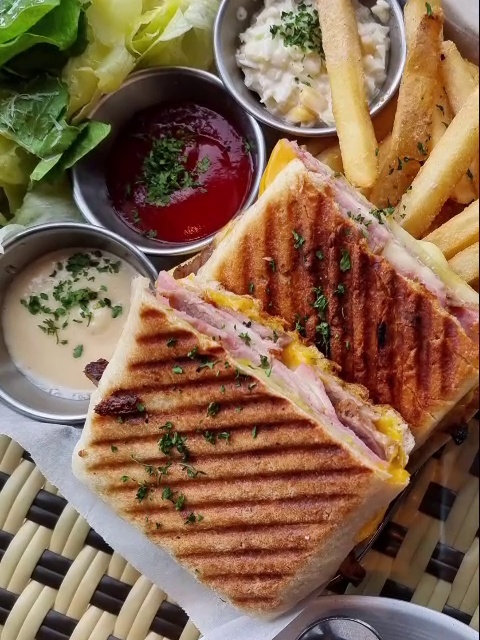
- Template (480 x 640)
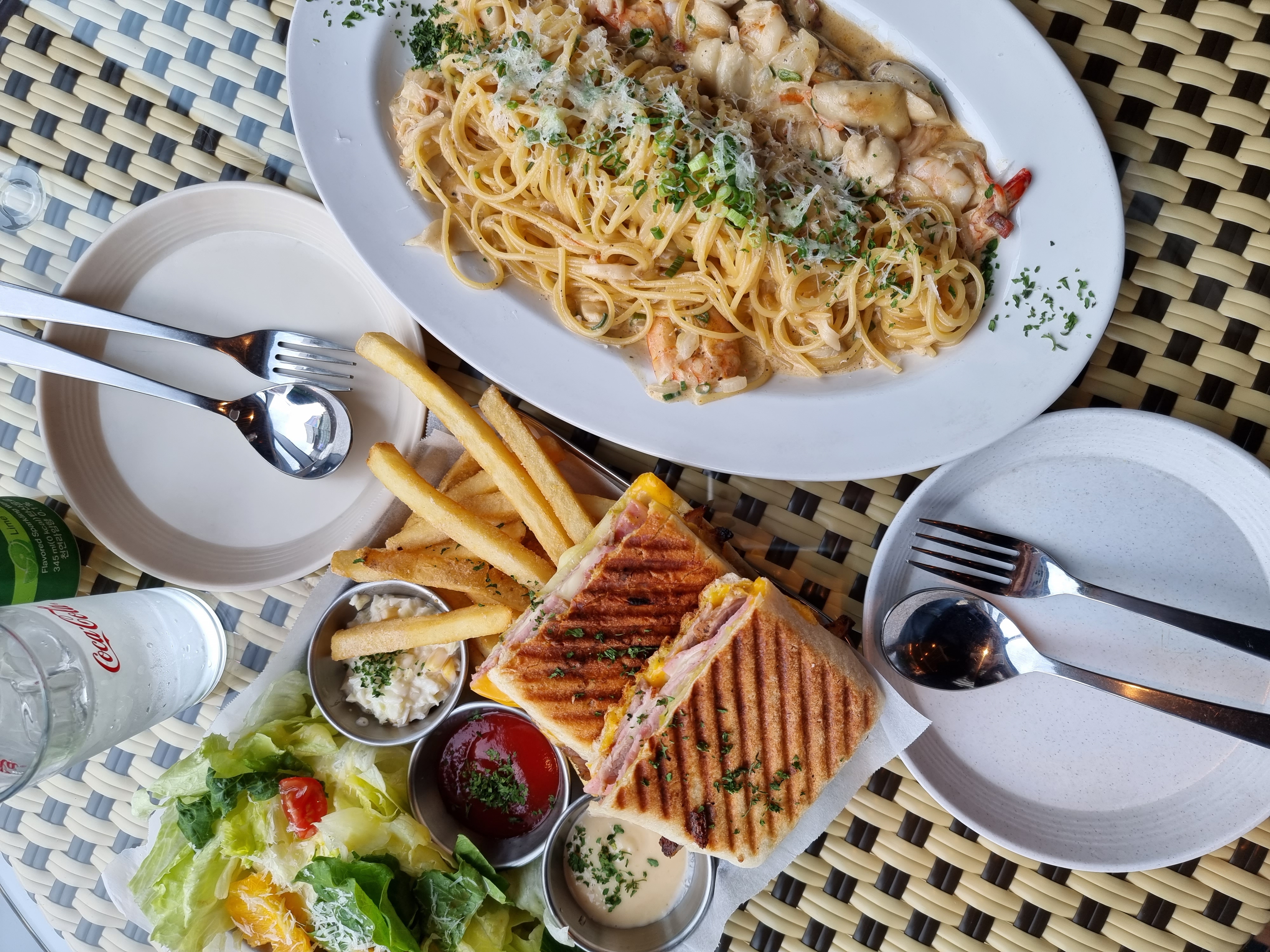
- Source Image (3000 x 4000)
- Matching Result
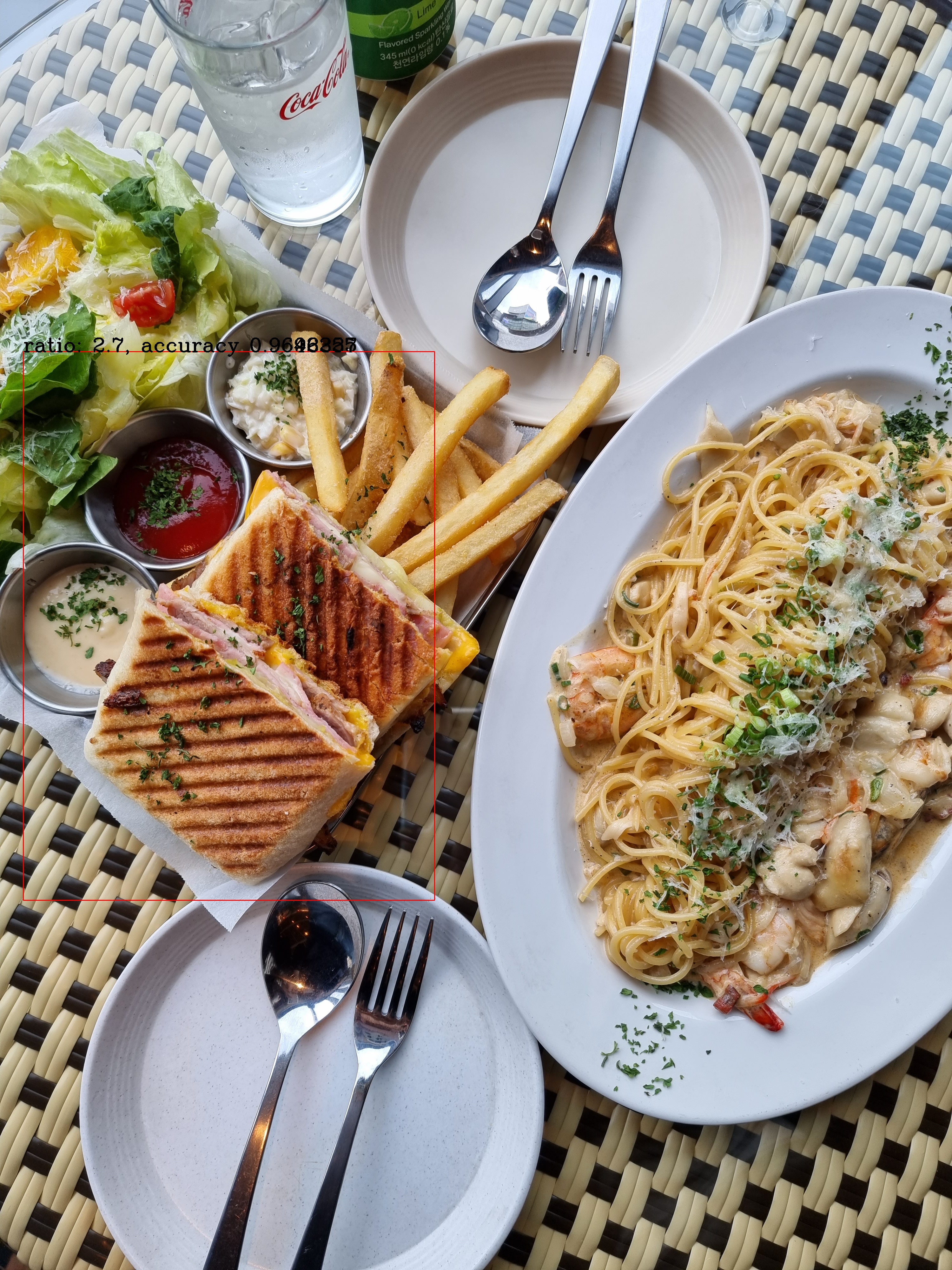
Matching Result Ratio: 2.7 Accuracy: 0.9646357 Template X: 73 Template Y: 1107 Template width: 1296 Template height: 1728
