
In a PUBG game, up to 100 players start in each match (matchId). Players can be on teams (groupId) which get ranked at the end of the game (winPlacePerc) based on how many other teams are still alive when they are eliminated. In game, players can pick up different munitions, revive downed-but-not-out (knocked) teammates, drive vehicles, swim, run, shoot, and experience all of the consequences -- such as falling too far or running themselves over and eliminating themselves.
You are provided with a large number of anonymized PUBG game stats, formatted so that each row contains one player's post-game stats. The data comes from matches of all types: solos, duos, squads, and custom; there is no guarantee of there being 100 players per match, nor at most 4 players per group.
- DBNOs - Number of enemy players knocked.
- assists - Number of enemy players this player damaged that were killed by teammates.
- boosts - Number of boost items used.
- damageDealt - Total damage dealt. Note: Self inflicted damage is subtracted.
- headshotKills - Number of enemy players killed with headshots.
- heals - Number of healing items used.
- Id - Player’s Id
- killPlace - Ranking in match of number of enemy players killed.
- killPoints - Kills-based external ranking of player. (Think of this as an Elo ranking where only kills matter.) If there is a value other than -1 in rankPoints, then any 0 in killPoints should be treated as a “None”.
- killStreaks - Max number of enemy players killed in a short amount of time.
- kills - Number of enemy players killed.
- longestKill - Longest distance between player and player killed at time of death. This may be misleading, as downing a player and driving away may lead to a large longestKill stat.
- matchDuration - Duration of match in seconds.
- matchId - ID to identify match. There are no matches that are in both the training and testing set.
- matchType - String identifying the game mode that the data comes from. The standard modes are “solo”, “duo”, “squad”, “solo-fpp”, “duo-fpp”, and “squad-fpp”; other modes are from events or custom matches.
- rankPoints - Elo-like ranking of player. This ranking is inconsistent and is being deprecated in the API’s next version, so use with caution. Value of -1 takes place of “None”.
- revives - Number of times this player revived teammates.
- rideDistance - Total distance traveled in vehicles measured in meters.
- roadKills - Number of kills while in a vehicle.
- swimDistance - Total distance traveled by swimming measured in meters.
- teamKills - Number of times this player killed a teammate.
- vehicleDestroys - Number of vehicles destroyed.
- walkDistance - Total distance traveled on foot measured in meters.-
- weaponsAcquired - Number of weapons picked up.
- winPoints - Win-based external ranking of player. (Think of this as an Elo ranking where only winning matters.) If there is a value other than -1 in rankPoints, then any 0 in winPoints should be treated as a “None”.
- groupId - ID to identify a group within a match. If the same group of players plays in different matches, they will have a different groupId each time.
- numGroups - Number of groups we have data for in the match.
- maxPlace - Worst placement we have data for in the match. This may not match with numGroups, as sometimes the data skips over placements.
- winPlacePerc - The target of prediction. This is a percentile winning placement, where 1 corresponds to 1st place, and 0 corresponds to last place in the match. It is calculated off of maxPlace, not numGroups, so it is possible to have missing chunks in a match.
- Tool:
- Python 3.11.7
- Standard Libraries:
- warnings
- numpy (imported as np)
- pandas (imported as pd)
- Visualization Libraries:
- matplotlib.pyplot (imported as plt)
- seaborn (imported as sns)
- Machine Learning Libraries:
- sklearn.preprocessing (specifically StandardScaler)
- sklearn.model_selection (specifically train_test_split)
- catboost (imported as cb)
- sklearn.metrics (specifically mean_squared_error and r2_score)
## handling warnings

import warnings
warnings.filterwarnings("ignore")

##standard libraries

import numpy as np # linear algebra
import pandas as pd # data processing, CSV file I/O (e.g. pd.read_csv)

## visualisation

import matplotlib.pyplot as plt
%matplotlib inline
plt.rcParams["figure.figsize"] = (11,5)

import seaborn as sns

from sklearn.preprocessing import StandardScaler
from sklearn.model_selection import train_test_split

## !pip install catboost (for jupyter/colab)

import catboost as cb

from sklearn.metrics import mean_squared_error
from sklearn.metrics import r2_score--------------------------------------------------------------------------- FileNotFoundError Traceback (most recent call last) Cell In[2], line 3 1 ## load the data ----> 3 df = pd.read_csv("pubg_game_prediction.csv") 5 ## glimpse of the data 7 df.head(2)File ~\anaconda3\Lib\site-packages\pandas\io\parsers\readers.py:948, in read_csv(filepath_or_buffer, sep, delimiter, header, names, index_col, usecols, dtype, engine, converters, true_values, false_values, skipinitialspace, skiprows, skipfooter, nrows, na_values, keep_default_na, na_filter, verbose, skip_blank_lines, parse_dates, infer_datetime_format, keep_date_col, date_parser, date_format, dayfirst, cache_dates, iterator, chunksize, compression, thousands, decimal, lineterminator, quotechar, quoting, doublequote, escapechar, comment, encoding, encoding_errors, dialect, on_bad_lines, delim_whitespace, low_memory, memory_map, float_precision, storage_options, dtype_backend) 935 kwds_defaults = _refine_defaults_read( 936 dialect, 937 delimiter, (...) 944 dtype_backend=dtype_backend, 945 ) 946 kwds.update(kwds_defaults) --> 948 return _read(filepath_or_buffer, kwds)
File ~\anaconda3\Lib\site-packages\pandas\io\parsers\readers.py:611, in _read(filepath_or_buffer, kwds) 608 _validate_names(kwds.get("names", None)) 610 # Create the parser. --> 611 parser = TextFileReader(filepath_or_buffer, **kwds) 613 if chunksize or iterator: 614 return parser
File ~\anaconda3\Lib\site-packages\pandas\io\parsers\readers.py:1448, in TextFileReader.init(self, f, engine, **kwds) 1445 self.options["has_index_names"] = kwds["has_index_names"] 1447 self.handles: IOHandles | None = None -> 1448 self._engine = self._make_engine(f, self.engine)
File ~\anaconda3\Lib\site-packages\pandas\io\parsers\readers.py:1705, in TextFileReader._make_engine(self, f, engine) 1703 if "b" not in mode: 1704 mode += "b" -> 1705 self.handles = get_handle( 1706 f, 1707 mode, 1708 encoding=self.options.get("encoding", None), 1709 compression=self.options.get("compression", None), 1710 memory_map=self.options.get("memory_map", False), 1711 is_text=is_text, 1712 errors=self.options.get("encoding_errors", "strict"), 1713 storage_options=self.options.get("storage_options", None), 1714 ) 1715 assert self.handles is not None 1716 f = self.handles.handle
File ~\anaconda3\Lib\site-packages\pandas\io\common.py:863, in get_handle(path_or_buf, mode, encoding, compression, memory_map, is_text, errors, storage_options) 858 elif isinstance(handle, str): 859 # Check whether the filename is to be opened in binary mode. 860 # Binary mode does not support 'encoding' and 'newline'. 861 if ioargs.encoding and "b" not in ioargs.mode: 862 # Encoding --> 863 handle = open( 864 handle, 865 ioargs.mode, 866 encoding=ioargs.encoding, 867 errors=errors, 868 newline="", 869 ) 870 else: 871 # Binary mode 872 handle = open(handle, ioargs.mode)
FileNotFoundError: [Errno 2] No such file or directory: 'pubg_game_prediction.csv'

The data for 75 and + people in a match is huge with maximum matches having 95-98 players
It is not possible to kill even 1 player if you do not move by atleast 1 unit. Following are mostly used practices by cheaters (ones who interfere with the game's genuine natural processes):
- Aimbots
- Wallhacks
- Triggerbots
- ESP (Extra Sensory Perception)
- Silent Aim
## prepare a data parameter to gather the information of the total distance travelled

df['totalDistance'] = df['rideDistance'] + df['walkDistance'] + df['swimDistance']

## prepare a data parameter to check for anamoly detection that
## the person has not moved but still managed to do the kills

df['killswithoutMoving'] = ((df['kills'] > 0) & (df['totalDistance'] == 0))1535 instances have either used hacks or been lucky ! We cannot use such data (which cannot be generalised) for our model. Hence, dropping these instances.
It takes to be expert among the other players in a match to kill by vehicles only. Hence dropping the 46 instances from data frame.

Maximum people kills upto maximum 12 players.

Kills beyond 20 are rare and cannot be used a general use case. Hence, dropping the instance.
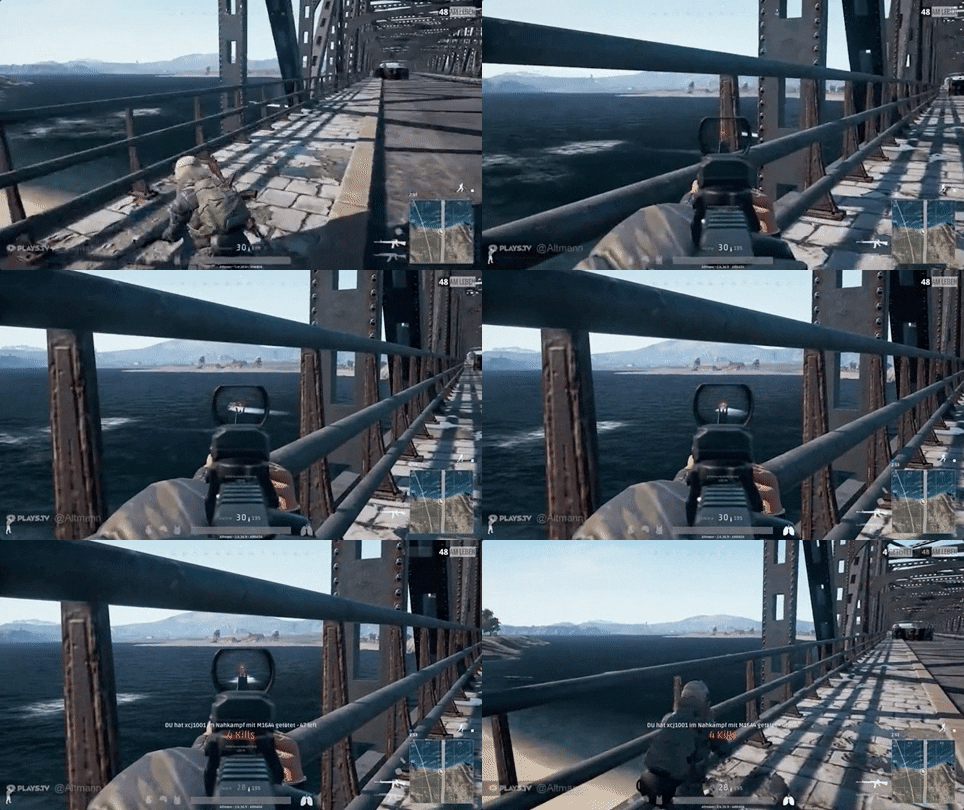

Killing more than 5 people as headshots where all the shots in a match are headshots is mostly not a general case. 187 instances have such anomaly and hence, we will drop them.
The maximum possible distance that is made possible to snipe from in PUBG is 1km or 1000 meters. However, this is not general case and most of the times, hackers use either of the following to take advantage and win a match:
- Sniper Aimbots
- Bullet Speed/Trajectory Hacks
- No Recoil/No Spread
- Zoom Hacks

1747 instances have kills > 500. hence, we will drop these.
In general, people change upto 10 guns in match (avg. being 5 to 6). But, cheaters sometimes use either of the following for unlimited recoil/ guns in a single match:
- Macro Scripts
- Rapid Fire Hacks
- Input Spoofing

In 6809 instances, people have changed gun more than 15 times in a match. Such is not a general the use case and hence, we will drop these values.

## create new attributes with normalization factor

df['killsNorm'] = df['kills'] * normalising_factor
df['damageDealtNorm'] = df['damageDealt'] * normalising_factor
df['maxPlaceNorm'] = df['maxPlace'] * normalising_factor
df['matchDurationNorm'] = df['matchDuration'] * normalising_factor
df['traveldistance'] = df['walkDistance']+ df['swimDistance'] + df['rideDistance']
df['healsnboosts'] = df['heals'] + df['boosts']
df['assist'] = df['assists'] + df['revives']Training Parameters:
3105414
Testing
Parameters: 1330892
Our model has prepare final data after Kfold cross validation.
Best Parameters:
- 'depth': 8
- 'learning_rate': 0.1
- 'iterations': 150}
- 'iterations': [0,....149]
plt.figure(figsize=(10, 6))  # Adjust the figure size if needed

# Set the background color of the graph
plt.gca().set_facecolor('green')

# Plot the bar chart with specified colors
bars = plt.bar(feature_importance_df.features, feature_importance_df.importance, color='yellow', edgecolor='white')

# Set the labels and their colors
plt.ylabel("CatBoost Feature Importance", color='black')
plt.xticks(rotation=90, color='black')
plt.yticks(color='black')

# Display the plot
plt.show()The model can be trained dropping the following parameters:
- matchType_normal-squad
- vehicleDestroys
- headshot_rate
- matchType_normal-solo
- matchType_normal-solo-fpp
- matchType_crashtpp
- matchType_normal-duo-fpp
- matchType_normal-duo
- matchType_flarefpp
- headshotKills
- killswithoutMoving_False
An 8% error with r2 Value closer to 1, which means the model accuracy is high without being overfitting.
Hence,

I hope you found this analysis of PUBG game ranking prediction using
the CatBoost model both comprehensive and insightful! With an RSME of
0.08 and an R² score close to 1, the model demonstrates high accuracy in
predicting player rankings.
Your feedback is invaluable, please
share your thoughts if you enjoyed it.
Check out more such
projects here! 😄😅
🔝